The Best Free Drawing Software in 2026: Top Picks at a Glance
If you want a quick answer, here are the best free drawing software options available right now:
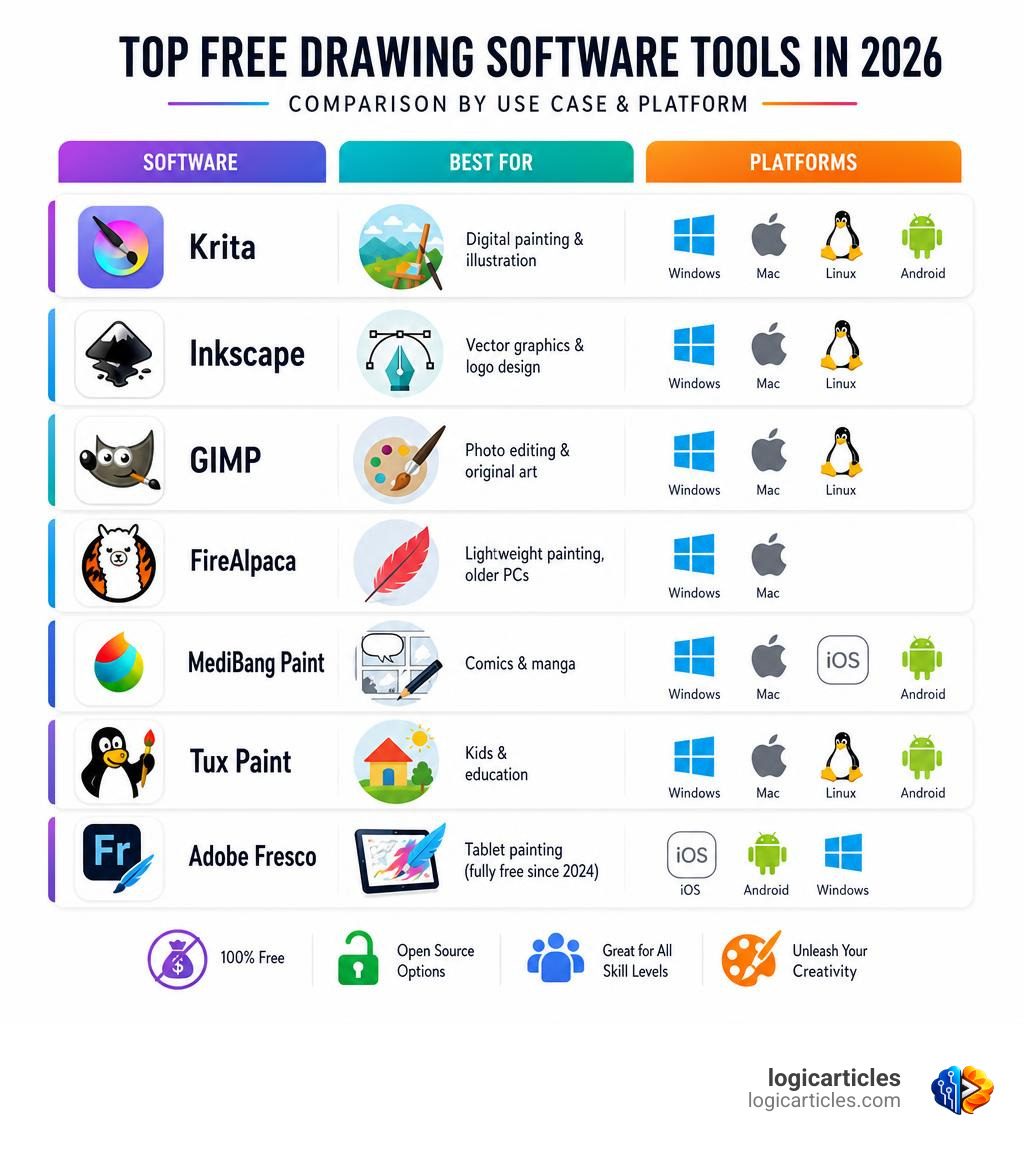
| Software | Best For | Platform |
|---|---|---|
| Krita | Digital painting & illustration | Windows, Mac, Linux, Android |
| Inkscape | Vector graphics & logo design | Windows, Mac, Linux |
| GIMP | Photo editing & original art | Windows, Mac, Linux |
| FireAlpaca | Lightweight painting, older PCs | Windows, Mac |
| MediBang Paint | Comics & manga | Windows, Mac, iOS, Android |
| Tux Paint | Kids & education | Windows, Mac, Linux, Android |
| Adobe Fresco | Tablet painting (went fully free in 2024) | iOS, Android, Windows |
Great digital art tools no longer require a big budget. A few years ago, serious artists felt forced to pay for software like Procreate or Adobe’s subscription suite. That’s changed dramatically.
Today, free tools are genuinely powerful. Krita alone has been downloaded over 22.6 million times worldwide — and it’s completely free, forever, thanks to its open-source license. FireAlpaca has crossed 22 million downloads too, with users in 196 countries.
Whether you’re a hobbyist sketching on weekends, a student learning the basics, or a freelance illustrator with a professional workflow, there’s a free tool built for you. The hard part isn’t finding a free option — it’s finding the right one.
That’s exactly what this guide cuts through.
What to Look For in the Best Free Drawing Software
Choosing the best free drawing software isn’t just about finding a program that doesn’t cost anything. It’s about finding a workspace that feels like home. When we evaluate digital art tools, we look at several core technical features to ensure they can keep up with your imagination.
Pressure Sensitivity and Stylus Support
If your software doesn’t support pressure sensitivity, your digital drawings will lack depth and dynamic range. A great drawing app must seamlessly communicate with your drawing tablet (like a Wacom, Huion, or XP-Pen) or your tablet stylus (like the Apple Pencil). This allows you to control line weight, opacity, and texture simply by changing how hard you press.
Advanced Layer Support
Think of layers as transparent sheets of plastic stacked on top of each other. Any serious drawing software must support layers, along with blending modes (like Multiply, Overlay, and Color Dodge), layer masks, and opacity adjustments. This allows you to sketch, line, color, and shade on separate levels without ruining your progress.
Deep Brush Customization
Every artist has a unique style. While default brushes are great for getting started, you need software that lets you adjust parameters like spacing, scatter, angle, and texture. The ability to import custom brush packs (such as Photoshop .abr files or community-made assets) is a huge bonus that keeps your toolkit fresh.
Platform Compatibility
We all work on different devices. Some of us prefer a heavy-duty desktop setup (Windows, macOS, or Linux), while others love the portability of drawing on an iPad or Android tablet. The ideal software should fit your hardware without forcing you to buy a new device.
Open-Source vs. Proprietary Licensing
Understanding the “why” behind a free app is crucial. Open-source software is built by volunteer communities and is free forever with no strings attached. Proprietary free apps, on the other hand, are owned by companies. They are often completely free but might include ads, require watching a video to unlock certain brushes, or offer a paid “Pro” upgrade. Knowing these models helps you choose a tool that fits your long-term creative goals.
Top Free Drawing and Painting Apps in 2026
Now that we know what to look for, let’s dive into the absolute best options available in 2026. We have broken these down by their specific strengths so you can find the perfect match for your workflow.
Krita: The Best Free Drawing Software for Digital Painters
If you want a professional-grade digital painting program without the price tag, Krita is the gold standard. Developed by a passionate global community of artists under the GNU GPL license, Krita is completely free and open-source. As of 2026, it has surpassed 22.6 million downloads worldwide.
Krita’s interface is beautiful, clean, and highly customizable. While it might look a bit intimidating to absolute beginners because of its vast array of tools, it is incredibly rewarding to learn. It features an advanced brush engine with over a dozen different types, allowing you to simulate real-world media like watercolors, oils, and charcoals with ease.
What makes Krita truly special is its robust support for animation. It features a fully integrated timeline for frame-by-frame 2D animation, making it a favorite for character designers and animators alike. With built-in brush stabilizers, drawing assistants for perspective lines, and a massive library of community-shared brushes, patterns, and plugins, Krita rivals any paid software on the market.
To start your digital painting journey, you can download it directly from Krita | Digital Painting. Creative Freedom..
Inkscape: The Best Free Drawing Software for Vector Illustrators
Not all digital art is made of pixels. If you are designing logos, icons, web graphics, or clean vector illustrations that need to scale infinitely without losing quality, Inkscape is your best friend. It is widely considered one of the strongest free alternatives to Adobe Illustrator.
Inkscape uses the standard SVG (Scalable Vector Graphics) format as its native file type. It boasts a powerful set of flexible drawing tools, including advanced Bezier and spiro curves, a robust text tool, and path operations.
The community behind Inkscape is incredibly active. The recent 1.4.4 release brought massive performance boosts, over 120 bug and crash fixes, and 23 improved user interface translations. Whether you are a professional graphic designer or a hobbyist playing with shapes, Inkscape provides a stable, feature-rich environment to draw freely.
Get your copy of this powerful vector graphics editor at Inkscape – Draw Freely. | Inkscape.
GIMP: Powerful Photo Manipulation and Original Art
GIMP (GNU Image Manipulation Program) is one of the oldest and most famous open-source image editors in existence. Available for Windows, macOS, and Linux, it is primarily known as a free alternative to Photoshop. However, it also serves as a highly capable tool for original digital art creation.
While GIMP’s learning curve can be steep due to its traditional, multi-window layout, it offers unmatched extensibility. It supports scripting in multiple programming languages—including Python, C, C++, Perl, and Scheme—allowing users to automate complex image manipulation tasks.
For artists who combine photography with digital painting, GIMP offers high-quality photo manipulation, creative composites, and precise color management. It integrates beautifully into professional desktop publishing workflows alongside other open-source tools.
Explore its massive feature set and download the program at GIMP – GNU Image Manipulation Program.
FireAlpaca: Lightweight Digital Painting for All Systems
If you are working on an older laptop or a lower-end computer, heavy software can cause frustrating lag. This is where FireAlpaca shines. With over 22.6 million downloads worldwide, FireAlpaca is a remarkably lightweight digital painting tool designed for both Windows and Mac.
Despite its small footprint, FireAlpaca is packed with features. It offers high-quality brushes with analog textures, post-drawing line adjustments (like forced fade-in/out), and specialized filters like speed lines and concentration effects. It also includes intuitive perspective grids (including 3D perspective) and a simple animation tool to bring your sketches to life.
For artists who want a fast, responsive program that launches in seconds and doesn’t hog system memory, FireAlpaca is a fantastic choice.
Download the latest version at FireAlpaca|Free Digital Painting Software.
Tux Paint: Fun and Educational Drawing for Kids
Digital art isn’t just for professionals and teenagers; younger kids love to draw too! Tux Paint is an award-winning, open-source drawing program designed specifically for children ages 3 to 12. It is used in schools worldwide to build computer literacy and foster creativity.
The software features a simple, easy-to-use interface, fun sound effects, and an encouraging cartoon penguin mascot named Tux who guides kids along. It includes a variety of drawing tools, stamps, and “magic” special effects that make creating art highly engaging. Parents and teachers love it because it is completely free, open-source, and entirely free of advertisements. Interestingly, some adults even use its unique filters to create nostalgic glitch art!
Give your kids a safe, fun space to create by visiting Tux Paint – Free art software for kids of all ages .
Comparing Open-Source vs. Proprietary Free Apps
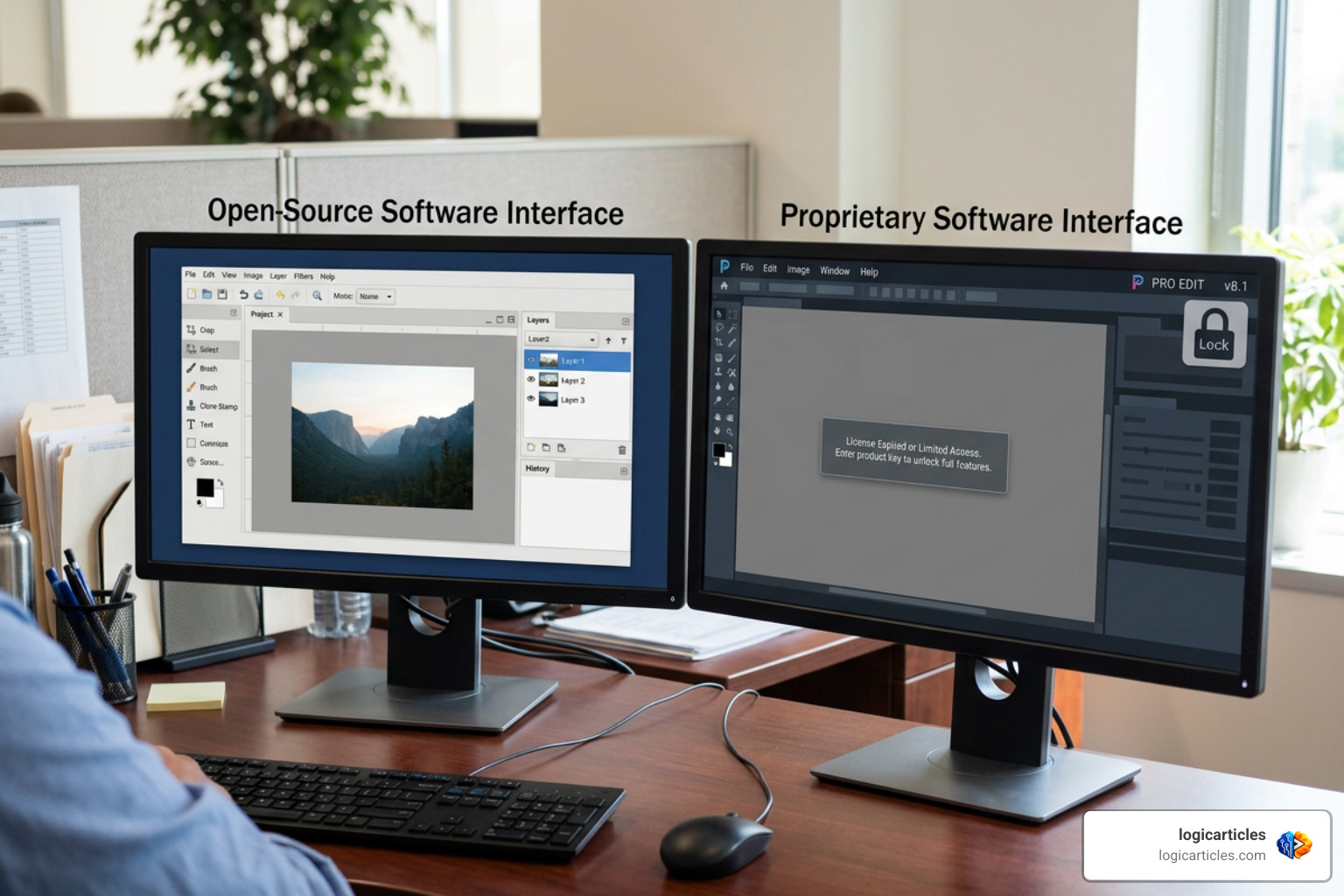
When exploring free creative tools, you will generally find two types of software: Open-Source and Proprietary Free (Freemium). Understanding the differences between them can help you choose the right workflow.
Open-Source Software (Krita, Inkscape, GIMP)
These programs are built by communities of developers and artists. Because they are licensed under public licenses (like the GNU GPL), they are free forever, have no hidden paywalls, and contain zero advertisements. They rely on donations and community contributions to keep going. The main advantage is complete creative freedom with no commercial restrictions. The minor downside is that the interfaces can sometimes feel complex and have a steeper learning curve.
Proprietary Free Software (Adobe Fresco, MediBang Paint, ibis Paint X)
These apps are developed by private companies. They are often incredibly polished, highly intuitive, and work beautifully on mobile devices like tablets and smartphones. However, they usually come with some limitations:
- Ad-Supported Models: Apps like ibis Paint X or MediBang Paint are free but show ads. Sometimes, you must watch a short video ad to unlock premium brushes for 18 or 24 hours.
- Feature Paywalls: Some apps limit the number of layers you can use or restrict high-resolution exports unless you pay for a premium subscription.
- The “Fresco” Exception: In late 2024, Adobe made the bold move to make Adobe Fresco completely free with no paywalls or subscriptions. This has made it one of the absolute best drawing apps for iPad and Windows tablet users.
Frequently Asked Questions About Free Drawing Apps
Is free drawing software safe to download?
Yes, provided you download it from the official developer websites. Open-source programs like Krita, Inkscape, and GIMP are highly secure because their source code is publicly visible and constantly audited by developers worldwide. Always avoid third-party download portals and use the official links we have provided in this guide to prevent malware.
Can I use free drawing apps on an iPad or Android tablet?
Absolutely! While desktop heavyweights like Inkscape and GIMP are built for computers, mobile artists have fantastic free options. Krita has a fully featured Android-tablet version. Adobe Fresco is an outstanding, completely free option for iPad and Windows tablets. If you don’t mind occasional ads, apps like ibis Paint X and MediBang Paint offer incredibly powerful drawing experiences on both iOS and Android.
Do free drawing tools support pressure sensitivity?
Yes, almost all modern free drawing software supports stylus pressure sensitivity. However, you must make sure your hardware is compatible. If you are on a PC or Mac, you will need to install the correct drivers for your drawing tablet. Once installed, programs like Krita and FireAlpaca will automatically detect your pen pressure, allowing you to sketch with natural variation in line thickness and opacity.
Conclusion
The digital art landscape in 2026 is incredibly welcoming. You don’t need a heavy monthly subscription or expensive software licenses to create professional, breathtaking artwork. Whether you choose the deep digital painting tools of Krita, the precise vector paths of Inkscape, or the lightweight speed of FireAlpaca, your creative potential is limitless.
We encourage you to download a couple of these tools, play around with their brushes, and see which interface feels most natural to you. The best software is simply the one that gets out of your way and lets you create.
If you want to keep optimizing your digital workspace and discover more practical, logic-driven insights on creative tools and marketing, Explore more creative tools on logicarticles.