Why You Should Claim Your Zaubee Listing Before Someone Else Controls It

Claiming your Zaubee listing is simpler than most business owners think — and more important than many realize.
Here is a quick answer if you just need the basics:
How to claim your Zaubee listing in 5 steps:
- Go to zaubee.com and search your business name
- Find your existing profile and click the claim option
- Verify ownership using your business domain email
- Access your dashboard and correct your business information
- Set a monthly reminder to audit and update your listing
Zaubee is a global business directory with a Moz Domain Authority of 33. That means a listing there does carry a real local SEO citation signal — even if the platform itself is far from perfect.
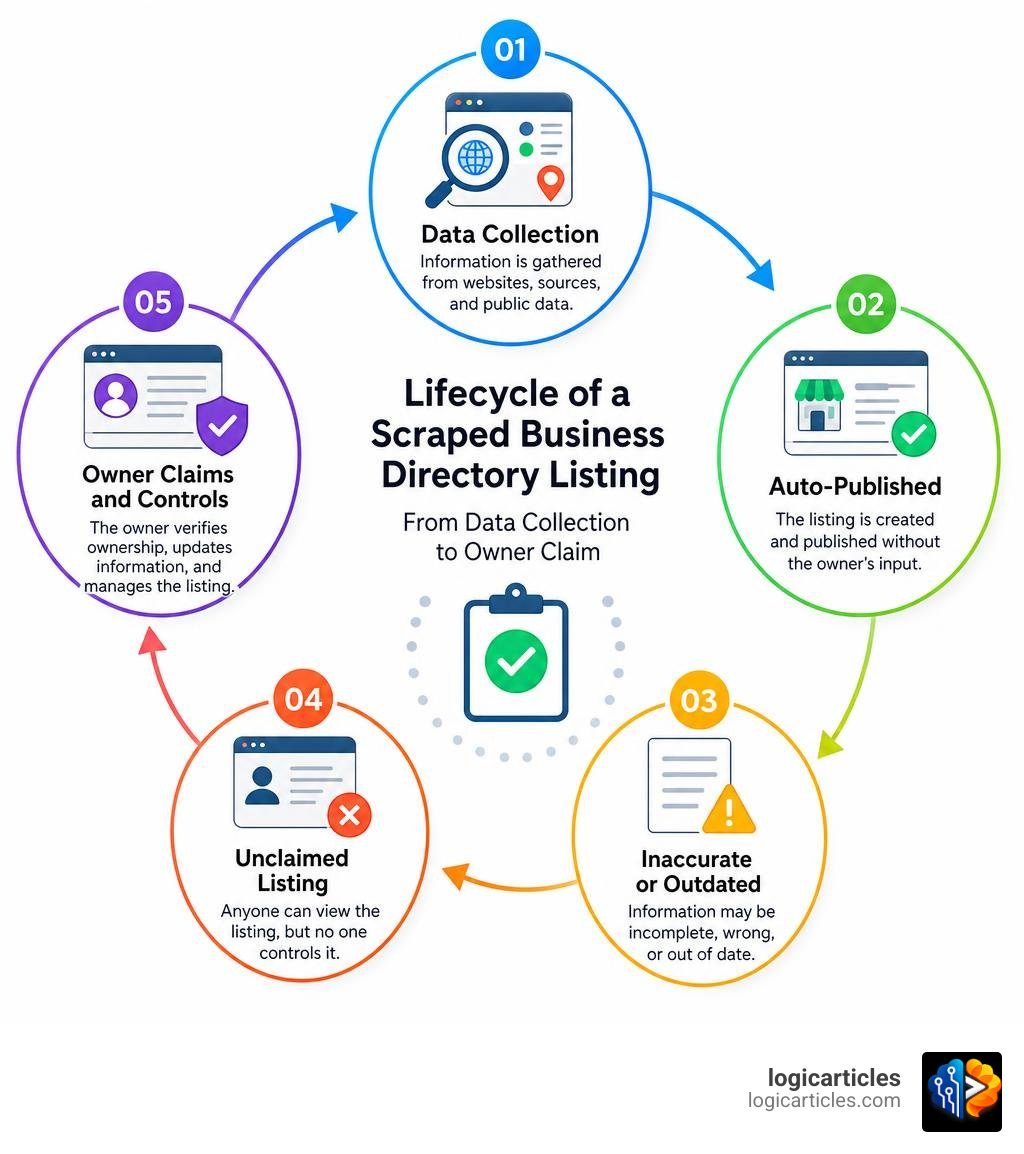
The problem? Zaubee scrapes business data from other sources without always asking permission first. That means your business may already be listed — with information you never approved, and possibly details that are wrong or outdated.
Business owners across the world have reported finding their phone numbers, addresses, and even photos published on Zaubee without their knowledge. Some discovered their closed businesses were still listed, generating unwanted calls long after shutting down.
If your listing is already out there, you have two choices: claim it and control it, or leave it unclaimed and hope no one notices.
This guide covers exactly what to do.
What is Zaubee and Is It Legit?
To understand how to handle Zaubee, we first need to pull back the curtain on what this platform actually is.
Officially, Zaubee is operated by Zaubee Internet Private Limited, an India-based company incorporated in 2018 under Corporate Identification Number (CIN) U72200OR2018PTC029668. It maintains an authorized share capital of ₹1,00,000 and operates under National Industrial Classification (NIC) Code 722, which covers software publishing, consultancy, and software supply.
But behind the official registration lies a business model that makes many business owners scratch their heads. Zaubee functions as a global online business directory, pulling in details on local shops, restaurants, hotels, and service providers. However, instead of waiting for you to politely submit your details, Zaubee acts as a data broker.
In fact, the respected personal data protection platform Optery officially classifies Zaubee as a data broker. This means the site automatically scrapes business information, customer reviews, and photos from Google Business Profiles and other search engines, republishing them without obtaining direct consent from the business owners. This automated scraping is why you might find your business listed there even if you have never heard of Zaubee before.
This aggressive scraping has earned Zaubee a rather rocky reputation online. For instance, on Trustpilot, Zaubee has received an average score of just 1.6 out of 5 stars across 168 reviews, with a staggering 70% of those being 1-star ratings. Many complaints highlight unauthorized listings, incorrect phone numbers, and a complete lack of response to removal requests. Many users also point out strong operational similarities—and potential corporate ties—between Zaubee and Nicelocal, another directory notorious for scraping business data and charging steep fees for premium features. You can also spot its footprint on platforms like the ZAUBEE Product Information and Latest Updates (2025) | Product Hunt page, where it sits as an unclaimed product listing.
Despite these headaches, we cannot ignore the SEO reality. With a Moz Domain Authority (DA) of 33, Zaubee is a mid-tier local citation source. It is not as powerful as Google or Yelp, but search engines still crawl it. If your business has incorrect data on Zaubee, it can dilute your local search rankings.
Here is a quick look at how Zaubee stacks up against the heavyweights of the directory world:
| Feature / Metric | Google Business Profile | Yelp | Bing Places | Zaubee |
|---|---|---|---|---|
| Moz Domain Authority | 100 | 94 | 98 | 33 |
| Data Source | Direct User Input | Direct User Input | Direct / Import | Scraped / Data Broker |
| Cost to Claim | Free | Free | Free | Free (Basic) |
| Third-Party Syncing | Yes (Yext, etc.) | Yes | Yes | No (Manual Only) |
| Review Replies | Yes | Yes | Yes | No |
How to Claim Your Zaubee Listing in 5 Steps
If your business is one of the 33% of managed businesses that already have a profile on Zaubee, leaving it unclaimed is a security and SEO risk. Unclaimed listings can display outdated phone numbers, wrong addresses, or even pictures of your competitors.
By following the steps below, you can take control of your profile, access your management dashboard, and ensure your business is represented accurately. For a deeper dive into how these profiles operate, you can consult the Zaubee Profile, Reviews & Listing Guide .
Step 1: Search for Your Existing Profile to Claim Your Zaubee Listing
Before you can claim anything, you have to find it. Open your browser and navigate to zaubee.com.
Use the search bar at the top of the homepage to search for your business name. Make sure to search using different variations if your business name is commonly misspelled or has changed recently.
Tip: If you do not see your business immediately, try searching by your phone number or physical address. Because Zaubee scrapes data, it sometimes creates duplicate listings or misspells business names based on outdated web records.
Step 2: Initiate the Claim Your Zaubee Listing Process
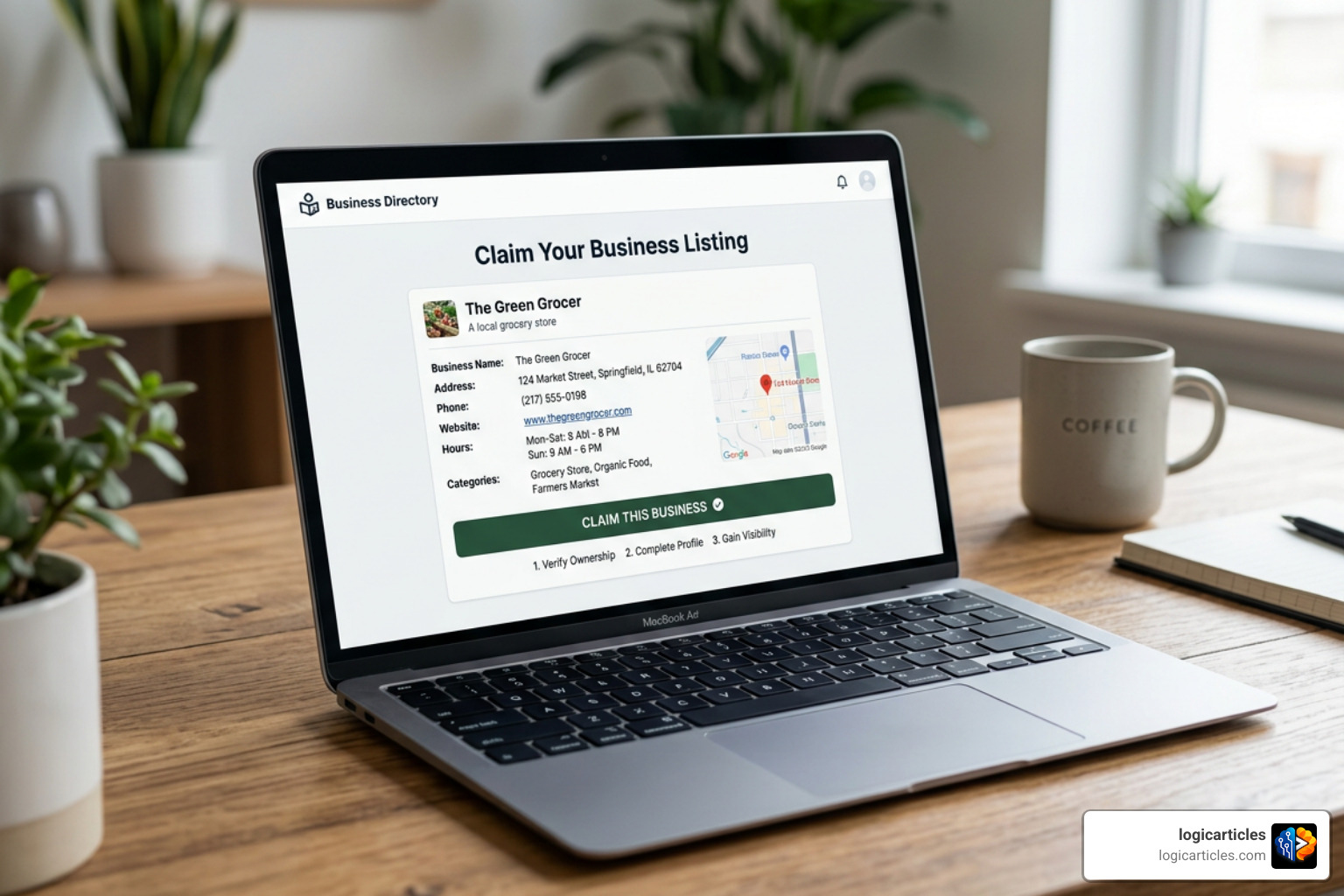
Once you locate your business profile, click on it to open the public listing page. Look closely at the page for a button or link that says “Is this your business?” or “Claim this listing.”
Clicking this button will initiate the claiming sequence. You will be prompted to create a user account on Zaubee if you do not already have one. We highly recommend using an email address that matches your business domain (e.g., yourname@yourbusiness.com) rather than a generic Gmail or Yahoo account, as this makes verification much smoother.
Step 3: Verify Ownership and Access the Dashboard
To prevent random internet users from hijacking your business page, Zaubee requires ownership verification. This is usually handled via an automated email sent to the address associated with your business domain.
Go to your inbox, look for the verification email from Zaubee, and click the confirmation link. If you do not receive the email within a few minutes, check your spam folder. Once verified, you will be granted access to the Zaubee management dashboard, where you can finally edit the listing.
Step 4: Update and Correct Your Business Information
Now that you have the keys to the castle, it is time to clean up. Your primary goal here is to establish absolute NAP (Name, Address, Phone) consistency. Search engines rely on consistent NAP data across the web to verify your business’s physical location and legitimacy.
- Correct the Name: Ensure your business name matches your Google Business Profile exactly.
- Update the Address and Phone Number: Remove any old phone lines or physical addresses.
- Add a Rich Description: Write a keyword-rich business description (50–100 words) highlighting your primary services and your city.
- Upload High-Quality Photos: Upload at least three high-resolution photos of your business storefront, interior, or team to boost visual appeal.
Step 5: Monitor and Audit Your Listing Regularly
Claiming your profile is not a “one-and-done” task. Because Zaubee is a scraped directory that does not sync with automated third-party tools like Yext or Uberall, any updates you make to your business elsewhere will not automatically push to Zaubee.
We recommend setting a bi-monthly or monthly calendar reminder to audit your Zaubee profile. Check that your operating hours are correct, look out for any new user-submitted reviews, and ensure that no scraped errors have overridden your verified details.
How to Handle New Listings and Ignored Requests
What if your business is completely missing from Zaubee, or worse, what if you have tried to claim or remove a listing and the platform is completely ignoring you? Because Zaubee’s customer support can be notoriously difficult to reach, you need a clear backup plan.
Adding a New Listing on Zaubee
If your business does not currently appear on Zaubee, you might want to add it manually to secure another local citation. However, because Zaubee relies heavily on automated scraping, there is no direct, user-friendly “Add Listing” button on their homepage.
To get your business listed manually, you can follow the detailed steps outlined in our guide on Zaubee Add Business in 2026. Generally, the most reliable manual method is to send a direct request to their support team.
Draft an email to business@zaubee.com containing your complete business details:
- Official Business Name
- Physical Address (Street, City, State, Zip Code)
- Primary Phone Number
- Website URL
- Business Category (e.g., Plumbing, Legal Services, Bakery)
- A brief business description
For alternative strategies and tips on getting listed quickly, you can also read the Zaubee Add Business: 5 Proven Steps to List Fast in 2026 guide.
What to Do If Zaubee Ignores Your Update or Removal Request
Many business owners run into a brick wall when trying to contact Zaubee. Whether you want to correct a glaring error, remove a fraudulent phone number, or completely delete a listing for a closed business, you might find that your emails go unanswered. Numerous complaints on the Zaubee.com Reviews | File a Complaint page detail how the site’s contact forms are frequently broken or ignored.
If you have sent multiple requests and have been met with total silence for more than 14 days, here are your legal and practical options:
- Leverage Data Privacy Laws (GDPR / CCPA): If your business listing exposes personal information (such as a home address or a personal cell phone number), you have rights under privacy laws like the California Consumer Privacy Act (CCPA) or the General Data Protection Regulation (GDPR). Send a formal “Right to be Forgotten” or “Data Deletion Request” to Zaubee, explicitly mentioning these regulations.
- Use a Data Removal Service: Since Zaubee is classified as a data broker, you can use dedicated privacy tools to force removal. You can follow the Remove Yourself from Zaubee – Free Opt-Out Guide | Optery to submit an official opt-out request that data brokers are legally required to honor.
- Report to Search Engines: If Zaubee is displaying highly inaccurate or damaging information (such as phishing phone numbers or fraudulent listings using your trademarked name) and refuses to take it down, you can submit a complaint to Google. Requesting that Google de-index the specific Zaubee URL from search results will prevent potential customers from finding the bad information.
Frequently Asked Questions about Zaubee Listings
Is Zaubee a free business directory?
Yes, creating and claiming a basic business listing on Zaubee is entirely free. However, users should remain cautious. Some reviews indicate that sister platforms or related directory networks may try to upsell business owners on premium listing placements, ad-free profiles, or expedited information updates. Always stick to the free, manual claiming options unless you have a specific strategic reason to pay.
Can I sync my Zaubee listing with third-party tools?
No. Unlike major platforms that integrate seamlessly with local SEO tools like Yext, myPresences, or Uberall, Zaubee does not support automated third-party syncing. Any updates, profile changes, or review monitoring must be handled manually by logging directly into your Zaubee dashboard.
How does Zaubee affect my local SEO?
Zaubee affects your local SEO primarily through citation value and NAP consistency. Because it holds a Moz Domain Authority of 33, search engines crawl its pages to verify that your business is active and legitimate. If your NAP details on Zaubee match your Google Business Profile, it sends a positive citation signal to search engines. If the data is conflicting, it can create confusion and negatively impact your local search rankings.
Conclusion
Managing your online presence does not stop at Google and Facebook. To build a robust local SEO strategy, you must keep an eye on the broader directory ecosystem—including scraped platforms like Zaubee.
By taking the time to Claim Your Zaubee Listing, correct outdated information, and maintain strict NAP consistency, you protect your brand from consumer confusion and keep your local search rankings healthy.
If you want to take your business efficiency and digital footprint to the next level, explore our curated resources in the productivity software category to find the best tools to streamline your daily operations. Keep monitoring your citations, audit your listings regularly, and stay in control of your digital storefront!