Best AI Tools for Document Generation: A Quick Answer
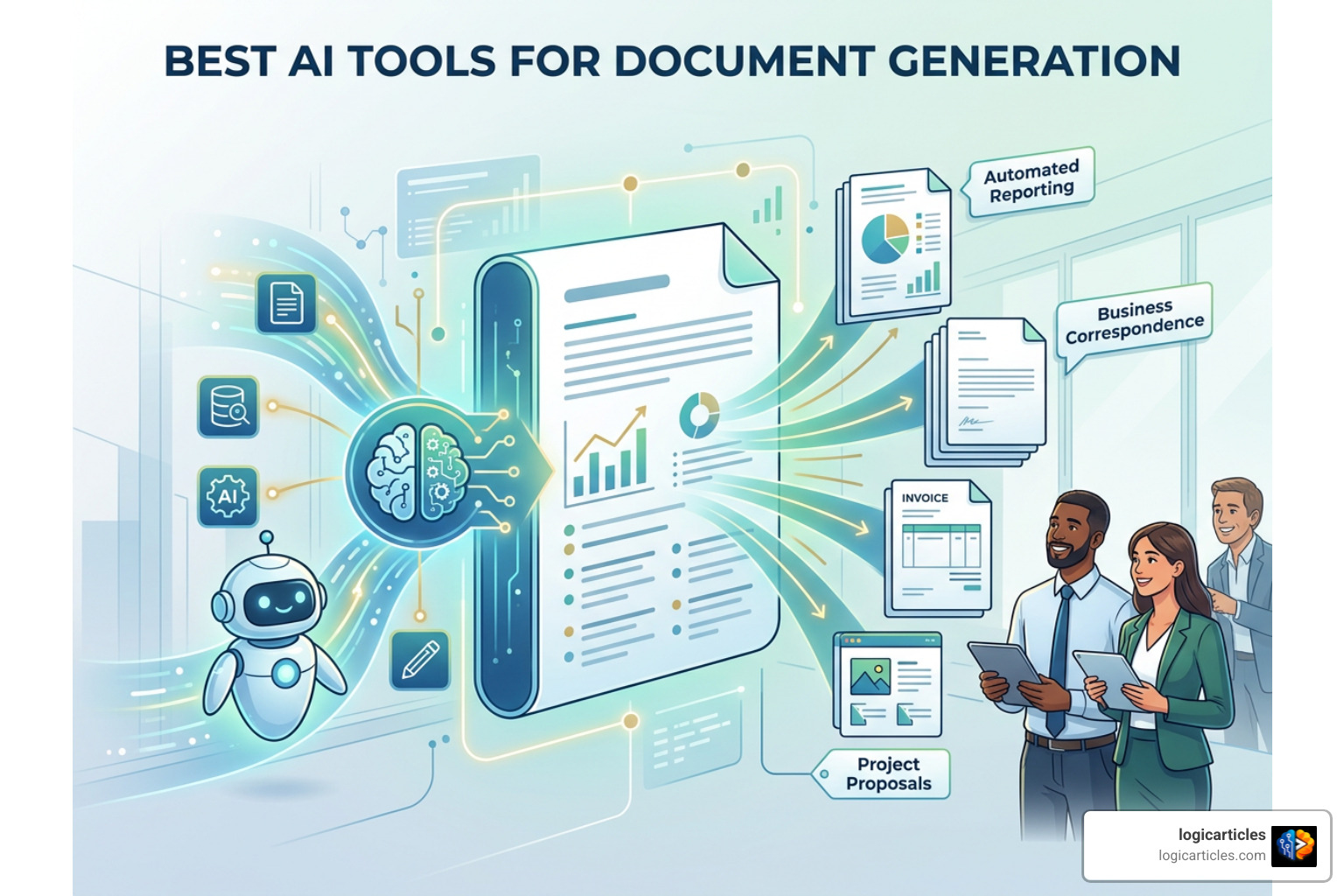
The best ai tools for document generation depend on the kind of document you need to produce and how often you need to produce it.
| Best for | Tool type to consider |
|---|---|
| Branded reports, proposals, and visual documents | Visual AI document platforms |
| Invoices, contracts, certificates, and other repeatable files | Template-based document automation tools |
| SOPs and training guides | Screen-capture and process-documentation tools |
| Team wikis, meeting notes, and internal knowledge | AI-enabled workspace and knowledge tools |
| High-volume or regulated workflows | API-driven tools with deterministic templates |
The key is not simply finding AI that writes quickly. It is choosing a tool that can create a usable document: one with the right layout, data, brand rules, approvals, and export format.
That distinction matters. A text generator can draft a paragraph. An AI document generator can turn approved inputs into a proposal, invoice, playbook, or report your team can actually send.
Budget matters, too. The cheapest tool is rarely the one with the lowest monthly price. It is the one that removes repeat work without forcing your team to copy, reformat, check, and rebuild every document after AI creates it.
What Is an AI Document Generator vs an AI Text Generator?
To build an efficient operation in 2026, we first need to clarify a common point of confusion: the difference between an AI text generator and an AI document generator.
An AI text generator is essentially a clever writing assistant inside a chat box. You give it a prompt, and it dumps raw prose onto your screen. While that is great for writing a quick email or outlining an essay, it falls completely flat when you need a professional, client-ready business file. You are still left copying that wall of text into Microsoft Word or Google Docs, tweaking margins, fixing bullet points, applying corporate colors, adding tables, and double-checking that no random claims were hallucinated.
On the other hand, a modern ai document generator creates structured, production-ready business artifacts. Instead of just spewing words, it works within formal document structures, applies exact visual formatting, connects directly with live business data, and enforces corporate brand guidelines automatically.
When you generate a complex report or legal agreement with a true document platform, you receive a structured file complete with exact page breaks, brand-compliant typography, dynamic placeholders, and native file exports like PDF, DOCX, or PPTX.
This distinction becomes critical when scaling operations. For instance, advanced engines like Carbone AI Document Generation combine natural language AI prompts with deterministic rendering rules. This ensures that every generated invoice, contract, or quarterly report retains identical formatting and structural integrity down to the exact byte, regardless of the underlying dynamic data inputs.
By bridging raw generative intelligence with pre-built workflow logic, dedicated document generators remove post-creation friction. You stop wasting expensive team hours reformatting text and start automating end-to-end document creation.
Evaluating the Best AI Tools for Document Generation on a Budget
When evaluating software on a budget, focusing solely on the monthly subscription price is a trap. A tool that costs $10 per month but requires 45 minutes of manual clean-up per document is vastly more expensive than a $30 platform that outputs flawless, ready-to-send files in seconds.
To help you weigh your options effectively, we have broken down the main categories of budget-friendly AI document automation solutions:
| Category | Primary Strengths | Integration Breadth | Rendering Speed | Typical Budget Profile |
|---|---|---|---|---|
| Visual AI Document Engines | Beautiful presentations, interactive web links, client proposals | Moderate (CRM, cloud storage, web embeds) | Instant (interactive web / PDF export) | Freemium with low-cost monthly user tiers |
| Data-Driven Automation Platforms | Batch invoice generation, dynamic contracts, structured PDFs | High (APIs, JSON payloads, databases) | Millisecond API renders | Pay-per-render or credit-based models |
| Process Capture & SOP Generators | Automated step-by-step guides, training manuals, screen workflows | High (Browser extensions, desktop capture) | Real-time generation | Free starter tiers, affordable team licenses |
| AI Workspaces & Knowledge Bases | Team wikis, meeting summaries, living project documentation | Very High (100+ native app integrations) | Instant collaborative updates | Included with general workspace subscriptions |
| Specialized Contract Builders | Legal agreements, multi-draft proposals, brand-locked forms | Moderate (Form triggers, e-signatures) | Near-instant multi-draft generation | Scaled credit packages for growing teams |
True cost efficiency comes down to operational context. If your team manually handles hundreds of repetitive client agreements every month, an API-first or template-driven tool will deliver a massive return on investment. If your primary bottleneck is turning raw strategic notes into visual pitch decks, a visual document platform will save you dozens of design hours.
Core Features of the Best AI Tools for Document Generation

Selecting the best ai tools for document generation requires looking beyond standard marketing hype and evaluating core operational features. Modern document generation requires a careful balance between dynamic AI flexibility and predictable formatting control.
Here are the essential features we recommend prioritizing:
- Dynamic Placeholders and Conditional Logic: Business documents are rarely static. Your software must support dynamic logic that inserts or hides specific sections based on incoming data (such as region, account tier, or contract value).
- Deterministic Rendering: In legal, healthcare, and financial sectors, unpredictability is a compliance nightmare. A reliable platform pairs AI content creation with deterministic engines to ensure exact layout precision every single time.
- Synthetic and Structured Data Handling: Advanced development teams often leverage tools like the YData Synthetic Document Data SDK to programmatically generate structured, privacy-compliant document datasets for system testing or AI model training.
- Multi-Format Native Exports: A text prompt in a browser is useless if you cannot export a clean Word document (DOCX), crisp PDF, or editable PowerPoint (PPTX) deck. The tool must export natively without ruining paragraph spacing or image alignment.
- Interactive Web Capabilities: Modern documents are increasingly moving away from flat static files. Look for platforms that allow you to share live, trackable web links complete with embedded videos, interactive tables, and view analytics.
Key Selection Criteria for Budget Best AI Tools for Document Generation

When selecting budget-friendly document generators for enterprise operations, we use a simple evaluation matrix to ensure the tool fits smoothly into existing workflows:
- Source Grounding and Citation Accuracy: In high-stakes business environments, hallucinated facts can damage your reputation. High-quality document tools bind claims directly to uploaded reference documents, spreadsheets, or database records. In fact, research shows that 85% of business professionals feel confident in AI outputs when answers are strictly grounded in source documents, enterprise security, and system integrations.
- Automated Brand Kit Enforcement: Your document generation software should automatically apply custom brand colors, typography, logos, and approved terminology dictionaries across all outputs. This prevents rogue formatting and ensures brand compliance across distributed teams.
- API Connectivity and Workflow Triggers: The magic happens when document generation requires zero human intervention. Look for tools that connect directly to your CRM, intake forms, or webhooks. When a customer submits a form, the document generator should immediately create, format, and deliver the customized proposal or contract.
- Role-Based Access and Workspace Permissions: Protecting sensitive corporate data is paramount. Ensure your chosen tool includes robust access controls, password-protected sharing links, and zero-data-retention options for enterprise privacy.
- Predictable Pricing Mechanics: Avoid platforms with confusing token usage formulas that lead to surprising monthly bills. Opt for transparent credit systems, fixed user licenses, or low per-render pricing tiers.
Essential Document Types to Automate in 2026
If you are wondering where to begin with document automation, the best approach is to target repetitive, high-volume files that take up valuable human hours. In 2026, forward-thinking organizations are prioritizing several primary document categories:
1. Standard Operating Procedures (SOPs) and Playbooks
Writing training guides manually is notoriously tedious. Employees spend hours taking manual screenshots, cropping images, writing descriptions, and organizing steps. By adopting process-capture tools, teams can record screen workflows in real time. The AI automatically generates annotated step-by-step training manuals, SOPs, and onboarding playbooks in seconds.
2. Legal Contracts and Agreements
Drafting routine Non-Disclosure Agreements (NDAs), Master Services Agreements (MSAs), and vendor contracts from scratch is a massive drain on legal and operations teams. Utilizing dedicated tools like an AI Contract Builder allows teams to input client parameters, generate multiple draft options simultaneously, apply enforced legal clauses, and export ready-to-sign files in a fraction of the time.
3. Client Proposals and Pitch Decks
Winning new business requires fast, customized responses. AI document generation tools allow sales and consulting teams to transform raw client intake notes, meeting transcripts, and project scope outlines into visually polished, highly tailored pitch decks and business proposals almost instantly.
4. Data-Driven Financial Invoices and Statements
Finance departments face enormous document management challenges. Industry research indicates that 46% of finance professionals feel completely overwhelmed by the sheer volume of documents they must review and generate. Automating batch invoices, monthly financial summaries, and client billing statements using dynamic JSON payload templates eliminates manual data entry errors and saves hundreds of hours every quarter.
5. Multi-Lingual Global Documentation
Expanding operations into international markets no longer requires hiring expensive translation agencies for every single document. Top-tier AI document creation platforms support generation and layout formatting across more than 50 languages natively, keeping text structures aligned regardless of character length variations.
Overcoming Common Implementation Pitfalls
Adopting generative AI tools inside an organization sounds smooth in theory, but execution often hits friction. Industry statistics reveal a striking reality: 42% of companies abandoned most of their AI initiatives in 2025 because the tools failed to integrate into everyday operations.
When tools feel clunky or disconnected from existing workflows, team adoption plummets. To prevent your AI document strategy from becoming another abandoned software subscription, keep these common pitfalls—and their solutions—in mind:
Pitfall 1: Post-Creation Friction
The most frequent point of failure occurs after the AI generates the initial text. If an employee has to spend 20 minutes copying AI content into a Word template, fixing broken line breaks, and re-applying corporate fonts, the productivity gain evaporates.
- The Solution: Choose tools that export directly into fully styled, native file formats or integrate seamlessly with your primary office software. A Microsoft Copilot usage study revealed that users edited 10% more documents across Word, Excel, and PowerPoint when AI was embedded directly in their environment, with top-performing companies achieving a 20% increase in total document output.
Pitfall 2: Unverified Data and Hallucinations
Allowing AI to generate factual claims or financial calculations without source verification creates severe operational risks. A single wrong number in a proposal or contract can cost thousands of dollars.
- The Solution: Implement strict human-in-the-loop validation steps for high-stakes files. Prioritize document generators that offer inline source citations, linking generated text directly back to the original database entry, cell, or line in your reference files.
Pitfall 3: Fragmented Knowledge and Brand Drift
When individual employees run prompts on isolated chat tools, output quality varies wildly. You end up with inconsistent formatting, tone mismatches, and outdated company messaging.
- The Solution: Centralize your corporate knowledge inside shared workspaces. Establish unified brand dictionaries, locked visual templates, and standard prompt libraries that every team member accesses automatically during document creation.
Frequently Asked Questions About AI Document Generation
What is the main difference between an AI text generator and an AI document generator?
An AI text generator focuses strictly on generating raw narrative text inside a chat interface without handling layout structure or business integration. An AI document generator produces a structured, brand-compliant artifact—such as a PDF report, Word agreement, or visual web presentation—that incorporates live database inputs, custom formatting, dynamic templates, and native file exports ready for business use.
How reliable are budget AI document generators for business workflows?
Budget AI document generators are highly reliable when paired with structured inputs, source grounding, and proper human oversight. For mission-critical legal or financial files, reliability is achieved by using template-driven deterministic engines that constrain the AI’s output to verified logic, preventing formatting errors or unverified statements.
Can AI document tools maintain brand consistency across enterprise teams?
Yes. Modern AI document creation tools include brand kit configuration options where administrators upload corporate logos, set exact color palettes, define font hierarchies, and establish terminology dictionaries. The software automatically applies these brand rules across all team-generated documents, ensuring total brand consistency regardless of who creates the file.
Conclusion
Finding the best ai tools for document generation on a budget isn’t about chasing shiny features or subscribing to the most expensive enterprise platform. It is about identifying the specific operational friction in your business and automating the exact document workflows that slow your team down.
Whether you need to generate high-volume data invoices, produce polished client pitch decks, record annotated SOPs, or streamline contract management, the right AI tool will bridge the gap between raw information and finished business documents. By focusing on workflow integration, deterministic rendering, brand enforcement, and grounded source data, your team can eliminate manual formatting tasks and scale document output effortlessly.
Ready to explore cutting-edge software strategies that drive operational efficiency? Check out our latest guides on AI Tools and Automation Insights to empower your team with modern digital tools today!