How to Choose From the Top 10 Construction Estimating Software

The top 10 construction estimating software options in 2026 range from focused digital takeoff tools to full construction management platforms with estimating built in.
| Best fit | What to prioritize |
|---|---|
| Residential builders and remodelers | Simple templates, client proposals, and job-cost tracking |
| Commercial contractors | Detailed takeoffs, assemblies, bid packages, and revision control |
| Heavy civil teams | Labor, equipment, production-rate, and DOT bid-item support |
| Growing estimating teams | Cloud access, shared cost libraries, and multi-user collaboration |
A good estimating system does more than total labor and material costs. It helps teams measure plans, use repeatable cost assemblies, compare subcontractor pricing, track drawing changes, and produce bids without rebuilding spreadsheets each time an addendum arrives.
The right choice depends less on which tool has the longest feature list and more on how your team estimates today. Some contractors need fast PDF measurements. Others need tight cost controls, detailed job costing, or a connected workflow from estimate through construction.
This guide compares the leading options in plain language, including where they fit best, what tradeoffs to expect, and what to check before moving your estimating process into new software.
Core Differentiators in Top 10 Construction Estimating Software
When we evaluate preconstruction tools, we look past surface-level marketing to see how a platform handles daily estimating workloads. The core features that separate standard software from true market leaders include digital takeoff capability, assembly pricing models, master cost databases, and Construction Specifications Institute (CSI) coding support.
Digital takeoffs allow estimators to upload vector PDFs or CAD drawings directly into the workspace. Instead of using a physical scale wheel on printed blueprints, estimators click points on a screen to calculate linear feet, area square footage, and volumetric totals instantly. Leading tools keep these measurements dynamically linked to pricing rules. If a wall height changes from 8 feet to 10 feet in the drawing properties, all associated drywall, stud count, insulation, and paint quantities recompute automatically.
Material assemblies take digital takeoffs a step further by grouping raw materials, equipment hours, and specialty labor into a single reusable object. For example, instead of manually calculating studs, screws, drywall sheets, tape, joint compound, and painter labor separately, an estimator applies a “100 sq ft exterior wall” assembly. This cuts data entry time down significantly while keeping bids consistent across different team members. Platforms like Sage Estimating, ProEst (which has served over 8,000 construction firms globally), and ConQuest Estimating Software (which maintains a library of over 10 million cost items) rely heavily on assembly structures to power accurate bidding.
Another critical differentiator is standard cost coding and database management. Professional systems integrate CSI MasterFormat or UniFormat cost codes so estimates line up cleanly with project accounting, purchasing, and subcontractor bid packages. Top enterprise options maintain pre-loaded cost databases tailored to regional material and labor pricing across hundreds of US locations.
To see how general platform categories line up across the market, you can explore the Top 10 Best Digital Estimating Software | Tested in 2026 guide.
The table below highlights the operational differences between cloud-based and traditional desktop estimating environments:
| Evaluation Factor | Cloud-Based Estimating Software | Desktop-Based Estimating Software |
|---|---|---|
| Accessibility | Access anywhere via web browser or mobile app | Restricted to localized office workstations |
| Team Collaboration | Multi-user simultaneous bid editing in real time | Single-user file lock; updates merged manually |
| Updates & Upgrades | Automatic seamless updates with zero downtime | Manual installation files and version upgrade costs |
| Data Backup | Automated continuous cloud backups | Local server backups required by internal IT |
| Offline Performance | Limited without active internet connection | Full native performance independent of internet |
| Setup & Maintenance | Fast deployment with minimal IT infrastructure | Heavy initial hardware and local database setup |
Understanding these underlying structural differences helps narrow down which platform philosophy aligns best with your existing preconstruction environment.
Comparing Solutions by Project Type, Pricing, and Deployment

No single estimating platform fits every trade or company size equally well. A civil contractor bidding on public highway projects faces vastly different operational requirements than a residential kitchen remodeler or a high-rise commercial developer.
For residential builders and remodelers, tools like Buildertrend, Clear Estimates, and UDA ConstructionOnline excel. Buildertrend is specifically tailored for residential pros building anywhere from 10 to 100 homes annually. These platforms focus heavily on client-facing proposals, pre-loaded trade catalogs, and seamless connections to scheduling and customer selection portals. UDA ConstructionOnline earned a 9.2/10 overall rating in 2026 evaluations precisely because it connects structured assemblies directly to customer change orders and project workspace tools.
For commercial general contractors and specialty subcontractors, solutions such as Bluebeam Revu, PlanSwift, STACK, and Destini Estimator dominate the field. Bluebeam Revu earned 4.7 out of 5 stars from over 900 verified users on Capterra’s 2025 report, standing out as a premier choice for teams that live inside detailed PDF drawing markups and document overlays. Meanwhile, PlanSwift remains a go-to desktop takeoff choice for trade contractors who need customized formula builds, while STACK provides an intuitive cloud-native takeoff workflow that scales effortlessly across multi-office teams. For early-stage budgeting, teams often turn to specialized platforms reviewed in Conceptual Estimating Software: Best Picks (2026).
For heavy civil engineering and infrastructure projects, specialized systems like HCSS HeavyBid, Trimble Accubid, and WinEst are the industry standard. HCSS HeavyBid is trusted by more than 50,000 estimators across 4,000+ companies, including 44 of the top 50 ENR heavy civil contractors. These tools are built to handle complex equipment production rates, fuel consumption variables, crew activity costs, and direct integration with Department of Transportation (DOT) item databases.
Software pricing structures generally fall into three categories:
- Per-user monthly or annual subscriptions: Typical for cloud-native tools like STACK, Buildertrend, and Procore.
- Tiered flat-fee licenses based on annual revenue: Common for enterprise platforms like ProEst or Buildertrend enterprise packages.
- Perpetual desktop licenses with optional annual maintenance fees: Traditional models found in legacy software installations.
To dive deeper into full contractor platforms, check out 10 Best Construction Estimating Software in 2026 and Online Estimating Software | Ranked for 2026.
Cloud vs Desktop Tradeoffs in Top 10 Construction Estimating Software
The choice between cloud-based and desktop-based estimating software usually comes down to work habits, remote site needs, and IT infrastructure.
Cloud estimating platforms give estimators, project managers, and field superintendents access to live project calculations from any location with an internet connection. If an estimator in the main office updates a unit price or adjusts a scope assumption, field managers see those changes immediately on their mobile devices. Multi-user cloud environments allow several estimators to work on separate divisions of a large bid package simultaneously without file locking issues or version conflicts.
On the other hand, desktop-based software delivers raw processing power and deep local database customization that can operate without an active internet connection. Estimators working on massive, complex project files with thousands of drawing layers or detailed custom formulas sometimes prefer native desktop speed. However, desktop platforms present clear downsides: software updates must be installed manually across every machine, local server backups must be maintained, and sharing estimate files across offices requires sending static spreadsheets or database exports.
Dedicated Estimating Tools vs All-in-One Management Platforms
When choosing software, we often advise contractors to weigh the pros and cons of standalone estimating tools versus broad, all-in-one construction management platforms.
Dedicated takeoff and estimating platforms (like PlanSwift, Bluebeam Revu, or HCSS HeavyBid) focus entirely on preconstruction speed, bid accuracy, and detailed assembly pricing. They offer deep, trade-specific features that allow estimators to fine-tune production rates, waste calculations, and complex drawing markups. The limitation is that once the bid is won, project data must usually be exported or manually transferred into separate accounting or job tracking systems.
All-in-one construction management platforms (such as Procore or Buildertrend) integrate estimating directly into project scheduling, budget management, client communications, daily logs, and subcontracts. This eliminates double data entry and ensures that the approved estimate instantly becomes the baseline job cost budget. The tradeoff? The built-in estimating modules inside all-in-one platforms may lack the advanced, hyper-specialized drawing markup or complex civil assembly tools found in dedicated software.
Evaluating AI Innovations and Implementation Best Practices
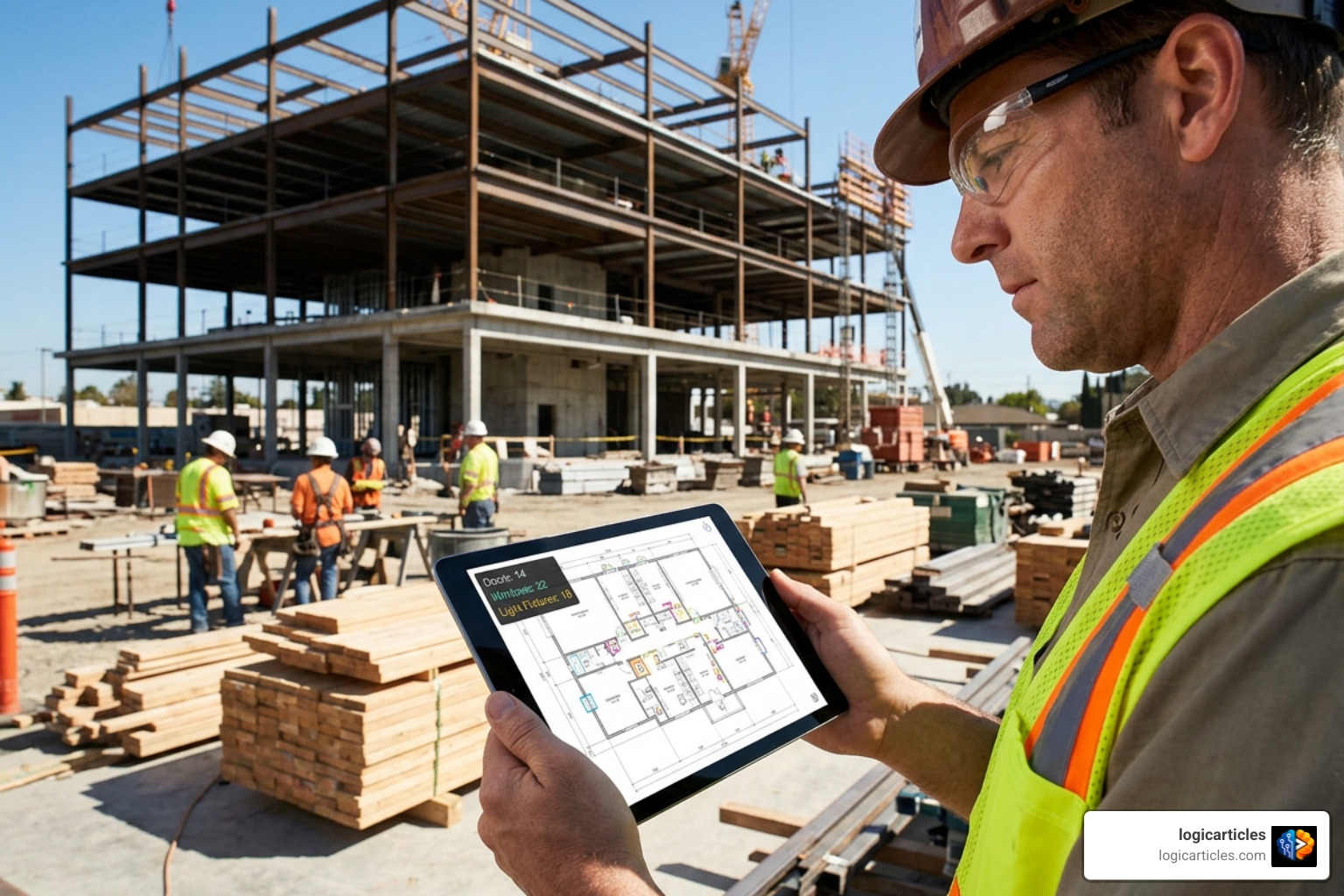
Artificial intelligence and automation are transforming preconstruction workflows across the industry. Modern AI-powered takeoff tools use computer vision and machine learning algorithms to scan architectural drawings, automatically identify symbols (such as light fixtures, plumbing rough-ins, or doors), and count scope items in seconds. Modern platforms also evaluate contract specifications and addenda, with document-scanning tools like Provision reducing spec review times from 3–4 hours down to roughly 30 minutes.
AI tools excel at eliminating repetitive manual tasks and catching hidden drawing inconsistencies, but they do not replace human judgment. An estimator’s experience is still essential for establishing realistic production rates, accounting for site-specific risks, verifying local labor costs, and validating that automated visual counts match true job conditions.
When handling bid management, leading estimating platforms streamline subcontractor quote comparisons. They organize incoming sub-bids into side-by-side scope sheets, making it easy to spot missing scope items, unpriced addenda, or outlier pricing.
When drawing revisions arrive on bid day, version control features allow teams to overlay new plan sheets over original drawings. Software flags scope additions in one color and deletions in another, ensuring that every addendum is tracked and priced accurately before the final tender is submitted. For a closer look at top-ranked contractor solutions, review the insights at Best Construction Contractor Estimating Software (2026) and explore comprehensive rankings in Top 10 Best Estimator Software | Ranked for 2026.
Choosing Top 10 Construction Estimating Software for Small vs Enterprise Teams
Team size and operational complexity dictate how estimating software should be deployed. Small specialty contractors and residential builders need simple, intuitive user interfaces, fast onboarding, and pre-built templates so they can issue proposals quickly without dedicated IT support.
Enterprise construction firms, by contrast, require robust governance, role-based user permissions, multi-currency support, centralized cost library governance, and deep integration with enterprise resource planning (ERP) platforms like Sage or Viewpoint.
Regardless of team size, software adoption can fail if implementation pitfalls are not avoided. Industry data reveals that inaccurate estimates reduce project win rates by up to 30% and erode project profit margins by an average of 3%.
To ensure a smooth transition, avoid these common implementation mistakes:
- Failing to standardize cost databases upfront: Allowing every estimator to create custom, unvetted line items leads to messy reporting and inconsistent bid pricing across the company.
- Skipping plan scale calibration: Performing digital takeoffs without verifying plan scale on every single drawing sheet causes widespread measurement errors.
- Overlooking staff training and onboarding: Rushing software rollout without proper training leads to team frustration, slow adoption, and eventual fallback to legacy spreadsheets.
- Neglecting template and assembly maintenance: Building cost assemblies once and never updating material pricing or labor production rates causes underbidding as market costs fluctuate.
- Ignoring post-project estimate vs. actual reviews: Failing to compare estimated job costs against actual field expenditures prevents estimating teams from refining future pricing accuracy.
Investing adequate time during initial onboarding to establish clean cost codes and trained staff is what turns new estimating software into an immediate profit generator.
Frequently Asked Questions
How does construction estimating software handle bid management and addenda?
Modern construction estimating software tracks drawing revisions and addenda by maintaining clear version histories for every project document. When design revisions are issued during bidding, estimators upload the new PDF sheets directly into the system. High-end tools offer visual overlay features that highlight added, deleted, or altered geometry between sheet revisions in contrasting colors.
For bid management, software organizes subcontractor proposals into side-by-side comparison matrices. This allows preconstruction teams to verify that subcontractors have included all active addenda, compare line-item allowances, isolate scope gaps, and select the best sub-bid before finalizing the primary estimate.
Is cloud-based estimating software better than desktop-based software?
Cloud-based estimating software offers superior team collaboration, remote accessibility, real-time file updating, and zero manual IT maintenance compared to desktop software. Estimators across multiple job sites or regional offices can work on a shared bid simultaneously without risking file corruption or overwriting work.
However, desktop software may still be preferred by trade specialists who require heavy offline capabilities, native execution speed on massive CAD/BIM drawings, or highly complex custom spreadsheet macros that do not depend on internet connectivity. For most modern, multi-person construction teams, cloud platforms provide greater flexibility and long-term operational efficiency.
How much can digital estimating software reduce takeoff time?
Adopting cloud-based digital takeoff software can reduce plan measurement and item counting time by 75% or more compared to manual paper scaling and blueprint measuring wheels.
By allowing estimators to click on digital vector drawings to measure perimeters, square footage, and volumetric quantities instantly—and auto-linking those measurements to reusable cost assemblies—software slashes repetitive math work. This speed boost lets contractors submit up to 3 to 4 times more accurate bids in the same timeframe, directly increasing market competitiveness and winning more profitable jobs.
Conclusion
Choosing the right platform from among the top 10 construction estimating software options in 2026 comes down to matching a tool’s core workflow with your team’s real-world estimating process. Whether you prioritize fast PDF takeoff markups in Bluebeam Revu, assembly-driven bidding in STACK or ProEst, civil production rates in HCSS HeavyBid, or connected project workflows in Buildertrend or UDA ConstructionOnline, selecting the right digital software directly protects project profit margins and improves bidding throughput.
By standardizing your cost database, training staff thoroughly, and leveraging cloud-based collaboration, your construction business can eliminate spreadsheet calculation errors and turn preconstruction into a predictable driver of growth. To discover more guides on optimizing business efficiency, management systems, and team workflows, check out our insights in the logicarticles productivity software resources.