The Best Free Alternatives to Photoshop in 2026
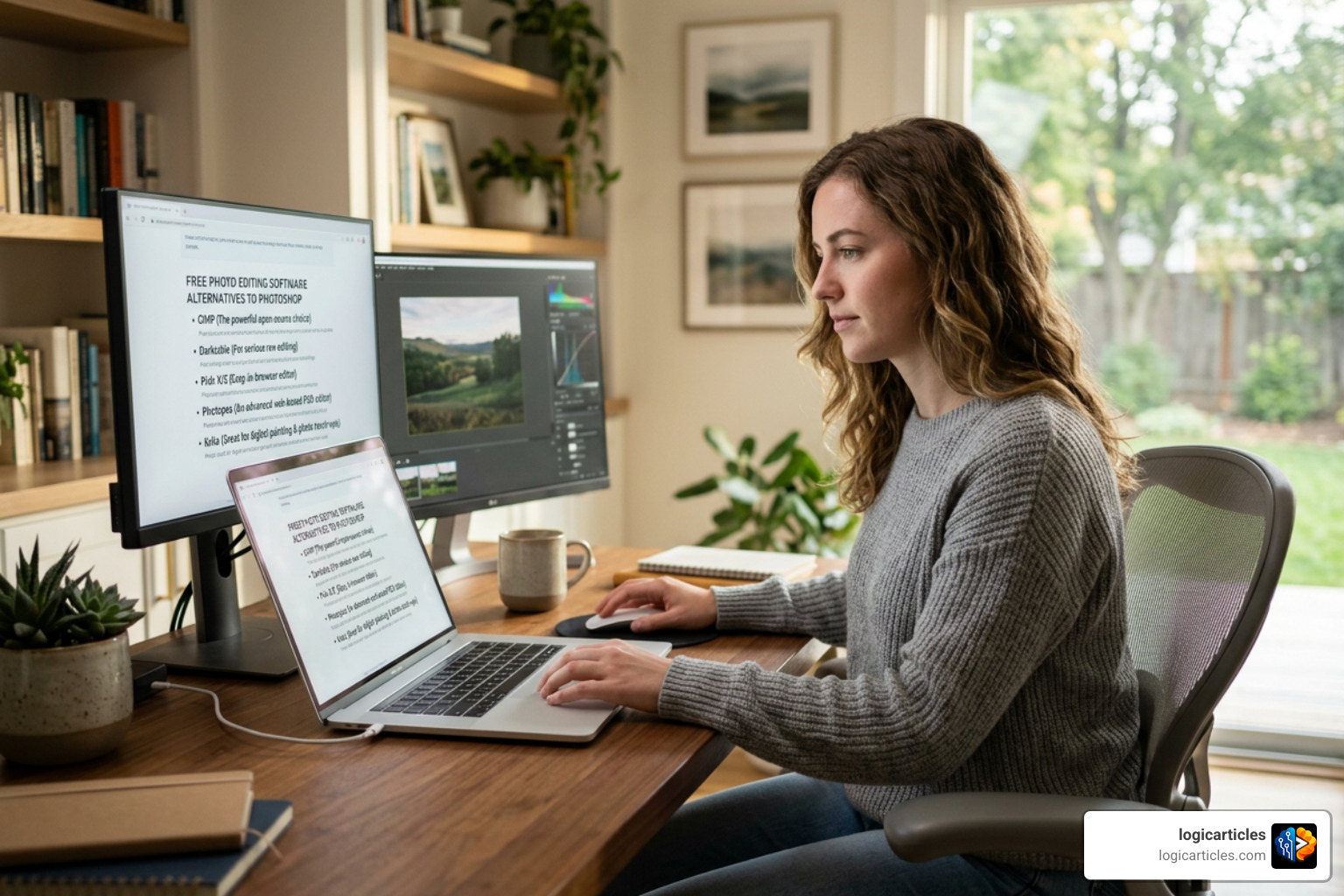
If you’re looking for the best free alternatives to photoshop, here’s a quick answer:
| Tool | Best For | Platform |
|---|---|---|
| Photopea | Browser-based PSD editing | Web (any device) |
| GIMP | Advanced open-source editing | Windows, Mac, Linux |
| Krita | Digital painting and illustration | Windows, Mac, Linux |
| Paint.NET | Simple, fast Windows editing | Windows |
| Canva | Templates and social graphics | Web, iOS, Android |
| Affinity | Professional photo and vector work | Windows, Mac, iPad |
| Darktable | RAW photo processing | Windows, Mac, Linux |
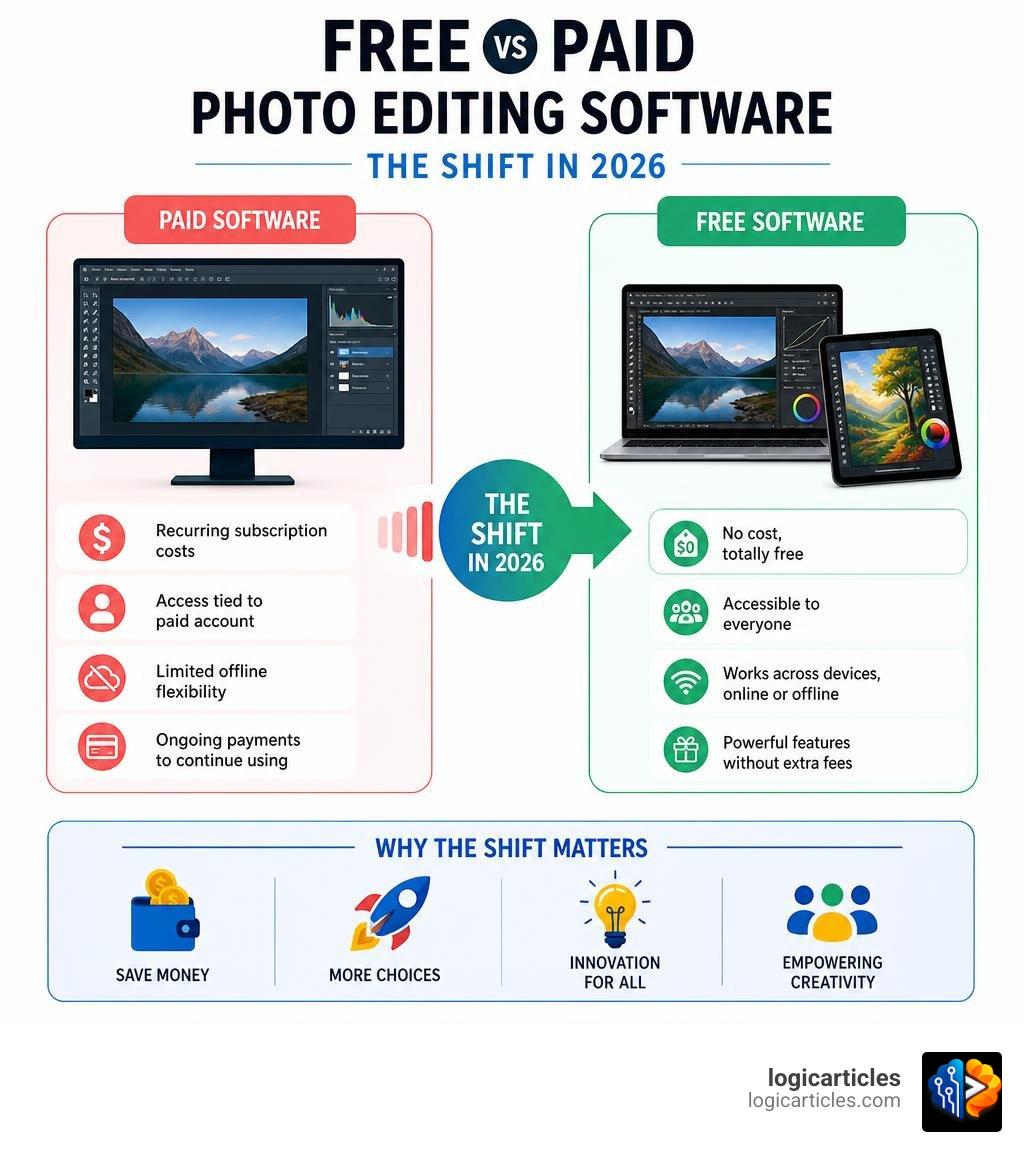
Adobe Photoshop is the most recognized name in photo editing — it’s been in the dictionary since 2008 and is used as both a noun and a verb. But at $22 per month (or up to $70/month for the full Creative Cloud suite), it’s simply out of reach for a lot of people.
The good news? Free alternatives have come a long way.
In June 2026, tools like Photopea, GIMP, Krita, and Affinity offer layers, masks, PSD support, AI-powered background removal, and more — all without spending a cent. Whether you’re a student, a freelance designer, a photographer, or a small business owner, there’s a free tool built for your needs.
This guide covers the top options, compares their strengths and weaknesses, and helps you pick the right one for your workflow.
Why You Need the Best Free Alternatives to Photoshop in 2026
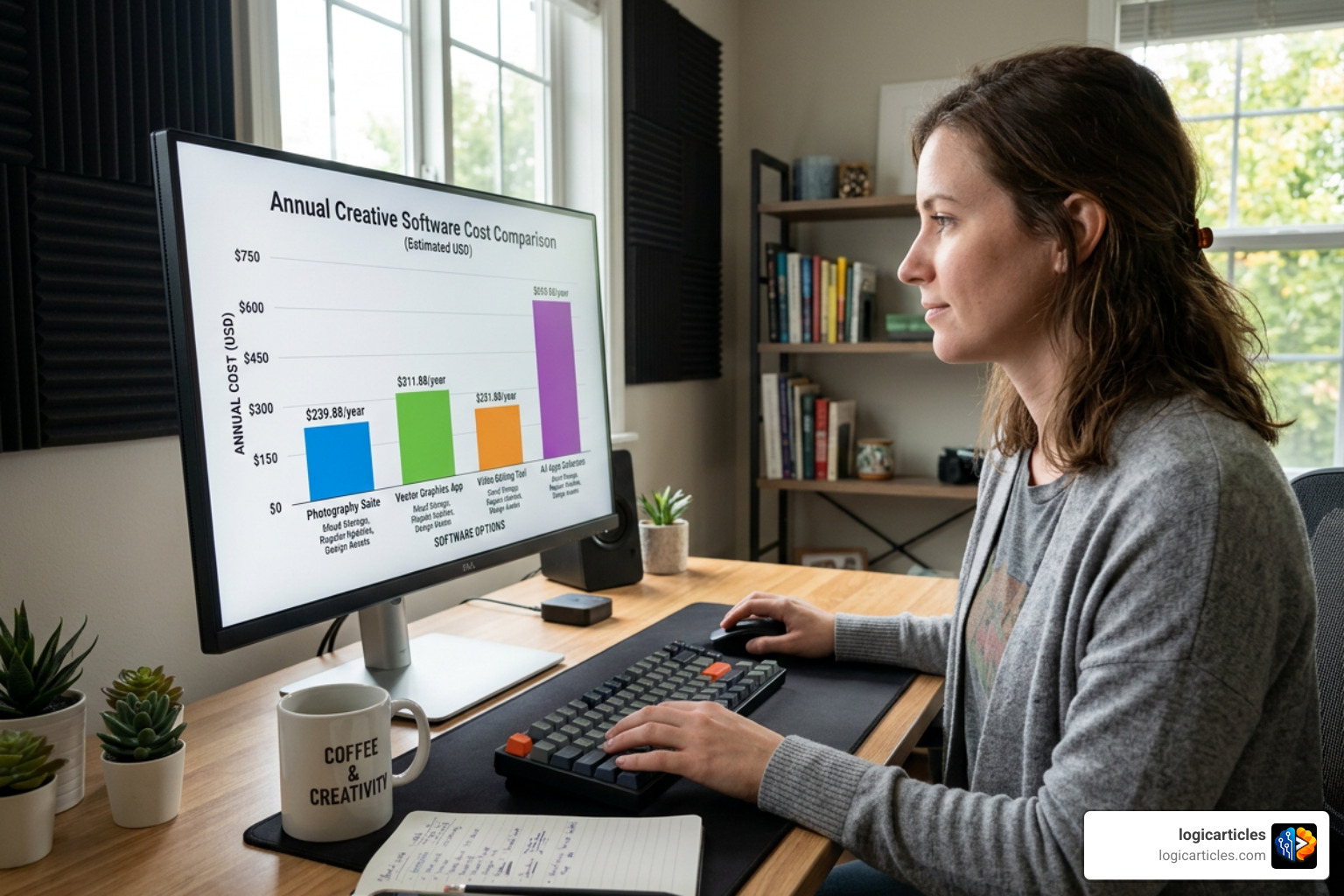
Let’s face it: keeping up with software subscriptions can feel like a slow leak in your bank account. If you are paying for the standard Creative Cloud plan, you are looking at a minimum annual cost of around $240—and that is if you only use Photoshop! For freelance designers, students, and print-on-demand sellers just starting out, those monthly fees are a major hurdle.
Fortunately, the creative software landscape in June 2026 has completely changed. You no longer have to compromise on quality just because you want to keep your wallet happy. The best free alternatives to photoshop now offer features that were once locked behind expensive paywalls.
Accessibility is the name of the game today. Thanks to rapid open-source development and web-based innovations, free editors now come packed with state-of-the-art AI tools. Features like automatic background removal, smart object scaling, and generative fill are widely available without an Adobe subscription. For anyone trying to launch a business or polish up social media graphics, these free options provide professional-grade power at the best price possible: zero dollars.
Top Desktop-Based Free Photo Editors
If you need heavy-duty performance, offline editing, and deep system integration, desktop applications are your best bet. Unlike browser-based tools, desktop editors tap directly into your computer’s local hardware, making them ideal for handling massive, multi-layered files without any lag.
GIMP: The Open-Source Powerhouse
When people talk about open-source photo editing, the first name that usually pops up is GIMP (GNU Image Manipulation Program). It is a completely free, community-driven platform that runs smoothly across multiple operating systems, including Windows, macOS, Sun OpenSolaris, FreeBSD, and Linux. In fact, Linux users can easily grab the latest version on Flathub.
For those who want to check it out or get started, you can download it directly from the official GIMP – GNU Image Manipulation Program website, or if you are running a Linux setup, you can Install GNU Image Manipulation Program on Linux | Flathub to get up and running in minutes.
GIMP is incredibly powerful. It supports advanced photo retouching, image composition, and color management for high-fidelity physical prints. One of GIMP’s biggest advantages is its extensibility. It supports advanced scripting in multiple languages—including C, C++, Perl, Python, and Scheme—allowing you to automate complex batch tasks or write your own custom filters.
However, GIMP is famous for its steep learning curve. The user interface can feel clunky and a bit dated compared to Photoshop’s modern workspace. It also struggles with non-destructive editing workflows, meaning that once you apply certain filters or adjustments, they are permanently baked into your pixels unless you undo them immediately. But if you need raw power and deep customization, GIMP remains an absolute titan.
Krita: The Ultimate Choice for Digital Artists
If your work leans more toward drawing, painting, and creative design rather than pure photo manipulation, Krita is the upgrade you have been looking for. While originally built as a digital painting program, Krita has evolved into a phenomenal all-rounder that easily rivals both Photoshop and GIMP.
You can learn more and download the program at Krita | Digital Painting. Creative Freedom. . If you want to compare it to other creative tools on the market, check out our guide on the Best Free Drawing Software In 2026 7 Top Tools Artists Love.
What makes Krita so special? For starters, its brush engine is legendary. Krita features over 100 professional brushes with customizable parameters like size, flow, pressure, and tilt. It also supports non-destructive editing through adjustment layers and masks, allowing you to tweak colors and exposures safely without damaging your original artwork.
Unlike GIMP, Krita handles PSD files beautifully and includes advanced tools like HDR painting, vector paths, and even a fully featured frame-by-frame animation timeline. It is completely free, open-source, and supported by a massive global community of passionate artists.
Paint.NET: Simple and Fast Windows Editing
Not everyone needs a massive, complex program with thousands of hidden menus. Sometimes, you just want to crop an image, apply a quick drop shadow, and clean up some colors. That is where Paint.NET shines.
To download this fast, lightweight tool, visit Paint.NET – Free Software for Digital Photo Editing .
Originally created as a college senior design project mentored by Microsoft, Paint.NET was designed to be a free, powerful replacement for the basic MS Paint. Over the years, it has grown into a highly capable editor that has won numerous accolades, including being named a Microsoft Store App Awards Winner.
Paint.NET features a clean, tabbed document interface, full layer support, unlimited undo history, and an active community that creates fantastic third-party plugins. It is incredibly fast, runs beautifully on low-power Windows systems, and provides a painless user experience that is perfect for quick, everyday edits.
Browser-Based and AI-Powered Design Tools
For many creators, the days of downloading massive software installers are over. Browser-based tools have matured to the point where they can run complex photo editing tasks entirely in the cloud or locally inside your web browser. This means you can work on any device—even a cheap Chromebook—without sacrificing power.
Photopea: The Best Free Alternatives to Photoshop for Browser Users
If you want a tool that looks, feels, and acts exactly like Adobe Photoshop without paying a dime, Photopea is the ultimate solution. It is a fully featured, browser-based editor that you can access instantly at Photopea | Online Photo Editor .
What makes Photopea stand out is that it runs entirely locally in your browser. This means your images are never uploaded to a distant server; all the rendering and processing happen on your own machine, keeping your data completely private.
Despite being a web app, Photopea supports over 40 file formats, including PSD, Illustrator (AI), SVG, and RAW camera files (like DNG, CR2, NEF, and ARW). It supports layers, smart objects, masks, vector graphics, and layer styles. On top of that, it includes state-of-the-art AI tools for background removal and content replacement. While the free version displays a few unobtrusive ads on the side of the screen, the entire feature set is completely free to use.
Canva and Pixlr: Quick Templates and Conversational AI
For users who need to produce high-quality social media graphics, flyers, or marketing materials in a hurry, Canva and Pixlr are fantastic options.
Canva is a design giant, offering over 1.6 million professionally designed templates in its free tier. It is built for speed and collaboration, allowing teams to quickly drag and drop elements to create polished graphics. Following Canva’s acquisition of Affinity, we are seeing even tighter integration between quick-template design and professional photo editing.
Pixlr, on the other hand, is leaning heavily into the future of editing with conversational AI. Its “Nano Banana” feature allows users to edit photos using simple text prompts. Want to swap out a background or add a neon glow effect? Just type it in, and the AI handles the rest. It is a fast, fun, and highly efficient way to edit photos without needing to learn complex manual tools.
Frequently Asked Questions About Free Photo Editors
We know that switching to a new creative tool can raise a lot of questions. Below, we have answered the most common queries to help you make a smooth transition.
How to Choose the Best Free Alternatives to Photoshop for Your Workflow
The right tool depends entirely on what you plan to create.
- Graphic Designers: Photopea is your best bet due to its seamless PSD, AI, and SVG support.
- Photographers: GIMP or Darktable are ideal for managing detailed photo retouching and RAW file development.
- Digital Artists: Krita is the undisputed king for sketching, painting, and illustration.
- Students & Small Business Owners: Canva or Paint.NET will save you time with their low learning curves and quick design templates.
To help you compare your options at a glance, we have put together this handy comparison table:
| Feature | GIMP | Krita | Photopea | Paint.NET |
|---|---|---|---|---|
| Platform | Desktop (Win/Mac/Linux) | Desktop (Win/Mac/Linux) | Web Browser | Desktop (Windows only) |
| Offline Use | Yes | Yes | No (requires internet to load) | Yes |
| PSD Support | Moderate | Good | Excellent | Basic (via plugin) |
| Non-Destructive Edits | Limited | Excellent | Excellent | Limited |
| AI Features | No | Limited (via plugins) | Yes (Background/Generative) | No |
| System Impact | Medium | Medium | Very Low | Low |
Can free photo editors fully replace Adobe Photoshop for professional work?
Yes, but with a few caveats. For about 90% of creators, free tools like GIMP, Krita, and Photopea can easily handle everyday professional tasks. They support layers, masks, vector shapes, and advanced filters like Liquify.
However, high-end professional workflows that rely on specific Adobe ecosystem integrations (like dynamic links to After Effects or complex Puppet Warp animations) can be hard to replicate. Additionally, while Photopea has excellent PSD compatibility, highly complex Photoshop files with proprietary smart filters might not render perfectly.
If you find you need professional desktop power without a subscription, paid one-time-purchase tools like Affinity Photo (which offers a 10-day free trial and a one-time fee of $54.99) are excellent intermediate steps before committing to Adobe’s expensive ecosystem.
Which free Photoshop alternative is best for Mac users?
For macOS users, Krita and GIMP both offer native Mac builds that run beautifully on modern Apple Silicon (M1/M2/M3) chips. However, if you want to explore more options tailored specifically for the Apple ecosystem, you should read our dedicated guide on the Best Free Image Editing Software For Mac In 2026.
Conclusion
Finding the best free alternatives to photoshop in 2026 is easier than ever. Whether you choose the web-based convenience of Photopea, the artistic power of Krita, the robust open-source capabilities of GIMP, or the lightning-fast simplicity of Paint.NET, you can achieve professional results without a costly monthly subscription.
At logicarticles, we believe that creative freedom shouldn’t be locked behind a paywall. Take a few of these tools for a spin to see which one fits your creative style best!
Ready to discover more incredible free software to supercharge your creative projects? Explore more software guides on logicarticles today!
1 thought on “7 Best Free Alternatives to Photoshop in 2026 (Tested)”