Why a Stream Deck Software Alternative Might Be All You Need
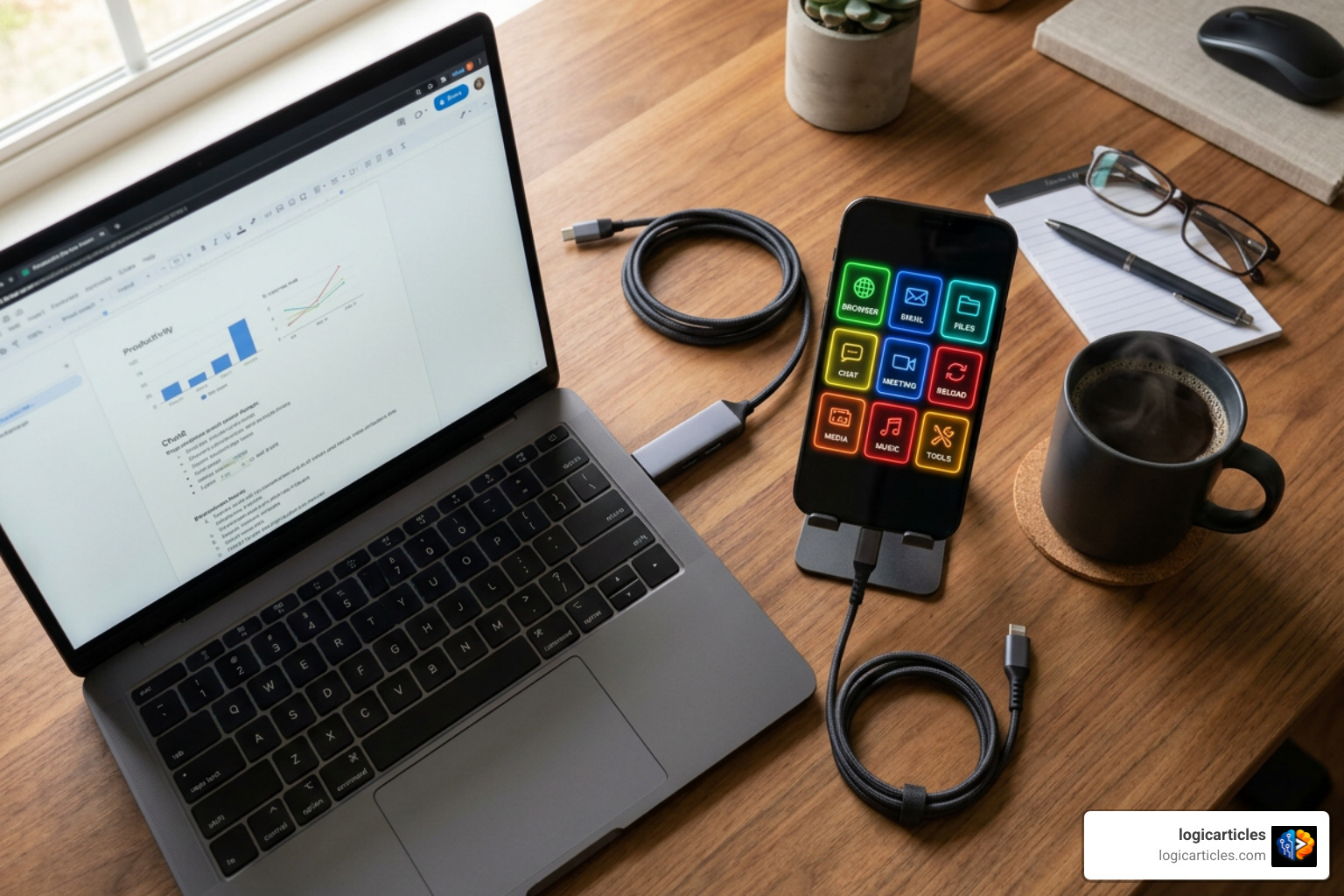
A stream deck software alternative lets you turn a device you already own — like an old phone, tablet, or spare touchscreen — into a fully functional macro pad, without spending $150 or more on dedicated hardware.
Here are the top options at a glance:
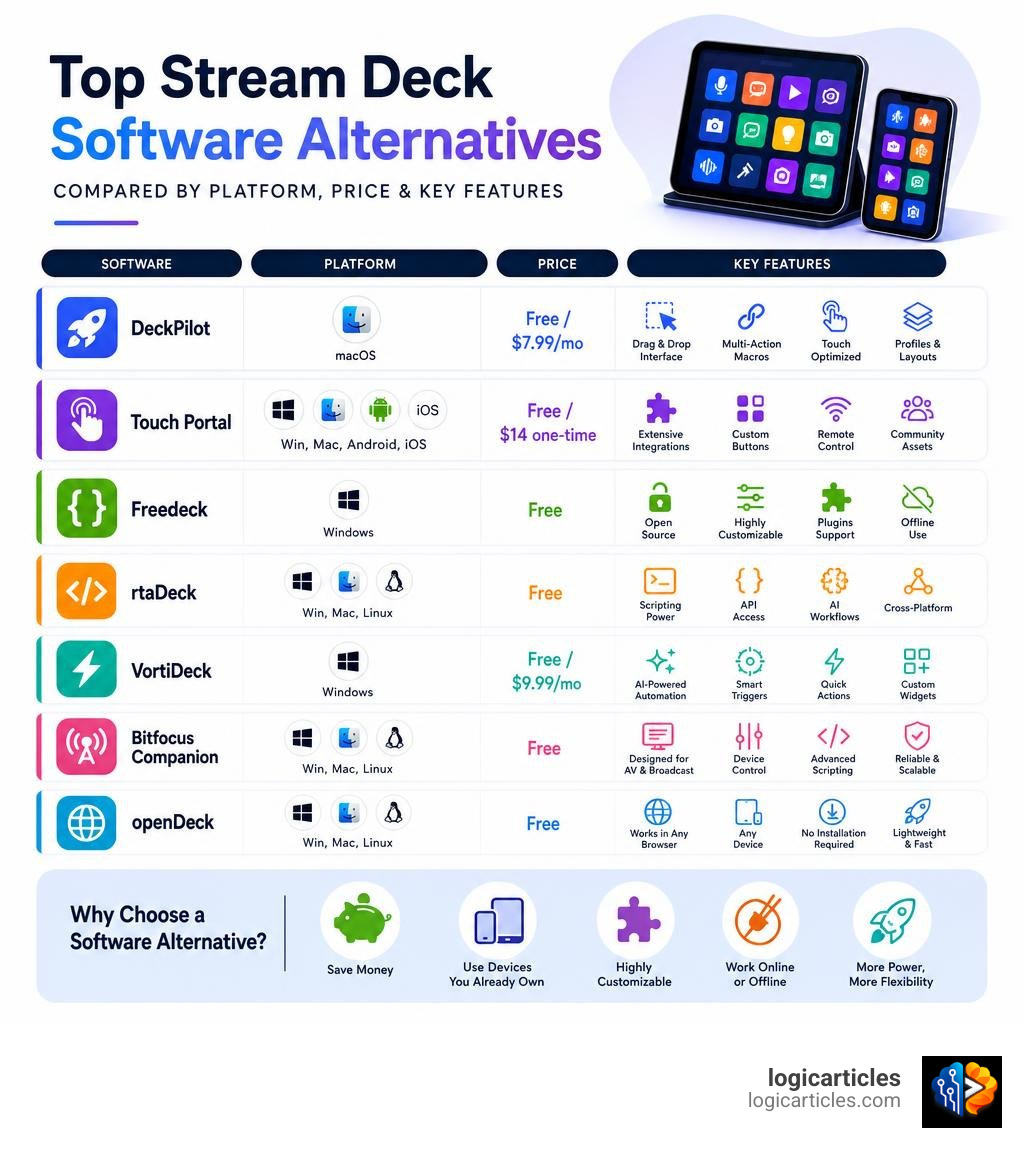
| Tool | Best For | Price | Platform |
|---|---|---|---|
| DeckPilot | Mac users with iPhone/iPad | Free / $7.99/mo | macOS |
| Touch Portal | Cross-platform users | Free / $14 one-time | Win, Mac, Android, iOS |
| Freedeck | Open-source customization | Free | Windows |
| rtaDeck | Developers and AI workflows | Free | Win, Mac, Linux |
| VortiDeck | AI-powered automation | Free / $9.99/mo | Windows |
| Bitfocus Companion | Pro AV and broadcast | Free | Win, Mac, Linux |
| openDeck | Browser-based, any device | Free | Win, Mac, Linux |
The Elgato Stream Deck is genuinely great hardware. But it starts at $149, runs on proprietary software, and locks you into one ecosystem.
Many creators and developers are now asking a simple question: why pay for dedicated hardware when the touchscreen in your pocket can do the same job?
The good news is that the software alternatives available in 2026 have matured significantly. Some are free and open-source. Some work offline. Some even support AI-powered automation that the official Stream Deck hardware can’t match.
Whether you’re a live streamer, a developer, a video editor, or just someone who wants faster shortcuts — there’s a software option built for you.
Why Choose a Stream Deck Software Alternative Over Hardware?
When we think of a macro pad, we usually picture a physical grid of plastic buttons sitting on a desk. However, choosing a stream deck software alternative over physical hardware offers massive advantages that go far beyond saving a hundred dollars.
The Power of the Screen You Already Own
The most obvious benefit is cost. Buying a dedicated 15-key physical deck costs upwards of $149, while a larger 32-key option can push past $200. Meanwhile, most of us have an old smartphone, an unused tablet, or a secondary touchscreen monitor gathering dust in a drawer. By installing a software alternative, we instantly repurpose that hardware for $0. This is especially true for mobile-first software setups that connect seamlessly over local Wi-Fi.
Unlimited Buttons and Dynamic Grids
With physical hardware, you are locked into a physical grid. If you buy a 15-key deck, you have exactly 15 physical keys. To get more, you have to configure complex nested folders.
With a software-based alternative, your grids are completely dynamic. You can configure a 5×3 grid on your phone, but instantly switch to an 8×6 or 10×6 grid on a larger tablet. Software tools allow you to create unlimited pages, swipe gestures, and dynamic tab bars that scale to whatever screen size you are using.
Tactile Feedback vs. Touchscreen Control
The main argument for physical hardware is tactile feedback. Streamers and gamers love physical buttons because they can press them blindly without looking away from their main monitor.
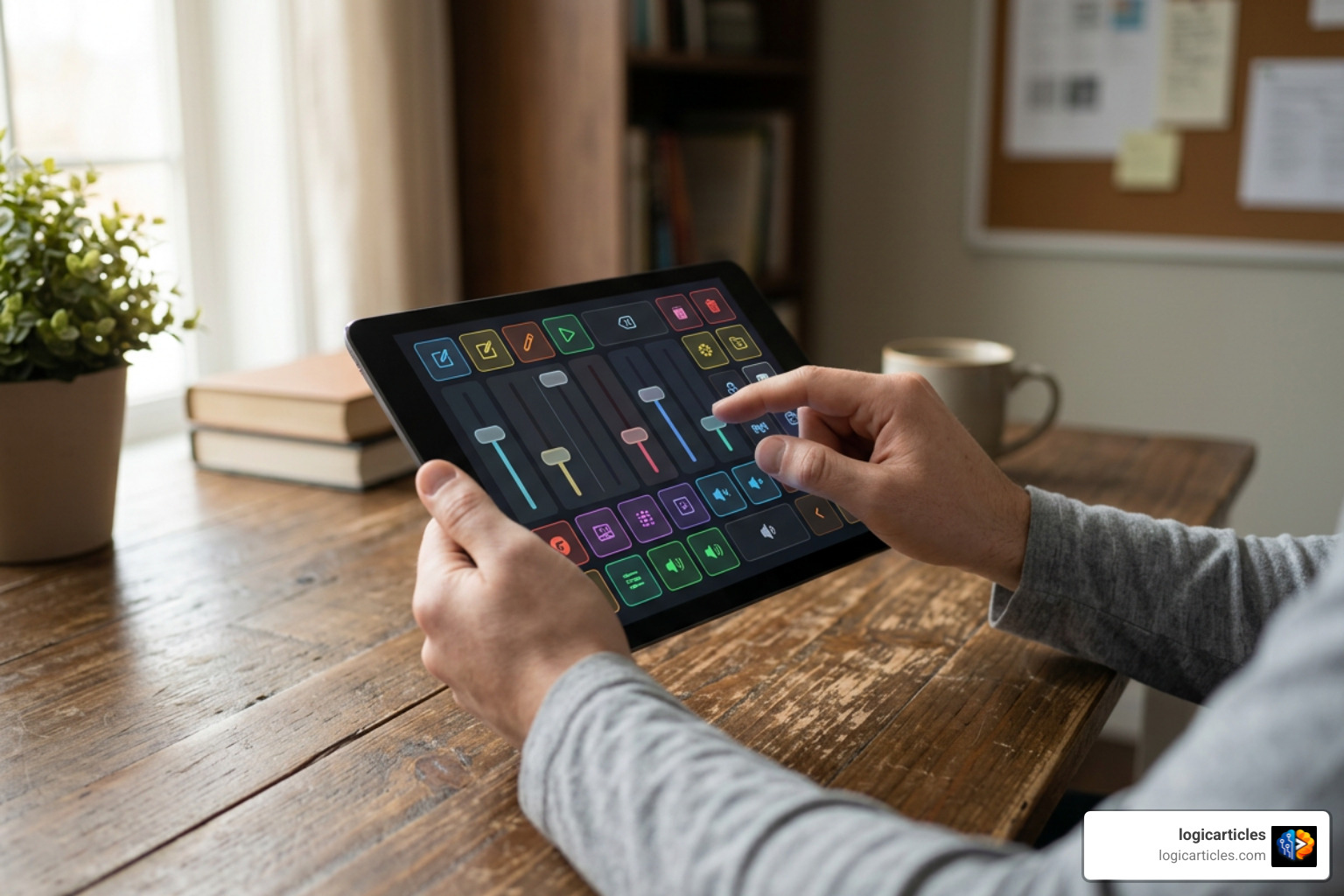
However, modern software alternatives have closed this gap. Many mobile apps utilize your device’s built-in haptic engine to provide a satisfying vibration click when a button is pressed. Additionally, software interfaces let you design larger, color-coded buttons with custom text, reducing misclicks.
Latency and Reliability
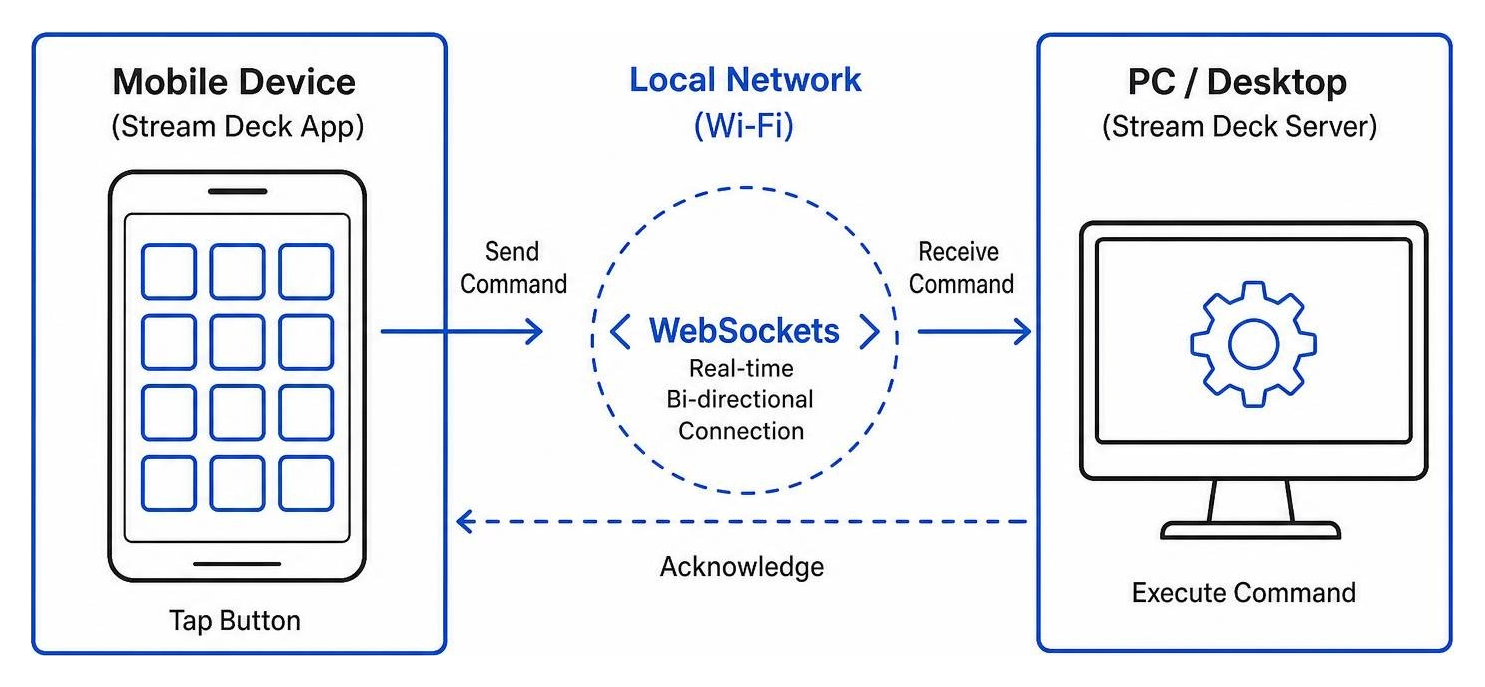
It is a common myth that wireless software alternatives suffer from terrible latency compared to a wired USB connection. In 2026, software-based control decks leverage ultra-fast local WebSockets. When you press a button on your phone, the command is sent directly to your desktop server over your local network in milliseconds—often making the delay completely imperceptible.
Best Free and Open-Source Software Options
If you love open-source software, local data privacy, and community-driven development, you are in luck. There is a massive ecosystem of developer-friendly projects that require no cloud accounts, no subscriptions, and zero tracking.
Freedeck: A Fully Customizable Stream Deck Software Alternative
If you want a highly modular tool that keeps your data entirely local, Freedeck is a phenomenal choice. Developed as a passionate solo project for over three years, Freedeck is a completely free, open-source software alternative to the Elgato Stream Deck.
Unlike proprietary tools that require cloud syncing, Freedeck stores all application data locally on your computer in your AppData folder. It comes preinstalled with 15 beautiful themes and features an active community marketplace where you can download custom layouts, tile designs, and plugins.
Freedeck supports built-in tile types like simple buttons, text fields, and volume sliders. It also features native integrations for popular tools like OBS Studio, Spotify, WaveLink, and YTMD. If you are a developer, Freedeck provides an extensible API that lets you write custom plugins and render unique visual tiles from scratch.
rtaDeck: The Developer-First Stream Deck Software Alternative
For programmers, system administrators, and power users, rtaDeck is arguably the most exciting open-source option available. Designed with a retro 8-bit NES aesthetic (powered by NES.css and the classic PICO-8 color palette), rtaDeck is a developer-focused macro pad that runs on any machine with Node.js 18 or higher.
What makes rtaDeck unique is its deep integration with developer workflows. It features first-class support for launching terminal commands, running custom scripts, and executing complex keyboard shortcuts. For example, you can configure a single button to spawn terminal windows in specific project directories. It even supports launching local AI coding agents like Claude Code or Cursor with a single tap.
The entire configuration of rtaDeck is stored in a single JSON file. Because it uses standard JSON schema validation, you can easily edit your grid layout in VS Code, or even let an external AI agent programmatically rewrite your button configurations on the fly. Best of all, rtaDeck can be installed as a Progressive Web App (PWA) on your phone or tablet, giving you a native, full-screen app experience over your local Wi-Fi with zero build steps.
openDeck: Browser-Based Network Control
If you want a lightweight solution that runs on absolutely any device with a web browser, look no further than BarrassDev/openDeck.
This open-source project runs an Electron desktop application on your host computer, which acts as a local Express and WebSocket server on port 4020. Any secondary device on your local network—whether it is an old iPad, an Android tablet, a Kindle, or another laptop—can connect to your control deck simply by navigating to your desktop’s local IP address in a web browser.
Key features of openDeck include:
- Multi-Device Support: Connect multiple screens to the same server simultaneously.
- Write-Protection: Remote browser clients are write-protected by default, meaning you can only modify layouts and settings from the host computer’s desktop app.
- Modular Architecture: Includes built-in modules for system media control, custom HTTP webhooks, and local script execution.
- Custom Variables: Save sensitive API keys or URLs as system variables to reuse them across multiple macro buttons securely.
Advanced and Specialized Software Alternatives
For users who need more than just simple hotkey triggers, advanced software suites offer deep AI integration, specialized OS support, and the ability to repurpose alternative hardware.
VortiDeck: AI-Powered Workflows and Automation
If you are looking to build highly intelligent, automated workflows, VortiDeck — Desktop Control Center for AI & Workflows is a cutting-edge platform. VortiDeck goes beyond static grid buttons by introducing a visual flow builder that combines traditional macros with AI-powered decision-making.
Using the Model Context Protocol (MCP), VortiDeck allows you to connect local Large Language Models (like Llama running via Ollama) directly to your control surface. You can build automated “watchers” that monitor your screen, system logs, or chat feeds, and trigger complex multi-step macros when specific events occur. For example, a streamer can configure an AI agent to monitor their live chat and automatically trigger “Slow Mode” in OBS if things get too chaotic.
VortiDeck offers a completely hardware-free setup. By running a lightweight desktop node on Windows, you can scan a QR code with any mobile device to establish a local, peer-to-peer WebSocket connection. It operates entirely offline with no cloud data storage or account creation required, keeping your automation data secure.
LoupixDeck: Cross-Platform Control for Physical Decks
For users who already own physical macro hardware but want to escape proprietary vendor software, RadiatorTwo/LoupixDeck is an essential open-source utility. Built using .NET 9 and Avalonia, LoupixDeck is designed to run Loupedeck Live, Loupedeck Live S, and Razer Stream Controller devices on both Windows and Linux.
Because official vendor software often completely ignores Linux, LoupixDeck is a lifesaver for Linux-based creators. It supports advanced hardware features like rotary encoders, touch strips, and native haptic feedback. It also supports multi-device setups separated by USB serial numbers, allowing you to run identical hardware consoles in parallel with completely independent layouts.
OpenLaunchDeck: Repurposing MIDI Hardware
If you want a massive physical grid without paying Elgato prices, Riqqqque/OpenLaunchDeck offers a brilliant alternative. This open-source Windows application turns a Novation Launchpad Mini MK3—a widely available, budget-friendly 8×8 MIDI controller used for music production—into a massive 64-pad macro deck.
OpenLaunchDeck utilizes standard USB MIDI inputs and outputs to map the Launchpad’s pads to custom hotkeys, OBS commands, and soundboard clips. It features a built-in “Simulation Mode” that allows you to configure your entire layout and test actions inside the desktop software before your physical hardware is even plugged in. It also supports advanced audio routing, making it easy to play soundboard clips directly into Discord or in-game voice chat.
Comparing the Top Software Alternatives
Choosing the right stream deck software alternative depends entirely on your workflow, your operating system, and your budget.
Here is how the leading options compare in detail:
- DeckPilot: The premier choice for Mac power users. If you own an iPhone or an iPad and work on macOS, DeckPilot offers a seamless, premium interface with automatic, app-aware profile switching.
- Touch Portal: The ultimate cross-platform giant. For a one-time upgrade fee of around $14, Touch Portal offers unlimited grids, deep smart-home integrations, and robust macro builders that work flawlessly across Windows, Mac, iOS, and Android.
- Bitfocus Companion: The industry standard for professional AV operators. While it can control physical Stream Decks, Companion is a powerhouse software router that connects to local broadcast switchers, PTZ cameras, and digital audio consoles over network protocols. It is incredibly powerful but generally considered overkill for casual home users.
How to Set Up Your DIY Software Control Deck
Ready to turn your old device into a powerful desktop controller? Setting up a software-based macro pad is incredibly simple and takes less than five minutes.
Step 1: Prepare Your Host Computer
First, choose your desktop server software (like rtaDeck, openDeck, or VortiDeck) and install it on your primary computer. Ensure that your desktop firewall allows communication on the port your software uses (for example, port 4020 for openDeck).
Step 2: Connect Your Mobile Device
Ensure both your computer and your mobile device (phone or tablet) are connected to the same local Wi-Fi network. Launch the desktop application, which will typically generate a local IP address URL or a convenient QR code. Scan the QR code with your phone’s camera, or type the local IP address into your mobile web browser.
Step 3: Enable the Progressive Web App (PWA) Experience
To make your software deck look and feel like native hardware, open the browser menu on your mobile device (Safari on iOS or Chrome on Android) and select “Add to Home Screen”. This installs the interface as a PWA, removing the browser address bar and allowing the app to run in full-screen mode.
Step 4: Configure Your First Buttons
Go back to your desktop application to start building your grid. Assign simple hotkeys, system volume controls, or OBS scene transitions to your buttons. Watch as your mobile screen instantly updates in real time, ready for your first tap!
Frequently Asked Questions about Stream Deck Software Alternatives
Can I use my phone as a Stream Deck for free?
Yes! Multiple open-source tools like rtaDeck, openDeck, and Freedeck allow you to use your smartphone as a fully functional, wireless macro deck completely for free. You do not need to buy any proprietary hardware or pay for monthly app subscriptions.
Do software alternatives have worse latency than physical hardware?
In everyday use, no. While a wired USB connection technically has lower raw latency than Wi-Fi, modern software-based decks use highly optimized local WebSockets. This means commands are processed in a fraction of a millisecond, making the response feel instantaneous.
What is the best stream deck software alternative for Mac users?
For Mac users, DeckPilot is highly recommended due to its deep macOS integration. If you prefer a completely free and open-source option, rtaDeck works beautifully on macOS using AppleScript to simulate complex keyboard shortcuts and system commands.
Conclusion
You do not need to spend hundreds of dollars on proprietary hardware to enjoy a streamlined, automated desktop workflow. Whether you want to repurpose an old tablet with openDeck, build advanced AI-driven workflows with VortiDeck, or code faster using rtaDeck, a stream deck software alternative offers unmatched flexibility, customization, and value.
To find more detailed reviews, setup guides, and software recommendations to optimize your digital workspace, explore our software guides on LogicArticles Best Software.