The Easiest 3D Modeling Software in 2026: A Beginner’s Guide

Finding the easiest 3D modeling software doesn’t have to be overwhelming. Here’s a quick look at the top picks for beginners in 2026:
| Tool | Best For | Requires Download? | Free Plan? |
|---|---|---|---|
| Tinkercad | Absolute beginners, students | No (browser) | Yes |
| Womp | Browser-based design + 3D printing | No (browser) | Yes |
| Vectary | No-code interactive 3D | No (browser) | Yes (100 credits/mo) |
| SketchUp Free | Architecture and visualization | No (browser) | Yes |
| Meshy AI | AI text/image to 3D model | No (browser) | Yes (100 credits/mo) |
| Shapr3D | CAD on Windows, Mac, or iPad | Yes | Yes |
| easy3d | Instant AI 3D from photos | No (browser) | Yes (3 models) |
Most beginners should start with Tinkercad or Womp — both are free, run in the browser, and require zero prior experience.
3D modeling has a reputation for being hard. And for years, that reputation was earned. Professional tools like Blender or Autodesk Maya came with steep learning curves, confusing interfaces, and a lot of frustration for anyone just starting out.
But in 2026, that’s changed.
A new generation of tools has made 3D design genuinely accessible. Some run entirely in your browser — no downloads, no installs. Others use AI to turn a simple text description or photo into a fully textured 3D model in under two minutes. And several connect directly to 3D printing services, so you can go from idea to physical object without ever leaving your browser tab.
Whether you want to design a custom keychain, prototype a product, or just explore what 3D modeling feels like — there’s now a free tool that fits your skill level.
This guide covers the best options for beginners in 2026, from simple drag-and-drop tools to AI-powered generators.
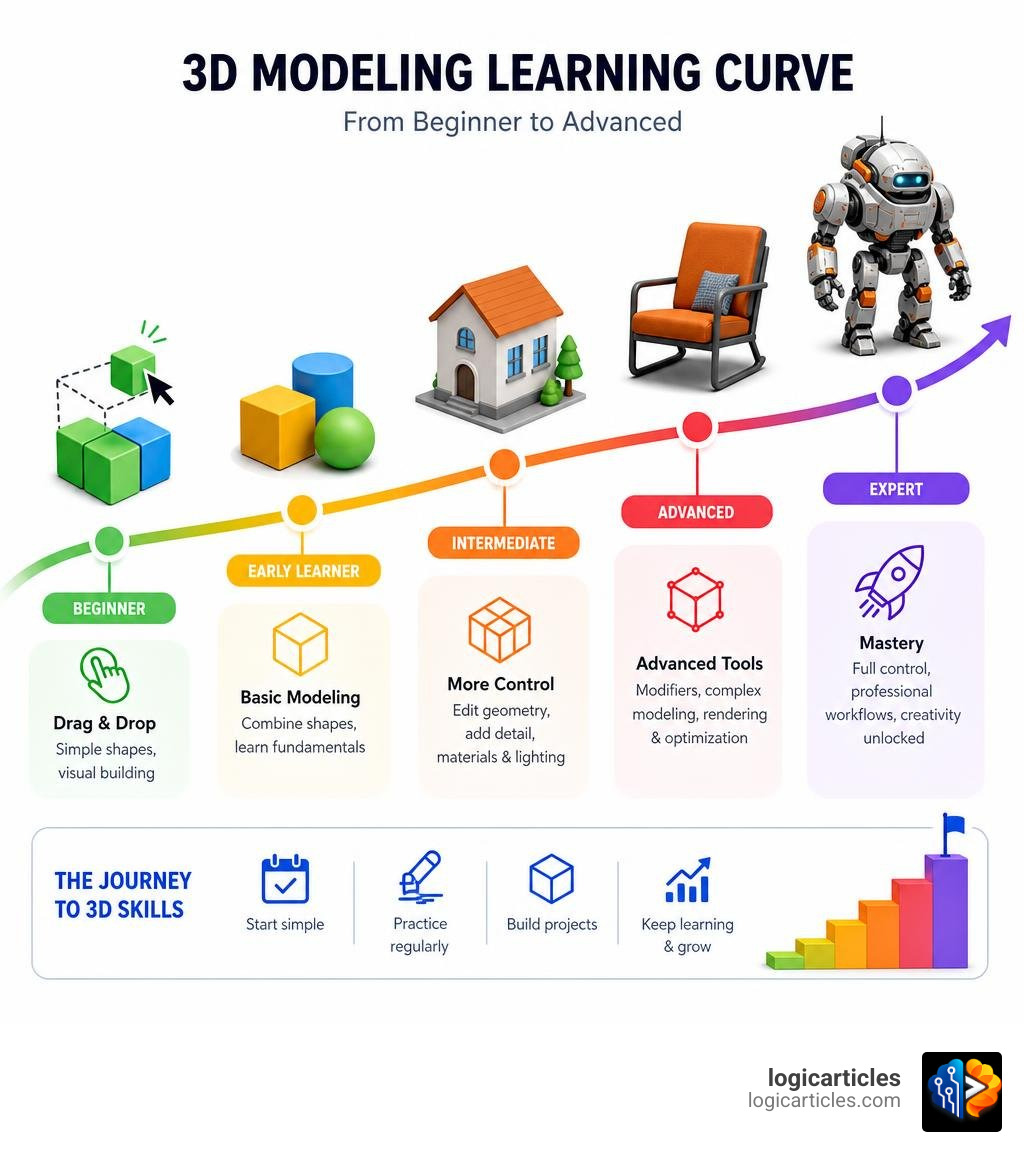
Key Features of the Easiest 3D Modeling Software
When we look for the easiest 3D modeling software, we aren’t just looking for “simple” tools. We are looking for software that minimizes friction. For an absolute beginner, the best software is the one that gets out of your way and lets you start creating immediately.
Several key features define beginner-friendly 3D design software today:
- Minimalist, Adaptive User Interfaces: Traditional CAD software is notorious for cluttering the screen with hundreds of tiny, unlabeled icons. The easiest tools use adaptive menus that only show you the options you need for your current task.
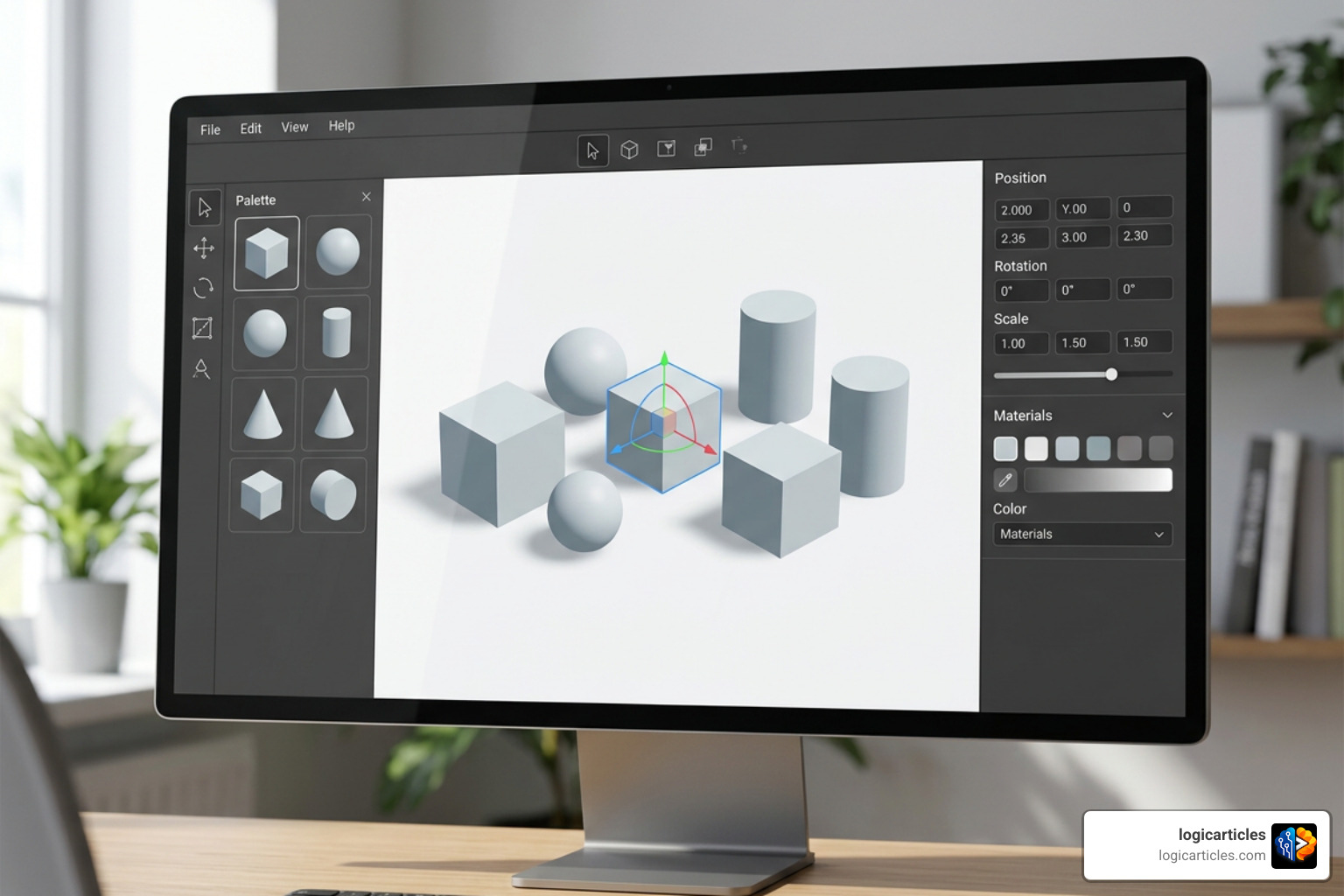
- Drag-and-Drop Primitive Shapes: Instead of forcing you to draw complex vector lines or manipulate individual vertices, beginner software relies on basic geometric shapes (cubes, spheres, cylinders) that you can drag onto a canvas, resize, and combine.
- Interactive Tutorials and Built-In Templates: Having a blank canvas can be terrifying. The best tools offer step-by-step interactive walk-throughs and pre-built templates—like blank keychains, keycaps, or phone cases—to kickstart your design process.
- Thriving Community Libraries: If you do not want to design everything from scratch, tools with community-driven asset libraries let you import, modify, and build upon existing models.
Choosing the right user interface is just as critical in 3D design as it is in 2D digital art. If you are also interested in 2D design, you can check out our guide on the Best Free Drawing Software In 2026 7 Top Tools Artists Love to see how modern drawing applications optimize their layouts for creators.
Top Browser-Based and Desktop 3D Modeling Tools
Before we dive into the specific tools, let’s look at how the 3D design workflow typically flows for beginners. Depending on whether you choose a browser-based tool or a dedicated desktop application, your path from concept to completed model will look slightly different:
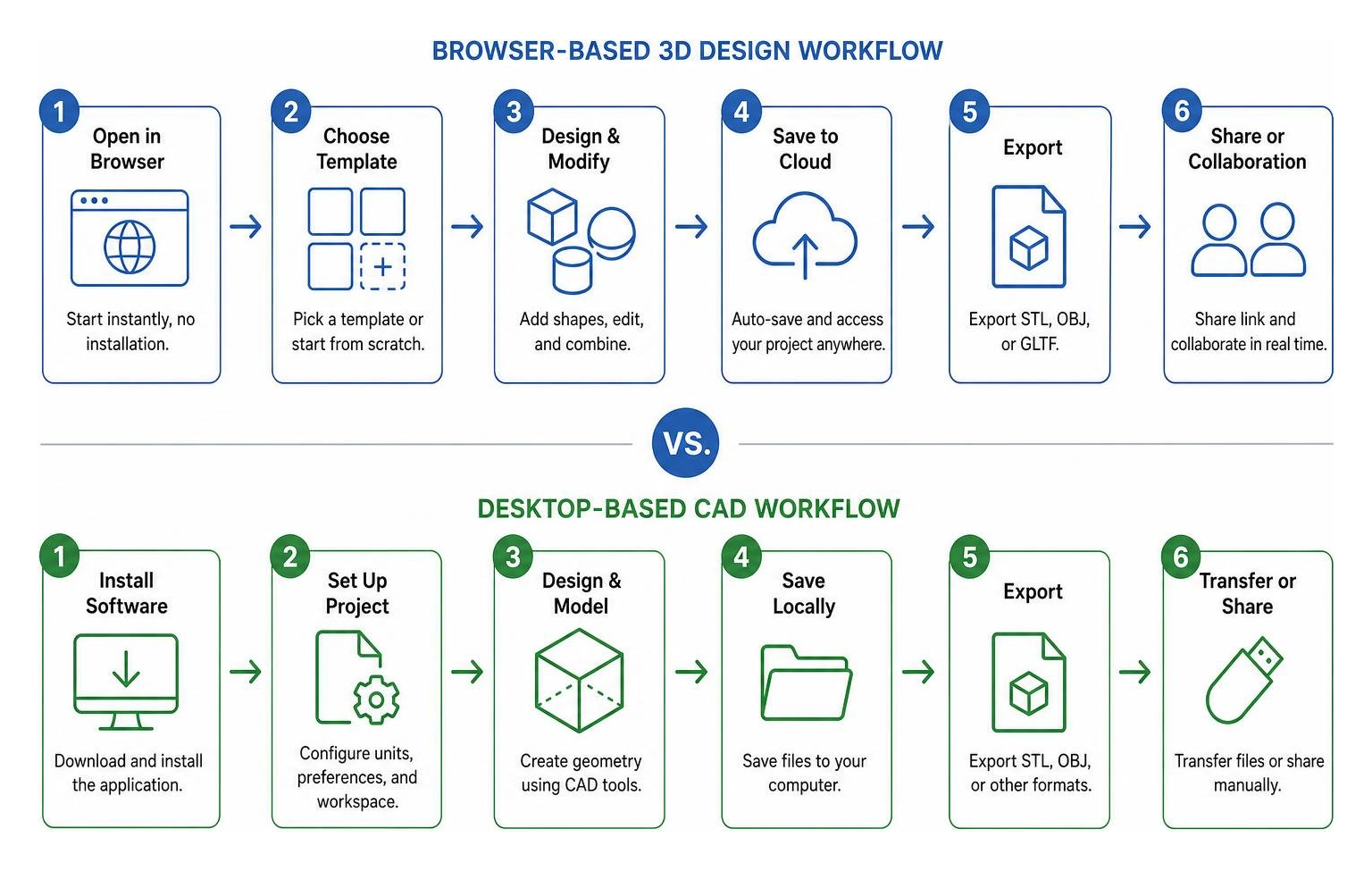
If your ultimate goal is to bring your creations into the physical world, finding software that supports seamless exports (like STL, OBJ, or GLTF) is essential. To explore options optimized specifically for physical fabrication, take a look at our roundup of the Best 3D Modeling Software For 3D Printing.
Let’s break down the top tools making waves in 2026.
Tinkercad: The Easiest 3D Modeling Software for Absolute Beginners
Developed by Autodesk, Tinkercad is widely considered the gold standard for entry-level 3D design. It runs entirely in your web browser and is completely free to use.
Tinkercad uses a “constructive solid geometry” (CSG) method. This means you create complex objects by taking simple shapes (like boxes, cylinders, and pyramids) and either grouping them together to form a solid shape or using them as “holes” to cut pieces out of other shapes.
For those who want to take their first steps into logical design, Tinkercad also features Codeblocks. This tool allows you to write simple, visual code scripts (similar to Scratch or Lego-style building blocks) to generate parametric 3D objects automatically. It is highly educational, incredibly fun, and requires absolutely zero prior CAD experience.
Womp: Liquid 3D Modeling and Direct Printing
If traditional blocky shapes feel too rigid, Free 3D Modeling Software, Online in Your Browser | Womp offers a completely different approach. Womp is a free, browser-based platform that introduces a concept called Liquid 3D modeling (powered by Signed Distance Fields, or SDF).
Instead of dealing with complex polygon meshes, Womp lets you work with shapes that blend together dynamically like virtual clay. When you bring two spheres close to each other in Womp, they naturally melt together to form smooth, organic forms. It also features a freehand drawing tool that instantly converts your hand-drawn strokes into solid, rounded 3D geometry.
What makes Womp truly unique for physical creators is its integrated, direct-to-consumer 3D printing workflow. While designing, the software performs real-time print-readiness checks to ensure your walls aren’t too thin and your geometry is stable.
Once your model is ready, you can choose from 17 different print materials—including three self-serve materials with live, instant pricing—and order a physical print of your design to be shipped directly to your door, all from a single browser canvas.
Vectary Studio: No-Code Interactive 3D Design
For creators who want to build stunning, photorealistic models, interactive presentations, or web-ready assets, Vectary Studio is an excellent browser-based solution. Vectary is a no-code 3D platform that balances a gentle learning curve with professional-grade rendering.
Vectary’s interface allows you to drag and drop standard 3D file formats (like GLTF, OBJ, and STL) directly into your browser. You can then apply high-quality PBR (Physically Based Rendering) materials, adjust HDRi environment lighting, and add interactive elements like clickable hotspots or hover effects without writing a single line of code.
Vectary offers a free tier that includes 100 monthly credits for AI-accelerated design features, making it highly accessible for beginners. It also supports seamless Augmented Reality (AR) viewing; once your design is complete, Vectary can generate a QR code that allows anyone to scan it with their smartphone and place your 3D model directly into their real-world environment.
SketchUp Free: Simple Architectural Visualization
For anything involving straight lines, buildings, interior design, or woodworking, SketchUp Free is incredibly hard to beat. Running entirely in your web browser, SketchUp Free is the simplified, non-commercial sibling of the industry-standard SketchUp Pro.
SketchUp’s magic lies in its patented “Push/Pull” tool. You simply draw a flat 2D shape (like a rectangle) on the ground plane and pull it upward to instantly create a 3D volume. It feels as intuitive as drawing on a piece of paper, making it highly popular among hobbyists, woodworkers, and home renovators.
The free version includes 10 GB of free cloud storage through Trimble Connect, making it easy to save and collaborate on projects. It also grants access to the 3D Warehouse, a massive library containing millions of pre-made, user-generated, and manufacturer-certified 3D models that you can import directly into your workspace.
Shapr3D: Mobile-First CAD for Windows and Mac
If you want a desktop tool that bridges the gap between beginner-friendly design and professional engineering, Shapr3D: 3D Modeling software | Windows & Mac & iPad is a powerhouse. Built on the industry-standard Siemens Parasolid kernel, Shapr3D is a geometrically sound CAD tool designed to run flawlessly on Windows PCs, macOS, iPads, and even Apple Vision Pro.
Shapr3D is highly praised for its minimalist, adaptive user interface, earning an impressive 9.4 out of 10 rating for ease of use on G2. The software adapts its toolbars based on what you select, keeping your screen clean and distraction-free.
It is particularly popular in industrial settings, where companies report up to 67% faster design cycles for jigs and fixtures compared to legacy CAD software. Shapr3D also features native AR and XR integration, allowing you to edit and review digital prototypes in real-time on the manufacturing floor or in virtual space.
Comparing Block-Based Tools vs. Advanced Software (Blender, FreeCAD, Fusion 360)
As a beginner, it is helpful to understand where these easy tools sit compared to advanced, industry-standard software.
- Block-Based and Drag-and-Drop Tools (Tinkercad, BlocksCAD): These tools are perfect for learning spatial relationships and basic geometric construction. They have almost no learning curve, but they lack the tools required for highly complex organic sculpting or mechanical engineering.
- Parametric CAD Software (FreeCAD, Autodesk Fusion 360): These desktop programs use constraint-based modeling. Every dimension is defined by numbers and formulas, making them incredibly precise for engineering parts. However, their interfaces can be overwhelming, and the learning curve is steep.
- Polygonal/Sculpting Software (Blender): Blender is a massive, open-source suite capable of professional animation, rendering, and sculpting. While it is completely free, its interface is notoriously complex for absolute beginners.
Starting with a tool like Tinkercad, Womp, or Vectary helps you build foundational 3D design skills. When you are ready to transition to advanced tools, those core concepts of geometry, lighting, and coordinate space will make the learning curve of Blender or Fusion 360 much easier to manage.
AI-Powered 3D Generation: A New Era for Beginners
In 2026, generative AI has completely disrupted the 3D modeling landscape. For beginners who have no interest in learning complex coordinate systems or extrusion tools, AI-powered 3D generators offer an instant way to turn ideas into fully textured, usable models.
These tools compress the traditional pipeline of concepting, modeling, UV unwrapping, and texturing into a process that takes less than two minutes.
If you are interested in how these models can be brought to life, you can explore our guide on the Best 3D Animation Software to see how AI assets are changing the animation workflow.
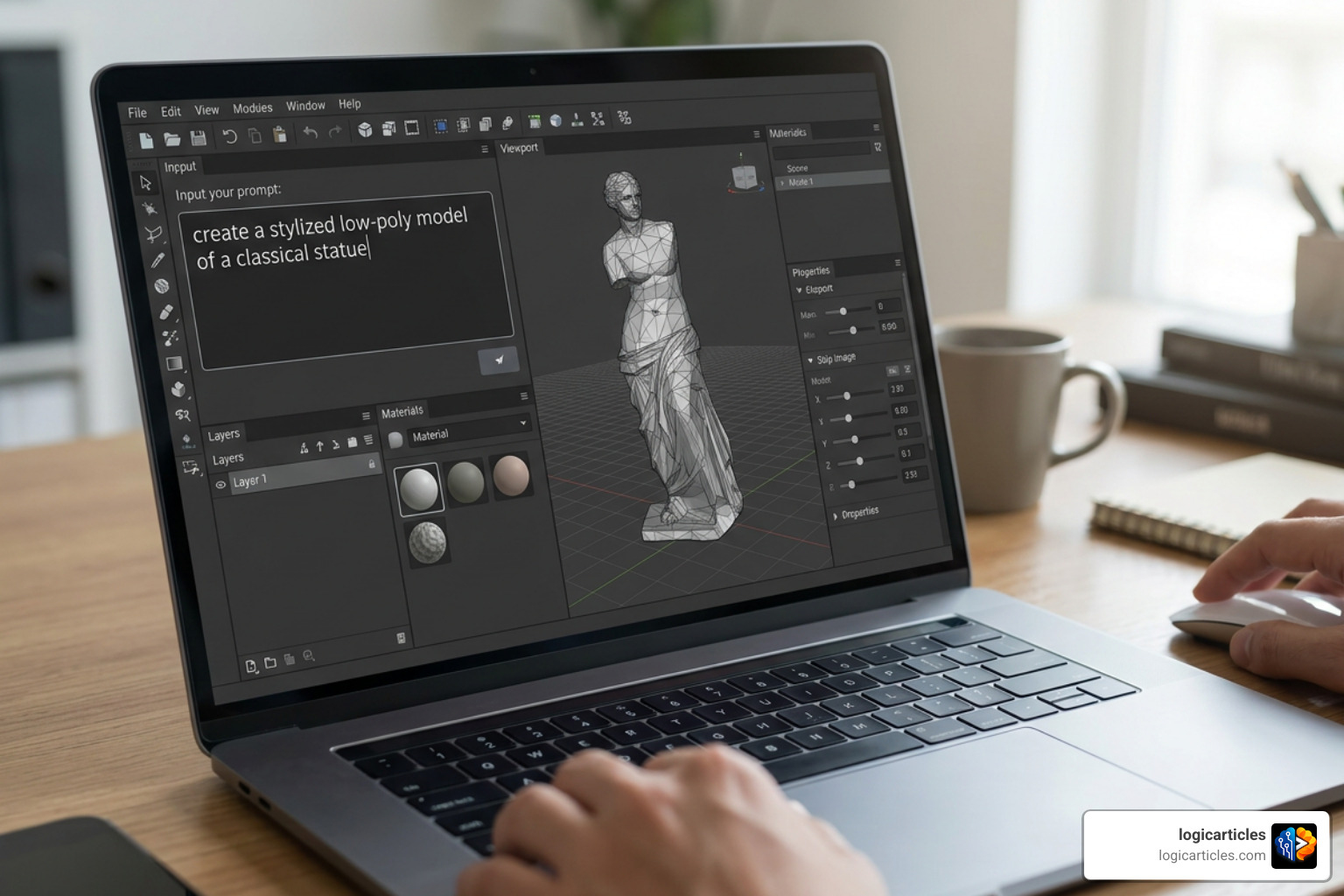
Meshy AI: Text and Image to 3D in Seconds
Trusted by over 10 million creators worldwide, Meshy AI – Free AI 3D Model Generator Online | Meshy 6 is one of the most popular and intuitive AI 3D generators available.
Meshy AI allows you to generate a fully textured, engine-ready 3D model in about 60 seconds. You can use two primary workflows:
- Text-to-3D: Type a detailed prompt (e.g., “A vintage wooden treasure chest with iron hinges”) and watch the AI build the model from scratch.
- Image-to-3D: Upload a clear photo of an object, and the AI will construct a 3D mesh and apply matching textures.
Meshy AI supports standard export formats including GLB, FBX, OBJ, STL, and USDZ. Its free plan offers 100 credits per month (allowing up to 10 downloads of Meshy 5 models), making it incredibly easy to experiment with AI-powered design.
easy3d: The Easiest 3D Modeling Software for Instant AI Generation
For creators who want an even more streamlined experience, easy3d — Turn Words & Photos into 3D Models, Instantly is designed explicitly with simplicity in mind. Unlike other platforms that use confusing token or credit systems, easy3d uses a straightforward model count.
The platform is incredibly popular among IMVU creators and 3D printing enthusiasts. With its “Photo to 3D Print” feature, you can upload a photo of a real-world object, and easy3d will generate a solid, print-ready STL file.
It also includes built-in, free remeshing tools, allowing you to adjust the polygon count and topology of your model before downloading. This ensures your models are lightweight enough for mobile games or dense enough for high-resolution 3D printing.
Frequently Asked Questions About Beginner 3D Software
Which free 3D modeling software is best for 3D printing?
For absolute beginners, Tinkercad and Womp are the best choices. Tinkercad lets you export clean, manifold STL files that open perfectly in slicers like Ultimaker Cura or PrusaSlicer. Womp is excellent because it features real-time print-readiness checks, ensuring your models don’t collapse during printing. If you want to repair or modify existing STL files from sites like Thingiverse, Vectary and Meshmixer are fantastic free options.
What are the limitations of free 3D modeling plans?
Completely free plans are great for learning, but they usually come with a few restrictions:
- Export Limitations: Free plans may limit you to lower-resolution file exports or restrict the formats available (e.g., only allowing STL or OBJ, but locking FBX or STEP behind a paywall).
- Storage and Project Limits: Tools like SketchUp Free limit you to 10 GB of cloud storage, while other platforms may restrict the number of active projects you can save.
- Commercial Licensing: Almost all free tiers are restricted to personal, educational, or non-commercial use. If you plan to sell your designs, you will generally need to upgrade to a paid tier.
Do I need a powerful computer to run 3D modeling software?
Not anymore! Because browser-based tools like Tinkercad, Womp, Vectary, and Meshy AI handle the heavy rendering and generation calculations in the cloud, you can run them on almost any modern laptop, Chromebook, or tablet. However, if you plan to use desktop-native software like Shapr3D or Blender, having a computer with dedicated GPU acceleration and a decent processor will make your editing experience much smoother.
Conclusion
The world of 3D design is more welcoming than ever. In 2026, you no longer need years of technical training or a high-end computer to start creating beautiful physical objects, game assets, or architectural mockups.
If you want a classic, block-building experience, start with Tinkercad. If you want to sculpt organic shapes and explore 3D printing, give Womp a try. And if you want to harness the cutting edge of design, let Meshy AI or easy3d turn your imagination into reality in seconds.
No matter which path you choose, the most important step is simply to start creating. Explore more software guides and deep dives on LogicArticles to find the perfect digital tools for your creative journey!