The Best 3D Model Maker Tools in 2026: What You Need to Know
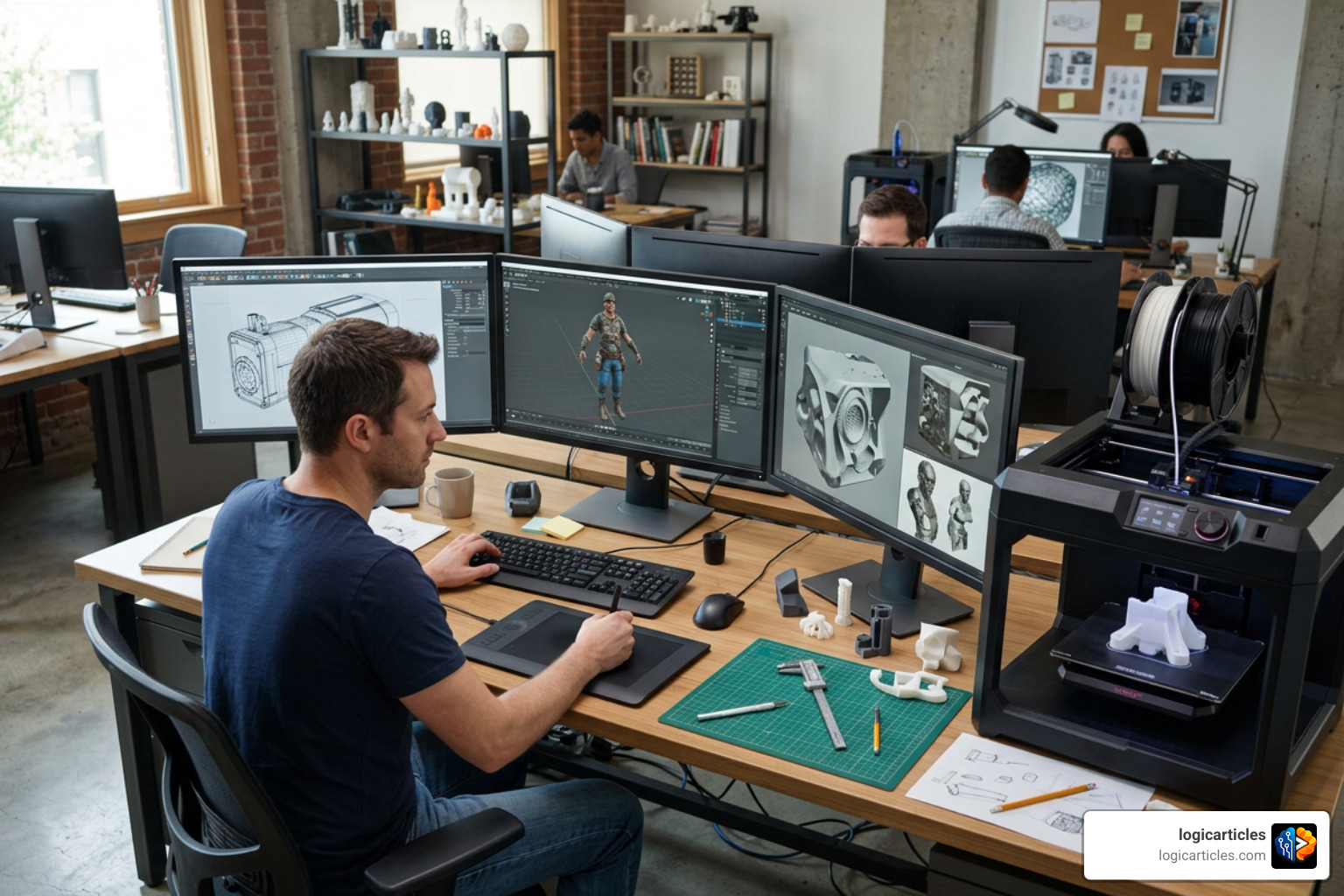
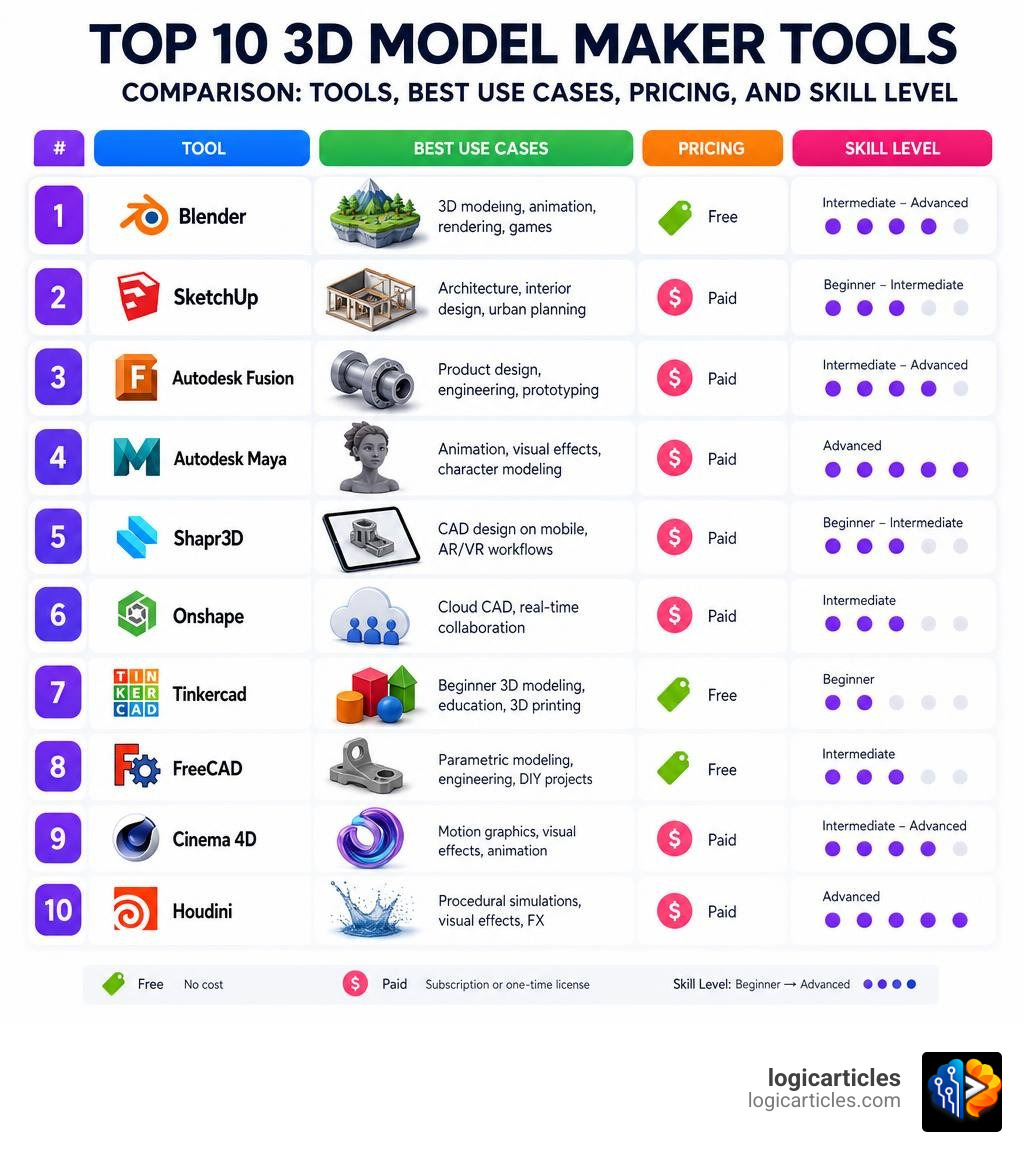
The top 10 3D model maker tools available right now cover everything from free browser-based apps to professional-grade software used in Hollywood studios and automotive factories.
Here’s a quick look at the top picks:
- Blender — Best free, open-source all-rounder
- SketchUp — Best for architecture and interior design
- Autodesk Fusion — Best for product design and engineering
- Autodesk Maya — Best for professional animation and VFX
- Shapr3D — Best mobile-first CAD with AR/XR integration
- Onshape — Best cloud-based collaborative CAD
- Tinkercad — Best browser-based tool for beginners
- FreeCAD — Best open-source parametric alternative
- Cinema 4D — Best for motion graphics
- Houdini — Best for procedural simulations and FX
Whether you’re a hobbyist printing your first custom part or an engineer designing components for manufacturing, picking the wrong tool wastes serious time.
The 3D modeling software market is projected to reach $91.32 billion by 2033 — and the options have never been more varied or more powerful. Blender is completely free and rated 4.6/5 on G2. SketchUp commands a 28.96% market share. And tools like Shapr3D report 67% faster design cycles for automotive workflows.
The hard part isn’t finding a 3D modeling tool — it’s finding the right one for your specific situation.
This guide cuts through the noise. We compare pricing, learning curves, use cases, and workflow fit so you can make a confident choice.
Understanding 3D Modeling: Techniques and Hardware Requirements
Before we dive into our list of the TOP 10 3d model maker TOOLS, we must understand what 3D modeling actually is and what it takes to run these programs. At its core, 3D modeling is the creation of mathematical representations of three-dimensional objects in a digital space.
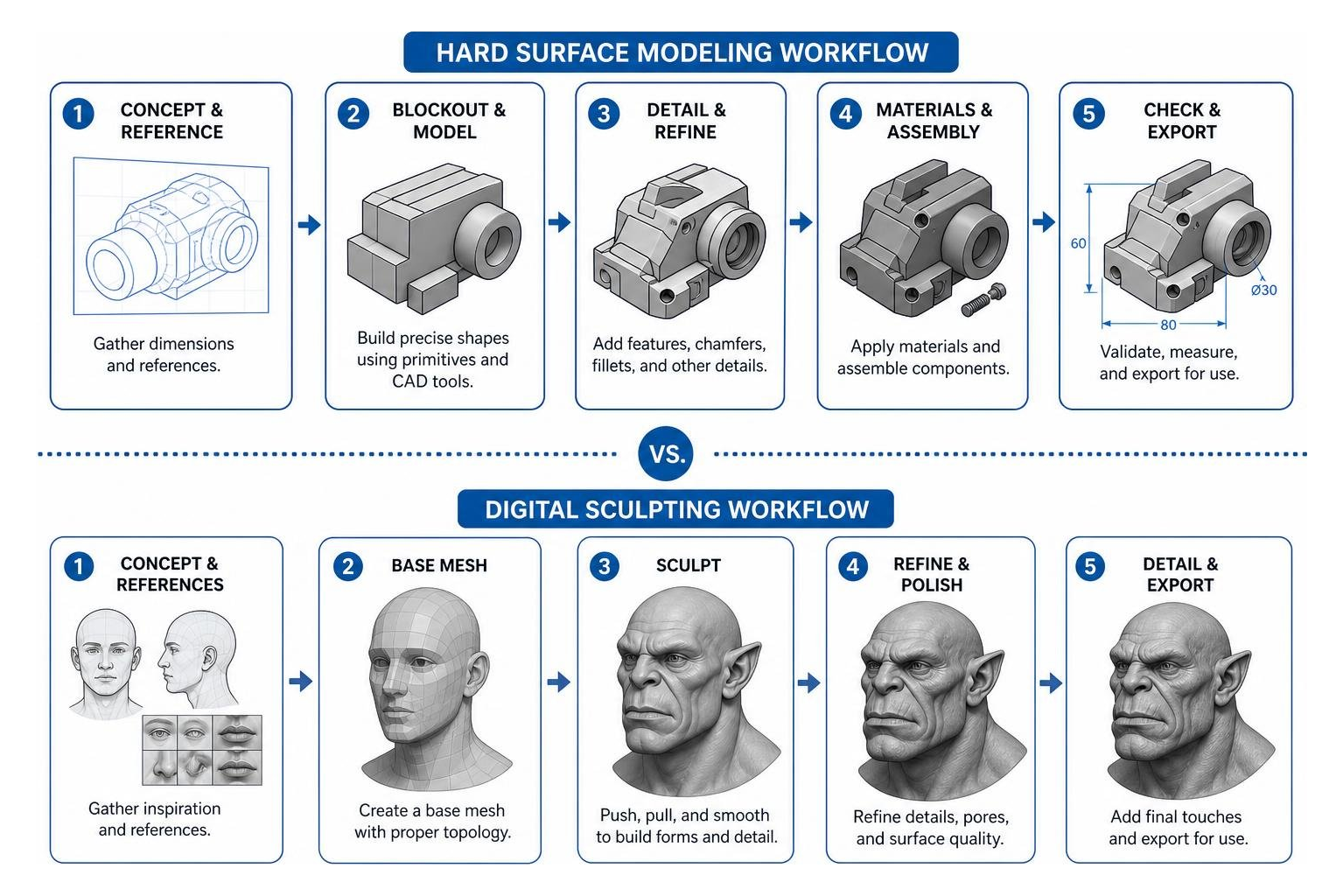
According to industry educators, 3D modeling plays a vital role in testing Minimum Viable Products (MVPs) and structural concepts before committing to physical production. To do this effectively, digital artists and engineers rely on two main techniques:
- Hard Surface Modeling: This technique uses 3D polygon shapes, edges, and vertices to construct man-made objects like cars, buildings, and mechanical parts. It focuses on clean topology and precise dimensions.
- Digital Sculpting: Think of this as working with virtual clay. Designers pull, push, and smooth a highly dense digital mesh to form organic shapes like characters, monsters, and realistic terrain.
Hardware Requirements: What Do You Need?
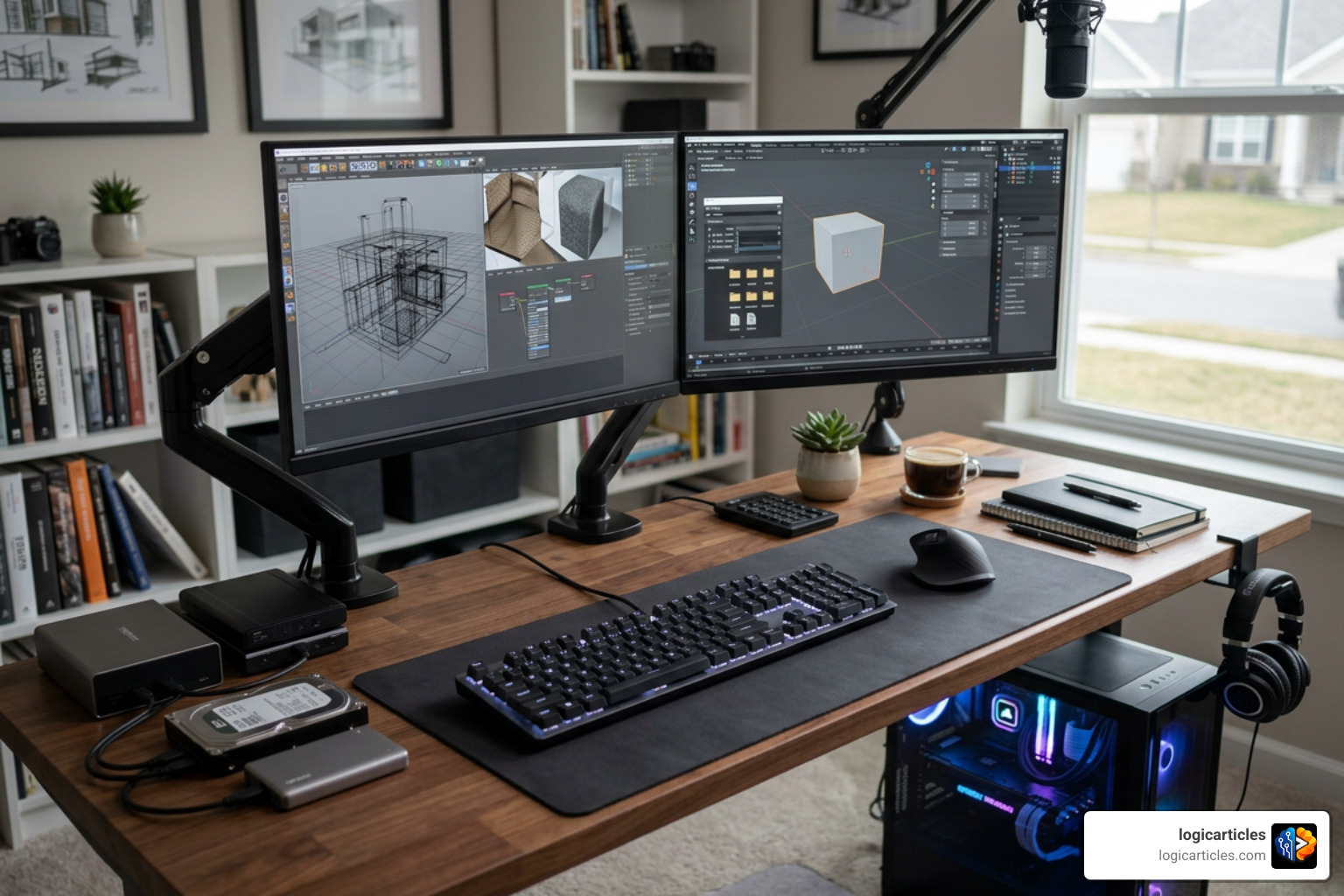
Because 3D design software is incredibly resource-intensive, your choice of hardware directly impacts your productivity. If you are also exploring 2D design, you might want to read our guide on the Best Free Drawing Software In 2026 7 Top Tools Artists Love to see how those requirements differ. For heavy 3D tasks, we recommend focusing on three core components:
- CPU (Central Processing Unit): A fast CPU with high single-core performance is essential for active CAD modeling, while multi-core processors speed up offline rendering.
- RAM (Random Access Memory): Add as much RAM as you can afford. While 8GB is the absolute minimum for basic, low-poly modeling, we highly recommend at least 16GB or 32GB for handling complex scenes and high-resolution textures.
- GPU (Graphics Processing Unit): A dedicated, powerful graphics card (such as an NVIDIA RTX card) is crucial for real-time viewport rendering, fluid simulations, and viewport stability.
Parametric Modeling vs. Polygonal Modeling
The 3D design world is largely split between two different mathematical approaches: parametric modeling and polygonal modeling.
Parametric modeling is a history-based, non-destructive editing workflow. In a parametric system, you define shapes using dimensions, geometric constraints, and mathematical parameters. If you need to change a hole’s diameter from 5mm to 10mm, you simply edit the dimension value, and the entire model updates automatically. This is absolutely critical for functional designs, mechanical engineering, and assembly planning.
Polygonal modeling, on the other hand, defines objects using a mesh of vertices, edges, and faces (polygons). This approach is highly flexible and artist-friendly, making it the industry standard for video games, movies, and character animation. However, making precise, sweeping dimensional changes to a complex polygonal mesh can be incredibly tedious compared to parametric CAD.
Cloud-Based vs. Locally Installed TOP 10 3d model maker TOOLS
When evaluating the TOP 10 3d model maker TOOLS, you must decide whether a cloud-based tool or a locally installed desktop application fits your workflow better.
- Cloud-Based CAD (e.g., Onshape, Tinkercad): These tools run entirely inside your web browser. They require virtually no local installation, meaning you can design on low-spec laptops or even tablets. Collaboration is effortless because teams can edit the same model simultaneously in real-time, complete with robust version history. The primary downside is that you need a constant, reliable internet connection, and some users worry about data security and sudden subscription changes.
- Locally Installed Software (e.g., Blender, Maya, FreeCAD): These applications run directly on your local hardware. They offer superior offline capability, meaning you can work in remote areas without internet access. They also tend to utilize your GPU and local system resources more efficiently for heavy rendering tasks. However, sharing files requires manual exporting, and managing software updates across a team is more complex.
The TOP 10 3d model maker TOOLS in 2026
To help you choose the right platform, we have compiled a comparison of the absolute best 3D modeling software options based on expert reviews, G2 ratings, and real-world production workflows.
| Tool Name | Primary Use Case | G2 Rating | Pricing Model | Platform |
|---|---|---|---|---|
| Blender | General 3D Creation, VFX, Games | 4.6/5 | Completely Free (Open-Source) | Windows, macOS, Linux |
| SketchUp | Architecture & Interior Design | 4.5/5 | Freemium (Paid plans from $119/yr) | Windows, macOS, Web |
| Autodesk Fusion | Product Design, CAM, Engineering | 4.5/5 | Subscription (Free personal tier) | Windows, macOS |
| Autodesk Maya | Character Rigging, Animation, VFX | 4.3/5 | Subscription ($245/month) | Windows, macOS, Linux |
| Shapr3D | Mobile CAD, Prototyping, AR | 9.4/10 | Freemium (Paid plans from $38/mo) | iPadOS, Windows, macOS, visionOS |
| Onshape | Cloud Collaborative CAD, Product Design | 4.9/5 | Subscription (Free hobbyist tier) | Browser-based (All platforms) |
| Tinkercad | Beginner 3D Modeling, Education | 4.5/5 | Completely Free | Browser-based (All platforms) |
| FreeCAD | Open-Source Parametric Engineering | 4.1/5 | Completely Free (Open-Source) | Windows, macOS, Linux |
| Cinema 4D | Motion Graphics, Broadcast Visuals | 4.6/5 | Subscription ($94/month) | Windows, macOS, Linux |
| Houdini | Procedural Simulations, FX | 4.5/5 | Freemium (Free learning edition) | Windows, macOS, Linux |
1. Blender: Best Overall Free and Open-Source Tool
Blender is widely recognized as the absolute king of free 3D creation suites. It is a completely free, open-source application that covers the entire 3D pipeline, including modeling, rigging, animation, simulation, rendering, compositing, motion tracking, and even video editing.
We love Blender because it does not lock any features behind a paywall. Its two main render engines, Eevee (a fast, real-time renderer) and Cycles (a highly accurate, path-tracing renderer), produce jaw-dropping visual results. Additionally, Blender’s digital sculpting workspace has evolved to rival industry-standard paid tools, making it a favorite for solo artists, indie game developers, and small studios alike.
While its lack of dedicated enterprise customer support can be a hurdle for large corporate pipelines, its massive global community has created millions of free tutorials, making troubleshooting relatively easy.
2. SketchUp: Best for Architecture and Interior Design
If you have ever wanted to quickly draw a house, remodel a kitchen, or design a custom piece of furniture, you have likely heard of SketchUp. Holding a massive 28.96% market share in the 3D modeling tools segment, SketchUp is used by over 3,650 companies worldwide.
SketchUp’s magic lies in its intuitive “push-pull” modeling tool, which lets you turn flat 2D shapes into 3D volumes in a single click. It also features the 3D Warehouse, a massive online library containing millions of pre-made models (like furniture, appliances, and plants) that you can drag and drop directly into your scene.
While its simplicity makes it incredibly fast for architectural drafting and interior design concepts, it lacks the advanced organic sculpting and procedural simulation tools found in other programs.
3. Autodesk Fusion: Best for Product Design and Engineering
Formerly known as Fusion 360, Autodesk Fusion is the gold standard for integrated CAD (Computer-Aided Design), CAM (Computer-Aided Manufacturing), and CAE (Computer-Aided Engineering). It is a cloud-enabled parametric platform that allows mechanical engineers and product designers to go from a conceptual sketch to a fully analyzed, manufacture-ready assembly.
Fusion is highly praised for its generative design features, which use AI algorithms to generate optimized structural designs based on weight and material constraints. Best of all, Autodesk offers a generous free personal-use license for qualifying non-commercial hobbyists who earn less than $1,000 USD in annual revenue. This makes it a top choice for the 3D printing community.
4. Autodesk Maya: Best for Professional Animation and VFX
When you watch a blockbuster movie or play a AAA video game, there is a very high probability that Autodesk Maya was used to bring those characters to life. Maya is the undisputed industry standard for professional character rigging, animation, and visual effects.
Maya’s advanced tools, like Bifrost (for photorealistic liquid and aerodynamic simulations) and nCloth (for realistic fabric behaviors), allow studios to create incredibly complex visual effects. However, Maya has a steep learning curve and a premium price tag of around $245 per month, meaning it is generally reserved for professional studios and advanced students.
5. Shapr3D: Best Mobile-First CAD with XR Integration
Shapr3D has revolutionized the CAD industry by proving that professional-grade 3D modeling doesn’t require a bulky desktop workstation. Built on the industry-standard Siemens Parasolid kernel, Shapr3D runs natively on iPadOS, macOS, Windows, and even Apple’s visionOS.
Shapr3D utilizes an adaptive, minimalist user interface designed specifically for pen-and-touch inputs. Automotive OEMs and industrial design teams report up to a 67% faster design cycle for jigs and fixtures when using Shapr3D directly on the manufacturing shop floor.
Its native augmented reality (AR) and XR integrations allow designers to instantly project their 3D models into real-world spaces for immediate physical evaluation.
6. Onshape: Best Cloud-Based Collaborative CAD
Onshape is a professional CAD platform built from the ground up for agile cloud product development. It eliminates the traditional headaches of file management, crashes, and software version conflicts by storing all design data in a secure, cloud-based database.

With Onshape, multiple team members can work on the exact same assembly simultaneously. It features built-in version control (similar to GitHub for software development), allowing you to experiment with design branches without risking your master model. Onshape is free for non-commercial hobbyists and makers, while its professional tiers are geared toward fast-moving hardware startups.
7. Tinkercad: Best Browser-Based Tool for Beginners
If you are completely new to 3D design, Tinkercad is the perfect sandbox to start your journey. Developed by Autodesk, Tinkercad is a free, web-based tool that runs inside any modern browser without installation.
Tinkercad uses a simple “building block” approach. Instead of drawing complex curves, you construct models by dragging, dropping, and combining basic 3D primitives (like boxes, cylinders, and spheres). You can also use “hole” shapes to cut material away. While it lacks the advanced features needed for professional engineering, it is an incredible educational tool and the easiest way to design basic objects for 3D printing.
8. FreeCAD: Best Open-Source Parametric Alternative
If you love the parametric power of Autodesk Fusion or SolidWorks but want to avoid expensive recurring subscriptions or cloud dependencies, FreeCAD is your best option. FreeCAD is a completely free, open-source parametric 3D modeler.
FreeCAD features a modular “workbench” system. Users can switch between different workbenches tailored for specific tasks, such as technical drawing, sheet metal design, architecture (BIM), and FEM (Finite Element Method) analysis. It also supports deep Python scripting, allowing power users to automate complex modeling tasks.
While its user interface can feel a bit dated and has a noticeable learning curve, the release of FreeCAD 1.0 has made it a highly stable and capable CAD powerhouse.
9. Cinema 4D: Best for Motion Graphics
Cinema 4D is the go-to software for motion designers and broadcast animators. Developed by Maxon, it is highly regarded for its stability, logical user interface, and seamless integration with Adobe After Effects.
The crown jewel of Cinema 4D is its MoGraph toolset, a procedural modeling and animation suite that makes cloning objects, creating complex text animations, and generating abstract motion graphics incredibly easy. It also features a powerful node-based system for building complex procedural materials, making it a favorite for high-end commercial advertising.
10. Houdini: Best for Procedural Simulations
Houdini, developed by SideFX, is a highly specialized tool built around a procedural node-based workflow. Unlike traditional modeling software where you manually edit geometry, Houdini designs are created by building networks of nodes that define a recipe for generating geometry.
This procedural approach makes Houdini the industry leader for creating complex FX simulations like explosions, smoke, fire, destroying buildings, and realistic water behavior. If a director asks to change a simulation, a Houdini artist can simply adjust a few nodes rather than rebuilding the entire effect from scratch.
Choosing the Right Software for Your Specific Workflow
With so many excellent TOP 10 3d model maker TOOLS available, finding the right fit depends entirely on your specific goals, budget, and system capabilities.
Beginner vs. Professional Learning Curves
If you are a complete novice, jumping straight into a complex program like Maya or Houdini will likely lead to frustration. We recommend starting with Tinkercad to learn the basics of 3D space, then transitioning to SketchUp for quick creative layouts or Blender if you want to explore digital art and character design.
For technical and functional designs, starting with Shapr3D or Autodesk Fusion offers a much smoother learning curve than jumping directly into enterprise CAD systems.
Free vs. Paid TOP 10 3d model maker TOOLS
You do not need to spend thousands of dollars to create professional 3D models. Open-source tools like Blender and FreeCAD are fully capable of production-grade work and have no commercial licensing restrictions.
Paid tools are worth the investment when you need specialized features, such as Maya’s studio-grade animation tools, Cinema 4D’s motion graphics workflows, or Autodesk Fusion’s integrated CAM toolpaths. Always take advantage of free trials and personal-use licenses before committing to a paid subscription.
Industry-Specific Recommendations: 3D Printing, Engineering, and Architecture
Your output format dictates the tool you should use.
- For 3D Printing & Engineering: You need watertight models with precise dimensions. Autodesk Fusion, FreeCAD, and Onshape are ideal because they export clean STEP and STL files. If you are a beginner looking for free options, read our guide on the Best Free Cad Software For Beginners 3D Printing or explore the Best 3D Modeling Software For 3D Printing.
- For Animation & Games: You need clean polygonal topology and robust UV unwrapping. Blender and Maya are the clear winners here. For more insights into rendering movement, check out our review of the Best 3D Animation Software.
- For Architecture & Construction: You need rapid massing tools and easy 2D drawing generation. SketchUp remains the fastest and most intuitive tool for early-stage architectural design.
Frequently Asked Questions about 3D Modeling Software
What is the easiest 3D modeling software for beginners?
Tinkercad is widely considered the easiest 3D modeling software for beginners. It runs entirely in your web browser, requires no installation, and features an intuitive drag-and-drop interface utilizing basic geometric shapes. Most users can learn to create simple designs within an afternoon.
Can I use free 3D modeling software for commercial projects?
Yes! Completely open-source programs like Blender and FreeCAD can be used for commercial projects without any licensing fees or revenue limits. However, free hobbyist versions of proprietary software (like Autodesk Fusion) often carry strict limitations, such as restricting use to non-commercial projects or capping annual revenue to under $1,000 USD.
What hardware specifications do I need for 3D rendering?
For smooth 3D rendering, we recommend a modern multi-core processor (such as an AMD Ryzen 7 or Intel Core i7), at least 16GB of RAM (32GB is preferred for complex scenes), and a dedicated graphics card with at least 8GB of VRAM (such as an NVIDIA RTX 40-series GPU) to utilize fast hardware-accelerated GPU rendering.
Conclusion
The world of 3D design is evolving rapidly, driven by incredible advancements in cloud collaboration, real-time rendering, and automated design features. Whether you choose the open-source freedom of Blender, the intuitive simplicity of SketchUp, or the collaborative power of Onshape, the best way to learn is to pick a tool and start creating.
At logicarticles, we keep a close eye on the latest design and technology trends. If you want to see how artificial intelligence is changing the creative landscape, Explore more AI tools in our comprehensive directory.