vThe Free Educational Gaming Platform Millions of Learners Use
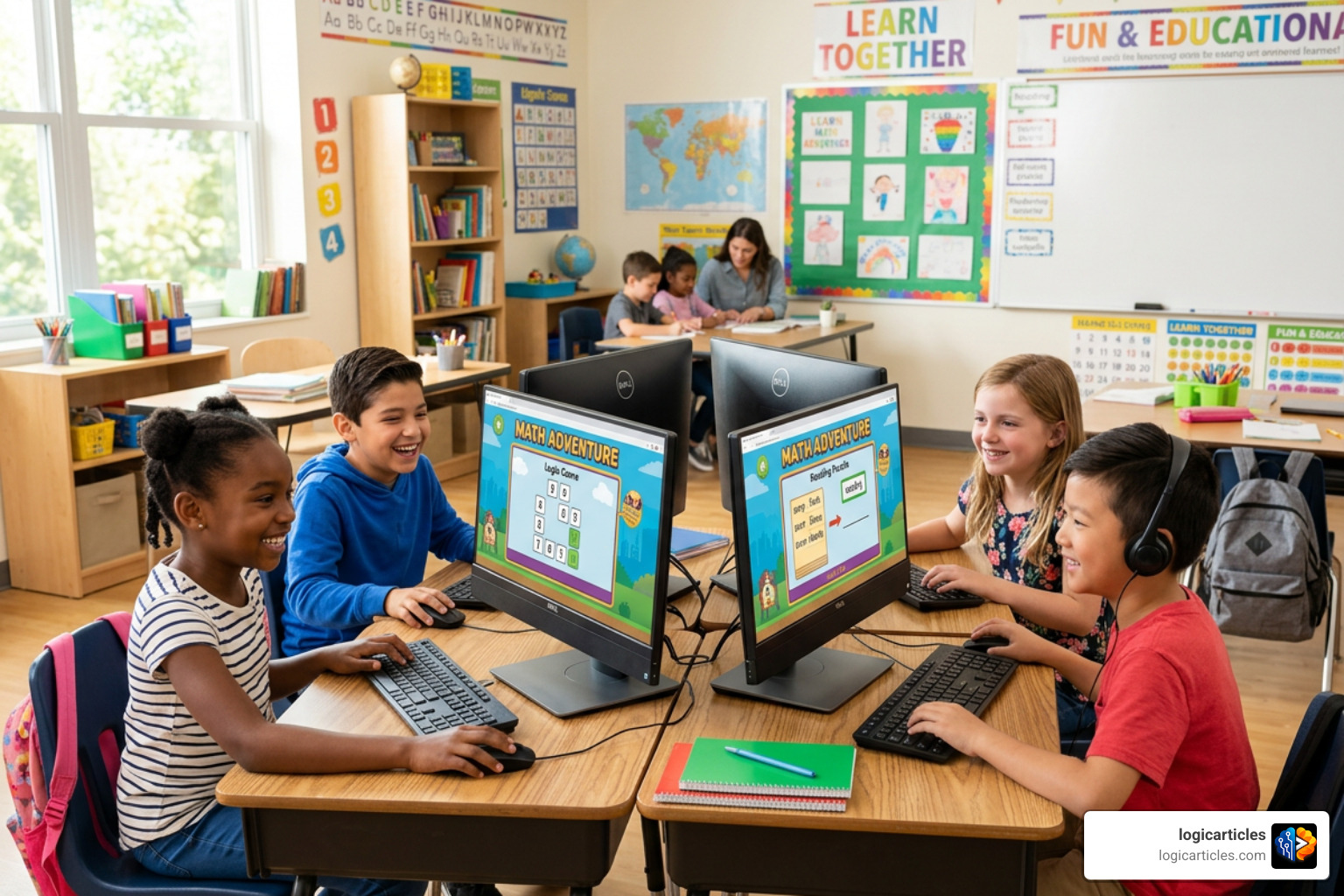
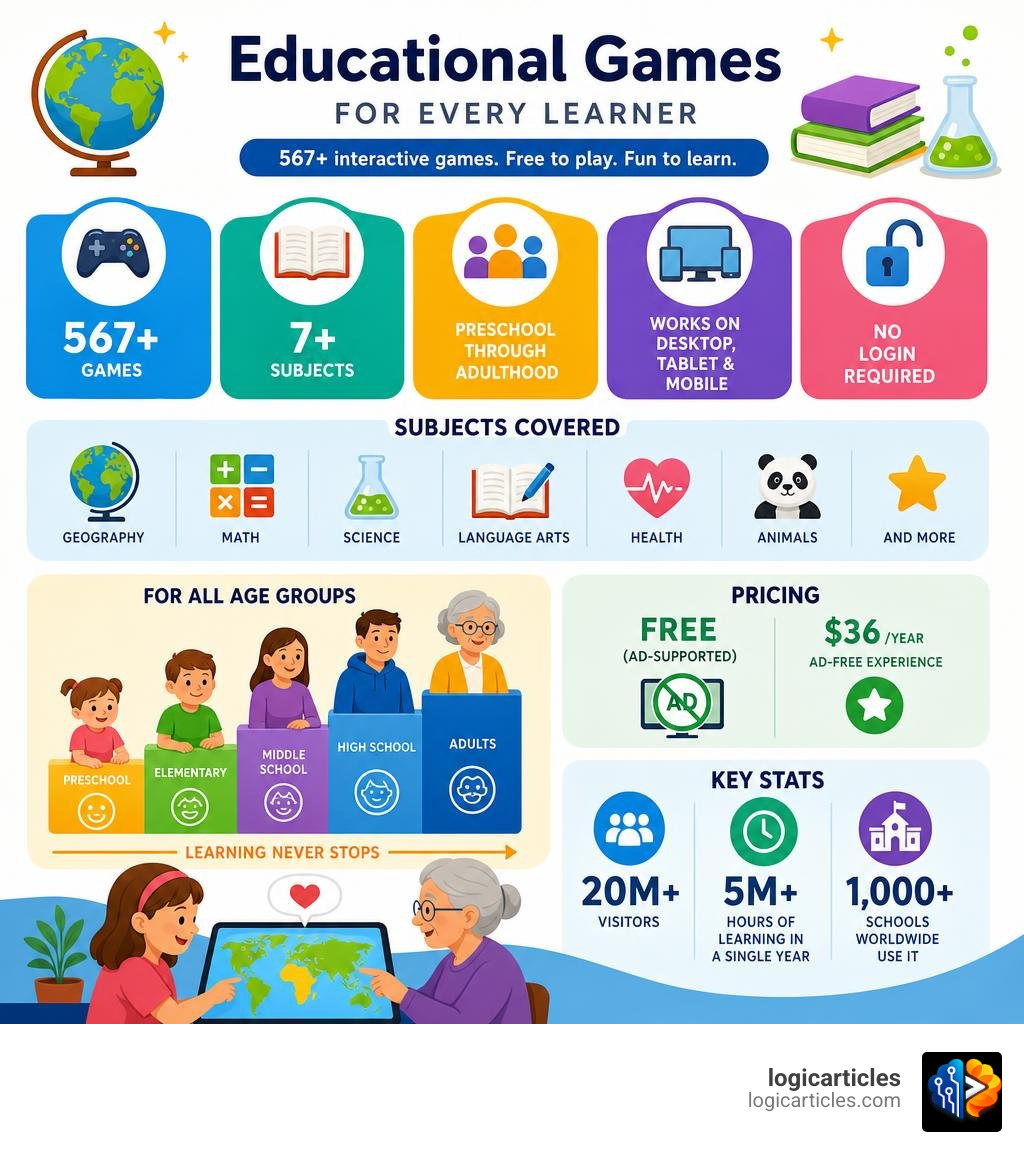
Sheppard Software is a free, browser-based educational website offering over 567 interactive learning games across subjects like geography, math, science, and language arts — for learners from preschool age all the way through adulthood.
Here’s a quick overview:
| Feature | Details |
|---|---|
| Cost | Free (ad-supported); $36/year for ad-free |
| Games available | 567+ |
| Subjects covered | Geography, math, science, language arts, health, animals, and more |
| Best for | Preschool through middle school (adults too) |
| Devices | Desktop, tablet, and mobile |
| Login required | No |
The platform has attracted over 20 million visitors and logged more than 5 million hours of learning in a single year. Over 1,000 schools around the world use it in their classrooms.
One thing that stands out? It works for a surprisingly wide range of learners. One well-known example shared by users: a 10-year-old and her 85-year-old grandmother both used the geography games to learn every country on every continent.
Whether you’re a parent looking for screen time that actually teaches something, a teacher wanting a quick review tool, or a homeschooler filling curriculum gaps — Sheppard Software is worth knowing about.
What is Sheppard Software?
If you have ever spent hours looking for online learning resources that do not involve subscription paywalls or overstimulating animations, you have likely run into Sheppard Software. At its core, the platform is a massive repository of web-based educational games designed to make learning memorable through progressive difficulty, sound effects, and visual cues.
The history of the site is fascinating. The educational software has been designed by Brad Sheppard since 1982. Holding five US patents, Brad, along with key team members like Jasmine Chapgar, built the platform around the philosophy of “brain exercise.” They wanted to design games that offer multiple difficulty levels to keep players challenged while adding audio-visual elements that make facts stick.
Today, the numbers speak for themselves. With over 20 million visitors and more than 5 million hours of learning logged in the last year alone, the site has grown from a niche resource into an international educational staple. Over 1,000 schools across the world use it to support their daily curricula. You can explore their history and mission in depth on the About Sheppard Software page, or jump straight into their massive directory via the Sheppard Software: Fun free online learning games and content for kids. homepage.
Target Audience and Age Groups
One of the most unique aspects of Sheppard Software is that it does not restrict itself to a single grade level. Instead, the site categorizes its hundreds of games into distinct tiers designed for everyone from toddlers to adults:
- Preschool and Kindergarten: This highly praised section focuses on foundational skills. Young children can play games centered on colors, basic shapes, numbers, letters, and animal identification. Parents can find these targeted activities on the Preschool and Kindergarten Games page.
- Elementary and Early Middle School: This is where the core academic content thrives. Students practice fractions, multiplication, US geography, basic science, and grammar rules.
- Middle and High School: Older students can dive deeper into complex world geography (such as mapping specific regions of Africa or Asia), anatomy, medical terminology, and chemistry.
- College and Adult Level: Yes, adults use this site too! Whether you are a college student studying for a geography exam, an adult practicing a second language, or a senior looking to keep your mind sharp with “brain games,” the high-difficulty tiers offer genuine cognitive workouts.
Pricing and Premium Options
We love free resources, and Sheppard Software is incredibly generous with its content. Almost the entire library of 567 games is completely free to play online without requiring any login, registration, or account creation.
However, because the free tier is supported by third-party advertisements, the visual layout can sometimes feel cluttered. To address this, they offer an optional ad-free premium version for an annual fee of $36.
This premium subscription is a fantastic option for classrooms or for parents who want to let their children play independently without worrying about clicking on external ads. For a small annual fee, you get a clean, uninterrupted, and focused learning environment.
Subjects and Educational Content Offered
When you first visit Sheppard Software, the sheer volume of topics can feel a bit overwhelming. The site is packed with hundreds of games, quizzes, and informational articles.

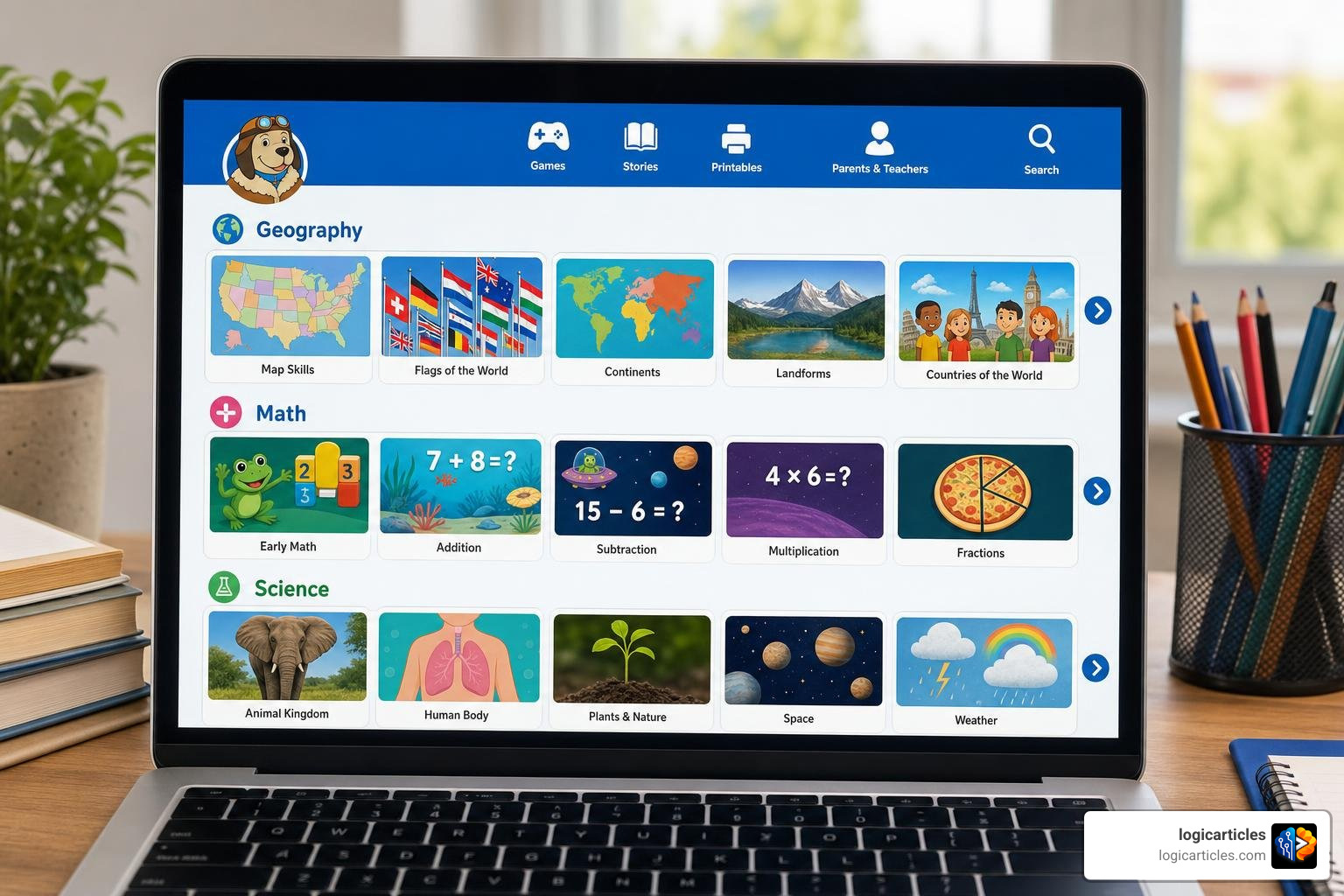
To help you find your bearings, we recommend visiting the Fun web-based learning games – math, animals, geography, preschool and more main menu, which organizes their entire catalog into clean, subject-oriented directories.
Subjects and Skills Covered by Sheppard Software
The platform spans a remarkably broad curriculum. Here is a breakdown of the primary subjects and skills you can expect to find:
- Early Math & Advanced Math: Ranging from basic counting and addition to fractions, decimals, and introductory algebra.
- Grammar & Language Arts: Interactive practice for parts of speech (nouns, verbs, adjectives) and punctuation.
- Spanish Language: Introductory vocabulary games covering colors, everyday objects, and animals—perfect for early childhood language acquisition.
- Health & Anatomy: Detailed interactive diagrams covering the skeletal system, digestive tract, major organs, and medical terminology.
- Government: Fun, accessible activities explaining the branches of government and the balance of power.
Geography and Map Games
If Sheppard Software has a “flagship” feature, it is undoubtedly its geography section. Featured as CNN’s Fun Site of the Week, these map-based games are widely considered some of the best free geography tools on the internet.
The geography section uses an ingenious 8-level system to take students from absolute beginners to cartography experts:
- Tutorial: Learn where the states, countries, or capitals are located with visual assistance.
- Level 1 (Click the State/Country): The game names a place, and you click it on the map.
- Level 2 (Drag and Drop): Drag the physical shape of the state or country and place it in its correct spot on the map.
- Advanced Levels (Capitals and Flags): Match capitals to their respective locations or identify countries by their flags.
- Expert Level: Designed for rigorous test preparation and review, requiring rapid recall of landscape features, small islands, and precise borders.
This structured progression is why schools globally rely on the platform to teach US states, world continents, oceans, and regional landscapes.
Math and Science Activities
Beyond geography, the platform provides robust suites for both math and science:
- Math Practice: If your child is struggling with fractions or decimals, games like Fruit Splat allow them to practice specific concepts in a , arcade-style format. You can adjust the speed of the game to match your child’s physical dexterity, making sure they focus on the math rather than feeling frustrated by fast controls.
- Science & Nature: The science category features interactive models of plant and animal cells, life cycles (like butterflies and frogs), deep-sea creatures, and food chains. There are also extensive animal databases featuring articles and classification games (herbivores, carnivores, omnivores, vertebrates, and invertebrates—or what some of us humorously refer to as “creepy-crawly nightmares”).
How the Platform Works and Technical Requirements
One of the reasons Sheppard Software has remained so popular is its simplicity. There are no heavy software installations, no accounts to manage, and no complicated setups. You simply open your web browser, click a game, and start playing.
Game Formats and Navigation
The games on the platform generally fall into a few classic, highly engaging formats:
- Splat Games (e.g., Fruit Splat): Players solve a problem (like a fraction or multiplication equation) and click or “splat” the moving fruit containing the correct answer.
- Catch and Collect (e.g., Mouse Trap): A classic arcade style where players navigate a character to collect correct answers while avoiding obstacles.
- Click-and-Identify (e.g., Magical Capitals): A simple quiz format where a whimsical character—like a fairy who gets visibly upset if you pick the wrong letter—guides you through spelling and identification.
While the gameplay is incredibly intuitive, navigating the website itself can sometimes feel like a throwback to the early 2000s. The menus change depending on the category you are in, which can make finding your way back to the main homepage a bit tricky. We suggest bookmarking your favorite game directories to make returning to them a breeze.
Technical Requirements and Device Compatibility
Historically, Sheppard Software relied heavily on Adobe Flash Player, which created compatibility issues when web browsers phased out Flash support.
Fortunately, the platform has undergone a massive HTML5 conversion process. The vast majority of their games have been rebuilt from the ground up to run natively in modern web browsers. This means you can easily play them on desktops, laptops, and modern mobile devices.
To explore the fully compatible mobile and tablet catalog, check out the Educational games for kids – for desktop, phones, ipads and tablets! – Sheppard Software page. For legacy setups or specific offline environments, they also maintain an FTP mirror at Sheppard Software: Fun free online learning games and content for kids..
How to Use the Platform in the Classroom and at Home
In an era where we have access to cutting-edge Ai Tools You Should Know In 2026, there is still a massive demand for straightforward, highly targeted educational tools. Sheppard Software fits perfectly into modern blended learning environments.
How to Use Sheppard Software in the Classroom and at Home
Here are some of the best practical strategies we recommend for getting the most out of the platform:
- In the Classroom: Teachers can use these games on interactive whiteboards for whole-class warm-ups or quick review sessions at the end of a lesson. Because the games require no login, they are excellent for quick rotations in computer labs.
- In Homeschooling: Parents can use the platform’s structured geography levels to align with their history and social studies units. If you are teaching a unit on Europe, having your child spend 10 minutes a day on the European map game will reinforce those geographical boundaries beautifully.
- Offline Extension: You can print or email flashcards directly from the site. This is a lifesaver for waiting rooms, car rides, or oil changes—allowing you to sneak in some educational progress without relying on active screen time.
- Healthy Screen Time Limits: The American Academy of Pediatrics (AAP) recommends limiting screen time for children ages 2 to 5 to up to 1 hour per day of high-quality programming. Because Sheppard Software is strictly educational and lacks the addictive, overstimulating feedback loops of modern mobile apps, it is a great candidate for that high-quality screen time.
Reviews and Testimonials from Educators and Parents
The real proof of the platform’s effectiveness lies in the feedback from those who use it daily.
Special education teachers frequently praise the site for its adaptability. For example, a teacher working with autistic or developmentally delayed students noted that using the color games on an interactive whiteboard—sometimes with the volume turned off to encourage verbal participation—significantly boosted student engagement. Another teacher shared how they taped physical color word strips under the screen, helping students seamlessly connect visual colors with written words.
Parents love the lack of commercial pressure. One homeschooling parent shared that her twins, starting at age four and a half, fell in love with the animal and shape games because they were interactive without being “busy” or overstimulating. Another review highlighted a two-year-old with zero computer experience who learned how to navigate a mouse within a single hour of playing the preschool animal games.
Pros and Cons of the Platform
To give you a balanced view, we have compiled a quick pros and cons table based on our testing and feedback from the wider educational community.
| Pros | Cons |
|---|---|
| 100% Free Option: Massive library of 567 games accessible without paying a dime. | Outdated Visuals: The graphics and layout look like they belong in the early 2000s. |
| No Logins Required: Students can start learning instantly without data privacy concerns. | Clunky Navigation: Changing sidebars and menus can make back-navigation confusing. |
| Excellent Geography Suite: The 8-level system is unmatched for map learning. | Ad-Heavy Free Tier: Third-party ads on the free version can be distracting for younger kids. |
| Device Friendly: HTML5 conversion means games run smoothly on iPads and tablets. | Subject Gaps: Lacks deep content for subjects like music, art history, or coding. |
While some users might find the retro design a bit jarring compared to modern, highly polished What Is Productivity Software, the simplicity of Sheppard Software is actually its secret weapon. It prevents children from getting distracted by flashy animations, keeping their focus entirely on the educational content.
Frequently Asked Questions about Sheppard Software
Is Sheppard Software completely free to use?
Yes! The core platform and all of its 567 games are completely free to play. The site is supported by advertisements. If you prefer an ad-free experience for your home or classroom, you can purchase an annual premium subscription for $36.
What age groups is Sheppard Software best for?
The platform is highly versatile, but it is best suited for preschool, elementary, and middle school students. However, older high schoolers, college students, and adults frequently use the advanced geography levels and anatomy games for test review and brain exercise.
Does Sheppard Software work on iPads and mobile devices?
Yes! Thanks to their ongoing HTML5 conversion efforts, the majority of the games are fully compatible with modern smartphones, iPads, and Android tablets. You do not need to download an app; simply access the games directly through your mobile web browser.
Conclusion
In a digital landscape filled with expensive subscription models and distracting apps, Sheppard Software remains a reliable, highly effective, and free educational oasis. By focusing on core learning outcomes, progressive difficulty, and interactive play, it continues to serve millions of students, teachers, and parents worldwide in 2026.
If you are looking to optimize your digital toolkit—whether for teaching, parenting, or personal growth—be sure to explore our curated guides in our category/productivity section. From discovering the Best Task Management Software In 2026 Tested to exploring the Best Startup Growth Tools For 2026, we are here to help you find the best software to make your life easier and more productive!
Write more, thats all I have to say. Literally, it
seems as though you relied on the video to make your point.
You definitely know what youre talking about, why throw away your intelligence on just posting videos to your
blog when you could be giving us something enlightening to read?