Why Software Maintenance Services Are Critical for Every Organization
Software maintenance services are the ongoing activities that keep your applications secure, stable, and performing well after launch — including bug fixes, security patches, performance tuning, compatibility updates, and feature improvements.
Quick answer — what do software maintenance services include?
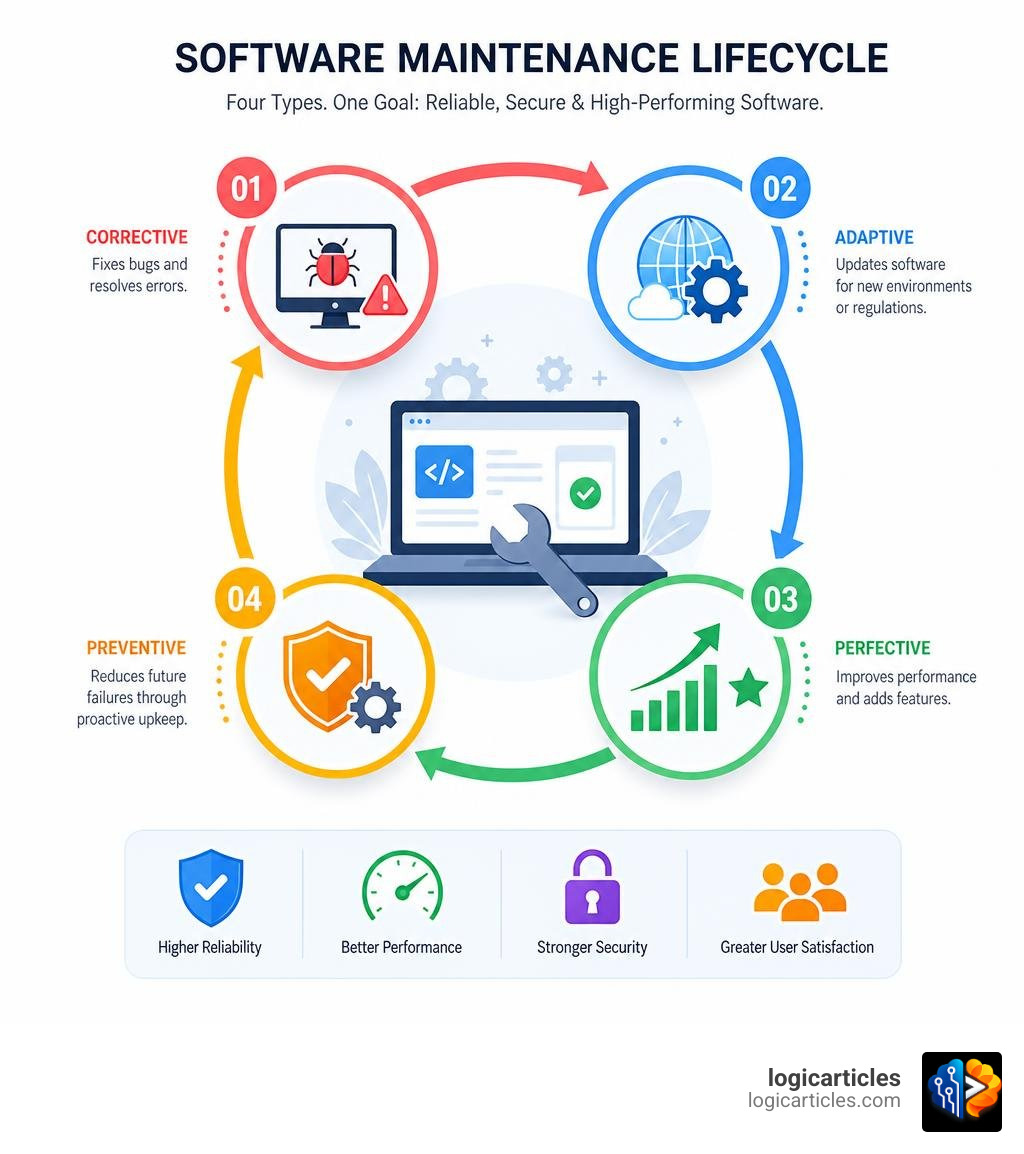
| Type | What It Does |
|---|---|
| Corrective | Fixes bugs and resolves errors |
| Adaptive | Updates software for new environments or regulations |
| Perfective | Improves performance and adds features |
| Preventive | Reduces future failures through proactive upkeep |
These services are typically delivered via managed retainers, pay-as-you-go contracts, or SLA-backed support agreements.
Here’s a number that should get your attention: many mid-market and enterprise organizations spend 60–70% of their engineering capacity on routine fixes, version patches, and post-merger system conflicts. That leaves very little room for building anything new.
And when systems do fail? A single hour of application downtime can cost thousands in lost revenue — before you even factor in the damage to customer trust.
The problem is that most teams don’t realize how much unmanaged software is costing them until something breaks at the worst moment.
This guide compares the best software maintenance services available in 2026 — covering what they include, how they’re priced, and what to look for when choosing a provider.
Understanding Software Maintenance Services
To understand why professional maintenance is so crucial, we must first look at what happens behind the scenes of a modern application. Software is not a physical monument; it is more like a garden. If you do not water it, weed it, and protect it from pests, it will eventually wither.
What are Software Maintenance Services?
At its core, a software maintenance service (SMS) is an ongoing program designed to keep your digital assets fully functional, secure, and aligned with your business needs. While standard software licensing gives you the legal right to run an application, it rarely guarantees that the application will continue to work flawlessly when your operating system updates, or when a new cyber threat emerges.
A comprehensive SMS provides the technical support, specialized expertise, and continuous updates required to keep your systems stable. It bridges the gap between simply owning a license and actually running a dependable system. When you invest in maintenance, you ensure access to the latest product releases, enable license configuration changes, and maintain system stability. For a broader look at keeping your technical ecosystem in harmony, check out our guide on Best practices for software stack management in 2026.
To ensure your applications remain resilient over time, it is highly recommended to follow established industry standards for software maintenance, which emphasize structured release procedures and routine system health checks.
The Four Core Types of Software Maintenance
Software maintenance is not just about “fixing things when they break.” In the software engineering world, maintenance is divided into four distinct categories, each serving a unique purpose:
- Corrective Maintenance (Reactive Bug Fixing): This is the classic “firefighting” mode. When a user reports a bug, or an automated system flags a crash, corrective maintenance steps in to diagnose and resolve the issue.
- Adaptive Maintenance (Environment Updates): Technology moves fast. Operating systems release updates, browsers change their rendering engines, and third-party APIs modify their endpoints. Adaptive maintenance modifies your software to ensure it remains fully compatible with these changing external environments.
- Perfective Maintenance (Enhancements and Speed): As your business grows, your software needs to grow with it. Perfective maintenance focuses on improving performance, optimizing speed, refactoring code, and adding minor feature enhancements based on user feedback.
- Preventive Maintenance (Risk Mitigation): This is the equivalent of taking your car in for an oil change. It involves analyzing system logs, conducting stress tests, and updating dependencies to catch and resolve potential points of failure before they cause actual downtime.
Implementing these four types of maintenance is the single most effective way of preventing bugs and downtime before they impact your bottom line.
Key Benefits: Reducing Downtime, Improving Security, and Extending Lifespan
Many organizations view software maintenance as an unnecessary expense—until they suffer a major security breach or a prolonged system outage. In reality, proactive maintenance acts as an insurance policy for your digital infrastructure.
Proactive Monitoring and Incident Management
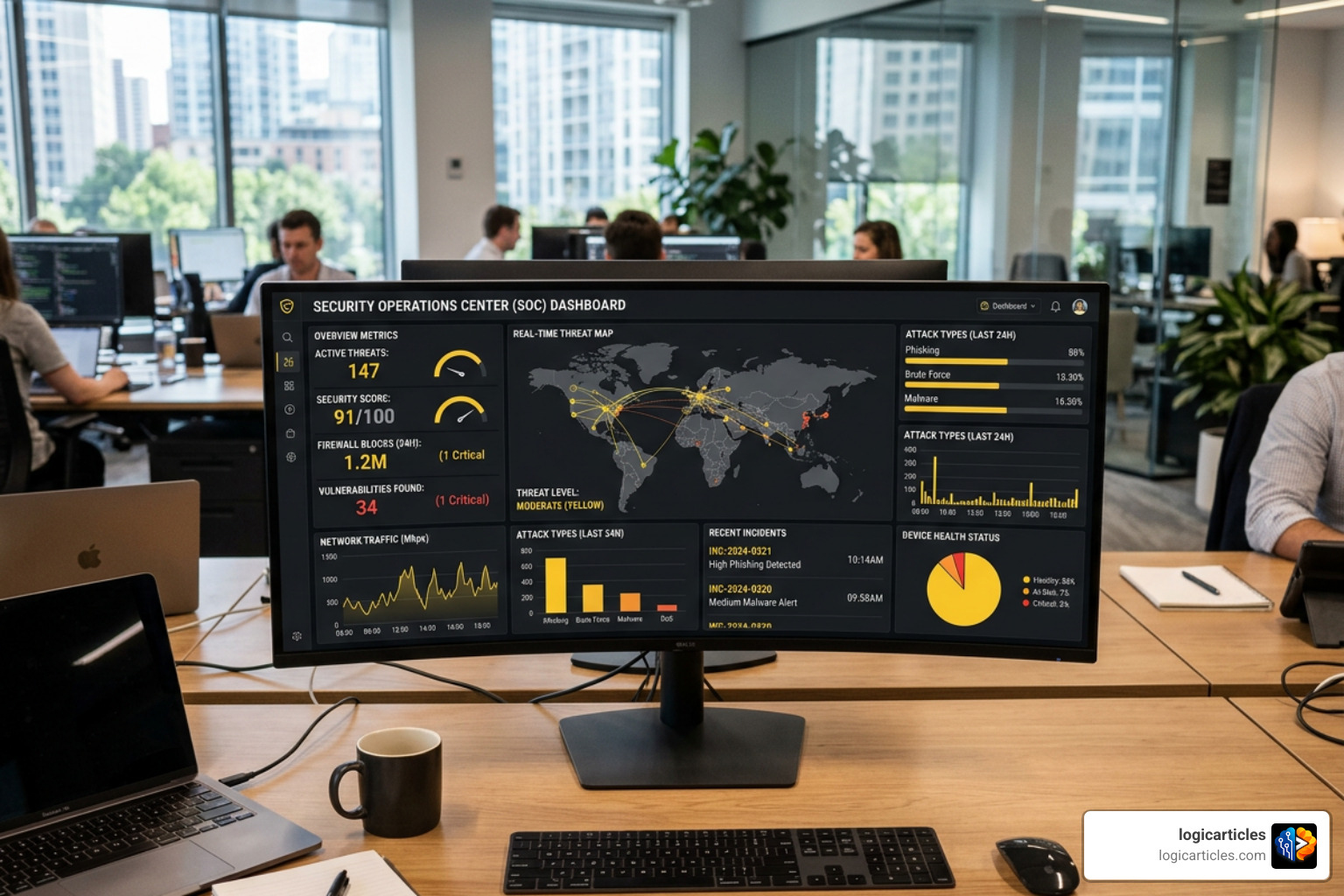
Relying on your users to tell you when your system is down is a recipe for disaster. Professional software maintenance providers utilize 24/7 proactive monitoring tools that track application performance, server health, and error rates in real time.
By utilizing comprehensive maintenance frameworks, teams can identify and resolve anomalies before they escalate into full-blown outages. When an incident does occur, a structured incident management workflow ensures that the root cause is quickly diagnosed, resolved, and documented to prevent future occurrences. This proactive approach dramatically reduces your Mean Time to Repair (MTTR), keeping your business running smoothly.
Security Patching and Compliance Risk Management
Security is not a one-time setup. Hackers are constantly finding new vulnerabilities in open-source libraries, databases, and operating systems. If your software is not regularly patched, it becomes an easy target.
A robust software maintenance program includes regular vulnerability assessments, dependency updates, and security patch management. This is not just about protecting your data; it is also about regulatory compliance. Whether you must adhere to GDPR, HIPAA, or ISO 27001, continuous maintenance provides the audit trails and security measures required to satisfy strict standards. For example, maintaining compliance in specialized fields requires rigorous testing, similar to medical device software testing standards, where even a minor software glitch can have severe consequences.
To ensure your organization meets all safety and regulatory benchmarks, you must align your maintenance routines with modern cybersecurity software requirements. This includes implementing multi-factor authentication, end-to-end encryption, and routine disaster recovery drills.
Choosing the Right Software Maintenance and Support Provider
Selecting the right partner to maintain your software is just as important as choosing the team that built it. A poor fit can lead to slow response times, recurring bugs, and ballooning costs.
Key SLA Metrics and Response Times
When evaluating providers, the Service Level Agreement (SLA) is your most important tool. The SLA defines the provider’s commitments regarding response times, resolution benchmarks, and system uptime guarantees.
Most providers categorize issues by severity levels, ranging from P1 (critical production outages) to P4 (minor cosmetic bugs). When setting up your agreement, ensure that the communication channels, escalation paths, and ticket priorities are clearly defined. To help you visualize what to look for, here is a comparison of standard versus premium SLA structures:
| SLA Metric | Standard Support | Premium Support |
|---|---|---|
| Critical Issues (P1) Response | Within 4 to 8 hours | Within 1 to 2 hours |
| Standard Bugs (P2/P3) Response | Within 1 to 2 business days | Within 4 to 8 hours |
| Monitoring Coverage | Business hours (9 AM – 5 PM) | 24/7/365 continuous monitoring |
| Dedicated Team | Shared support queue | Assigned primary engineers |
| Proactive Patching | Monthly or quarterly | Immediate upon release |
Aligning these metrics with web development best practices for 2026 ensures that your user-facing platforms remain highly responsive, fast, and secure.
The Cost of Software Maintenance Services
How much should you expect to pay for software maintenance? As a general rule of thumb, annual software maintenance and support typically costs 15% to 25% of the original software development cost.
Providers generally offer a few different billing and contract models:
- Monthly Retainers: You pay a predictable monthly fee for a set number of development and support hours. This is ideal for established systems that require continuous updates, security scans, and minor feature iterations.
- Pay-As-You-Go (On-Demand): You pay an hourly rate only when you need support or troubleshooting. While this can seem cost-effective initially, it often leads to slower response times and unpredictable monthly budgets.
- Emergency Support: High-rate, on-demand support reserved for sudden, catastrophic system failures.
Given that 47% of enterprise resource planning (ERP) projects exceed their budgets, securing a predictable, fixed-price monthly retainer is often the safest way to keep your long-term IT overheads in check.
GSA Software Maintenance SIN 54151 for Government Agencies
For federal, state, and local government agencies, procuring software maintenance services comes with its own unique set of rules and challenges. This is where the General Services Administration (GSA) Multiple Award Schedule (MAS) comes into play.
Under GSA’s IT Category, Special Item Number (SIN) 54151 specifically covers Software Maintenance Services. This procurement framework allows eligible government buyers to easily acquire specialized technical expertise, custom software changes, and person-to-person technical support.
There are several major benefits to utilizing GSA’s SIN 54151:
- Billed in Arrears: In accordance with federal law (31 U.S.C. 3324), GSA software maintenance services are billed in arrears rather than in advance, aligning perfectly with government accounting rules.
- Small Business Set-Asides: More than half of GSA MAS IT industry partners are small businesses, making it easy for agencies to meet their socioeconomic contracting goals.
- Supply Chain Risk Management: All vendors on the GSA schedule undergo rigorous vetting to ensure compliance with strict supply chain security standards.
- Protest Risk Mitigation: GSA offers free scope compatibility reviews for agencies, helping to ensure that the procurement process is legally sound and reducing the risk of costly contract protests.
Agencies can easily issue requests for quotes to vetted vendors through online portals like GSA Advantage and eBuy, streamlining the entire acquisition lifecycle.
Frequently Asked Questions about Software Maintenance
What is the difference between standard and premium software support?
Standard support is generally reactive. It includes basic technical support, access to software updates, and standard email ticketing queues during regular business hours. Premium support is proactive. It features 24/7 system monitoring, faster guaranteed response times (often under 2 hours for critical issues), dedicated support engineers, and strategic advice on lifecycle management.
How much do software maintenance services typically cost?
On average, annual software maintenance costs between 15% and 25% of the system’s original development cost. For a custom application that cost $100,000 to build, you can expect to spend $15,000 to $25,000 per year on ongoing maintenance, support, updates, and optimization.
Can a third-party provider maintain software they did not build?
Yes, absolutely. Experienced maintenance providers frequently take over legacy systems built by other developers. The process begins with a comprehensive codebase and infrastructure audit. During this onboarding phase, the new team maps out system dependencies, reviews documentation, identifies immediate security vulnerabilities, and establishes monitoring tools before taking over daily support operations.
Conclusion
Investing in professional software maintenance is not just about keeping the lights on; it is about protecting your technology investments and laying a stable foundation for long-term growth. By moving away from reactive firefighting and embracing proactive monitoring, regular security updates, and structured SLAs, you can free your internal team to focus on what they do best: innovation.
Whether you are running custom enterprise applications, managing complex databases, or looking for specialized tools to streamline your operations, we are here to help you navigate the landscape. Explore the best software categories to discover the top tools, systems, and services designed to keep your business moving forward in 2026 and beyond.