Why the Advantages and Disadvantages of Open Source Software Matter for Every Business

Understanding the advantages and disadvantages of open source software is essential before building or changing your technology stack.
Here’s a quick summary:
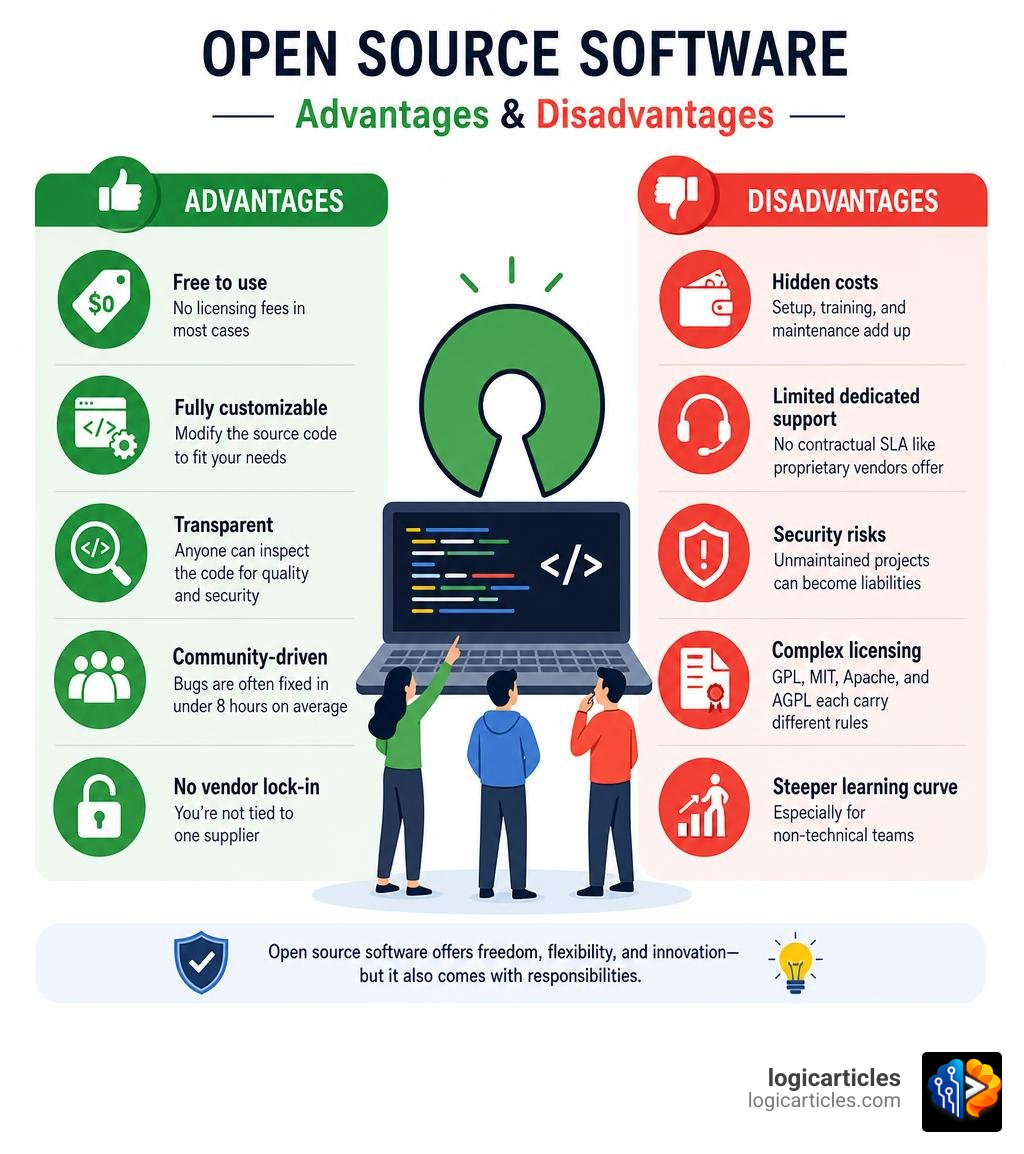
Advantages of Open Source Software
- Free to use — no licensing fees in most cases
- Fully customizable — modify the source code to fit your needs
- Transparent — anyone can inspect the code for quality and security
- Community-driven — bugs are often fixed in under 8 hours on average
- No vendor lock-in — you’re not tied to one supplier
Disadvantages of Open Source Software
- Hidden costs — setup, training, and maintenance add up
- Limited dedicated support — no contractual SLA like proprietary vendors offer
- Security risks — unmaintained projects can become liabilities
- Complex licensing — GPL, MIT, Apache, and AGPL each carry different rules
- Steeper learning curve — especially for non-technical teams
Today, open source is everywhere. Between 70% and 90% of all modern software offerings include open source components. More than half of Fortune 500 companies rely on it for mission-critical workloads. And yet, up to 45% of engineers working with open source report a lack of adequate support.
That gap — between the promise of free, flexible software and the reality of running it in production — is exactly what this guide covers.
Understanding Open Source vs. Proprietary Software
To truly grasp the advantages and disadvantages of open source software, we must first define what it is and how it differs from proprietary (or “closed source”) alternatives.
At its core, the difference is all about who has access to the underlying instructions—the source code.
Think of software like a restaurant dish. Proprietary software is like a secret family recipe locked in a vault. You can buy the meal and enjoy eating it, but you have no idea what spices are in the sauce, and you certainly aren’t allowed to recreate it or sell your own version.
Open source software (OSS), on the other hand, is like a community cookbook. The recipe is printed in bold letters for everyone to see. You can cook it, share it with your neighbors, tweak the ingredients to suit your taste, and even publish your improved version for the world to enjoy.
For a deeper dive into how these philosophies play out in the real world, you can explore Wikipedia’s comparison of software models.
Source Code Availability and User Freedom
In proprietary systems (like Microsoft Windows or Adobe Photoshop), the publisher retains exclusive ownership of the source code. Users buy a license that grants them the right to use the compiled software, but they cannot inspect or modify it.
With open source systems (like Linux, Android, or WordPress), the source code is freely available. This fosters a culture of shared knowledge, rapid iteration, and user freedom. If a piece of software doesn’t do exactly what you want, you don’t have to beg a corporate vendor to add a feature in their next release cycle; your development team can simply write the code and build it themselves.
This flexibility is incredibly valuable when selecting tools for your team. For instance, when evaluating productivity software, choosing between an open platform like LibreOffice and a closed ecosystem like Microsoft 365 comes down to balancing this complete user freedom against the convenience of a pre-packaged corporate suite.
The Copyleft Philosophy vs. Permissive Licensing
Not all open source is licensed the same way. The licensing rules dictate how you can use, modify, and redistribute the software:
- Permissive Licenses (MIT, Apache 2.0, BSD): These are highly business-friendly. They allow you to take the code, modify it, and even use it in commercial, closed-source products without many restrictions.
- Copyleft Licenses (GPL, AGPL): These carry a “share-alike” requirement. If you modify copyleft code and distribute your new version, you must release your modifications under the same open source license. This prevents companies from taking free community work and locking it behind a proprietary paywall.
Key Advantages and Disadvantages of Open Source Software
Now that we understand how open source works, let’s weigh the specific pros and cons that technical leads and business executives face when choosing their software stack.

The Advantages of Open Source Software
1. Unmatched Cost-Effectiveness
The most obvious benefit of OSS is the lack of licensing fees. For startups and enterprise organizations alike, eliminating per-seat subscription models can save millions of dollars. In fact, estimates show that customers save roughly $60 billion annually by adopting open source models over commercial software.
2. Ultimate Customization and Agility
With proprietary software, you are at the mercy of the vendor’s product roadmap. If they deprecate a feature you rely on, or refuse to build an integration you need, you are stuck. Open source gives you complete control. You can customize the user interface, build bespoke integrations, and optimize performance for your specific hardware.
3. Community Collaboration and Innovation
When you use a popular open source tool, you benefit from a global brain trust. GitHub recently passed the 100 million member mark, recording a staggering 413 million open source contributions in a single year. This massive network of developers continuously reviews code, introduces innovative features, and optimizes performance far faster than any single company’s in-house team ever could.
The Disadvantages of Open Source Software
1. Hidden and Unexpected Costs
While the software itself is free to download, running it is not. You must account for the costs of installation, custom configuration, data migration, and ongoing maintenance. Furthermore, training your staff to use specialized open source tools can be expensive—with average employee training costs hovering around $1,252 per worker.
2. Complex Licensing and Legal Risks
Understanding open source licenses is a full-time job. If your developers accidentally build copyleft-licensed code (like GPL) into a proprietary commercial product, you could face legal pressure to open source your entire proprietary codebase. Managing these compliance risks requires strict governance and automated scanning tools.
3. Orphaned Code and Abandoned Projects
Unlike proprietary software backed by a corporate balance sheet, many open source projects are maintained by volunteers. If the lead developers lose interest or run out of time, the project can quickly become “orphaned.” Relying on unmaintained code means you won’t receive security patches or compatibility updates, leaving you with a technical liability.
Comparison Table: Open Source vs. Proprietary Software
To help visualize these trade-offs, here is a direct comparison of how these two software paradigms stack up:
| Feature | Open Source Software | Proprietary Software |
|---|---|---|
| Upfront License Fee | $0 (Free to download) | Variable (Subscription or perpetual fee) |
| Source Code Access | Full access to inspect and modify | Restricted (Owned entirely by vendor) |
| Customization | Unlimited; modify anything you want | Limited to provided APIs and settings |
| Support Model | Community forums, documentation, third-party | Dedicated vendor support with strict SLAs |
| Bugs & Patches | Community-driven (often fixed in hours) | Vendor-dependent (can take days or weeks) |
| Vendor Lock-In | Extremely low | High (difficult to migrate away) |
| Usability & UX | Can be complex; designed for technical users | Generally polished and user-friendly |
Security, Support, and Maintenance Comparison
One of the most fiercely debated topics in IT departments is how open source compares to proprietary software when it comes to keeping systems secure, supported, and running smoothly.

Security: Transparency vs. Security through Obscurity
There is a common myth that proprietary software is inherently more secure because hackers can’t see the source code. In reality, the industry has largely rejected this “security through obscurity” approach.
IT leaders overwhelmingly favor transparency: 89% of IT leaders believe enterprise-grade open source is as secure or more secure than proprietary software.
Because the code is public, thousands of independent security researchers can constantly audit it for vulnerabilities. This collective vigilance results in incredible patching speed. The velocity at which bugs and threats are addressed in open source is under eight hours on average, compared to 6.9 days for developers working on proprietary, closed-source codebases.
However, open source introduces supply chain risks. If your system relies on dozens of nested open source libraries (dependencies), a vulnerability in a single, obscure package—like the famous Log4Shell vulnerability—can expose your entire organization to risk.
Support: Contractual SLAs vs. Community Goodwill
This is where proprietary software often wins the day for non-technical businesses. When you buy a commercial product, you receive a contractually obligated support agreement (SLA). If the system crashes at 2:00 AM on a Sunday, you have a phone number to call and a team of engineers paid to fix it.
In contrast, open source support is largely self-service. If something breaks, you must rely on online documentation, developer forums, or your own team’s technical expertise. This can be a major challenge: up to 45% of engineers working with open source have reported a lack of adequate support for their projects.
To bridge this gap, many companies hire third-party software maintenance services to manage, patch, and support their open source tools, giving them enterprise-grade peace of mind without the vendor lock-in.
Vendor Lock-In and Software Reliability
Vendor lock-in is a significant business risk. If a proprietary software vendor decides to double their subscription prices, change their terms of service, or discontinue a product you rely on, migrating your data and retraining your staff can cost hundreds of thousands of dollars.
Open source completely eliminates this risk. If you are unhappy with a service provider, you can take your open source code and host it somewhere else, or even fork the project to take it in a new direction.
Strategic Business Considerations: TCO, Licensing, and Monetization
Adopting open source is a strategic business decision that requires a clear understanding of long-term costs, compliance, and how the creators of the software make their money.
Total Cost of Ownership (TCO)
When evaluating the advantages and disadvantages of open source software, do not fall into the trap of thinking “free” means zero cost. You must look at the Total Cost of Ownership over a three-to-five-year period.
While the initial software acquisition cost is zero, the cost curve for open source often looks different than proprietary software:
- Proprietary: High licensing costs upfront, with predictable, flat subscription fees over time.
- Open Source: Zero licensing costs, but higher upfront costs for custom implementation, integration, and staff training, followed by variable maintenance costs depending on your internal technical expertise.
For a deep academic analysis of how these economic models impact software industry revenue and organizational savings, refer to this academic research on open-source software benefits.
Monetization Models: How Open Source Companies Survive
If the software is free, how do the developers pay their bills? Understanding these business models helps you assess the long-term viability of the tools you choose:
- Open Core: The company releases a fully functional, open source version of their software for free, but charges for proprietary “enterprise” features (like advanced security, single sign-on, or high-availability clustering).
- Software-as-a-Service (SaaS): The software is open source, but the creators charge a subscription fee to host, manage, and scale it for you in the cloud (e.g., WordPress.com or managed database hosting).
- Professional Services and Support: The software is completely free, but the company sells specialized consulting, training, and custom development services to enterprise clients.
Understanding how your tools fit into your broader IT ecosystem is essential for long-term growth. Utilizing structured frameworks for software stack management can help your team balance these various open source and commercial components, ensuring seamless SaaS integration, licensing compliance, and robust risk mitigation.
Frequently Asked Questions
What are the primary advantages and disadvantages of open source software?
The primary advantages of open source software are its cost-effectiveness (no licensing fees), complete customization flexibility, transparency, and freedom from vendor lock-in. The primary disadvantages include hidden implementation and training costs, a lack of dedicated corporate support, potential security risks from unmaintained dependencies, and complex licensing rules that require careful compliance management.
How do the advantages and disadvantages of open source software affect security?
The transparency of open source software allows a global community of developers to spot and patch vulnerabilities incredibly fast—often in under 8 hours. However, this same transparency means malicious actors can study the source code to find exploits. Additionally, open source projects can suffer from supply chain risks if they rely on unmaintained, third-party code libraries that are neglected over time.
When should a business choose proprietary software over open source?
A business should choose proprietary software when they lack the internal technical expertise to set up and maintain open source tools, when they require a guaranteed service-level agreement (SLA) for mission-critical systems, or when they need highly polished, user-friendly software out of the box with minimal setup and training requirements.
Conclusion
Choosing between open source and proprietary systems is not an all-or-nothing decision. In fact, most modern enterprises opt for a hybrid approach—using open source tools for their underlying infrastructure, databases, and development workflows, while relying on proprietary SaaS platforms for specialized business applications.
By carefully weighing the advantages and disadvantages of open source software, assessing your team’s technical capabilities, and calculating the true total cost of ownership, you can build a highly optimized, scalable, and secure technology stack.
At logicarticles, we are dedicated to helping you navigate these complex technical decisions. For more guides on optimizing your business workflows and choosing the right tools, check out our comprehensive productivity software category.