Two Names, One Question: Is Logitech Gaming Software the Same as G HUB?
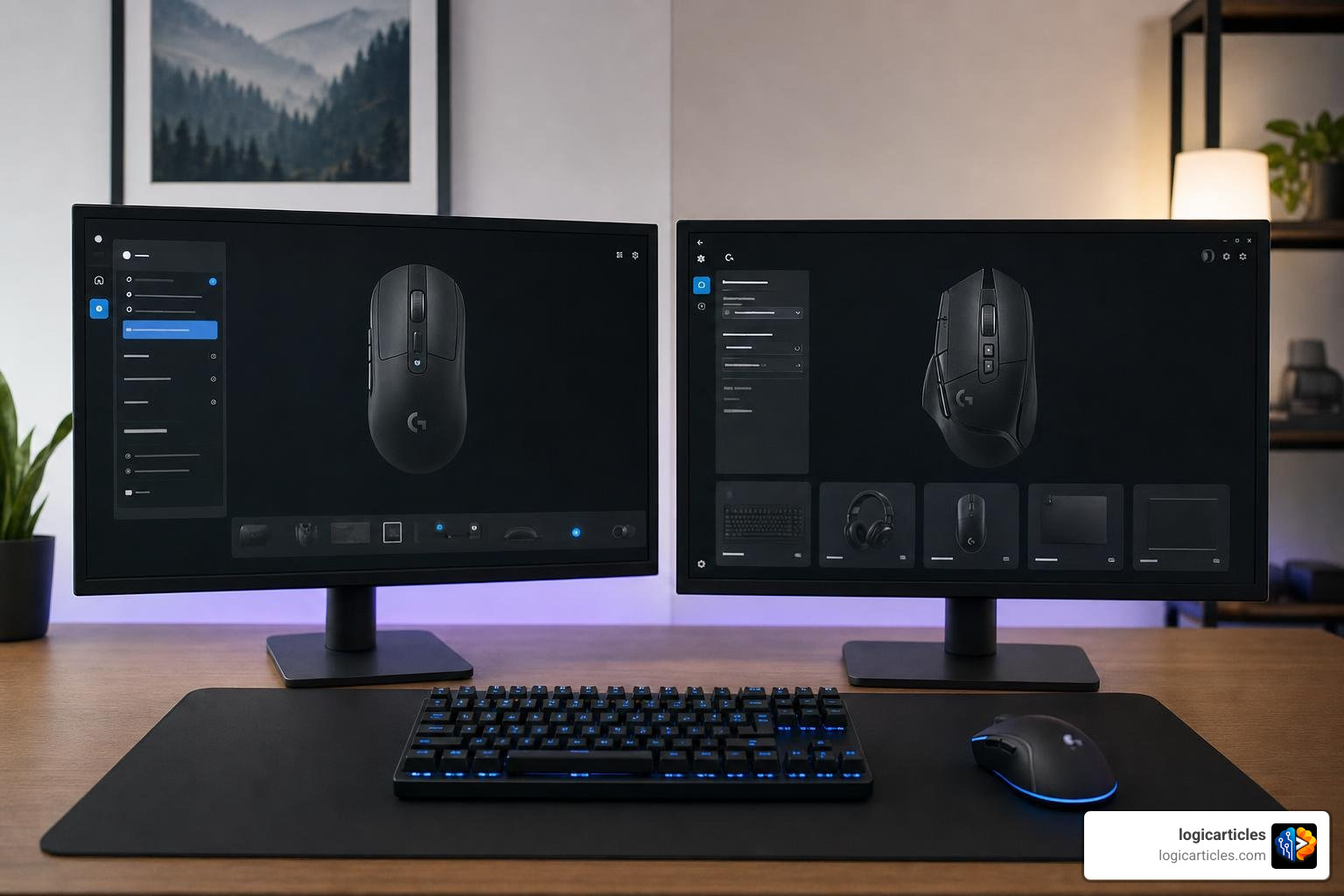
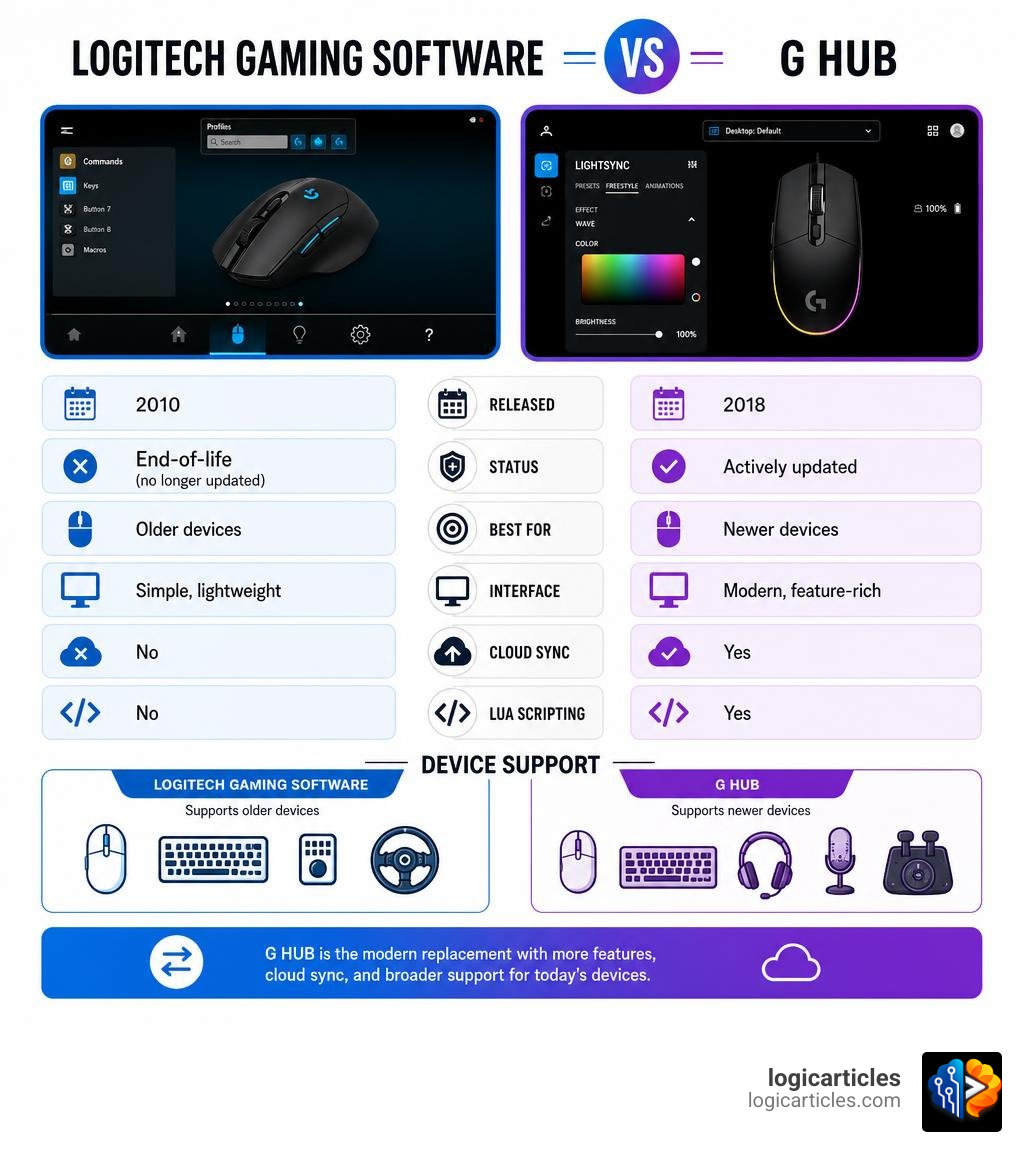
Is Logitech gaming software the same as G Hub? No — they are two different programs made by Logitech, released years apart, with different features and device support.
Here is the short answer:
| Logitech Gaming Software (LGS) | Logitech G HUB | |
|---|---|---|
| Released | 2010 | 2018 |
| Status | End-of-life (no longer updated) | Actively updated |
| Best for | Older Logitech devices | Newer Logitech devices |
| Interface | Simple, lightweight | Modern, feature-rich |
| Cloud sync | No | Yes |
| Lua scripting | No | Yes |
G HUB is the modern replacement for Logitech Gaming Software. But “replacement” does not mean they are identical. LGS is simpler and lighter. G HUB has more features but uses more system resources and has a steeper learning curve.
Some users still run LGS today — even though Logitech no longer supports it — because it just works for their older gear.
If you have a newer Logitech device like the PRO X Superlight 2 or G915 X, you need G HUB. There is no choice. But if you are running older hardware and value stability, LGS may still serve you well — for now.
Below, we break down exactly how these two programs differ, which devices each supports, and which one you should use in 2026.
Is Logitech gaming software the same as G Hub?
To understand why these two software suites exist, we have to look at the timeline of Logitech’s peripheral ecosystem. For over a decade, Logitech relied on a trusted, offline-first driver package to manage everything from basic office mice to high-end mechanical keyboards. As gaming matured, the demands of players shifted from local profiles to cloud synchronization, community sharing, and deep integration with third-party streaming programs.
This shift created a massive divide. On one hand, we have a classic, lightweight utility that prioritizes stability. On the other, we have a modern, cloud-connected ecosystem designed to act as a unified hub for all modern gaming gear. If you are trying to figure out which one is currently sitting on your hard drive, or which one you need to download, reading a detailed breakdown like Logitech Gaming Software vs G Hub: What’s the difference? is a great place to start.
G HUB is the direct successor to Logitech Gaming Software (LGS), but calling them the “same” ignores the fundamental design philosophies that separate them.
What is Logitech Gaming Software (LGS)?
Released back in 2010, Logitech Gaming Software (LGS) served as the primary driver for Logitech’s gaming peripherals for nearly a decade. LGS was built during an era when PC gaming software was expected to do one thing: run quietly in the background, consume minimal RAM, and save your button configurations directly to your device’s onboard memory.
LGS is a completely offline utility. It does not require you to create an account, log in, or connect to the internet to customize your gear. For many gamers, this offline-first design is its greatest strength. It offers a rock-solid, incredibly stable user experience. When you set a macro or adjust your DPI in LGS, those settings are instantly locked in without any risk of a cloud sync error resetting your preferences.
Although LGS is now considered legacy software, you can still find official download packages and support resources on the Logitech Gaming Software Support page.
What is Logitech G HUB?
Launched in 2018, Logitech G HUB is the modern, slick, and cloud-integrated successor to LGS. Designed from the ground up to support modern hardware, G HUB features a minimalist, dark-themed user interface that aligns with contemporary software design standards.
G HUB does far more than just remap buttons and change DPI steps. It functions as a complete gaming ecosystem. It integrates directly with popular third-party applications like OBS Studio, Streamlabs, and Discord, allowing you to map streaming actions (like muting your mic or switching scenes) directly to your mouse or keyboard. Furthermore, G HUB features robust cloud integration, letting you back up your custom profiles to a Logitech account and download custom lighting setups and button layouts created by other members of the global gaming community.
For anyone using modern Logitech G gear, downloading the latest version of this software from the official Logitech G HUB Download page is essential to unlock your hardware’s full potential.
Key Differences: Features, Design, and Performance
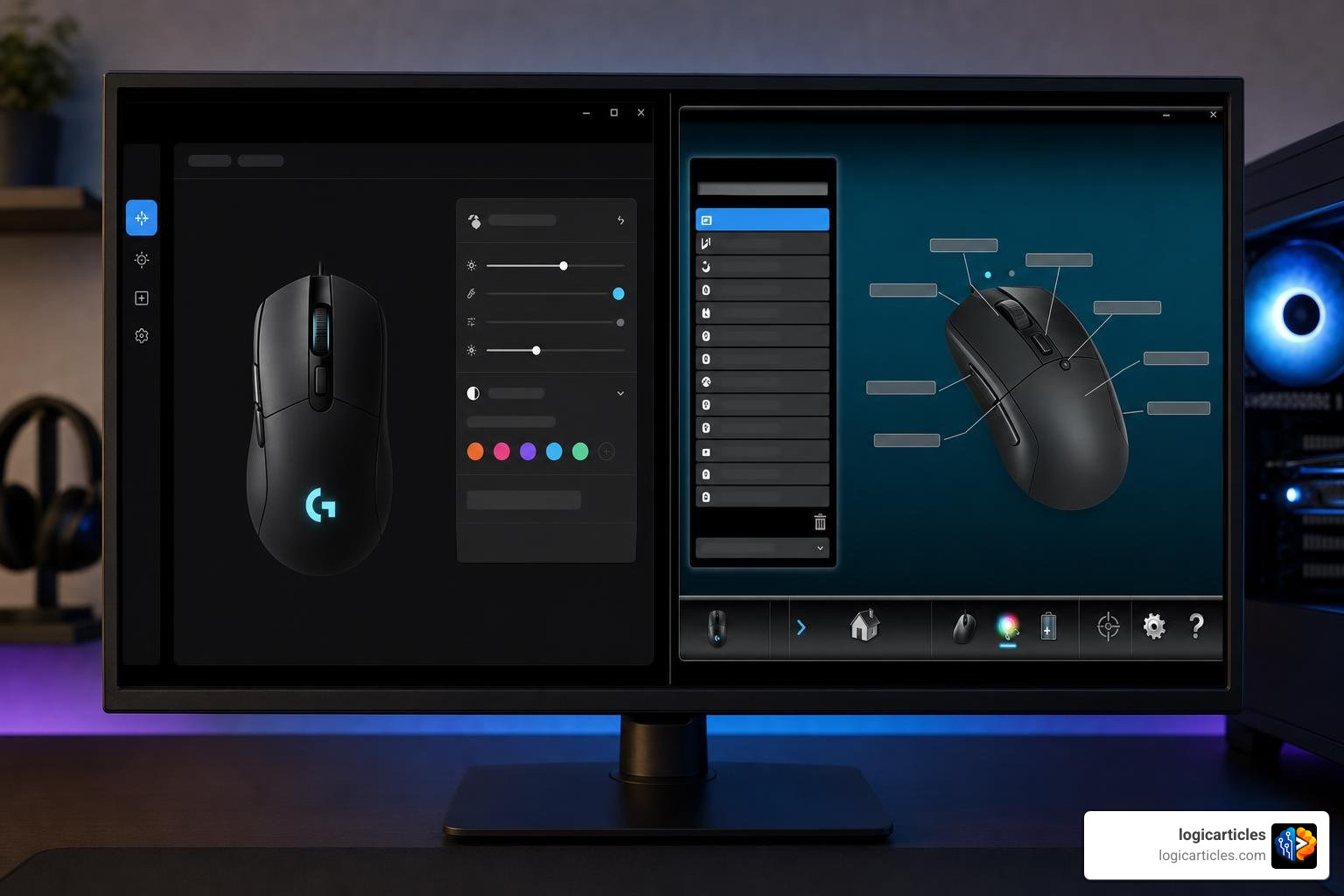
When we compare these two programs side-by-side, the differences in user interface design, resource consumption, and feature depth become immediately apparent. LGS uses a highly visual, “click-and-edit” approach where you click directly on an image of your device to change its settings. G HUB, conversely, utilizes a modern list-based customization model where you drag and drop commands from a sidebar menu onto your device’s keys or buttons.
To help visualize these differences, here is a detailed breakdown of how they compare across key categories:
| Feature | Logitech Gaming Software (LGS) | Logitech G HUB |
|---|---|---|
| User Interface | Skeuomorphic, visual device map | Flat, minimalist, list-based sidebar |
| System Resource Usage | Very low (lightweight) | Moderate to high (more resource-intensive) |
| Account Requirement | None (100% offline) | Optional (Required for cloud backups/community sharing) |
| Third-Party Integrations | Minimal | Deep integration (OBS, Discord, Streamlabs) |
| Advanced Scripting | Basic macro recorder | Lua scripting support |
| Game Detection | Manual or basic automatic scanning | Advanced automatic scanning across multiple launchers |
While G HUB is objectively more feature-rich, its modern architecture comes with a trade-off. It is significantly more resource-intensive than LGS and has gained a reputation in some gaming circles for experiencing occasional installation loops, profile detection bugs, or update issues.
Macro Creation and Scripting
The way you create macros and manage profiles differs wildly between the two platforms. In LGS, creating a macro is a straightforward affair. You open the macro manager, record your keystrokes, set your delays, and assign the macro to a button. It is fast, intuitive, and rarely fails.
G HUB takes macro creation to a much more advanced level, though it introduces a steeper learning curve. In addition to standard keystroke recording, G HUB supports full Lua scripting. This allows advanced users and programmers to write complex scripts that can execute highly specific sequences of actions, adjust mouse movements dynamically, or create intricate automation profiles for complex MMOs and simulators.
However, G HUB’s list-based customization model can feel slower for basic tasks. Instead of simply clicking a button on a picture of your mouse and typing a key to remap it, G HUB requires you to find the key command in a sidebar list and drag it onto the corresponding button slot.
RGB Lighting and Customization
If you love custom aesthetics, RGB lighting is where G HUB truly shines. LGS offers basic lighting controls, allowing you to choose solid colors, breathing effects, or color cycles across your supported devices.
G HUB introduces LIGHTSYNC RGB technology, which offers deep, game-driven lighting animations. With LIGHTSYNC, your keyboard, mouse, and speakers can react dynamically to in-game events, screen colors, or audio visualizers. G HUB also supports integration with Windows Dynamic Lighting, allowing your Logitech gear to sync seamlessly with the native RGB controls built directly into Windows 11. You can create highly complex, multi-layered custom animations and sync them across all of your connected Logitech G devices with a single click.
Is Logitech gaming software the same as G Hub for game integration?
Game integration is one of the areas where G HUB represents a massive evolutionary leap over LGS. In the old days of LGS, you had to manually point the software to a game’s executable (.exe) file if you wanted it to automatically load a custom profile when that game launched.
G HUB automates this entire process. It features a unified game library management system that automatically scans your hard drives to detect installed games. It doesn’t just look for standard Steam installations either; G HUB automatically scans and syncs titles from platforms like Epic Games Store, WeGame, GOG, and more.
Additionally, the G HUB Games feature optimizes your gear’s performance by providing curated recommendations from professional esports players. You can read more about how this ecosystem unifies your gear and game library on the official G HUB Gaming Software portal.
Device Compatibility and Coexistence
One of the most common points of confusion for users is deciding which software actually supports their specific mouse, keyboard, or headset. The general rule of thumb is simple: hardware generation determines software compatibility.
Older legacy devices released before 2018 are natively supported by LGS. Modern devices released from 2018 onward are designed exclusively for G HUB. To make things more complicated, some “transitional” devices released around 2017–2019 are supported by both programs, though you should never try to manage them with both at the exact same time.
Can you run LGS and G HUB at the same time?
Yes, it is technically possible to run both programs simultaneously, but doing so without precautions can lead to software conflicts, profile glitches, and onboard memory errors. If you have a mixed setup — such as a beloved legacy G502 Proteus Core mouse and a brand-new G915 X keyboard — you might find yourself wanting the best of both worlds.
To run both successfully, many power users rely on a clever offline workaround. The trick is to install an older, stable version of LGS completely offline, use your system’s firewall to block LGS from communicating with the internet, and disable automatic updates. This prevents LGS from trying to force-update or conflict with G HUB’s active background drivers. By keeping LGS completely isolated offline to manage your legacy mouse macros, you can let G HUB run normally in the background to handle your modern headset and keyboard lighting.
Is Logitech gaming software the same as G Hub in device support?
No, they are completely different in terms of device support. To illustrate this, let’s look at how they handle different generations of Logitech hardware:
- Legacy Hardware (LGS Only): Devices like the classic G502 Proteus Core or the G910 Orion Spark keyboard rely heavily on LGS. While G HUB technically attempts to support some of these older devices, users frequently report that G HUB fails to recognize them or breaks their custom onboard macros.
- Modern Gear (G HUB Only): Modern peripherals like the PRO X Superlight 2 mouse, the G915 X mechanical keyboard, and the ASTRO A50 X headset are built with next-generation components. These devices feature the advanced HERO 2 sensor and the new KEYCONTROL user interface, which are completely incompatible with the legacy architecture of LGS. If you plug a PRO X Superlight 2 into a computer running only LGS, the software won’t even register that a device is connected.
Which Software Should You Choose in 2026?
As we navigate the gaming landscape of 2026, the choice between these two programs comes down to a simple assessment of your hardware, your system stability preferences, and your customization needs. To see how these utilities fit into the broader landscape of modern PC optimization, you can check out our guide on the Best Gaming Software In 2026.
For the vast majority of users, the decision is made for them by their hardware. However, if you have the luxury of choice, here is how you should decide.
When to stick with LGS
We recommend sticking with (or installing) Logitech Gaming Software if:
- You solely use older, legacy Logitech G peripherals.
- You prioritize absolute system stability and want a lightweight program that uses virtually zero background RAM.
- You do not care about cloud profiles, community presets, or syncing your RGB lighting with third-party apps.
- You want a simple, offline, “set-it-and-forget-it” tool to configure your mouse buttons and save them directly to onboard memory.
When to upgrade to G HUB
We recommend upgrading to Logitech G HUB if:
- You own any modern Logitech G gear released in the last several years.
- You want to take advantage of advanced features like KEYCONTROL, HERO 2 sensor tuning, and Mixline audio routing.
- You are a streamer or content creator who benefits from direct integrations with OBS Studio, Streamlabs, or Discord.
- You love sharing custom lighting profiles and macros with the global gaming community.
Frequently Asked Questions about Logitech Software
Is LGS still being updated by Logitech?
No. Logitech Gaming Software has officially reached end-of-life (EOL) status. While Logitech still hosts the download files on their support servers for legacy users, the software no longer receives feature updates, support for new games, or security patches. All of Logitech’s software development resources are now directed toward G HUB and Logi Options+.
Why do some users prefer LGS over G HUB?
Many users prefer LGS because of its simplicity and reliability. G HUB has a reputation for being bloated and occasionally buggy. Users sometimes experience issues where G HUB gets stuck in an infinite loading loop during updates, or fails to detect profiles when a game launches. LGS, being a lightweight, offline utility, rarely suffers from these modern software headaches.
Do I need to uninstall LGS to use G HUB?
While you do not strictly have to uninstall LGS, we highly recommend doing so if all of your devices are supported by G HUB. Running both simultaneously without advanced firewall blocking can cause conflicts with your devices’ onboard memory, leading to lost settings or unresponsive macros. A clean install of G HUB is always the safest route.
Conclusion
At the end of the day, Is Logitech gaming software the same as G Hub? No. While both programs serve to customize your Logitech gaming gear, they represent two entirely different eras of software design. LGS is a relic of a simpler time — a rock-solid, offline tool that prioritizes lightweight performance. G HUB is a modern, cloud-connected powerhouse built to integrate your gear with the wider gaming and streaming ecosystem.
Choosing the right utility is all about matching the software to your hardware and your personal workflow. If you are looking to optimize other aspects of your PC setup for peak performance, be sure to read our guide on the Best Fan Control Software to keep your rig running cool and quiet during intense gaming sessions.
Ready to dive deeper into optimizing your digital workspace? Explore the Best Software Guides on logicarticles to find the perfect tools for your setup!