The Right Embrilliance Software Can Make or Break Your Embroidery Experience
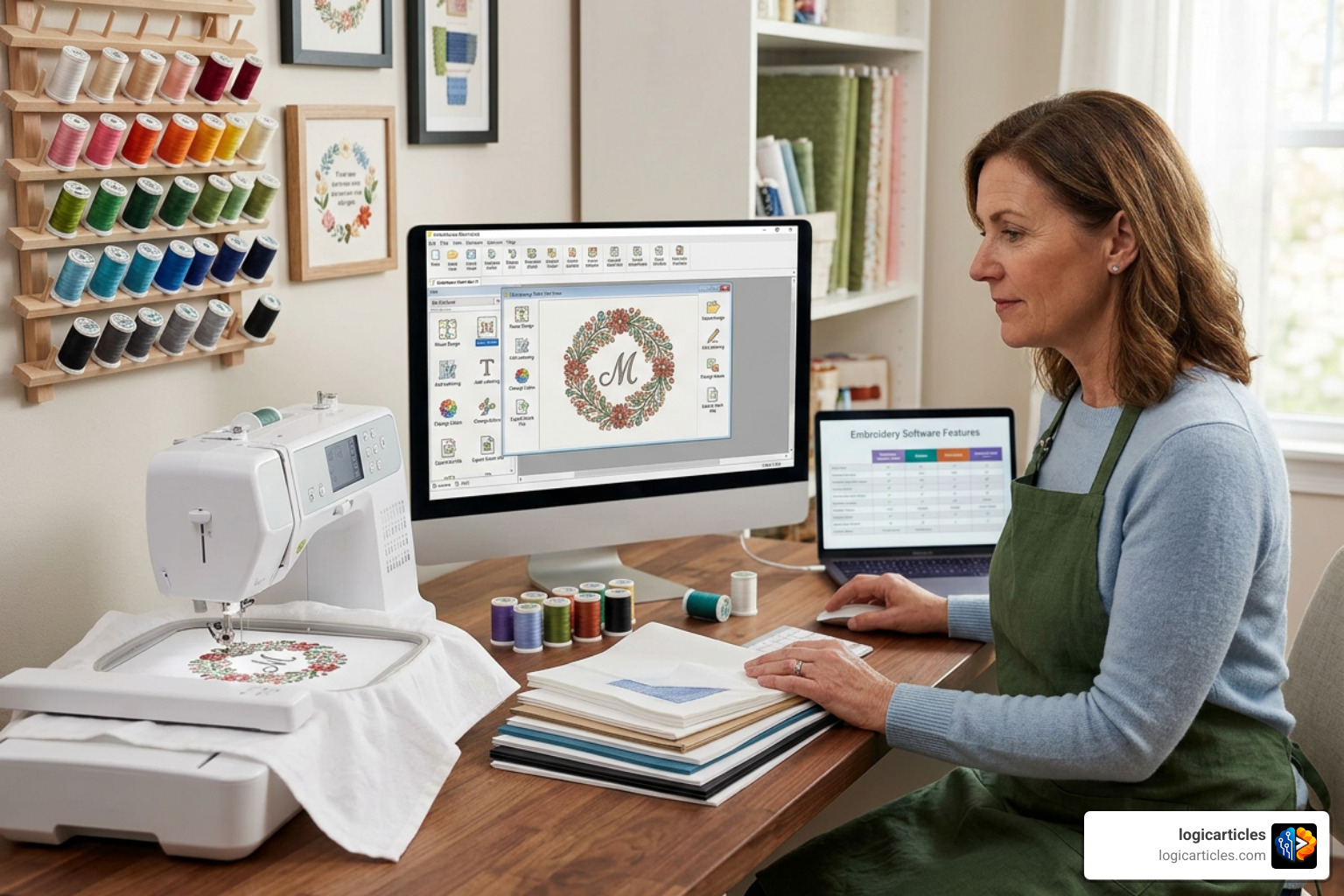
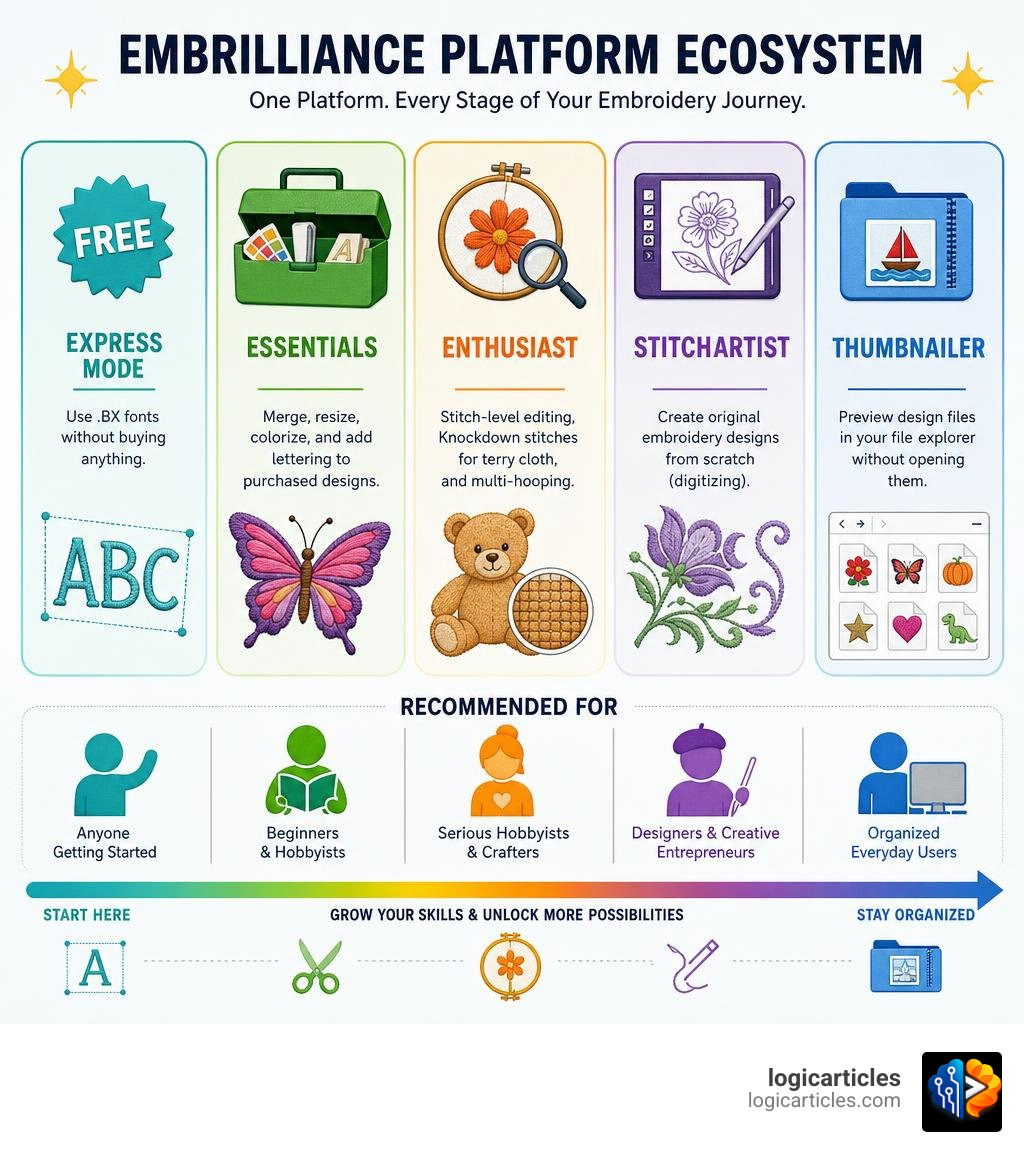
Which Embrilliance software do I need for embroidery? The answer depends on what you want to do. Here’s a quick breakdown:
- Essentials — Best for most beginners. Merge, resize, colorize, and add lettering to purchased designs.
- Enthusiast — Add this when you need stitch-level editing, Knockdown stitches for terry cloth, or multi-hooping.
- StitchArtist — Only needed if you want to create original designs from scratch (digitizing).
- Thumbnailer — A small, inexpensive add-on that lets you preview design files in your file explorer without opening them.
- Express Mode — Completely free. Lets you use .BX fonts without buying anything.
Most beginners should start with Essentials and add other programs only as their needs grow.
Getting started with machine embroidery is exciting — until you realize the machine alone isn’t enough. You also need software on your computer to manage, customize, and prepare your designs before they ever reach the needle.
Embrilliance solves this with a single platform that runs on both Mac and Windows, installs on as many computers as you own, and requires no dongle. You buy a serial number, unlock features, and you’re done.
The tricky part is figuring out which products to unlock. Embrilliance offers several programs — Essentials, Enthusiast, StitchArtist, and Thumbnailer — each built for a different stage of the embroidery journey.
This guide breaks them all down so you can spend less time researching and more time stitching.
Which Embrilliance Software Do I Need for Embroidery?
When you first ask yourself, “Which Embrilliance software do I need for embroidery?” it helps to understand how the system is built. Unlike traditional software that requires you to open different applications for different tasks, Embrilliance runs on a single, unified window called the Embrilliance Platform.
When you purchase any Embrilliance module, you receive a serial number. Entering this serial number into the platform instantly unlocks those specific features. If you do not own any paid modules, the platform runs in a completely free tier called Express Mode, which allows you to type out custom text using industry-standard .BX keyboard-mapped fonts.
What makes this setup so popular in 2026 is its unmatched user flexibility. It runs natively on both macOS and Windows without requiring a physical USB security dongle. Furthermore, we love that a single license allows you to install the software on an unlimited number of personal computers. If your computer crashes or you decide to upgrade your laptop, you will never have to worry about running out of software installations.
To help you visualize where each program fits, we have put together a quick comparison table:
| Program | Best For | Core Features | Learning Curve |
|---|---|---|---|
| Express Mode | Absolute beginners on a budget | Typing with free .BX fonts | None (plug-and-play) |
| Essentials | Every home embroiderer | Merging, resizing, color sorting, basic lettering | Very Low |
| Enthusiast | Power users & customizers | Stitch editing, Knockdown stitches, multi-hooping | Low to Medium |
| StitchArtist | Aspiring digitizers | Creating custom embroidery designs from scratch | Medium to High |
| Thumbnailer | Anyone with a large design collection | Previewing designs in Windows/Mac file explorers | None |
If you are still unsure where you fit in, you can consult the official Product Selection Guide – Embrilliance Embroidery Software to help align your specific creative goals with the right tools.
Embrilliance Essentials: The Core Foundation
For the vast majority of machine owners, Embrilliance Essentials is the ultimate starting point. It is the foundational program we recommend to every single embroiderer because it handles the common, everyday tasks that you will perform on almost every project.
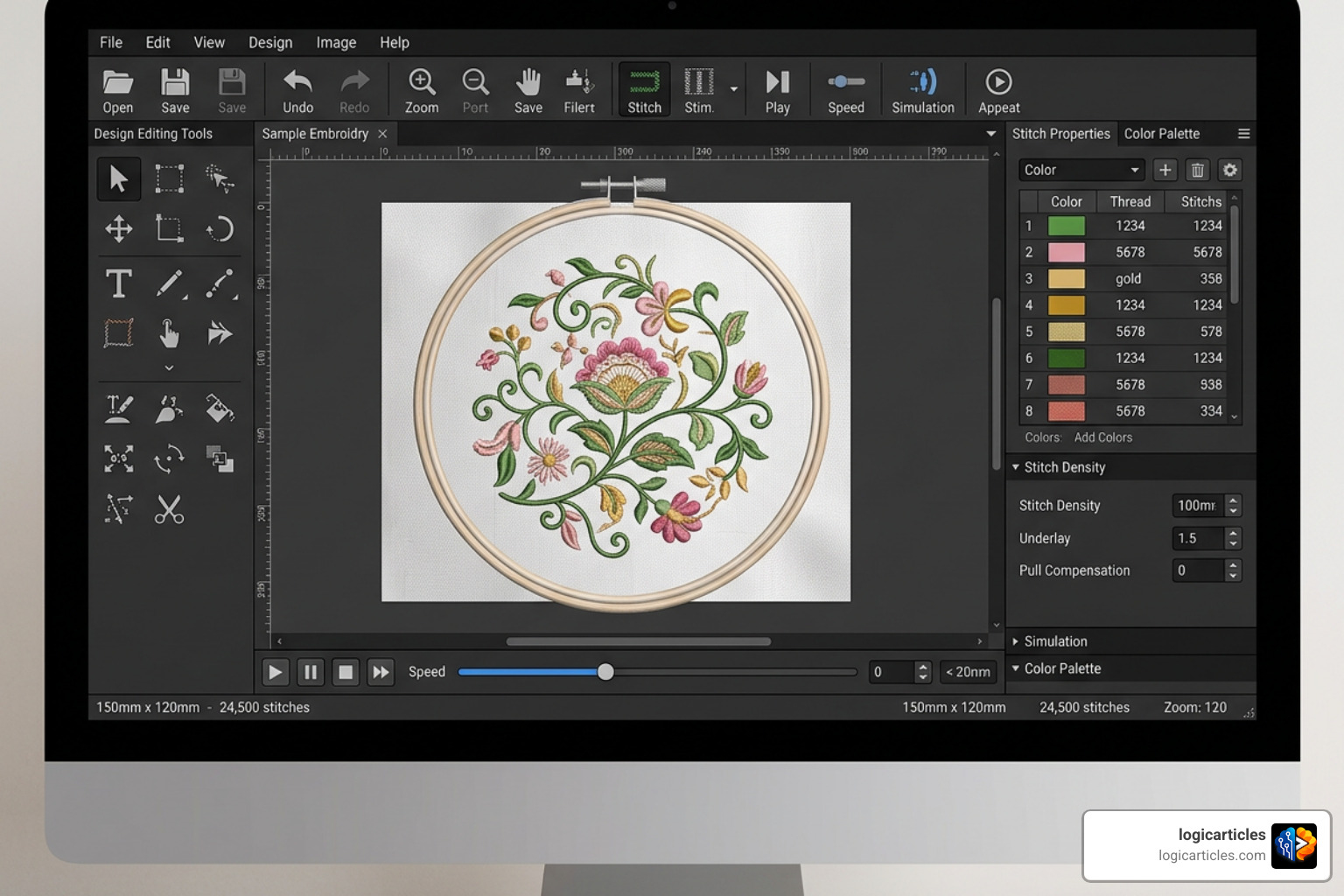
When you buy pre-made designs online, they rarely come exactly how you want them. You might want to combine a floral border with a monogram, or resize a design to fit a smaller hoop. Essentials makes these tasks incredibly simple.
Its most powerful feature is its intelligent stitch recalculation. When you resize a design in Essentials (anywhere from 50% to 250% of its original size), the software automatically recalculates the stitch count. Instead of simply stretching the stitches out—which leads to gaps and thin embroidery—it adds or removes stitches to preserve the perfect density.
Other standout features in Essentials include:
- Color Sorting: Group matching thread colors together automatically to reduce the number of times you have to change threads at your machine.
- Applique Cut Files: If you do applique, Essentials features patent-pending technology that reads the placement lines in your design and generates precise vector cut files for electronic cutting machines like the Cricut, Silhouette Cameo, or Brother ScanNCut.
- Project Advisor: A built-in helper that recommends the ideal needle, thread, and stabilizer backing based on the fabric you are embroidering.
If you want to compare Essentials against other beginner-friendly options on the market, check out our guide to the Easiest Embroidery Software To Use In 2026 Top Beginner Friendly Picks.
To get started with the industry standard, you can download Embrilliance Essentials – Embrilliance Embroidery Software directly today.
Which Embrilliance Software Do I Need for Embroidery Lettering and Merging?
If your main goal is to add names, monograms, or dates to existing designs, Essentials is exactly what you need. It comes packed with 21 scalable, object-based fonts that look crisp and professional at various sizes.
Unlike standard embroidery designs where you have to import each letter individually as a separate image file and manually line them up, Embrilliance supports BX fonts. This format allows you to map embroidery alphabets directly to your computer keyboard. Once installed, you can simply type a name on your keyboard, and it instantly transforms into perfectly spaced embroidery stitches.
We also love using the advanced lettering modes in Essentials. You can easily bend text into arches, wrap words around a spiral, or generate classic overlapping monograms with a few clicks.
For those who want to jumpstart their lettering collection, The Essential Bundle – Embrilliance Embroidery Software is an incredible value. It bundles the Essentials program with Font Collection 1 and Font Collection 2, giving you a total of 59 scalable, native fonts to play with.
Ready to add the core program to your toolkit? You can purchase and download it directly using this quick checkout link: Embrilliance Essentials – Embrilliance Embroidery Software .
Embrilliance Enthusiast: Advanced Editing Tools
Once you have mastered the basics of Essentials, you might find yourself wanting more control over your designs. That is where Embrilliance Enthusiast comes in. Enthusiast is not a standalone program; rather, it is an upgrade that sits on top of Essentials to unlock advanced editing and custom layout tools.
The most famous feature in Enthusiast is the patented Knockdown Stitches tool. If you have ever tried to embroider on a fluffy towel, fleece jacket, or velvet bag, you know how frustrating it is when the embroidery sinks into the fabric pile and disappears. Knockdown Stitches solves this by placing a light, low-density mesh underlay directly beneath the design. This holds down the fabric nap so your embroidery stands out crisp and clear.
Enthusiast also introduces several other powerful features:
- Stitch-Level Editing: This allows you to select individual stitches or groups of stitches using a lasso tool. You can delete stray stitches, move elements around, or split a single design into multiple parts.
- Precise Positioning: Align elements down to the millimeter, mirror designs across four corners, or create circular patterns using the Carousel tool.
- Multi-Hooping: If you have a design that is too large for your machine’s hoop, Enthusiast’s automatic design splitting technology will cut the design into multiple sections with alignment marks, making it easy to sew massive designs in smaller hoops.
If you find yourself constantly wanting to tweak, split, or perfectly position your designs on challenging fabrics, you can upgrade your platform with Embrilliance Enthusiast – Embrilliance Embroidery Software .
StitchArtist: Creating Custom Designs from Scratch
There is a major difference between customizing an existing design and digitizing a new one from scratch. Essentials and Enthusiast are customization programs. If you want to take an image, a corporate logo, or a hand-drawn sketch and turn it into a brand-new embroidery file, you need a digitizing program. In the Embrilliance universe, that program is StitchArtist.
Digitizing is a creative process that requires drawing shapes and assigning stitch properties (like fills, satin borders, and run stitches) to those shapes. If you enjoy drawing, you can use vector graphics or even import SVG files from your favorite design apps. For those looking to create original artwork first, we highly recommend checking out our guide on the Best Free Drawing Software In 2026 7 Top Tools Artists Love.
Which Embrilliance Software Do I Need for Embroidery Digitizing?
StitchArtist is unique because it is offered in three upgradable levels. This means you do not have to spend $1,500 to $2,000 upfront on high-end professional software. Instead, you can start with Level 1 and upgrade to Level 2 or 3 by simply paying the price difference as your skills grow.
Here is how the three levels of StitchArtist differ:
- StitchArtist Level 1 (For Hobbyists): Designed for beginners who want to create simple designs, running stitch elements, basic applique, or simple filled shapes. It has a very gentle learning curve and handles the stitch generation automatically.
- StitchArtist Level 2 (For Production & Logos): This is the sweet spot for most home businesses. It adds advanced satin stitch controls, custom motifs, cross-stitching, vector import (SVG), and the world’s first automatic 3D Foam column underlay for making puffy hats and jackets.
- StitchArtist Level 3 (For Professionals): Built for power users and creators who sell their work. It includes advanced path operations, automatic branching (which plans the most efficient path for your machine to sew without jump stitches), and native scalable font publishing so you can create your own BX fonts to sell or share.
We recommend that most aspiring digitizers start with Level 1 or Level 2 to learn the ropes of stitch direction and density before moving up to the professional tools.
Embrilliance Thumbnailer: Managing Large Design Collections
As you fall deeper into embroidery, you will inevitably accumulate thousands of design files. Because embroidery files are written in machine code (like .PES, .DST, or .VP3), your computer’s standard operating system cannot display them as images. Instead, you are left looking at a folder full of generic icons with names like “flower02final_v3.pes.”
This is why Embrilliance Thumbnailer is widely considered the one inexpensive tool that every single embroiderer should own.
Thumbnailer is a utility program that runs quietly in the background of your computer. It converts those generic file icons into actual pictures of the embroidery design directly inside your Windows Explorer or macOS Finder. This allows you to browse, organize, and find your designs instantly without ever having to open an embroidery program.
It supports virtually every major machine format on the market and utilizes native macOS and Windows extensions to keep your computer running fast and clutter-free.
Frequently Asked Questions about Embrilliance Software
Can I run Embrilliance on both Mac and Windows?
Yes! One of the biggest advantages of the Embrilliance Platform is that it runs natively on both macOS and Windows. You do not need to run a slow Windows emulator on your Mac, and you do not need to buy a separate license if you switch computer types.
You can download the latest platform installers at any time directly from the Downloads / Updates – Embrilliance Embroidery Software page.
Is there a free way to try Embrilliance programs before buying?
Absolutely. You can download the Embrilliance Platform and run it in Demo Mode for free. This allows you to test out all the features of Essentials, Enthusiast, and StitchArtist to see how they work. While you cannot save files in the demo version, it is a fantastic, risk-free way to find out which features you enjoy using.
Additionally, you can run the platform in Express Mode completely free of charge to type and save basic text using any .BX fonts you have purchased or downloaded online.
What file formats can Embrilliance read and write?
Embrilliance is incredibly compatible. It can read over 34 different embroidery file formats (including .PES, .DST, .EXP, .HUS, .JEF, .VIP, .VP3, and .XXX) and write to 17 of the most common machine formats.
Furthermore, if you own a modern Brother or Baby Lock machine, the platform supports direct wireless transfer of your designs from your computer straight to your machine over your home Wi-Fi network.
Conclusion
At the end of the day, choosing the right embroidery software comes down to your personal project goals:
- If you want to customize, resize, and add text to designs you buy online, start with Essentials.
- If you want to edit individual stitches or embroider on fluffy towels, add Enthusiast.
- If you want to draw your own custom logos and designs from scratch, dive into StitchArtist.
- And if your computer is overflowing with unnamed design files, grab Thumbnailer to regain control of your library.
No matter where you start, the Embrilliance Platform offers a generous 90-day refund policy on purchases from their online store, giving you peace of mind as you build your perfect software suite.
If you want to keep exploring how software can elevate your crafting projects, check out our guide on the Best 3D Modeling Software For 3D Printing or explore our top software guides to find the perfect tools for your creative journey!