The Short Answer: No, You Cannot Install Multiple RS-BA1 Versions on One PC
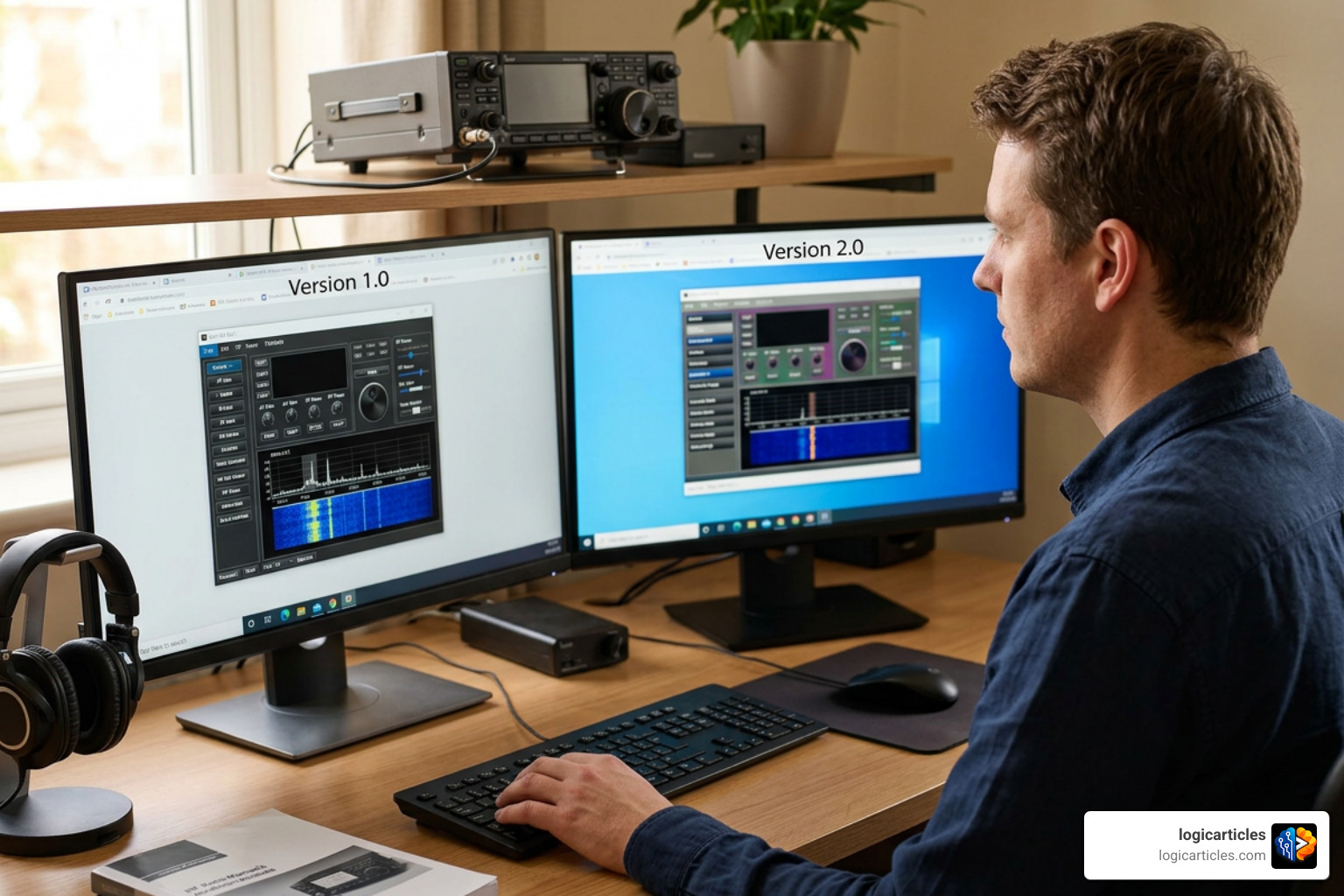
Can you install multiple rs-ba1 software versions on a single pc? No — and this catches a lot of amateur radio operators off guard.
Here is the quick answer:
- Only one version of RS-BA1 can be installed on a single PC at a time.
- If you install RS-BA1 Version 2, the installer will automatically uninstall any previous version already on your machine.
- If you want to keep using an older version alongside Version 2, you need to install them on two separate PCs.
This is confirmed directly in Icom’s official installation documentation. There is no side-by-side installation option, no registry tweak to force it, and no hidden compatibility mode.
The good news? There are practical workarounds — like using a virtual machine or a dual-boot setup — that let you run both versions without buying a second computer. We cover all of that below.
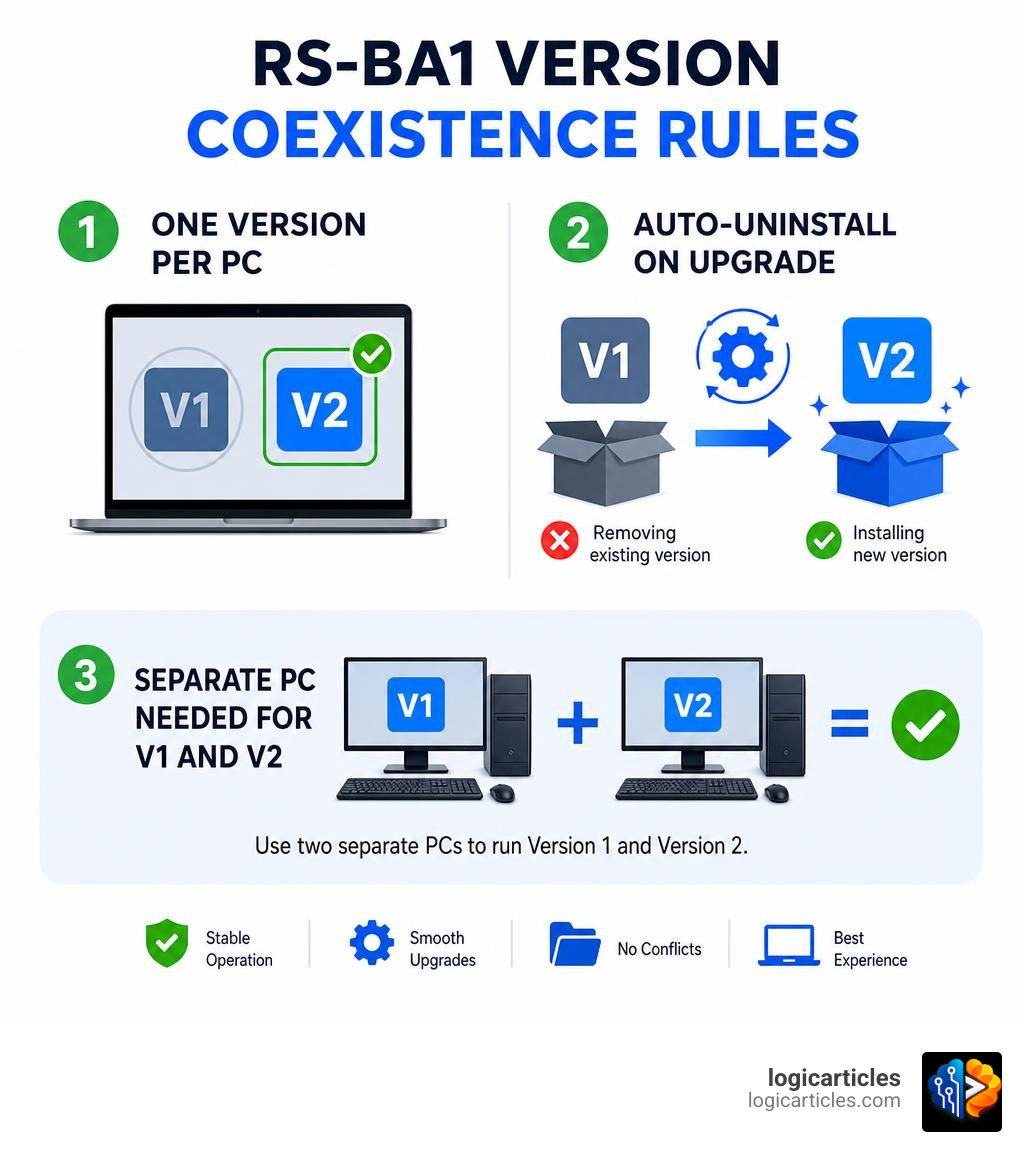
Can You Install Multiple RS-BA1 Software Versions on a Single PC?
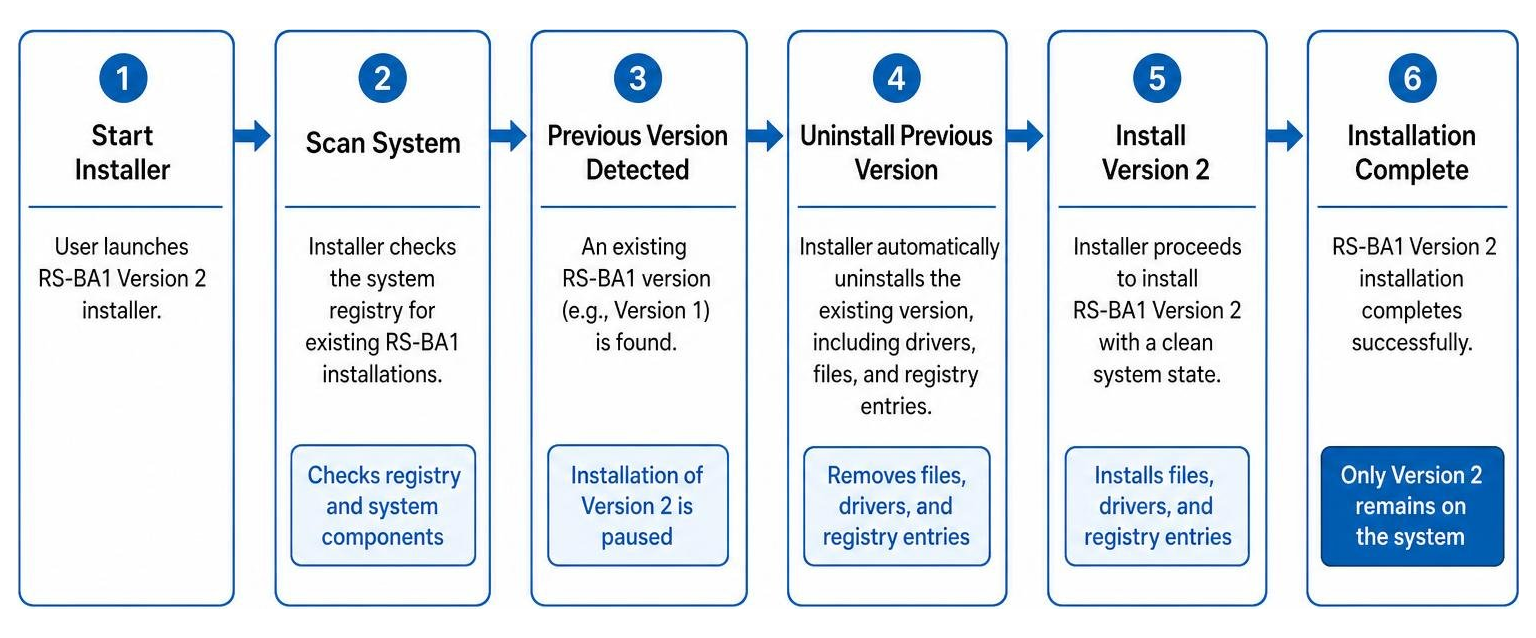
When you attempt to run the installation wizard for RS-BA1 Version 2 on a computer that already hosts Version 1, the installer immediately scans your system registry. If it detects an existing installation, it initiates an automated uninstallation sequence for the older version before writing any new files to your hard drive.
This behavior is hardcoded into the software’s installer package. Because both versions utilize identical system directory pathways, registry keys, and virtual driver names, they cannot coexist within a single Windows operating system instance. If you attempt to copy the files manually to bypass the installer, you will trigger severe registry conflicts. The virtual audio and serial drivers will conflict, leading to system crashes, Blue Screens of Death (BSOD), or a complete failure of the software’s Remote Utility to launch.
According to the official RS-BA1 Version2 PREPARATIONS guide, Icom explicitly states that Version 2 must be treated as a completely distinct, non-coexisting installation. If you want to continue utilizing your legacy Version 1 configuration, you must keep it on its original machine and host Version 2 on a completely separate physical PC.
Why Operators Want to Run Both RS-BA1 v1 and v2
It is common to wonder why someone would want to keep both versions active. After all, isn’t newer always better? In amateur radio, legacy hardware and custom configurations often dictate our software choices.
Many operators run a mixed shack containing both older and newer transceivers. While Version 2 introduces advanced features, Version 1 remains a highly stable platform for older rigs. Let’s look at how the two versions compare:
| Feature | RS-BA1 Version 1 | RS-BA1 Version 2 |
|---|---|---|
| Latest Release / Update | Version 1.96 (2018) | Ongoing Updates (Current as of 2026) |
| Dualwatch Support | No | Yes (IC-7851, IC-7760, IC-7610, etc.) |
| Dual Spectrum Scope | No | Yes (with waterfall display options) |
| Supported Radios | Legacy rigs (IC-7000, IC-7100, IC-7300) | Legacy rigs + IC-9700, IC-705, IC-905 |
| Windows 11 Compatibility | Unofficial / Limited | Fully Supported |
| Upgrade Cost | Discontinued | Paid physical disc purchase |
If you are controlling an older transceiver like the IC-7000, you might find that Version 2 introduces unexpected bugs. For example, some operators have noted that Version 2 locks certain remote connection settings to “Remote” for legacy radios, which can break local IP tunneling configurations. On the other hand, if you want to unleash the full potential of newer transceivers like the IC-7610 or IC-9700, Version 2 is mandatory to access features like Dualwatch and real-time dual spectrum scopes.
Understanding the difference between firmware and software is vital here. While you can update your radio’s internal firmware to support newer protocols, you cannot force the legacy RS-BA1 Version 1 software to recognize modern command structures or dual-receiver capabilities. Conversely, the newer Version 2 software might drop optimized support paths for older, discontinued chipsets. This leaves operators with a dilemma: upgrade and lose legacy compatibility, or stay behind and miss out on modern features.
Workarounds for Running Multiple RS-BA1 Versions Simultaneously
If you are determined to run both versions on a single computer, you have to bypass the single-instance limitation of the Windows registry. Fortunately, we can look to other industrial software setups for inspiration. For instance, when engineers are running multiple RSLogix 5000 versions on one PC, they rely on strict installation orders or virtualization.
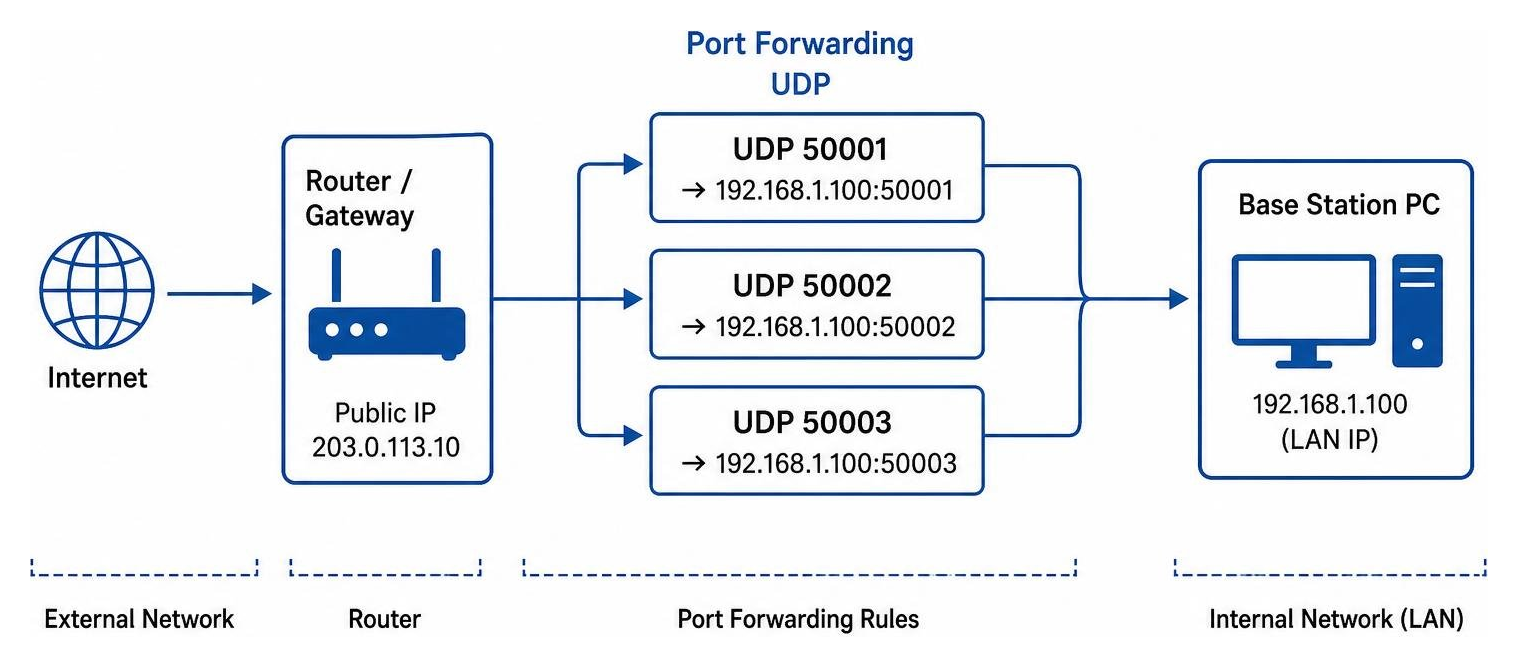
Because RS-BA1 utilizes exactly three UDP connections (default ports 50001 for Control, 50002 for CAT, and 50003 for Audio) to establish its remote tunnel, any workaround must also isolate these ports to prevent network socket conflicts.
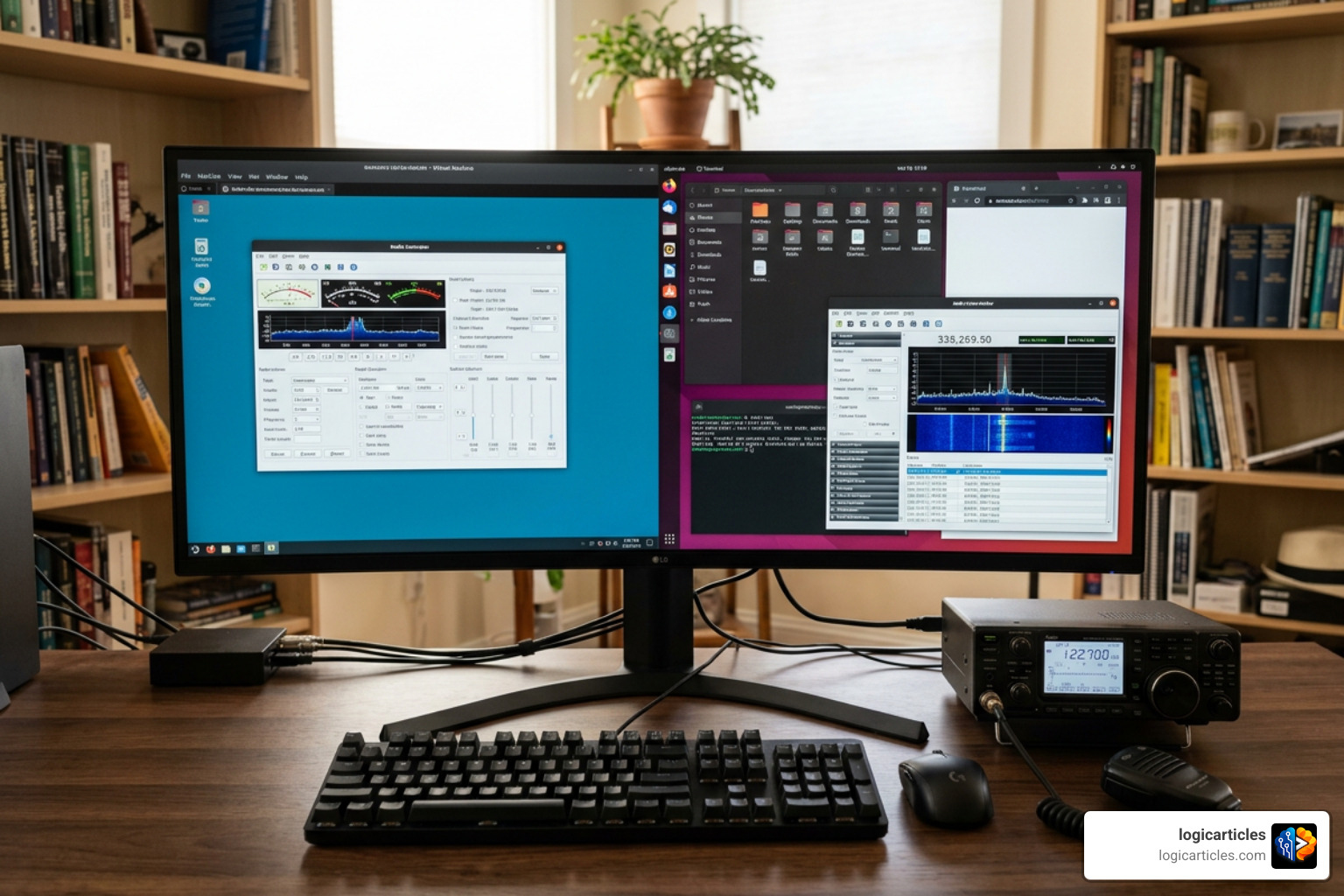
Virtualization: Can You Install Multiple RS-BA1 Software Versions on a Single PC?
The most elegant and reliable workaround is using a Virtual Machine (VM). By running a virtualization platform like Oracle VirtualBox or Microsoft Hyper-V, you can run an entirely separate virtual Windows operating system (the “Guest OS”) inside your main Windows desktop (the “Host OS”).
Here is how to set it up:
- Install your primary version (typically RS-BA1 Version 2) directly on your physical host computer.
- Set up a VM running Windows 10 or Windows 11. Allocate at least 4 GB of RAM and a dual-core processor to ensure smooth audio processing.
- Install the legacy RS-BA1 Version 1 inside the virtual machine.
- Route your USB connections through the VM manager. If your radio is connected via USB, you must “pass through” the specific USB controller or serial device from the host machine to the guest VM.
- Configure the virtual serial and audio drivers inside the VM.
This approach completely isolates the registry entries and file directories of both versions. Just keep in mind that testing and maintaining virtual drivers can be complex. When managing virtual environments, we often look to what is testing in zillexit software 2026 guide to prevent bugs downtime data loss to understand how to validate virtual serial loops and audio routing without causing system latency.
Dual-Booting: Can You Install Multiple RS-BA1 Software Versions on a Single PC?
If virtualization feels too heavy for your PC’s CPU, dual-booting is an excellent alternative. Dual-booting involves partitioning your hard drive and installing two independent copies of Windows on the same computer.
When you boot your PC, the Windows Boot Manager will ask which partition you want to load.
- Partition A can run Windows 11 with RS-BA1 Version 2 installed for your modern IC-7610 or IC-705 setup.
- Partition B can run an older, lightweight Windows 10 configuration dedicated entirely to RS-BA1 Version 1 and your legacy rigs.
Because only one operating system is active at any given time, there is zero risk of driver conflicts, registry corruption, or UDP port overlap. The only downside is that you cannot run both versions simultaneously; you must reboot your computer to switch between them.
Best Practices for RS-BA1 Installation and Network Setup
Setting up RS-BA1 requires careful attention to detail, especially when it comes to virtual drivers and network configurations. To ensure a stable connection, follow these best practices:
- Run as Administrator: Always sign in with administrator privileges before running the installer. This ensures the Icom Virtual Audio Driver and Virtual Serial Driver register correctly in Windows Device Manager.
- Avoid USB Hubs: Connect your transceiver directly to the PC’s motherboard USB ports. Avoid long USB extension cables or unpowered USB hubs, which can introduce RF interference (RFI) and drop connection packets.
- Configure Your Firewall: Add both the Remote Control and Remote Utility applications as explicit exceptions in the Windows Defender Firewall.
- Port Forwarding: If you plan to operate your radio over the internet, log into your router and forward UDP ports 50001, 50002, and 50003 to the static IP address of your base station PC.
When configuring complex, multi-software radio shacks, we must practice proper software stack management in 2026. Keeping your USB drivers updated and resolving COM port assignments is critical to prevent third-party logging programs from hijacking your radio’s connection.
If you run into issues where your virtual drivers fail to register, refer to the Icom America RS-BA1 Support and FAQs. You can manually run the “Virtual Driver Maintenance” utility from the Icom folder to repair damaged driver files without reinstalling the entire software package. If you are designing high-end commercial remote stations, you might even consider software development consulting in 2026 to build custom virtual serial splitters.
For those who want to avoid proprietary software issues altogether, exploring the advantages and disadvantages of open source software can lead to excellent open-source alternatives like wfview, which offers cross-platform compatibility without licensing restrictions.
Frequently Asked Questions about RS-BA1 Compatibility
Can I upgrade from RS-BA1 v1 to v2 for free?
No. Icom does not offer a free upgrade path or a downloadable digital update from Version 1 to Version 2. To get the new features, you must purchase a brand-new software package.
Additionally, as detailed on the Icom America RS-BA1 Product Page, the software is distributed as a physical product (originally on CD-ROM, and later on USB flash drives). You will need to purchase this from an authorized Icom dealer to obtain a valid Product ID and License Key.
What happens to my old RS-BA1 settings when I install Version 2?
Because installing Version 2 automatically uninstalls Version 1, your registry settings and configuration profiles will be overwritten.
Before upgrading, we highly recommend opening the Version 1 Remote Utility and manually writing down or taking screenshots of your COM port assignments, CI-V addresses, audio levels, and network settings. Once Version 2 is installed, you will need to re-enter these configurations manually.
How do I resolve UDP port conflicts with other remote software?
RS-BA1 is notorious for port conflicts, particularly with local network discovery tools. For example, remote desktop programs like AnyDesk often utilize UDP port 50001 for local device discovery, which completely blocks the RS-BA1 Remote Utility from establishing a connection.
To diagnose and resolve this:
- Open Windows PowerShell as an Administrator.
- Run the command:
Get-NetUDPEndpoint -LocalPort 50001(or usenetstat -aonin the command prompt) to identify which process ID (PID) is occupying the port. - Open Task Manager, locate the conflicting PID, and close the application.
- If necessary, open the RS-BA1 Remote Utility settings and change your default ports to an alternative range, such as 40001, 40002, and 40003. Remember to update your router’s port forwarding rules to match!
Conclusion
While you cannot natively install multiple RS-BA1 software versions on a single PC, you do not have to buy a second computer to manage your legacy and modern Icom transceivers. By utilizing virtual machines or dual-booting configurations, you can easily bypass Icom’s installer restrictions and run both Version 1 and Version 2 in isolated environments.
Whether you are configuring a dual-watch remote base station or simply trying to get your trusty IC-7300 online from a remote location, proper driver management and network configuration are key. To discover more guides on optimizing your digital workspace, explore our AI tools and software guides.