Why Finding the Easiest Embroidery Software Matters for Beginners
What is the easiest embroidery software to use? Here’s a quick answer:
| Software | Best For | Price | Free Trial |
|---|---|---|---|
| Hatch Embroidery 4 | Beginners to advanced, all-in-one | From $199 | 30 days |
| Embrilliance Essentials | Mac & PC users, basic editing | ~$99 | Demo available |
| BERNINA Embroidery Software 9 Creator | BERNINA machine owners | Varies | 30 days |
| Ink/Stitch | Budget-conscious beginners | Free | N/A (free) |
| StitchArtist Level 1 | Hobby digitizers on a budget | Low cost | Demo available |
Most beginners assume you can just plug a regular image file into an embroidery machine and hit start. It doesn’t work that way.
Embroidery machines need special file formats like .pes, .dst, or .jef. Standard image files won’t do. That’s where embroidery software comes in — it bridges the gap between your creative ideas and what your machine can actually stitch.
But here’s the problem: a lot of embroidery software is either too complex for beginners or too basic for anyone serious. Finding the sweet spot — software that’s genuinely easy to learn but still powerful enough to grow with you — takes real research.
That’s exactly what this guide covers.
Key Features of User-Friendly Embroidery Software
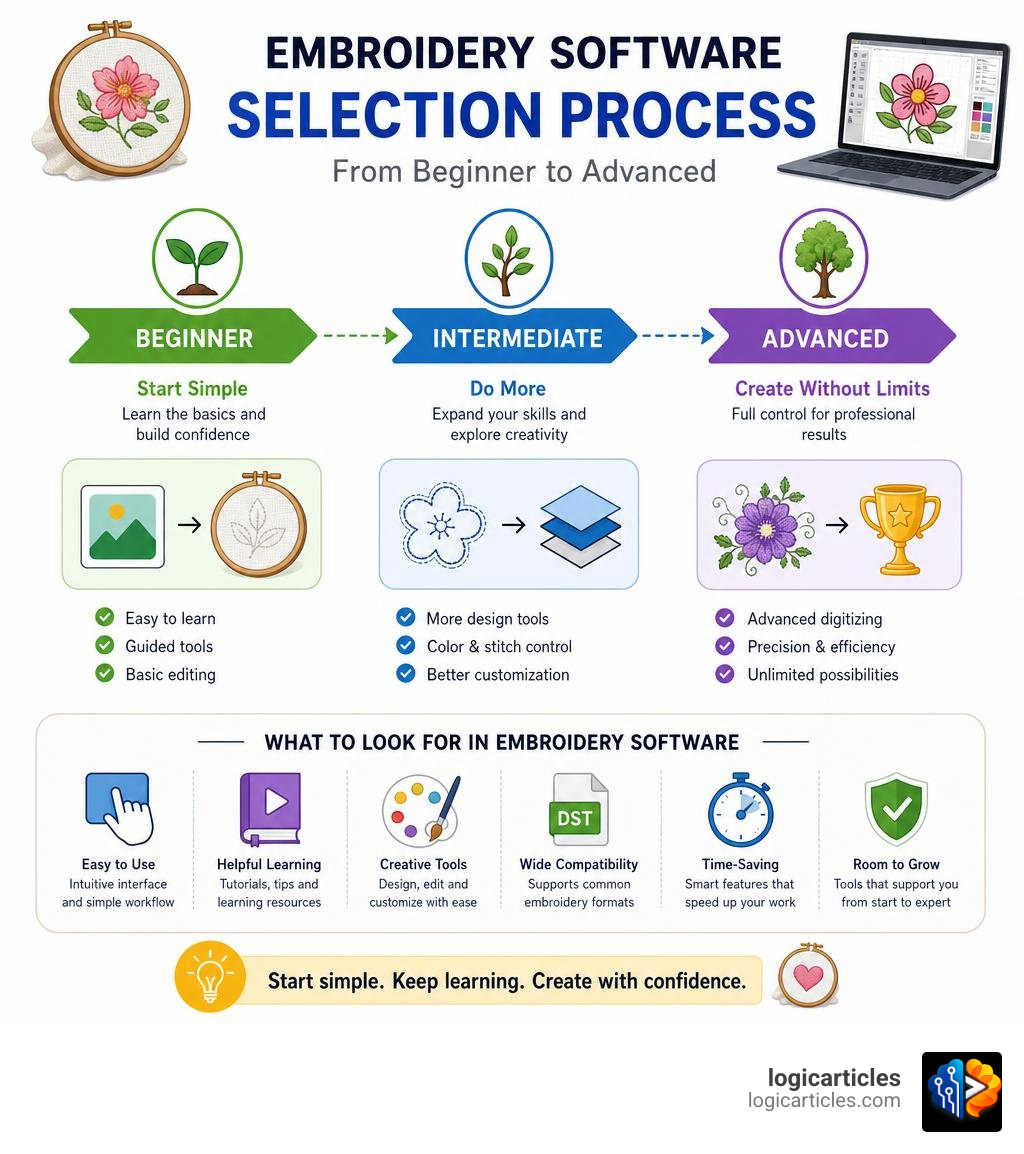
When we look for the easiest embroidery software to use, we aren’t just looking for the program with the fewest buttons. True ease of use means the software does the heavy lifting for you, allowing you to focus on the creative side of machine embroidery.
To help you evaluate your options, we have compiled the core features that define a user-friendly embroidery program:
- Intuitive User Interface (UI): A clean, uncluttered screen where tools are labeled clearly makes a massive difference. Software that allows you to toggle between small and large icons, displays tool names on hover, and offers a straightforward workspace will save you hours of frustration.
- Intelligent Auto-Digitizing: For many beginners, the ultimate goal is to turn a standard image (like a PNG or JPEG) into a stitch file. High-quality auto-digitizing tools analyze your artwork and automatically calculate stitch directions, density, and color sequences. While complex graphics may still require manual editing, a strong auto-digitizing feature is a lifesaver for simple designs and logos.
- Simple Manual Digitizing Tools: If you want to draw your own designs from scratch, you need drawing tools that feel natural. User-friendly software features simplified curve and spline tools, allowing you to trace over background images without needing a degree in graphic design.
- Robust Lettering and Monogramming: Adding text is one of the most common embroidery tasks. Look for software that includes pre-digitized fonts (which sew out much cleaner than standard computer fonts) and allows you to type directly on your keyboard to generate lettering.
- Intelligent Color Sorting and Editing: If you combine multiple designs, you don’t want your machine stopping to change the thread color ten times for the same color. Easy software features “one-click” color sorting to group similar colors together automatically.
- Comprehensive File Format Support: Your software must be able to open and save to standard formats such as
.pes(Brother),.jef(Janome),.exp(Bernina), and.dst(commercial).
If you have ever worked with graphic design tools, you know how much a good layout matters. Just as finding the Best Free Image Editing Software For Mac In 2026 makes photo editing a breeze, choosing embroidery software with a modern, clean interface will dramatically reduce your learning curve.
What is the easiest embroidery software to use?
To find the absolute easiest program, we must look at how different software platforms structure their tools, learning resources, and upgrade paths. Many modern brands use a modular approach, allowing you to start with basic customizing features and unlock advanced digitizing tools as your skills grow.
Let’s look at the top three contenders for the title of easiest embroidery software.
Hatch Embroidery 4
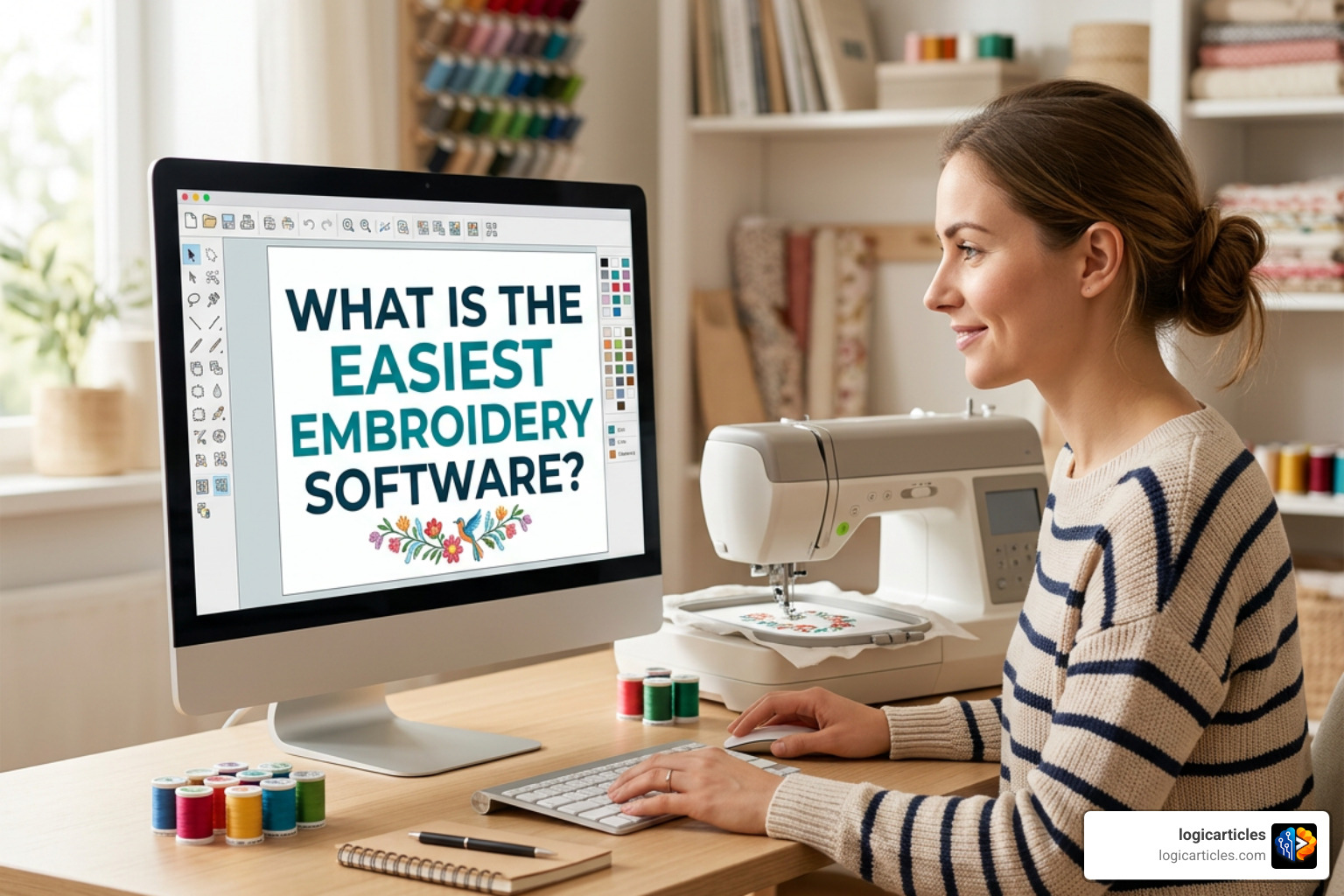
Hatch Embroidery (powered by Wilcom’s commercial-grade stitch engine) is widely considered the gold standard for user-friendly, professional-grade embroidery software. In fact, 94% of Hatch Embroidery users recommend the software to others.
What makes Hatch 4 so exceptionally easy to use is its modular tier system. Instead of throwing you into the deep end with a massive, expensive program, Hatch allows you to purchase only the features you need today and upgrade seamlessly later:
- Organizer ($149 – $199): Perfect for managing, resizing, and converting existing design files.
- Personalizer ($249 – $299): Adds basic lettering, monograms, and simple customization tools.
- Composer ($499 – $699): Unlocks smart auto-digitizing tools for turning photos and artwork into stitches.
- Digitizer ($1,099 – $1,199): The ultimate package for manual digitizing, advanced appliqué, and complete creative control.
Beyond the modular system, Hatch stands out because of its incredible learning ecosystem. Every purchase includes access to the Hatch Academy, featuring over 72 comprehensive courses and more than 500 expert-led lessons. Combined with an active global community of over 30,000 members, you will never feel lost or unsupported.
If you want to test the waters before committing, you can experience all of these features yourself by checking out the Hatch Embroidery Software – Features & Free Trial Overview to download a fully functional 30-day free trial.
Embrilliance Essentials
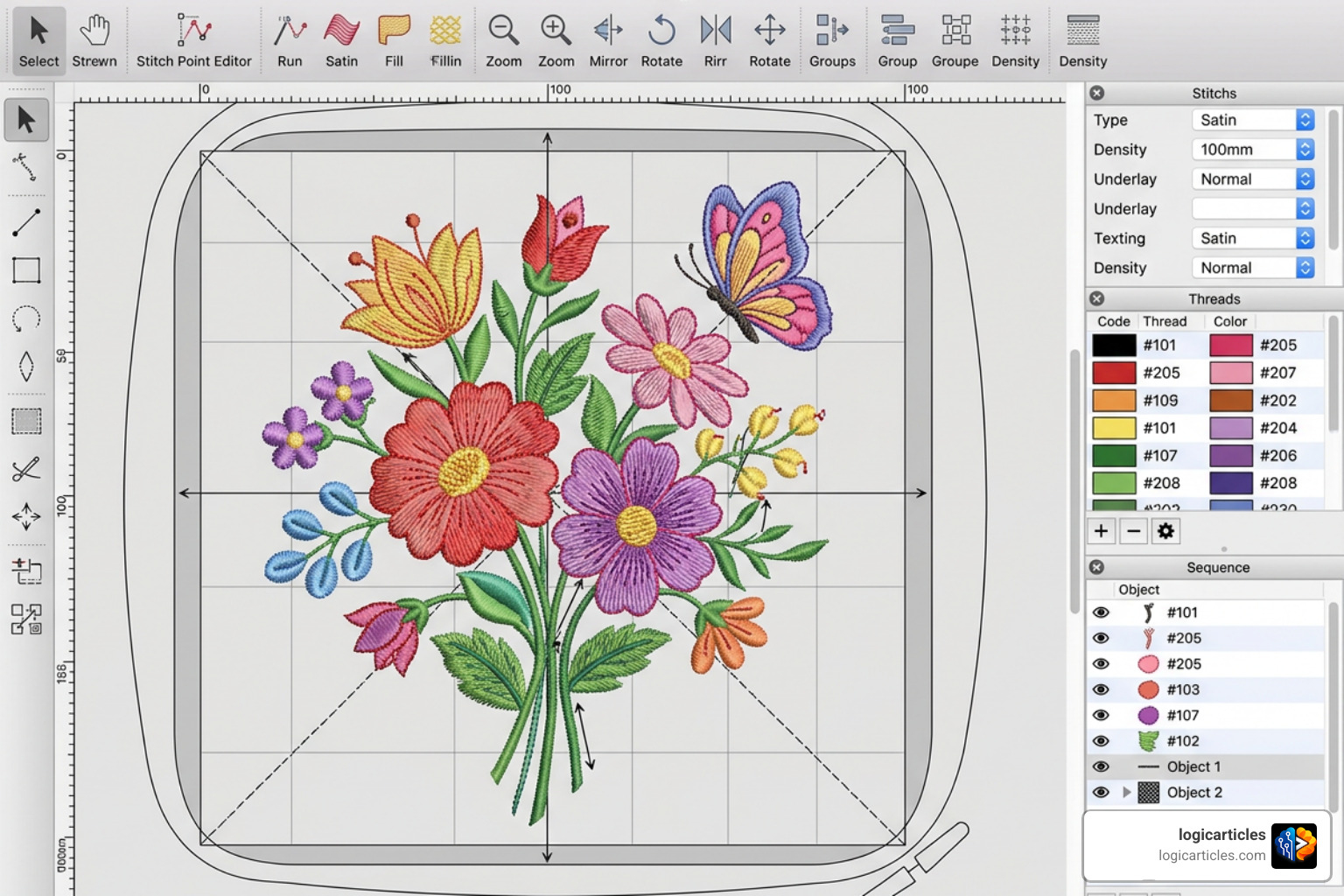
If your goal is to customize, resize, and combine existing designs without getting bogged down in complex digitizing theories, Embrilliance Essentials is arguably the most straightforward program on the market.
Embrilliance takes a highly practical, “no-nonsense” approach to embroidery. It runs natively on both Windows and macOS without requiring any special emulators or hardware dongles. One of its greatest strengths is its unlimited installation policy—you can install your licensed software on as many computers as you own.
Key user-friendly features of Embrilliance Essentials include:
- BX Font Compatibility: Instead of importing letters one by one as individual design files, Embrilliance allows you to drag and drop popular BX-format fonts directly into the software. Once installed, you can simply type your text using your computer keyboard.
- Intelligent Stitch Recalculation: When you resize a design in Essentials (from 50% up to 250% of its original size), the software automatically recalculates the stitch count so your design doesn’t end up too dense or too sparse.
- Appliqué Cut File Extraction: For crafters who use cutting machines like the Cricut or Silhouette, Essentials can automatically generate cutting files directly from your embroidery appliqué placement lines.
If you want an affordable, highly stable program that covers all your daily embroidery editing needs, you can explore the Essentials – Embrilliance Embroidery Software product page to see how it fits into your workflow.
BERNINA Embroidery Software 9 Creator
For those who own a BERNINA machine (or any machine that accepts high-quality design files), BERNINA Embroidery Software 9 Creator offers a beautifully designed, modern entry point into digitizing.
Creator is specifically designed for software newbies who want to transition from basic editing to custom design creation. It features a clean, highly visual home screen filled with direct links to helpful video tutorials and manuals.
Some of our favorite beginner-friendly tools in BERNINA Creator include:
- The Branching Tool: When digitizing multiple overlapping objects, sequencing them manually to avoid unnecessary thread trims can be a puzzle. The Branching tool automatically calculates the most efficient stitch sequence and connector paths for you.
- The Weld Tool: This tool allows you to merge multiple shapes into a single, clean object with a single click, eliminating overlapping stitches that could break needles.
- Auto-Appliqué Conversion: You can convert any closed shape—even designs with holes—into an appliqué design with a single click.
To learn more about how this software simplifies the design process, visit the official BERNINA Embroidery Software 9 Creator – For software newbies – BERNINA page for a closer look at its features.
Free and Low-Cost Embroidery Software Options
Not everyone is ready to invest hundreds of dollars into software when they are just starting out. Fortunately, there are excellent free and low-cost options available that still provide an accessible learning curve.
Just as writers can find incredible tools without breaking the bank—such as the options highlighted in our guide to the Best Free Script Writing Software In 2026 Top Picks For Writers—embroidery enthusiasts have access to powerful budget-friendly tools.
Ink/Stitch
For absolute budget-conscious creators, Ink/Stitch is a open-source platform. It is not a standalone program; rather, it is a powerful, completely free extension built on top of Inkscape (a popular free vector graphics program).
Because it is open-source, Ink/Stitch is supported by a passionate community of global developers and users who regularly contribute new tutorials, stitch libraries, and pre-digitized keyboard fonts.
While Ink/Stitch is incredibly capable—offering advanced features like stitch path optimization and support for DIY embroidery machines—it does have a steeper learning curve than commercial software. You must first learn the basics of vector drawing in Inkscape before you can effectively use the Ink/Stitch tools to assign embroidery properties to your lines and shapes. However, if you are willing to watch community tutorials, you cannot beat the price of a completely free, professional-grade digitizing suite.
What is the easiest embroidery software to use for absolute beginners on a budget?
If you want to try your hand at custom digitizing but want a structured, easy-to-use interface without a premium price tag, StitchArtist Level 1 by Embrilliance is our top recommendation.
StitchArtist Level 1 is designed specifically for hobbyists who want to create their own simple designs—such as basic appliqué, running-stitch designs, redwork, or simple filled shapes—without getting overwhelmed by advanced technical settings.
What makes StitchArtist Level 1 so easy for beginners?
- Single-Mode Interface: Unlike traditional digitizing programs where you must constantly switch back and forth between “drawing mode,” “editing mode,” and “stitch generation mode,” StitchArtist lets you draw, edit, and assign stitches in a single, unified workspace.
- Simplified Drawing Tools: If you aren’t comfortable drawing freehand curves with complex mathematical vector points, you can use simple three-point arc tools or spline tools to trace over your background images effortlessly.
- Easy Upgrade Path: If you eventually outgrow Level 1, you can upgrade to Level 2 or Level 3 for only the difference in price, meaning your initial investment is never wasted.
To see if this budget-friendly option is right for your creative projects, check out the StitchArtist Level 1 – Embrilliance Embroidery Software product details.
What is the easiest embroidery software to use for Mac users?
Historically, the embroidery software industry was heavily biased toward Windows. Mac users were forced to run slow, complicated Windows emulators just to edit a simple design.
Fortunately, that is no longer the case. Embrilliance was built from the ground up to run natively on macOS. This means you get a fast, stable, and smooth experience without needing to buy a Windows license or run virtualization software like Parallels.
Because Embrilliance uses a unified platform, all of their products—including Essentials, Enthusiast, and StitchArtist—run within the same native Mac application. You simply input your serial numbers to unlock new features as you go.
Frequently Asked Questions about Embroidery Software
To help you make an informed decision, we have compiled answers to the most common questions beginners ask when shopping for embroidery software.
Do I need embroidery software to download and sew designs?
No, you do not strictly need software just to download and sew pre-made designs.
If you purchase a finished design online in the exact format your machine requires (for example, a .pes file for a Brother machine), you can simply download the file to your computer, copy it onto a standard USB flash drive, plug the drive into your embroidery machine, and start stitching.
However, you will need software if you want to do any of the following:
- Resize a design while maintaining proper stitch density.
- Combine two different designs together into a single hoop.
- Add custom text, names, or monograms to an existing design.
- Convert a design file from one machine format to another (e.g., converting a
.jeffile to a.pesfile).
What is the difference between auto-digitizing and manual digitizing?
The difference comes down to control and stitch quality:
- Auto-Digitizing: The software analyzes a digital image (like a JPEG or SVG) and automatically makes decisions about stitch direction, stitch type (satin vs. fill), and stitching order. This is incredibly fast and works well for simple, clean vector images with bold colors. However, it can produce messy results on complex photos or low-resolution artwork.
- Manual Digitizing: You draw the shapes yourself using the software’s tools, manually choosing the exact stitch type, direction, density, and sequence for every single element. While it takes longer to learn, manual digitizing ensures your designs sew out beautifully, without puckering fabric or breaking threads.
Can I run embroidery software on a Mac without Windows?
Yes! Programs like Embrilliance (Essentials, StitchArtist) and Ink/Stitch run natively on macOS without any extra software.
For programs that are Windows-only (such as Hatch Embroidery 4), Mac users can still run them by setting up a virtual Windows environment on their Mac using programs like Parallels Desktop or Apple’s native Boot Camp utility (on older Intel-based Macs).
Conclusion
Finding the easiest embroidery software to use depends entirely on your personal goals, budget, and computer setup.
- If you want a premium, all-in-one suite with world-class training and a clear path from beginner to professional digitizer, Hatch Embroidery 4 is the absolute best choice.
- If you want an affordable, highly reliable program for basic editing, combining designs, and adding keyboard lettering on Mac or PC, Embrilliance Essentials is hard to beat.
- If you are on a strict budget and want to learn the art of custom digitizing, starting with StitchArtist Level 1 or exploring the open-source Ink/Stitch platform will give you the tools you need to succeed.
Take advantage of the 30-day free trials offered by these platforms to see which interface feels most natural to you.
Once you have mastered your embroidery design workflow, you might want to explore other creative tech tools. Feel free to Explore our AI Tools Category to see how modern software can streamline your other creative projects, or check out our guide to the Best 3D Animation Software and the Best Book Writing Software to expand your digital crafting toolkit!