Why a Generate Robots.txt Files Spellmistake Can Silently Wreck Your SEO
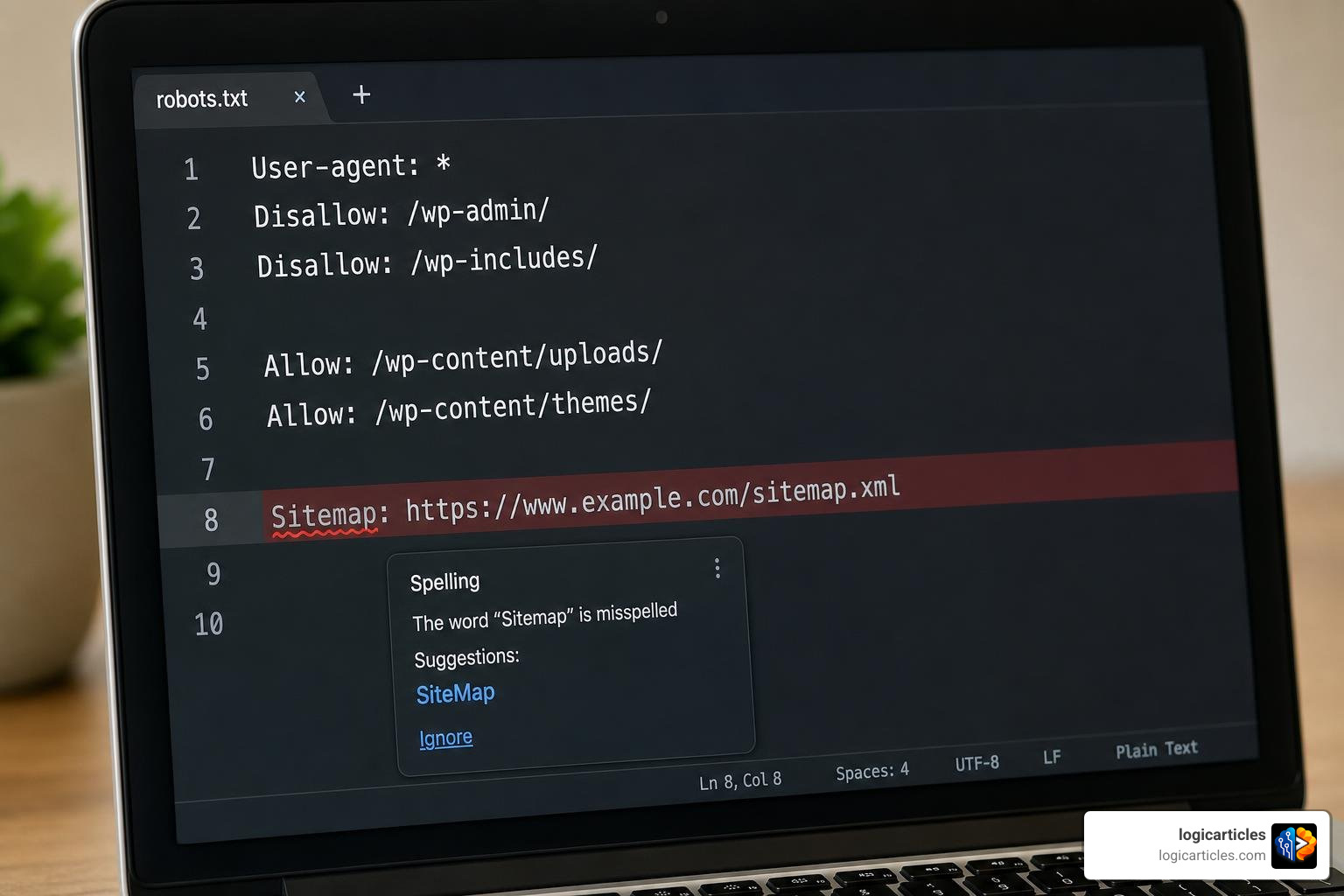
When you generate robots.txt files, a spellmistake — even a single missing letter — can stop search engines from reading your crawl rules entirely, with zero warning signs.
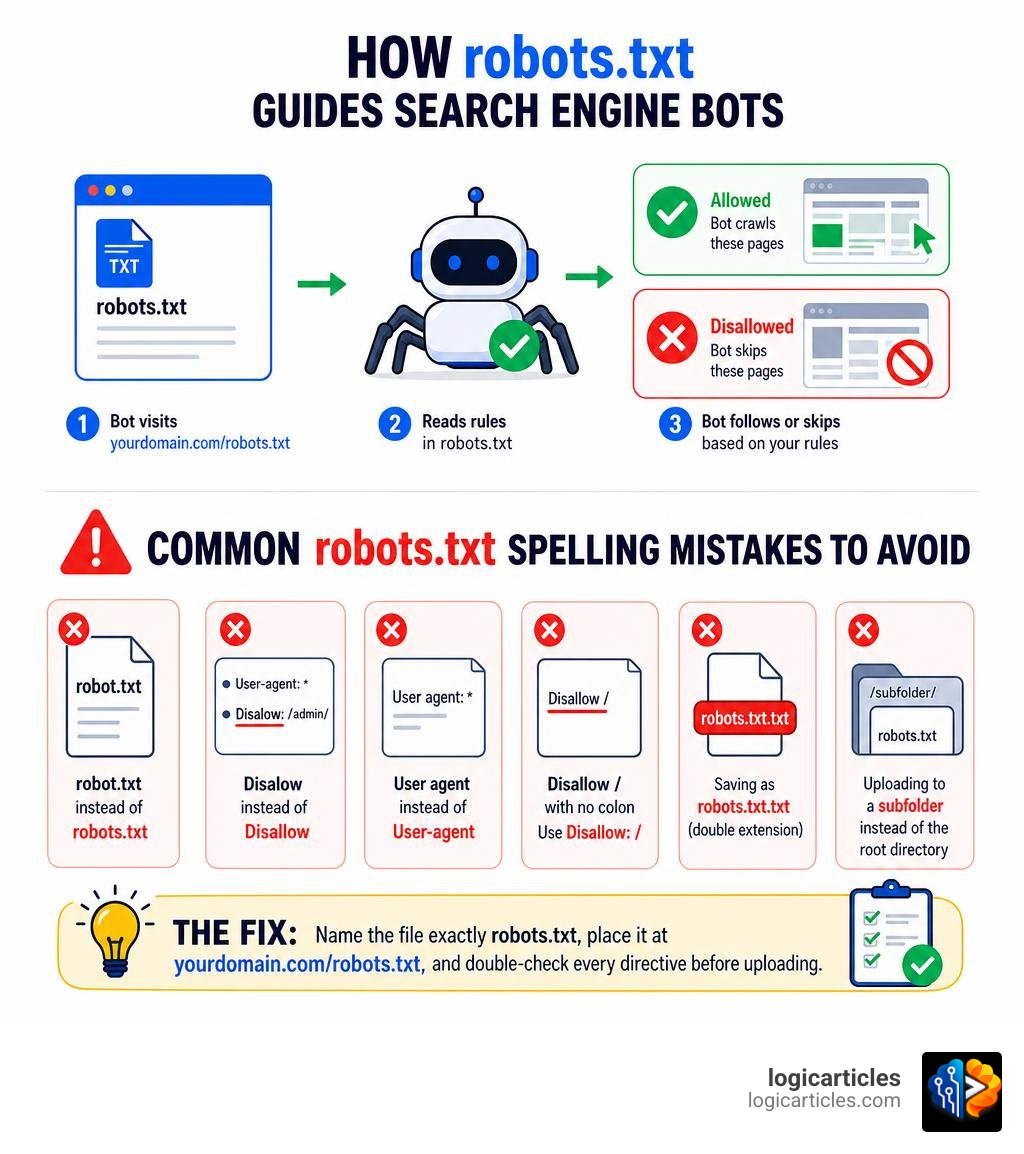
Here are the most common robots.txt spelling mistakes to watch for:
- robot.txt instead of
robots.txt(missing the “s”) - Disalow instead of
Disallow(missing an “l”) - User agent instead of
User-agent(missing the hyphen) - Disallow / with no colon, e.g.
Disallow /instead ofDisallow: / - Saving as
robots.txt.txt(double extension) - Uploading to a subfolder instead of the root directory
The fix: Name the file exactly robots.txt, place it at yourdomain.com/robots.txt, and double-check every directive before uploading.
In technical SEO, small details carry big consequences. A robots.txt file is one of the first things Googlebot checks before crawling a single page on your site. Get it right, and you control exactly what search engines see. Get it wrong — with one misplaced character or a misspelled directive — and you could be blocking your best pages from Google’s index for weeks without realizing it.
One real example: a mid-sized content site with 800 articles had 140 admin URLs indexed by Google after a single Disalow typo slipped through during a site migration. Recovery took roughly eight weeks.
The scary part? Robots.txt errors produce no visible warnings. Your site looks fine. Traffic quietly drops.
This guide walks you through exactly how to generate a correct robots.txt file in five simple steps — and how to catch any mistakes before they cost you rankings.
Understanding the Robots.txt File and Its SEO Role
To appreciate why a generate robots.txt files spellmistake is so dangerous, we must first understand what this file actually does. At its core, a robots.txt file is a plain text file placed in the root directory of your website. It functions as a set of instructions for web crawlers (also known as search engine bots, robots, or spiders) such as Googlebot, Bingbot, and various AI scrapers.
When a search engine bot visits your website, the very first URL it requests is yourdomain.com/robots.txt. If it finds the file, it reads the instructions to see which parts of your site it is allowed to crawl and which parts are off-limits. If it doesn’t find the file, it assumes it has permission to crawl your entire website.
The Core Components of Robots.txt
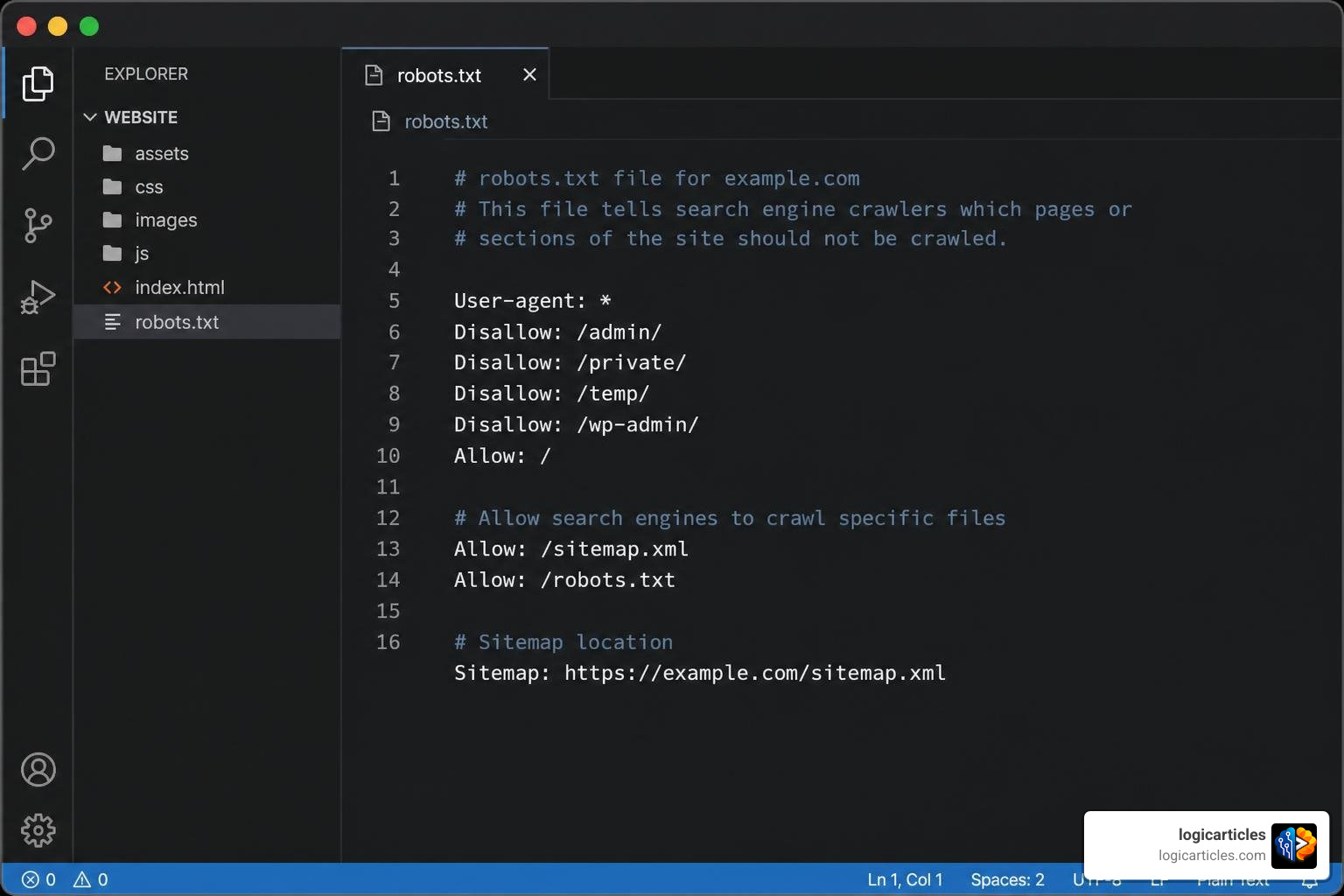
The syntax of a robots.txt file relies on a few fundamental directives:
- User-agent: This specifies which search engine bot the rule applies to. For example,
User-agent: *applies to all bots, whileUser-agent: Googlebotapplies only to Google’s primary web crawler. - Disallow: This tells the specified bot not to access a particular directory, page, or file pattern. For instance,
Disallow: /admin/keeps crawlers out of your administrative folder. - Allow: This tells the bot it is permitted to access a specific page or subfolder within an otherwise disallowed directory.
- Sitemap: This points search engine crawlers to the location of your XML sitemap, making it easier for them to discover your content quickly.
Why Robots.txt Matters for SEO
A properly configured robots.txt file does not directly boost your search rankings, but it is a critical pillar of technical SEO. It helps manage your crawl budget—the limited number of pages a search engine crawler will crawl on your site during a given timeframe.
If your site has thousands of low-value pages (such as internal search result pages, session IDs, checkout carts, or print-friendly versions), bots can waste their crawl budget on those pages instead of indexing your high-value blog posts, product pages, and service offerings. By disallowing access to these low-value pages, you ensure search engines focus their energy on the content that actually drives traffic.
Additionally, a robots.txt file protects sensitive areas of your site (like staging environments or login portals) from accidentally appearing in search results, preventing duplicate content issues and maintaining site security.
Why You Must Avoid a Generate Robots.txt Files Spellmistake
We live in a world where spelling matters. In our personal and professional lives, spelling errors change how we are perceived. For instance, 42.5% of social media users say that spelling and grammar errors in a social media post affect their view of a company more than any other flaw.
Similarly, 79% of bosses admit they would not hire a job applicant whose resume contained a typo, and more than 70% of men and 80% of women believe poor spelling makes a person less attractive in dating profiles.
If humans are this unforgiving of spelling mistakes, search engine crawlers are even more ruthless. A human reader can easily infer that “Disalow” means “Disallow.” A search engine bot, however, operates on strict code. To a bot, a misspelled directive is completely invisible. It is simply ignored.
When you generate robots.txt files, a single typo can result in one of two disastrous scenarios:
- The “Block Everything” Disaster: You accidentally block search engines from crawling your entire website, causing your organic traffic to plummet to zero.
- The “Expose Everything” Disaster: You fail to block sensitive directories (like staging sites, user databases, or admin panels), allowing search engines to crawl and index private data, leading to massive duplicate content penalties and security leaks.
To illustrate how critical these differences are, consider this comparison table:
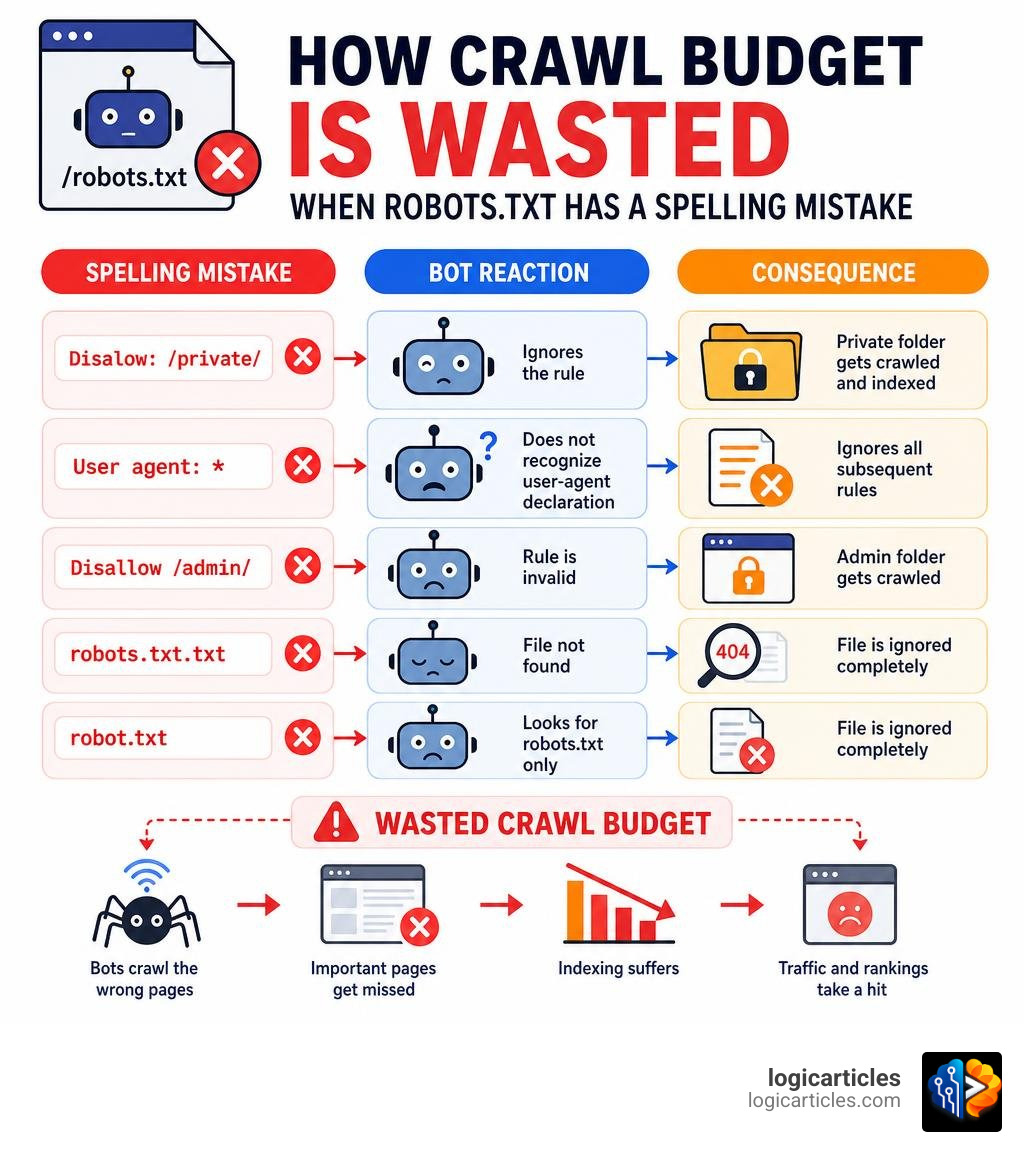
| Incorrect Syntax / Mistake | Correct Syntax | The Real-World Consequence |
|---|---|---|
Disalow: /private/ | Disallow: /private/ | The bot ignores the rule and indexes your private folder. |
User agent: * | User-agent: * | The bot does not recognize the user-agent declaration and ignores all subsequent rules. |
Disallow /admin/ | Disallow: /admin/ | Missing colon makes the rule invalid; the admin folder is crawled. |
robots.txt.txt | robots.txt | The file is ignored entirely because of the double extension. |
robot.txt | robots.txt | Search engines look only for robots.txt. They will ignore robot.txt completely. |
Common Typos When You Generate Robots.txt Files Spellmistake
Let’s dive deeper into the specific spelling errors that occur most frequently when webmasters try to generate these files.
1. Missing the Letter “S” (robot.txt)
This is the most common file-naming mistake. Because we often refer to web crawlers as “robots,” it feels natural to name the file robot.txt. However, search engine protocols are hardcoded to look specifically for the plural form: robots.txt. If you name your file robot.txt, search engines will receive a 404 error when looking for your crawl rules, assume you have no restrictions, and crawl every single page on your server.
2. The Infamous Disalow Typo
When typing quickly, it is incredibly easy to miss the second “l” in Disallow. If your file reads Disalow: /staging/, Googlebot will not understand the command. It will proceed to crawl your staging environment, index your unreleased content, and potentially trigger duplicate content issues that can drag down your live site’s rankings.
3. Hyphen and Colon Formatting Errors
Directives are incredibly sensitive to spacing and punctuation. The User-agent directive must contain a hyphen. Writing User agent: * or Useragent: * breaks the rule. Similarly, every directive requires a colon followed by a space. Writing Disallow/admin/ or Disallow : /admin/ (with a space before the colon) can cause parsing errors on certain search engine crawlers.
4. Double File Extensions
If you create your file using a basic text editor like Notepad on Windows, the system may automatically append a .txt extension to your file. If you manually name the file robots.txt, the actual file name on your server might end up being robots.txt.txt. Because search engines only search for robots.txt, your rules will remain completely unread.
To avoid these common pitfalls entirely, we highly recommend using a dedicated, validated tool. You can Generate perfect robots.txt files instantly with LogicArticles to ensure your syntax is flawless and completely free of human typos. If you want to check your meta tags for similar spelling errors, you can also explore the SpellMistake: Free meta tag generator and spell checker to secure your on-page elements.
The SEO Impact of a Generate Robots.txt Files Spellmistake
The consequences of a misspelled robots.txt file are rarely immediate, making them incredibly dangerous. Because search engines do not send you an email alert when they encounter a syntax error in your file, the damage can compound silently for weeks.
Crawl Budget Depletion
If a spelling mistake invalidates your Disallow rules, search engines will spend their limited crawl budget indexing low-value, duplicate, or auto-generated query pages. For large e-commerce websites or content-heavy portals, this means Googlebot may never reach your newly published articles or updated product listings, severely stalling your organic growth.
Deindexing and Ranking Drops
On the flip side, a formatting mistake like typing Disallow: on a line by itself under a general user-agent block can accidentally block search engines from crawling anything on your site. If Googlebot is blocked from crawling your site, it will slowly remove your pages from the search index. By the time you notice your organic traffic has dropped to zero, the financial damage to your business can be severe.
For a deeper dive into how these errors play out in search engine algorithms, you can read our complete guide on Generate Robots.txt Files SpellMistake: Boost Your SEO Performance. It outlines real-world recovery timelines and how to restore search engine trust after an indexing catastrophe.
How to Generate a Correct Robots.txt File in 5 Steps
Now that we know the risks of a spelling error, let’s look at how to build, deploy, and verify a perfect robots.txt file. By following these five structured steps, you can eliminate human error and optimize your crawl efficiency.
Step 1: Define Your User-Agents and Directives
The first step is to outline which crawlers you want to target and what rules they must follow.
If you want your rules to apply to all search engines, start your block with:
User-agent: *
Next, list your Disallow and Allow rules. For example, if you are running a standard WordPress website, you will want to prevent search engines from crawling your backend administrator files while allowing them to access your frontend assets:
User-agent: *
Disallow: /wp-admin/
Allow: /wp-admin/admin-ajax.php
You can also target specific bots. In 2026, many website owners are choosing to block AI crawlers from scraping their content to train language models. You can add a specific block for AI bots like GPTBot, ClaudeBot, and PerplexityBot:
User-agent: GPTBot
Disallow: /

User-agent: ClaudeBot
Disallow: /
Step 2: Add Your XML Sitemap Reference
An XML sitemap is a roadmap of your website’s most important pages. Including your sitemap URL at the bottom of your robots.txt file is an industry best practice that helps search engines find and index your content much faster.
Your sitemap directive should look like this:
Sitemap: https://logicarticles.com/sitemap.xml
If you do not have a reliable sitemap yet, you can easily build one using the Sitemap Generator By LogicArticles to ensure your crawl roadmap is clean, updated, and completely free of broken links. For standalone or custom websites, you can also check out the Sitemap Generator by Spellmistake to instantly crawl and compile your site’s URLs.
Step 3: Save the File with the Correct Name and Extension
Once your directives are written, you must save the file. Keep these rules in mind to avoid a file-saving spellmistake:
- Case Sensitivity: The file name must be entirely lowercase. Save it as
robots.txt, notRobots.txtorROBOTS.TXT. Linux-based web servers (which run most of the web) are strictly case-sensitive. - File Format: Save the file in plain text format (
.txt) with UTF-8 encoding. Do not use rich text editors like Microsoft Word or Google Docs, as they can inject hidden formatting characters that break the file syntax. Use simple editors like Notepad, TextEdit, or VS Code.
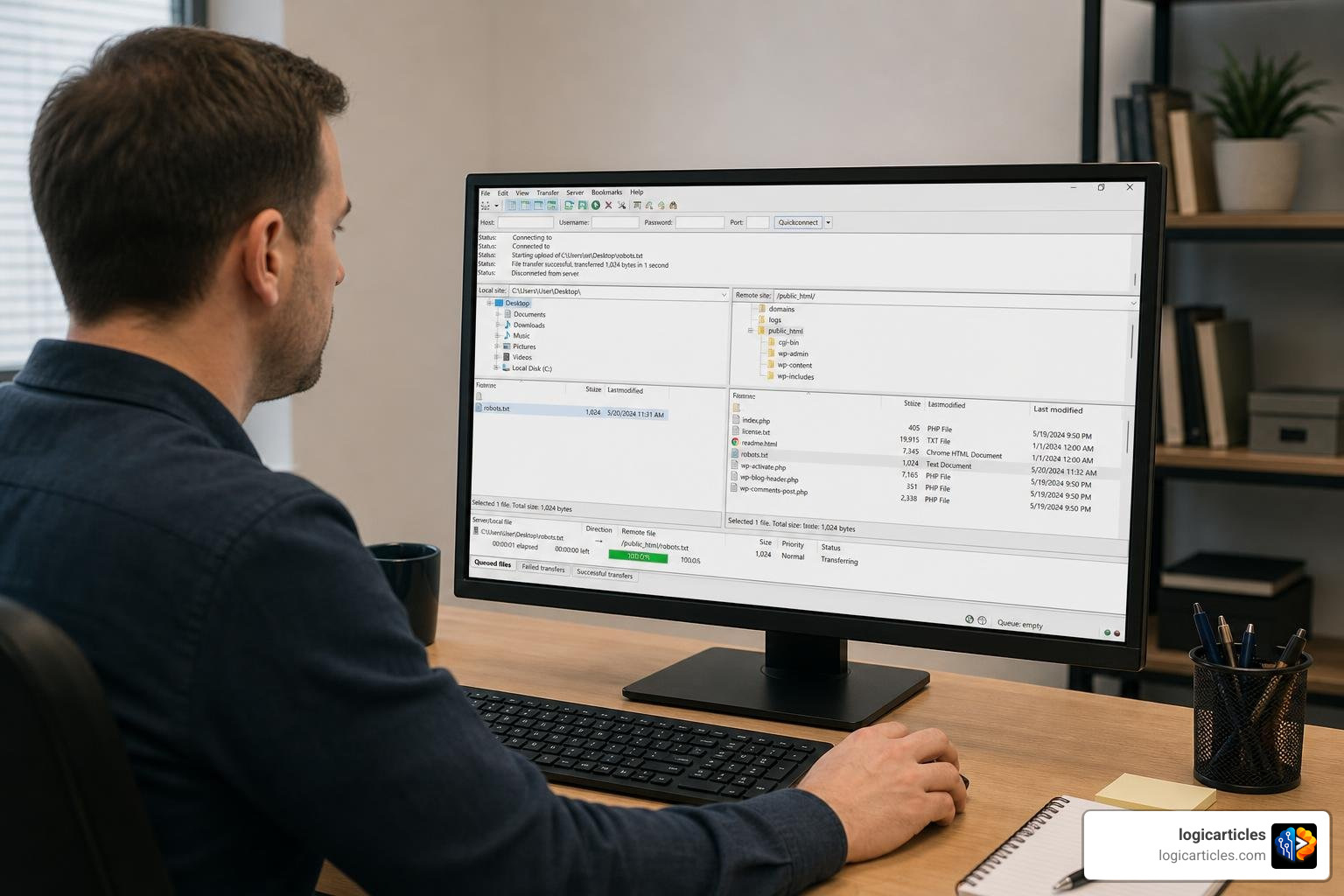
Step 4: Upload the File to Your Root Directory
For your robots.txt file to work, it must be uploaded to the root directory of your website’s hosting server. This means it must be accessible directly at the main domain level: https://logicarticles.com/robots.txt.
If you upload it to a subfolder, such as https://logicarticles.com/assets/robots.txt, search engines will never find it and will assume no crawl rules exist.
You can upload the file using:
- An FTP Client (like FileZilla): Connect to your server, locate the
public_htmlor main root folder, and drag the file in. - cPanel File Manager: Log into your hosting account, open the File Manager, navigate to your root directory, and upload the file directly.
- Your CMS Settings: If you use a platform like WordPress, plugins like Rank Math or Yoast SEO allow you to edit and publish your
robots.txtfile directly from your dashboard without touching FTP.
Step 5: Test and Validate Your Robots.txt File
Never assume your file is perfect just because you uploaded it. The final, and most crucial, step is validation.
Open a web browser and navigate directly to yourdomain.com/robots.txt. Confirm that the file loads correctly and contains the exact rules you wrote.
Next, use a validation tool like the Google Search Console Robots.txt Tester or an online syntax checker. These tools will scan your file for common errors like missing colons, invalid wildcards, or misspelled directives, giving you peace of mind that your site’s crawl budget is perfectly optimized.
Frequently Asked Questions about Robots.txt Generation
What is the most common robots.txt spelling mistake?
The single most common mistake is naming the file robot.txt (singular) instead of robots.txt (plural). Because search engine crawlers are hardcoded to look specifically for robots.txt, they will completely ignore the singular version, leaving your entire website open to unrestricted crawling.
Can a robots.txt spelling error affect Google indexing?
Yes, absolutely. If your robots.txt file contains a spelling error in a directive (such as writing Disalow instead of Disallow), Googlebot will ignore that rule. This can lead to Google crawling and indexing private directories, staging sites, or administrative pages, which can severely harm your search visibility and rankings.
How do I check if my robots.txt file is correct?
You can check your file by visiting yourdomain.com/robots.txt in your web browser to verify it is live and in the correct root directory. To check for hidden syntax and formatting errors, submit your file to a testing tool like Google Search Console’s Robots.txt Tester or use a reliable third-party validation tool.
Conclusion
Managing your website’s technical SEO can feel like walking a tightrope. As we have seen, a minor generate robots.txt files spellmistake can have massive, silent consequences for your crawl budget, search rankings, and overall indexing health.
By taking a structured approach—using automated generation tools, double-checking your spelling, and validating your files before they go live—you can keep your website running efficiently and ensure search engines only index your highest-value content.
If you are looking to streamline your digital workflow and elevate your website’s operational efficiency, we invite you to explore our curated tools and guides. Boost your site performance with logicarticles productivity category and discover how smart, simple adjustments can yield massive results for your online business in 2026.