The Best AI Website Builders in 2026 (Quick Answer First)

The best AI website builders in 2026 let you go from zero to a live, professional website in minutes — no coding, no designer, no $10,000 agency bill.
Here are the top picks at a glance:
| Platform | Best For | Starting Price | Build Time |
|---|---|---|---|
| Wix | All-around websites | Free / $17/mo | Under 5 min |
| Hostinger | Budget users & beginners | $1.79/mo | ~45 seconds |
| Framer | Designers & portfolios | Free tier available | Minutes |
| Squarespace | Established small businesses | $16/mo | Minutes |
| 10Web | WordPress sites | Paid plans | Minutes |
| Durable | Fastest launch possible | Paid plans | ~30–47 sec |
| Lovable | Rapid prototyping & apps | Free tier available | Minutes |
| Webflow | Professional & enterprise | Paid plans | Minutes |
| B12 | Hybrid AI + human service | $0–$399/mo | Hours |
| Hostinger/Jotform | Beginners needing forms | Free tier available | Minutes |
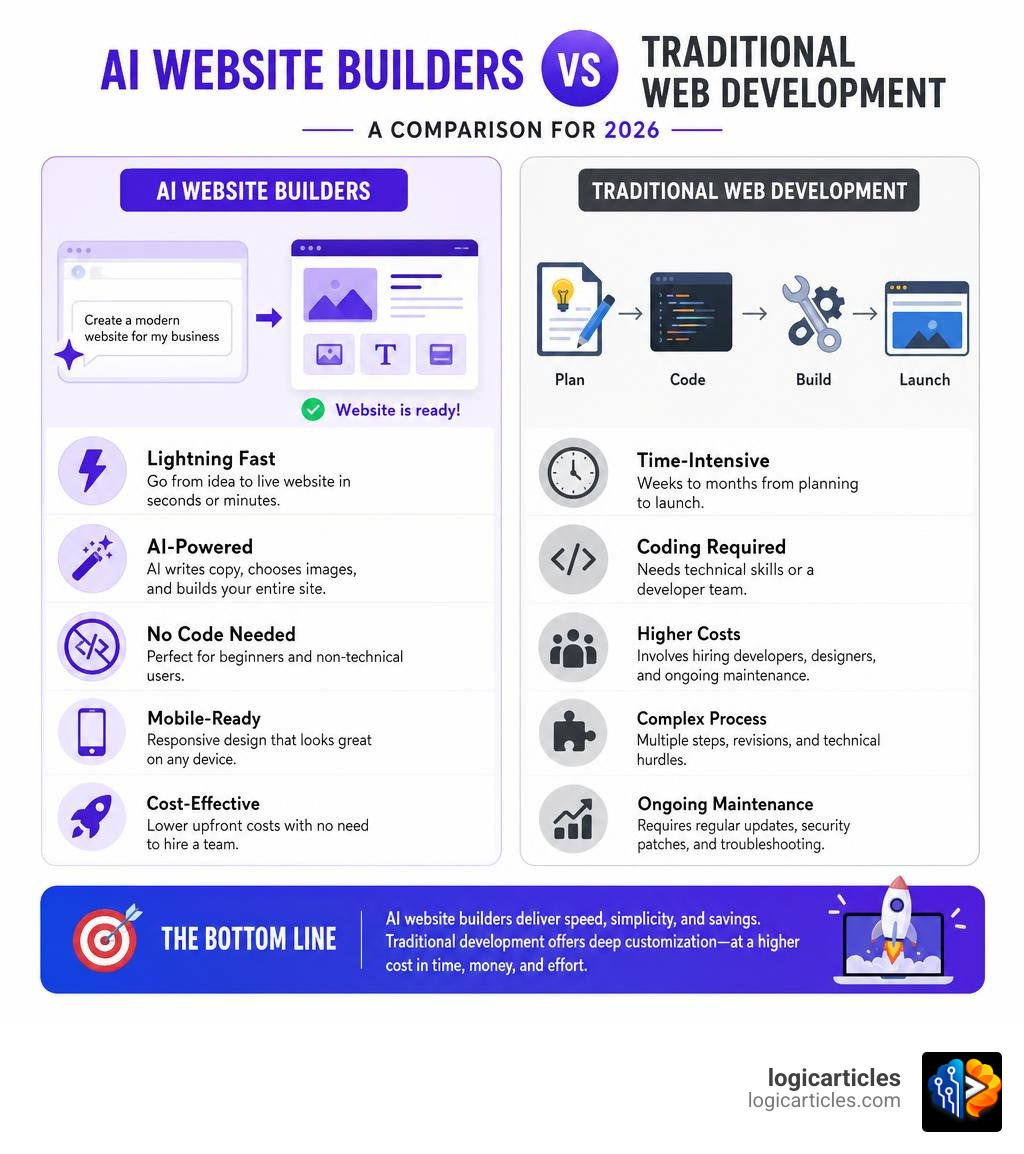
Not long ago, building a website meant hiring a developer, waiting weeks, and spending anywhere from $5,000 to $50,000. Or it meant wrestling with templates for days, feeling like you were playing a puzzle game with no instructions.
That’s changed dramatically.
In 2026, AI website builders can generate a complete, mobile-ready site — with copy, images, navigation, and contact forms — in under a minute. Hostinger’s AI does it in roughly 45 seconds. Durable claims 30 seconds (real-world testing clocked it at 47 seconds, still impressive).
But here’s the honest truth: not all AI builders are equal. Some are great for simple landing pages but fall apart when you need SEO, e-commerce, or long-term scalability. Others are powerful but come with hidden costs or a steeper learning curve than advertised.
This checklist cuts through the noise so you can choose the right platform for your actual needs — not just the one with the flashiest demo.
What Makes an AI Website Builder Different in 2026?
Traditional website builders require you to start with a static, pre-made template and manually swap out images, rewrite copy, and drag blocks around. If you want a new section, you have to build it element by element.
In 2026, the best ai website builders 2026 use natural language processing and context-aware AI models to build custom sites from scratch. Instead of dragging and dropping, you use simple prompts. You describe your business, target audience, and preferred aesthetic, and the AI generates:
- Custom layouts tailored to your industry.
- Context-aware, human-sounding copy.
- Relevant, high-quality images (or generated AI graphics).
- Fully functional contact forms, sitemaps, and navigation menus.
These platforms have also evolved to generate Progressive Web Apps (PWAs). This means your website loads instantly, performs beautifully on mobile, and can even be installed like a native app.
Additionally, the industry has split into two main branches:
- Visual Marketing Builders: Focused on landing pages, portfolios, and local business sites (e.g., Wix, Hostinger, Squarespace, and tools found in our guide to AI Tools You Should Know in 2026).
- Full-Stack Application Builders: Focused on generating complex UI components, databases, and authentication (such as Lovable, Bolt.new, and custom dashboards).
If you want a fast, beautiful marketing site with zero technical friction, tools like the AI Sitebuilder for Fast Website Creation make it as simple as typing a single prompt and clicking “Publish.”
The Ultimate Checklist for the Best AI Website Builders 2026
When evaluating which AI platform to trust with your online presence, it is easy to get distracted by flashy generation animations. To protect your business from building on unstable ground, we recommend using this rigorous evaluation checklist:
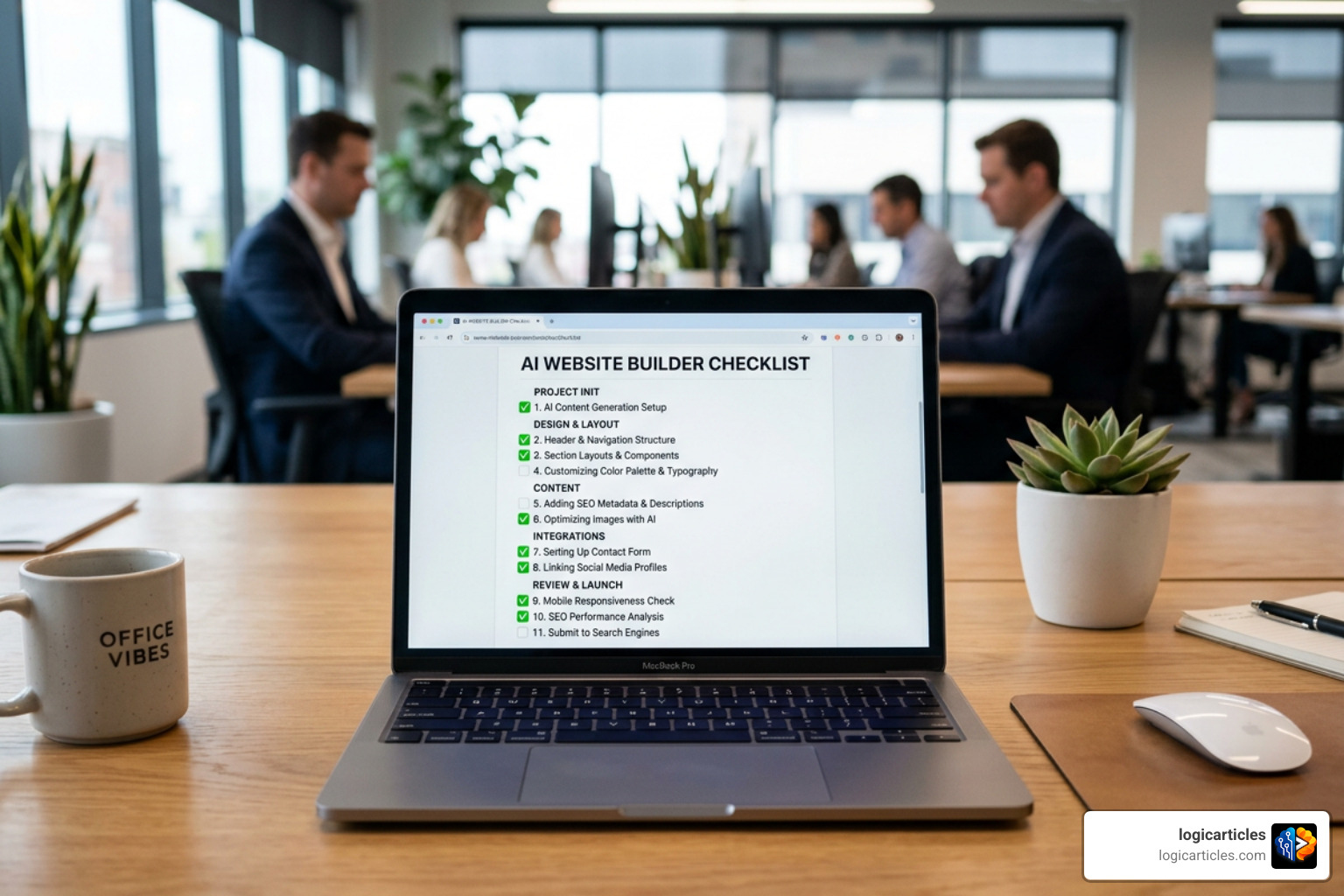
- [ ] Platform Stability: Is the company backed by a sustainable business model? (Avoid unproven startups; remember that even highly funded unicorns like Builder.ai can face sudden collapse).
- [ ] Data Ownership: Can you export your clean HTML/CSS code or easily migrate your site if you outgrow the platform?
- [ ] True Visual Control: Does the platform offer a hybrid model that allows manual drag-and-drop editing after the AI does the heavy lifting?
- [ ] SEO Customization: Can you manually edit meta titles, descriptions, image alt text, and URL slugs?
- [ ] Transparent Pricing: Are there hidden hosting fees, forced custom domain markups, or high transaction fees on e-commerce?
Visual Builders vs. Full-Stack Generators
| Feature | Visual AI Builders (e.g., Wix, Hostinger) | Full-Stack AI Generators (e.g., Lovable, Bolt.new) |
|---|---|---|
| Primary Output | Marketing sites, blogs, simple stores | Web apps, SaaS MVPs, interactive tools |
| Setup Time | 45 seconds to 5 minutes | 5 to 15 minutes |
| Database/Auth | Limited to built-in platform tools | Full custom database, Stripe, and user auth |
| Pricing Clarity | Simple monthly subscription | Credit-based usage or higher developer tiers |
How to Choose the Best AI Website Builders 2026 for Your Business
Choosing the right tool comes down to aligning your business goals with the platform’s native capabilities. If you are a startup aiming to validate a product quickly, look for rapid prototyping tools listed in our guide to Startup Tools to Scale Fast in 2026.
For everyday small businesses, freelancers, and local service providers, budget and ease of use are paramount. In this category, the Hostinger AI | Create a website or web app with AI platform stands out. Starting at an incredibly low $1.79/month, it generates a complete website with SEO-friendly copy, contact forms, and galleries in under a minute, making it the absolute budget champion of 2026.
However, keep scalability in mind. If your business plans to grow into a massive e-commerce operation with thousands of SKUs or requires deep custom database integrations, starting with a platform that has strict customization limits might force an expensive redesign in 12 to 24 months.
Comparing the Best AI Website Builders 2026 by Use Case
To help you find your perfect match, we have categorized the leading tools by their ideal use cases:
E-Commerce & High-Volume Sales
- Shopify: Still the gold standard for serious e-commerce, now supercharged with AI tools for product descriptions, pricing optimization, and automated store design.
- Wix: Excellent for small-to-medium online stores, offering built-in payment gateways and automated product page generation.
Creative Portfolios & High-End Design
- Framer: The favorite among designers. It translates complex, motion-heavy designs into clean, high-performance code.
- Squarespace: Best for curated, aesthetic layouts with seamless, built-in brand identity tools.
Fast Landing Pages & Startups
- CodeDesign: If you want to launch high-converting sales funnels quickly, using CodeDesign.ai: Build Custom Websites | Visual ai Website Builder allows you to generate pages from prompts and instantly connect them to Stripe, Zapier, or your custom domain.
- Durable: Perfect for service-based businesses that need a simple, professional landing page online in under 30 seconds.
For businesses looking to integrate marketing, sales, and analytics tools into their growth stack, check out our curated list of the Best Startup Growth Tools for 2026.
Key Features to Evaluate: SEO, Accessibility, and Customization
A beautiful website is useless if no one can find it or if it fails to work on mobile devices. When shopping for the best ai website builders 2026, pay close attention to how they handle technical search engine optimization (SEO) and accessibility.

SEO Essentials
Many early AI-only builders generated sites with messy, unorganized code that search engine crawlers struggled to read. In 2026, premium builders ensure clean HTML structures. Look for platforms that automatically generate sitemaps, robots.txt files, and schema markup, while allowing you to manually override meta tags.
Mobile Responsiveness & Accessibility
Your site must look flawless on everything from a 6.7-inch smartphone to a 32-inch desktop monitor. Leading AI builders use fluid grid layouts to ensure 100% mobile responsiveness. Furthermore, top-tier platforms automatically generate descriptive alt text for images to meet global web accessibility standards.
If you want a highly secure, responsive platform that lets you build with natural language while maintaining complete control over your metadata, sitemaps, and integrations, consider using Readdy – AI Website Builder | Easy and No-Code Website Creation. It features a unique “Selector Mode” that lets you click and edit any element instantly, making it incredibly beginner-friendly.
To couple your high-performing site with top-tier marketing campaigns, explore the Best Content Marketing Software to drive traffic to your newly built platform.
Balancing Automation and Manual Customization
The absolute best AI website builders offer a “hybrid” approach. They use AI to do 90% of the heavy lifting—designing the layout, writing the initial copy, and matching color palettes—but leave the remaining 10% of fine-tuning completely in your hands.
Look for tools that offer:
- Visual Drag-and-Drop Canvas: For moving elements freely when the AI-generated layout isn’t quite perfect.
- Version History: A vital safety net that lets you restore previous versions of your site if you make a mistake while editing.
- Custom Code Blocks: Allowing you to paste custom HTML, CSS, or JavaScript for unique widgets, such as interactive charts from AI Data Visualization Tools.
Real Costs and Hidden Fees of AI Platforms
While an AI builder might advertise a starting price of $1.79 or $5.00 per month, the real-world cost of keeping a professional site online can be higher.
To avoid surprises, consult the AI Website Builder Guide 2026: 10 Tools Tested, Free Tier Winners, Real Costs and watch out for these common hidden expenses:
- Domain Renewal Markup: Many platforms offer a “free domain for the first year” but charge $20 to $40 per year for renewals thereafter.
- E-Commerce Transaction Fees: Some lower-tier plans take a 1% to 5% cut of every sale you make on top of standard credit card processing fees.
- Hosting & Bandwidth Caps: Free tiers or cheap plans often limit your monthly visitors or storage, forcing you to upgrade to expensive tiers as your traffic grows.
Frequently Asked Questions about AI Web Design
Are AI-generated websites good for SEO?
Yes, but only if you use a high-quality platform and edit the content. While modern AI builders generate clean, fast-loading code structures, fully AI-written copy can sometimes sound generic and fail to show real-world expertise.
For the best results, use AI to build the layout, and then use specialized Droven IO AI Automation Tools and human editing to refine your content, add local keywords, and build authentic brand authority.
Do I need coding skills to use an AI website builder?
No. The vast majority of AI builders in 2026 are completely no-code. You can generate, edit, and publish a beautiful website using natural language prompts and visual visual editors. However, having optional access to custom code blocks is a great bonus for advanced users.
What is the average lifespan of an AI-built website?
Because design trends and AI models evolve rapidly, AI-built websites often have a shorter average lifespan of 1 to 2 years before they require a significant refresh, compared to 3 to 5 years for custom, professionally designed enterprise websites. Fortunately, updating or completely regenerating your site with AI in 2026 takes only a few minutes!
Conclusion
The best ai website builders 2026 have democratized the web. Whether you are a solo entrepreneur launching a local service, a designer looking to skip Figma wireframing, or a startup validating an MVP, there is an AI tool built specifically for your workflow.
By utilizing our ultimate checklist, you can confidently select a platform that offers the perfect balance of automation, speed, security, and manual control.
Ready to discover more ways artificial intelligence can streamline your business operations? Explore more AI Tools on our platform today!