Why AI Data Visualization Tools Are Changing How We Understand Data

AI data visualization tools are software platforms that use artificial intelligence to automatically turn raw data into charts, dashboards, and interactive visuals — often without requiring any coding.
Here are the most popular options in 2026:
| Tool | Best For | Free Tier |
|---|---|---|
| ThoughtSpot | Enterprise NLP queries | Limited |
| Julius AI | Data analysis + charts | 15 analyses/month |
| Microsoft Data Formulator | Agentic chart exploration | Open source |
| Zoho Analytics | SMB dashboards | Yes |
| Tableau AI | BI professionals | No |
| Vizly | Quick visual analysis | 10 analyses/month |
| CoDA | Publication-quality charts | Open source |
| Flourish | Data storytelling | Yes |
| Power BI Copilot | Microsoft ecosystem users | Limited |
On its own, data has zero value. A spreadsheet full of numbers doesn’t tell you anything until someone pulls out the patterns, trends, and stories hiding inside. That used to take a skilled analyst, hours of work, and expensive software.
AI is changing that fast.
Today, AI-powered visualization tools can take your raw data, detect anomalies, predict trends, and build interactive dashboards — sometimes in seconds. Some let you ask questions in plain English and get a chart back instantly. Others use multiple AI agents working together to produce publication-quality visuals automatically.
Companies that use data-driven decision-making already grow revenue 10–15% faster than their peers. And 56% of early adopters of AI-powered analytics say they’ve already exceeded their business goals by acting on insights at the right time.
The challenge? There are dozens of tools to choose from — and they work very differently depending on whether you’re a developer, a business analyst, or someone who’s never written a line of code.
This guide cuts through the noise and helps you find the right tool for your needs.
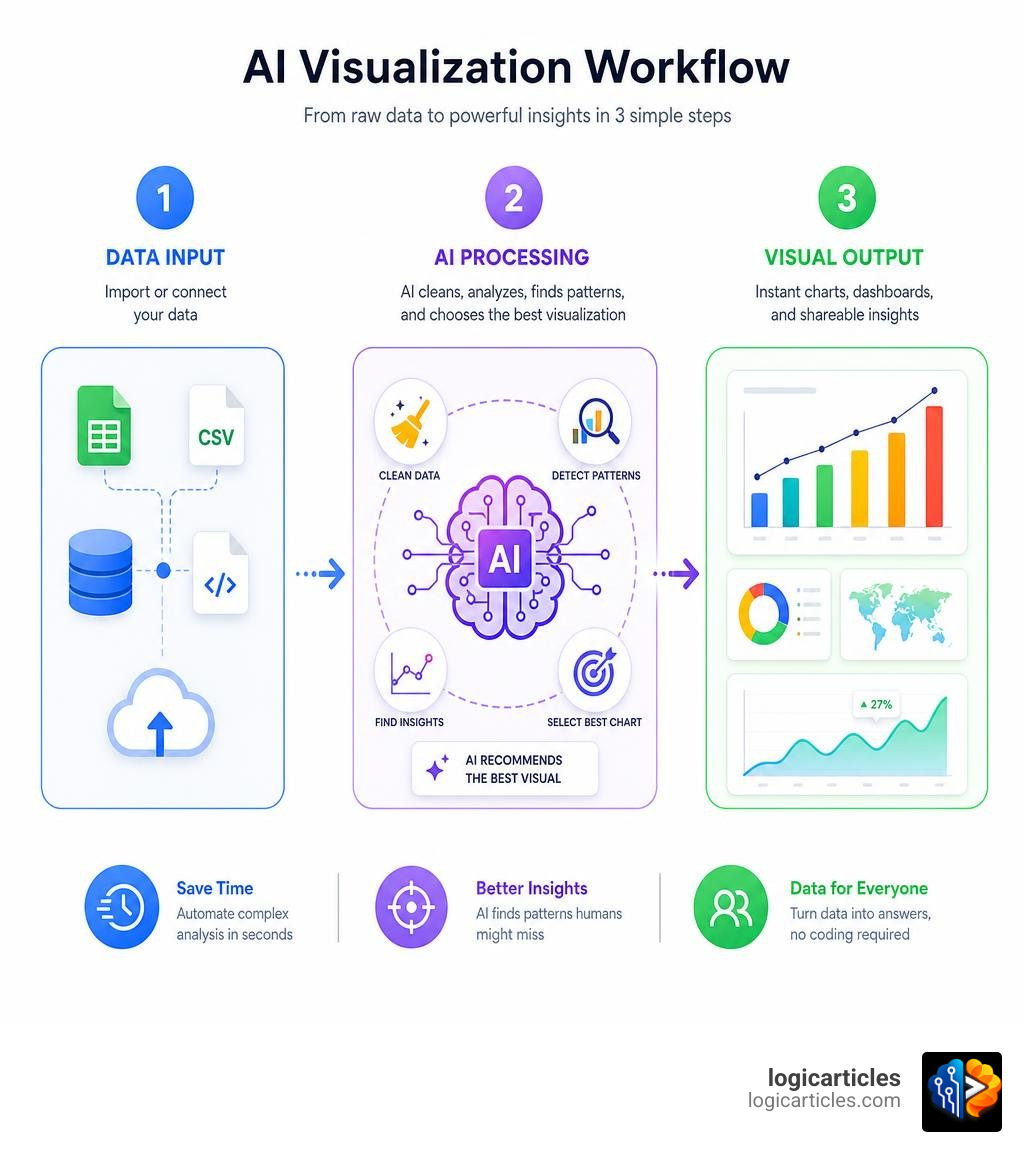
Understanding the Power of AI Data Visualization Tools
Traditional data visualization is a highly manual process. You have to clean your dataset, select the right chart type, map your variables to the correct axes, and manually style the design so it doesn’t look like a default spreadsheet from 1995. If you want to change your perspective, you often have to start all over again.
AI-powered systems flip this workflow on its head. Instead of manually building a chart, you describe what you want to see, and the AI does the heavy lifting.
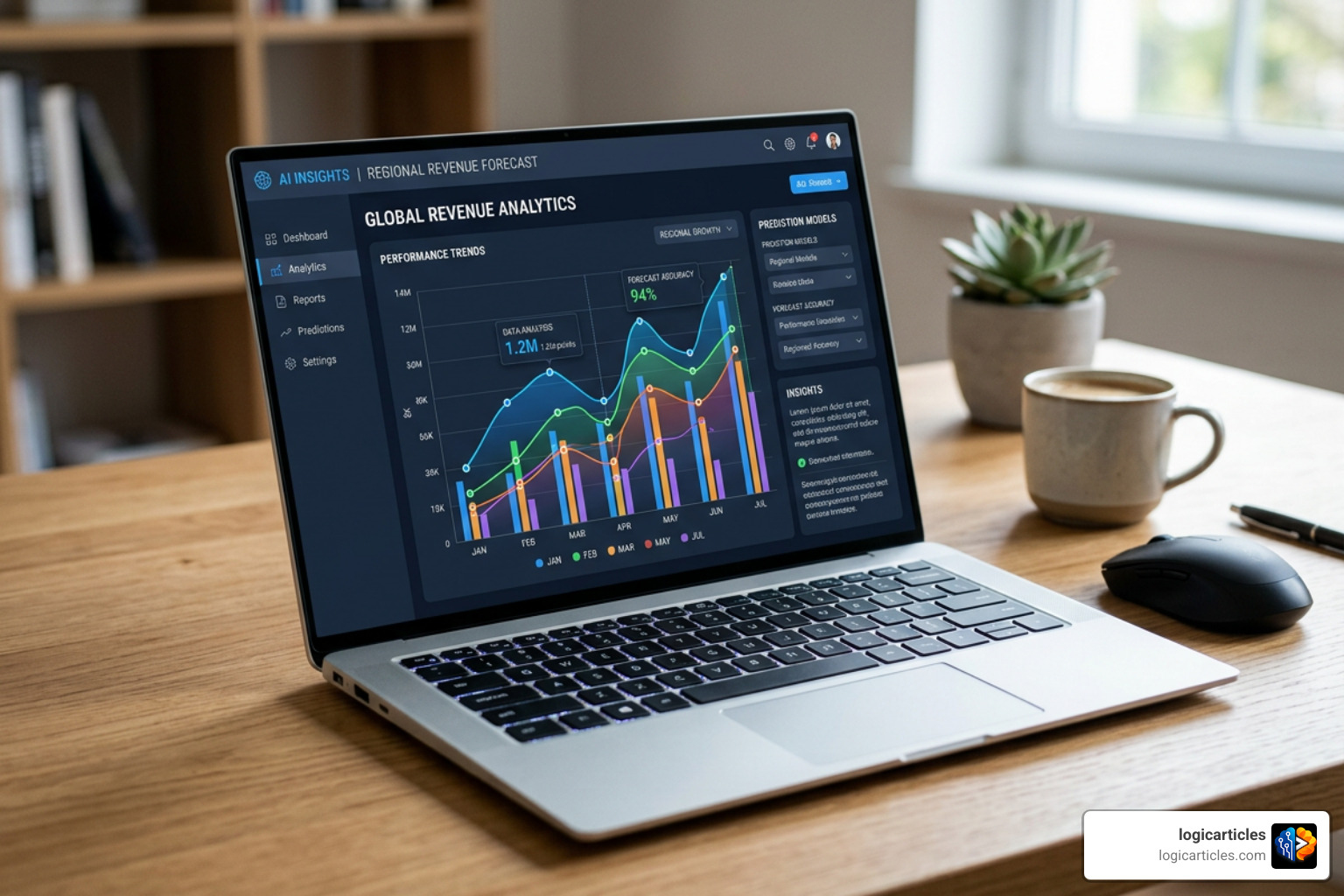
This evolution is driven by several core technologies:
- Natural Language Processing (NLP): This allows us to query our data using everyday language. Instead of writing SQL queries, you can simply type, “Show me our monthly sales trends in the Midwest region for the past year.”
- Predictive Analytics: AI doesn’t just look backward; it looks forward. By training on historical data, modern tools can automatically generate visual forecasts and outline likely scenarios.
- Explainable AI (XAI): A chart is only useful if you can trust it. Explainable AI ensures that the system provides the underlying logic, data sources, and code used to generate the visualization.
- Human-in-the-Loop Controls: AI is a powerful assistant, but humans remain the ultimate decision-makers. The best tools allow us to refine, edit, and override AI suggestions easily.
To see how these capabilities fit into the broader landscape of modern software, check out our guide on Ai Tools You Should Know In 2026 to stay ahead of the curve.
Core Categories of AI Data Visualization Tools
Not all ai data visualization tools are built the same. In 2026, we categorize them into three primary groups based on how they function:
- General-Purpose AI Assistants: These are broad conversational LLMs like ChatGPT, Claude, Gemini, and Microsoft Copilot. Armed with advanced code execution environments, they can write and run Python or R scripts to generate static or basic interactive charts from uploaded files.
- Specialized Visualization and BI Platforms: These are dedicated tools designed specifically for business intelligence and data storytelling. Platforms like ThoughtSpot, Julius AI, Vizly, and Zoho Analytics feature structured user interfaces, native database integrations, and tailored analytical dashboards.
- Agentic Visualization Frameworks: Representing the cutting edge of AI development, these systems use specialized multi-agent teams to autonomously analyze, write code, run self-reflection loops, and refine visualization designs.
For a deeper dive into how these categories are changing modern work, browse our Category/Ai Tools section.
Key Features to Look For in AI Data Visualization Tools
When evaluating an AI visualization tool for your team, look beyond flashy charts. A robust platform should offer:
- Automated Insight Discovery: The tool should automatically scan your dataset and highlight key correlations or trends you might not have thought to look for.
- Anomaly and Outlier Detection: Instead of hunting through thousands of rows, the AI should visually flag unusual spikes or dips in your metrics.
- Narrative-Driven Storytelling: Tools like Flourish excel at turning raw metrics into interactive presentations, “scrollytelling” features, and multimedia reports that keep audiences engaged.
If you are looking to optimize your business operations, exploring Droven Io Ai Automation Tools can help you integrate these visualization capabilities into automated pipelines.
Comparing General AI Coding Assistants vs. Specialized Platforms
Should you use a general-purpose AI assistant like Claude or ChatGPT, or invest in a specialized visualization platform? The answer depends heavily on your technical expertise and daily workflow.
| Feature / Capability | General-Purpose AI Assistants (ChatGPT, Claude, Gemini) | Specialized BI & Visualization Platforms (ThoughtSpot, Julius, Vizly) |
|---|---|---|
| Primary Use Case | Text generation, coding help, general reasoning | Structured business intelligence, automated dashboards |
| Data Connectivity | Manual file uploads (CSV, Excel) | Live database connectors, cloud warehouses, APIs |
| Chart Customization | Requires prompt-based code edits | Interactive UI sliders, drag-and-drop, style panels |
| Explainable AI | Displays raw Python/R code snippets | Structured logic trees and traceable data points |
| Collaboration | Shareable chat links | Multi-user workspaces, report scheduling, shared views |
General assistants are incredibly flexible. If you know how to write code, you can ask Claude to generate a custom visualization script using libraries like D3.js or Plotly. However, if your data changes, you have to upload the new file and run the prompt again.
Specialized platforms, on the other hand, build a semantic layer over your live data. They connect directly to your databases, allowing non-technical users to ask questions and get real-time, interactive charts that update automatically.
Developer-Focused Libraries and Frameworks
For developers who want to embed AI-assisted chart generation directly into their applications, several incredible open-source packages have emerged.
One major player is semiotic, a React-based data visualization library that has gained over 12,000 weekly downloads. Semiotic is uniquely optimized for AI-assisted development. It ships with machine-readable prop schemas (ai/schema.json) and an MCP (Model Context Protocol) server. This allows AI coding assistants to render charts, suggest visualization types, and diagnose broken configurations directly through tool calls.
Another breakthrough is GitHub – antvis/GPT-Vis at b84f389ddc1112220138b75b0dcf28ddef9a26b2 · GitHub, an AI-native visualization framework designed specifically for the LLM era. It uses a clean, markdown-like syntax that LLMs can generate effortlessly. GPT-Vis supports streaming output from AI models, allowing charts to render progressively in real time as the AI streams data. Its extensive knowledge base has been evaluated on over 200 scenarios with an impressive accuracy rate of over 90%.
Next-Generation Agentic Visualization Frameworks
The frontier of ai data visualization tools belongs to agentic workflows. Instead of relying on a single LLM to generate code in one go, agentic systems deploy teams of specialized AI agents that collaborate to refine a visualization.

A prime example is CoDA (Collaborative Data-visualization Agents), a multi-agent framework developed by researchers at Google. You can explore their research on google-research/agentic-visualization.
CoDA utilizes eight specialized LLM agents across four sequential phases: Understanding, Planning, Generation, and Self-Reflection. Rather than treating chart generation as a monolithic task, CoDA creates a global TODO list. If the “VisualEvaluator” agent detects a layout issue or a missing label in the generated chart image, it triggers a self-reflection loop to fix the code. This collaborative process allows CoDA to achieve unmatched results on industry benchmarks:
- 79.5% on MatplotBench (a massive 24.5% improvement over prior state-of-the-art models)
- 89.0% on the Qwen Code Interpreter benchmark
- 39.0% on the DA-Code benchmark (double the previous best score)
- An outstanding human evaluation Elo rating of 1701
Another agent-driven environment is Microsoft’s Data Formulator. With a highly active GitHub repository boasting 15,814 stars, microsoft/data-formulator combines a rich visual canvas with natural language refinement.
Instead of typing long prompts or writing code, users can build charts by combining simple UI drag-and-drop actions with natural language instructions. You can learn more about its setup and features on the microsoft/data-formulator documentation page. It supports over 30 chart types, including streamgraphs, radar charts, and maps, and utilizes LiteLLM to connect seamlessly with OpenAI, Anthropic, or local open-source models.
Automated Dashboard Generation with Multi-Agent Pipelines
For automated, full-scale dashboard creation, open-source projects like suhaani-agarwal/viz.ai showcase what is possible.
This platform uses a multi-agent LLM pipeline to analyze uploaded CSV datasets, determine the best visual aesthetics (such as colors, chart types, and filters), and generate a fully interactive dashboard using Python Dash and Plotly. It features an automated code-execution environment with an auto-fix loop to resolve syntax errors on the fly. To keep up with these shifts, check out our insights on Droven Io Machine Learning Trends 2026.
Integration, Security, and Ethical Considerations
While AI visualization tools offer incredible speed, they also introduce unique risks. Relying blindly on AI-generated charts without verification can lead to costly mistakes.
- The Risk of Hallucinations: AI models can misinterpret data columns, omit key variables, or generate highly convincing charts that depict completely incorrect trends. Always cross-check the AI’s math and review the underlying code.
- Data Security and Privacy: Uploading sensitive business metrics to public AI models can violate data governance policies and corporate compliance regulations. Always ensure your tools comply with enterprise-grade security practices, use local/private LLM deployments, or utilize secure, licensed APIs that do not use your data for training.
- Ethical Data Storytelling: It is incredibly easy to create misleading charts. AI systems might select scales or axes that exaggerate minor trends to fit a specific narrative. Maintain human oversight to ensure your visualizations remain objective and honest.
For organizations managing massive, complex data streams, combining AI visualization with the Best Big Data Analytics Tools In 2026 Ranked By Performance is essential for maintaining robust data governance and enterprise-level security.
Frequently Asked Questions about AI Visualization
Can non-technical teams use AI visualization tools?
Absolutely! Modern AI visualization tools are explicitly designed to democratize data access. Platforms like ThoughtSpot, Julius AI, and Vizly allow anyone to ask questions in plain English and receive beautifully styled, interactive charts. While there is still a minor learning curve in understanding how to ask clear questions, users no longer need to know SQL, Python, or complex BI design to get valuable insights.
How do AI visualization tools compare to traditional dashboards?
Traditional dashboards are static and historical; they only show you what has already been built by an IT team. If you want to ask a new question, you have to submit a request and wait. AI-powered tools act as dynamic “decision engines.” They allow you to explore data on the fly, automatically surface unexpected anomalies, and write narratives that explain why a metric changed, rather than just what changed.
What are the limitations of relying on AI-generated charts?
The primary limitations are data size constraints on web-based interfaces, potential code execution timeouts, and the risk of visual hallucinations. For instance, the free tiers of Julius AI and Vizly are limited to 15 and 10 analyses per month, respectively. Additionally, complex multi-table databases still require structured data preparation before an AI can successfully navigate and visualize them.
Conclusion
The era of spending days building static reports is officially over. AI data visualization tools have transformed raw data from a chore into an interactive conversation. Whether you are a developer leveraging frameworks like Semiotic and GPT-Vis, an analyst using agentic workflows like Data Formulator, or a business leader using ThoughtSpot to query live databases, there is an AI tool designed to make your data work for you.
As we look toward the future, these tools will only become more integrated, real-time, and collaborative. Ready to discover more ways to supercharge your workflow? Explore more AI tools on our platform to find your next favorite productivity booster!