The Best 3D Animation Software in 2026: A Quick Comparison
Choosing the best 3D animation software comes down to your goals, budget, and skill level. Here’s a fast answer if you’re short on time:
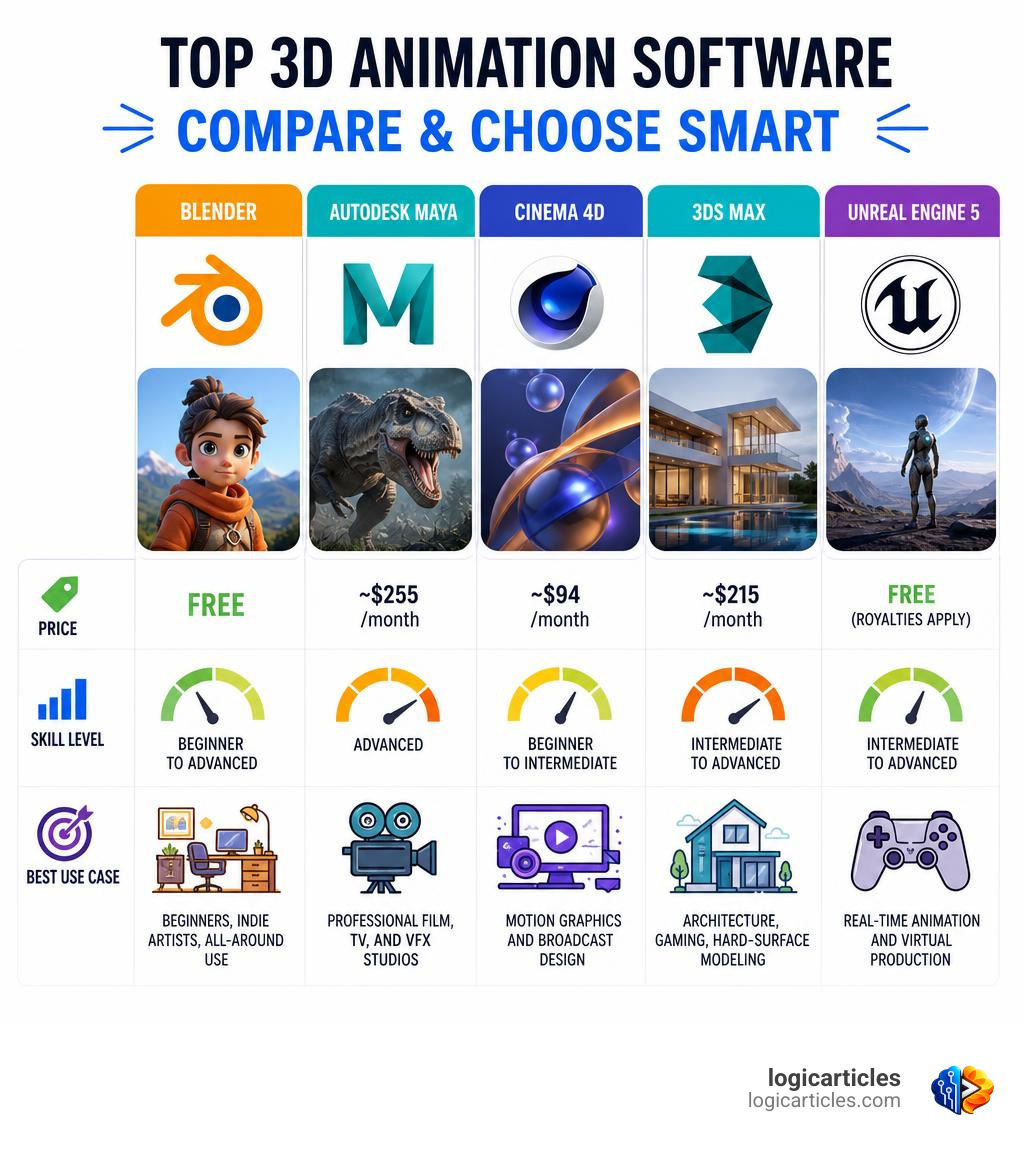
| Software | Best For | Price |
|---|---|---|
| Blender | Beginners, indie artists, all-around use | Free |
| Autodesk Maya | Professional film, TV, and VFX studios | ~$255/month |
| Cinema 4D | Motion graphics and broadcast design | ~$94/month |
| Autodesk 3ds Max | Architecture, gaming, hard-surface modeling | ~$215/month |
| Unreal Engine 5 | Real-time animation and virtual production | Free (royalties apply) |
The 3D animation industry is growing fast. The global market was valued at $15.5 billion in 2023 and is projected to hit $35.8 billion by 2030 — a growth rate of 12.7% per year. More studios, freelancers, and indie creators are entering the space than ever before.
But with more tools available than ever, picking the right one is harder too.
Some software is built for Hollywood pipelines. Others are designed for solo creators on a tight budget. A few are purpose-built for specific tasks like motion graphics or architectural visualization. The wrong choice can cost you months of wasted learning time.
This guide cuts through the noise. We compare the top tools side by side — features, pricing, learning curves, and real-world use cases — so you can make a confident decision fast.
Key Factors When Choosing the Best 3D Animation Software
Before opening your wallet or spending hours downloading massive installation packages, it is vital to assess what you actually need. 3D animation is a broad field, and a tool that is perfect for a Pixar-style character animator might be a nightmare for a website UI designer or an architect.
To help you narrow down your choices, we have mapped out the core factors you should consider:
| Feature/Factor | Blender | Autodesk Maya | Cinema 4D | Autodesk 3ds Max | Unreal Engine 5 |
|---|---|---|---|---|---|
| Primary Industry | Generalist, Indie Film, Games | Film, VFX, AAA Games | Motion Graphics, Broadcast | Architecture, Games, ArchViz | Games, Virtual Production |
| Learning Curve | Moderate (Excellent UI since 2019) | Steep | Low to Moderate | Moderate | Steep |
| Rendering Engine | Cycles, Eevee | Arnold | Redshift (Maxon) | Arnold | Real-time (Lumen/Nanite) |
| AI Tools | Community add-ons | MotionMaker AI, ML Deformer | Native simulation tools | Smart Extrude, ReForm | MetaHuman, Procedural Gen |
| System Demand | Moderate | High | Moderate to High | High | Very High |
| Best For | Solo creators & startups | Production pipelines | Solo motion designers | ArchViz specialists | Real-time filmmakers |
1. User Interface & Learning Curve
Let’s be honest: the first time you open a professional 3D suite, it looks like the cockpit of a commercial airliner. There are buttons, sliders, and viewports everywhere.
For beginners, a software’s user interface (UI) can make or break the experience. Tools like Cinema 4D are famous for intuitive, designer-friendly layouts that integrate beautifully with 2D applications. On the other hand, legacy giants like Maya have deep, nested menus built over decades of development, which can feel incredibly intimidating at first.
2. System Requirements & Hardware Considerations
3D rendering and simulation are some of the most resource-intensive tasks you can subject your computer to. While some lightweight tools run on a modern ultrabook, professional-grade software requires serious hardware. You will need a multi-core processor (CPU), a dedicated graphics card (GPU) with plenty of VRAM, and at least 16GB to 32GB of RAM. If you are planning to use real-time engines like Unreal Engine, a high-end NVIDIA RTX card is practically mandatory to utilize features like hardware-accelerated ray tracing.
3. Pipeline Integration & Compatibility
No 3D software operates in a complete vacuum. In a professional pipeline, you might model in one tool, texture in another, animate in a third, and composite the final video in a fourth. Look for tools that support open industry standards like OpenUSD (Universal Scene Description) and standard export formats like FBX and GLB/gITF. This ensures your assets can move smoothly between applications without losing data or breaking rigs.
Top 3D Animation Software of 2026
The 3D landscape in 2026 is shifting rapidly. Real-time rendering is no longer just a gaming feature; it has taken over film pre-visualization and virtual production. Meanwhile, directable AI tools are automating tedious, repetitive tasks like generating basic walk cycles or cleaning up motion capture data.
To help you find the absolute best match for your workflow, let’s dive into the details of the top tools. For a broader look at how these tools rank across different price brackets, check out the Top 7 Best 3D Animation Software in 2026.
Why Blender is the Best 3D Animation Software for Beginners
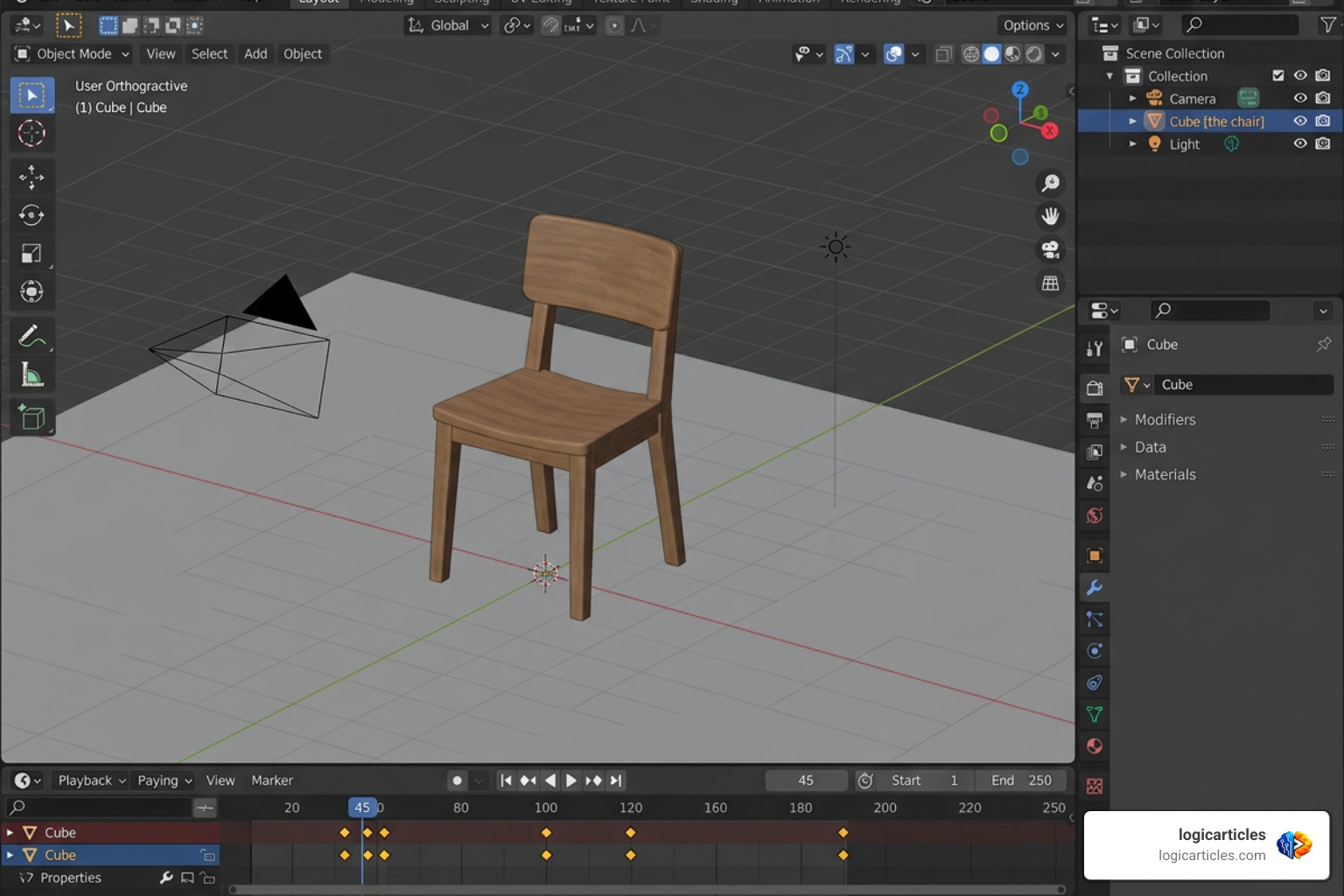
If you are a beginner, a hobbyist, or an independent developer, Blender is almost certainly where you should start. Why? Because it is 100% free, open-source, and incredibly powerful.
For years, Blender was treated as a “toy” by large Hollywood studios. That is no longer the case. Today, Blender holds an estimated 30% to 35% market share among professional 3D artists and smaller studios. It has been used to create award-winning animated feature films (such as the Oscar-nominated film Flow) and is backed by industry giants including AMD, Apple, Intel, and NVIDIA.
Key Features & Capabilities
- Cycles & Eevee Render Engines: Blender features Cycles, a production-grade, physically-based path tracer, alongside Eevee, a lightning-fast real-time viewport renderer.
- Grease Pencil: This unique tool allows you to draw 2D art directly inside a 3D viewport, making it a favorite for storyboard artists and hybrid 2D/3D animators.
- Comprehensive Pipeline: Blender handles modeling, sculpting, rigging, animation, simulation, rendering, compositing, and even video editing all in one program.
Learning Curve & Community Support
Blender has the largest and most active community of any 3D tool on earth. If you run into a problem, there are thousands of free YouTube tutorials, forums, and Discord channels ready to help. Additionally, Blender’s Python API makes it highly customizable, allowing developers to build massive libraries of free and paid add-ons.
Why Autodesk Maya is the Best 3D Animation Software for Professionals
While Blender rules the indie scene, Autodesk Maya remains the undisputed king of the professional world. It is used by over 80% of the top 20 VFX studios globally. If your ultimate career goal is to work at a major studio like Disney, Pixar, or Industrial Light & Magic, learning Maya is virtually non-negotiable.
Key Features & Capabilities
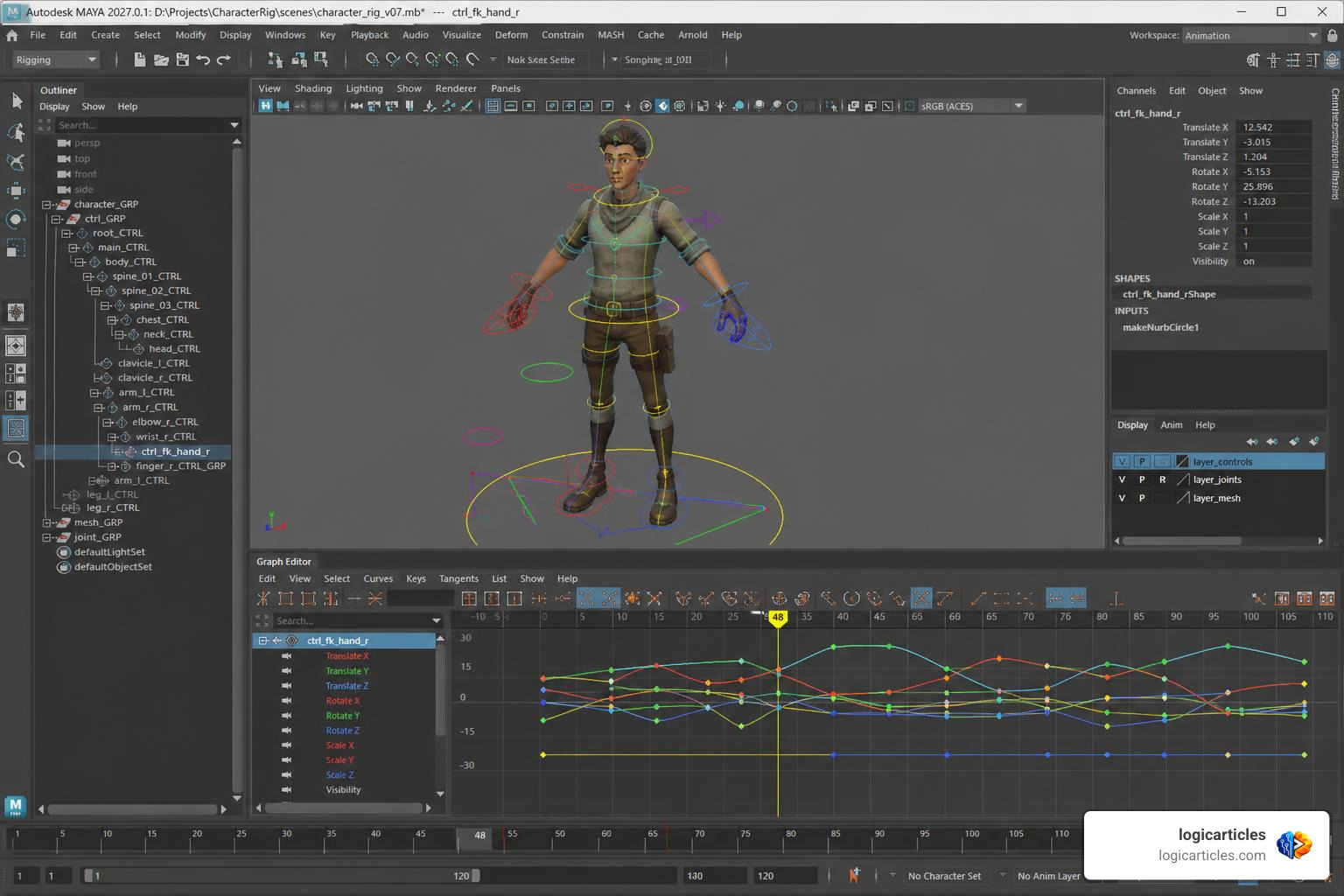
- Industry-Standard Rigging and Animation: Maya’s rigging and character animation toolsets are widely considered the best in the industry. It handles complex skeletal structures, facial rigs, and muscle systems with unmatched precision.
- Bifrost Procedural Framework: This visual programming environment allows artists to build physically accurate simulations (like explosions, smoke, water, and snowstorms) and custom procedural rigs.
- MotionMaker AI: Maya features directable AI tools like MotionMaker, which allows animators to quickly generate walk cycles, pre-visualization blocks, and background crowd animations, saving hundreds of hours of manual keyframing.
- Machine Learning Deformer: This tool uses machine learning to approximate complex character skin and muscle deformations in real-time, allowing animators to work without waiting for slow rig calculations.
Pricing & Licensing
Maya is a professional tool with a professional price tag. A standard subscription costs around $255 per month or $1,875 to $2,010 per year. However, if you make under $100k/year from your 3D work, you can qualify for Maya Indie, which is highly affordable at roughly $330 per year. Students and educators can also access free or deeply discounted educational licenses.
If you are ready to take the plunge into professional character animation, you can learn more and download a trial directly from the Autodesk Maya 2027 | Download & Buy Official Maya.
Cinema 4D for Motion Graphics
If your focus is on creating sleek commercial animations, broadcast design, or abstract visual art, Cinema 4D (C4D) by Maxon is the absolute best tool for the job. It is widely recognized as the king of motion graphics.
Key Features & Capabilities
- MoGraph Toolset: C4D’s MoGraph module is legendary. It allows designers to easily clone objects, apply complex procedural effectors, and create intricate, physics-driven animations with just a few clicks.
- Unmatched After Effects Integration: Thanks to the built-in Cineware bridge, Cinema 4D integrates seamlessly with Adobe After Effects. You can import 3D scenes directly into After Effects, modify them, and see changes update in real-time.
- Redshift Integration: Cinema 4D comes bundled with Redshift, a blazing-fast, production-ready GPU renderer that produces stunning, stylized, or photorealistic results.
Ease of Use
Cinema 4D is famous for having the gentlest learning curve among the major professional 3D packages. The interface is clean, logical, and designed to feel familiar to artists who already work with 2D design tools. C4D costs around $94 per month (billed annually), making it an excellent investment for freelance motion designers.
Autodesk 3ds Max for Architecture and Gaming
Autodesk 3ds Max is a powerhouse tool favored by 3D generalists, game developers, and architectural visualization (ArchViz) professionals. While Maya is designed around organic character animation, 3ds Max excels at hard-surface modeling, environment design, and structural rendering.
Key Features & Capabilities
- Smart Extrude & ReForm Retopology: 3ds Max features some of the best polygon modeling workflows available, allowing for rapid, non-destructive modeling and clean geometry generation.
- Extensive Plugin Ecosystem: 3ds Max is highly customizable. It supports industry-standard plugins like tyFlow (for particle physics and destruction simulations) and Forest Pack (for scattering massive environments).
- Arnold Renderer: Like Maya, 3ds Max includes Arnold, a highly accurate CPU/GPU renderer perfect for photorealistic architectural flythroughs and game cinematics.
If you specialize in structural design, game asset creation, or environmental modeling, you can check out subscription options at Autodesk 3ds Max 2027 | Download & Buy Official 3ds Max.
Unreal Engine 5 for Real-Time Animation
Originally built as a video game engine, Epic Games’ Unreal Engine 5 (UE5) has sparked a revolution in the animation and film industries. By rendering complex scenes in real-time rather than taking hours per frame, UE5 allows directors and animators to see their final shots instantly.
Key Features & Capabilities
- Lumen & Nanite: Lumen provides fully dynamic global illumination (lighting), while Nanite allows artists to import film-quality, highly detailed 3D models with millions of polygons without hurting performance.
- MetaHuman Creator: This cloud-based tool allows you to design highly realistic, fully rigged digital humans in minutes, which can then be animated using motion capture or manual keyframing.
- Virtual Production: UE5 is the backbone of modern virtual production pipelines, powering LED volume walls used in major Hollywood productions to project real-time digital environments behind actors.
Pricing Model
Unreal Engine is completely free to download and use. Epic Games only charges a 5% royalty on commercial products (like video games) once your title surpasses $1 million in lifetime revenue. For linear animation, films, and architectural visualizations, it is entirely free to use with no royalties.
Frequently Asked Questions about 3D Animation Software
What is the easiest 3D animation software for beginners?
If you are a complete beginner who has never touched 3D software before, jumping straight into Blender or Maya can feel overwhelming. Fortunately, there are several lightweight, highly accessible tools designed to help you learn the basics of 3D space:
- Tinkercad: A free, web-based tool by Autodesk designed for students and educators. It is incredibly simple and teaches you how to combine basic geometric shapes into 3D models.
- Spline: A collaborative, web-based 3D design tool that feels very similar to 2D design applications like Figma. It is perfect for web designers looking to add interactive 3D elements to websites.
- Mixamo: A free Adobe service that automatically rigs your 3D humanoid characters and provides a library of thousands of pre-made motion-capture animations (walks, jumps, dances) that you can export in FBX format.
To explore more beginner-friendly tools and discover the best way to kickstart your 3D journey, take a look at the comprehensive guide on Top 10 3D Animation Software for Beginners.
Can I create professional 3D animation for free?
Yes, absolutely! Blender is a professional-grade, fully featured 3D creation suite that is entirely free and open-source forever. There are no licensing fees, no subscription models, and no restrictions on using it for commercial projects.
Many independent filmmakers, game developers, and advertising agencies run their entire production pipelines solely on Blender. Additionally, you can pair Blender with other free tools like Unreal Engine 5 and Mixamo to build a world-class, zero-cost animation pipeline.
Do I need a powerful computer to run 3D animation software?
Yes. While simple tools like Tinkercad or Spline run smoothly inside a standard web browser on almost any modern laptop, professional 3D software requires a high-performance computer.
Here are the recommended hardware specifications for professional 3D animation:
- Processor (CPU): Intel Core i7/i9 or AMD Ryzen 7/9 (higher core counts improve simulation and CPU rendering speeds).
- Graphics Card (GPU): NVIDIA RTX 3060/4060 or higher with at least 8GB of VRAM (essential for fast GPU rendering and real-time engines).
- Memory (RAM): 16GB minimum, though 32GB to 64GB is highly recommended for handling heavy scenes and fluid simulations.
- Storage: A fast Solid State Drive (SSD) with at least 500GB of free space.
Conclusion
At the end of the day, there is no single “best” 3D animation software. The right tool is the one that aligns with your creative goals, career aspirations, and budget.
If you are a solo creator, a hobbyist, or just starting out, Blender is the logical choice. If you want to work in a major Hollywood VFX or game studio, invest your time in learning Autodesk Maya. If you love motion graphics and commercial design, Cinema 4D is your best bet. And if you are fascinated by real-time rendering and virtual production, start exploring Unreal Engine 5.
Remember: animation is a creative craft. The software is just a tool, and your skills as an artist matter far more than the program you use. Pick a tool, stick with it, and start creating!
For more reviews, marketing insights, and practical guides on the best digital tools on the market, Explore more digital tool guides on logicarticles.