Why Every HOA Needs the Right Management Software
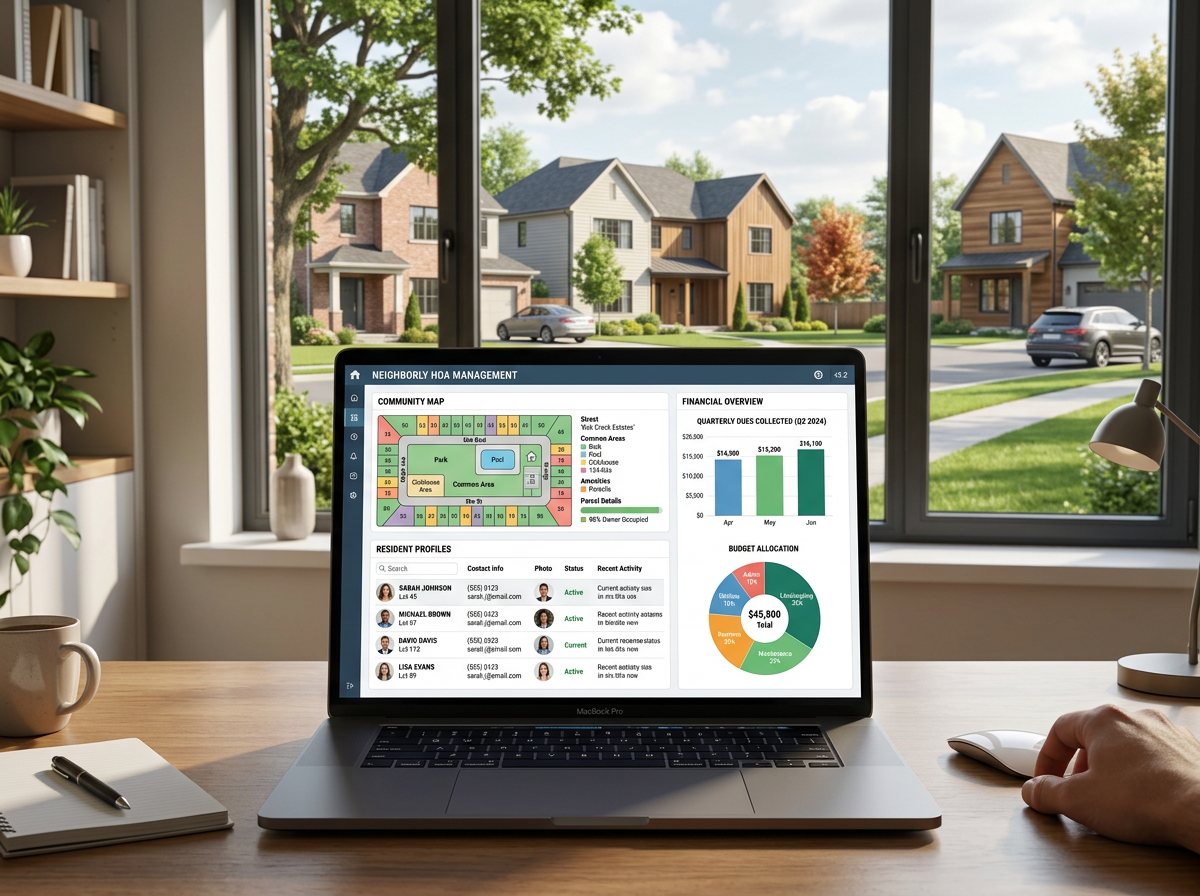
HOA management software is a digital platform that helps homeowners associations handle the day-to-day work of running a community — from collecting dues and tracking violations to storing documents and communicating with residents.
Quick answer: What is HOA management software?
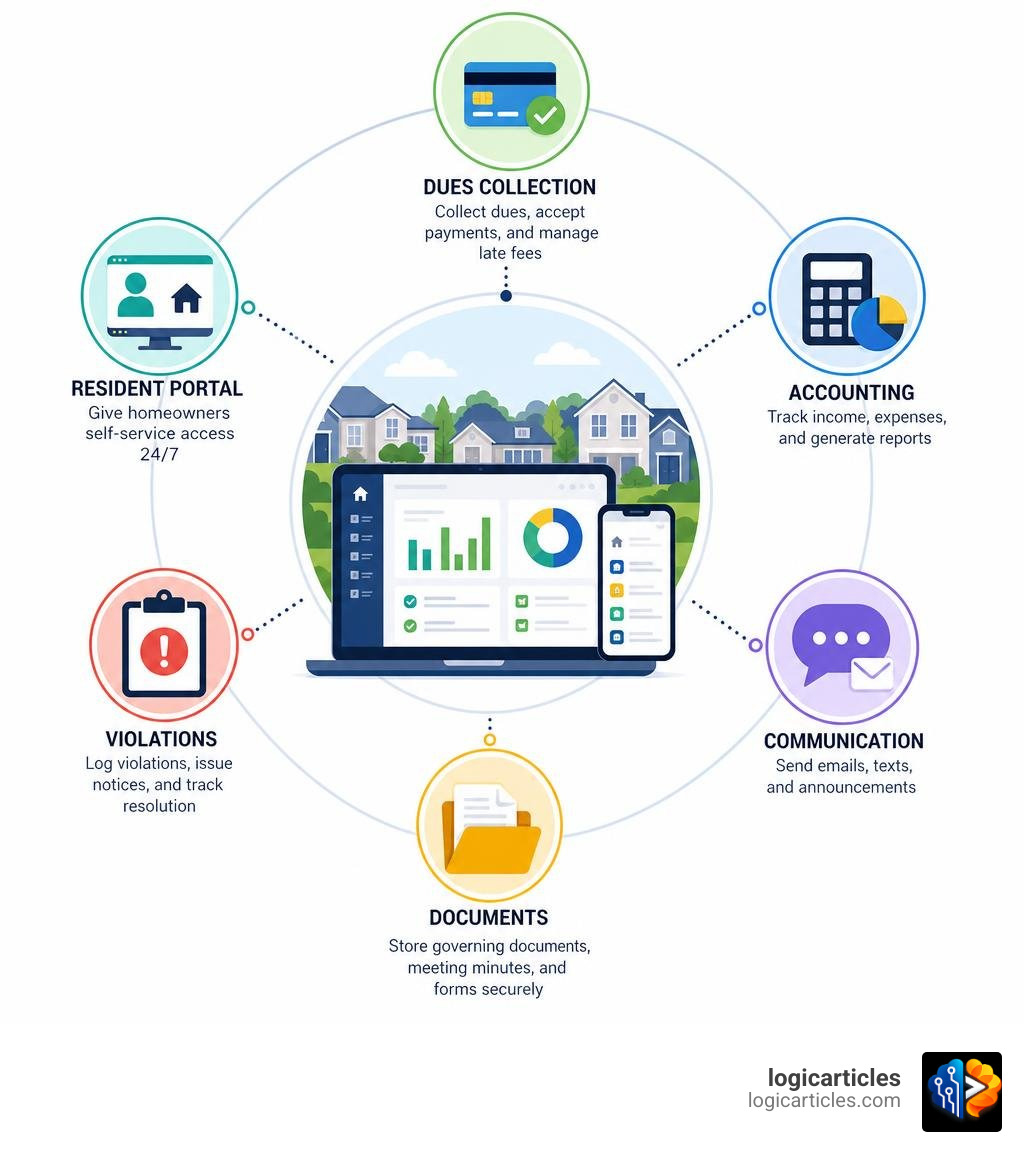
| Feature | What it does |
|---|---|
| Dues & payments | Automates invoicing, online payments, and late fees |
| Accounting | Tracks income, expenses, and generates financial reports |
| Communication | Sends emails, texts, and announcements to residents |
| Document storage | Keeps governing documents, meeting minutes, and forms in one place |
| Maintenance requests | Routes and tracks homeowner service requests |
| Violation tracking | Logs rule violations and manages notices |
| Resident portal | Gives homeowners self-service access 24/7 |
Most HOAs start out managing everything through spreadsheets, email threads, and group texts. It works — until it doesn’t. As communities grow, volunteer board members burn out trying to juggle finances, resident complaints, vendor coordination, and compliance all at once.
The right software changes that completely.
Whether your HOA is self-managed or works with a professional management company, purpose-built software brings everything under one roof. Around 30–40% of all HOAs are self-managed, meaning volunteer boards carry the full administrative load without professional support. That makes choosing the right tools even more critical.
This guide breaks down what HOA management software actually does, which platforms stand out in 2026, how pricing works, and how to pick the right fit for your community’s size and needs.
Understanding HOA Management Software and Its Core Benefits

When we look at the daily operations of a homeowners association, it quickly becomes clear that running a neighborhood is a lot like running a small municipality. You have budgets to balance, infrastructure to maintain, and rules to enforce. Trying to manage all of this using generic office software or paper files is a recipe for headaches and missed details.
Implementing dedicated hoa management software introduces structured, repeatable systems that save time and keep volunteer boards from burning out. Instead of manually tracking who paid their dues on a color-coded spreadsheet, the system handles invoicing, payment processing, and late-fee calculations automatically.
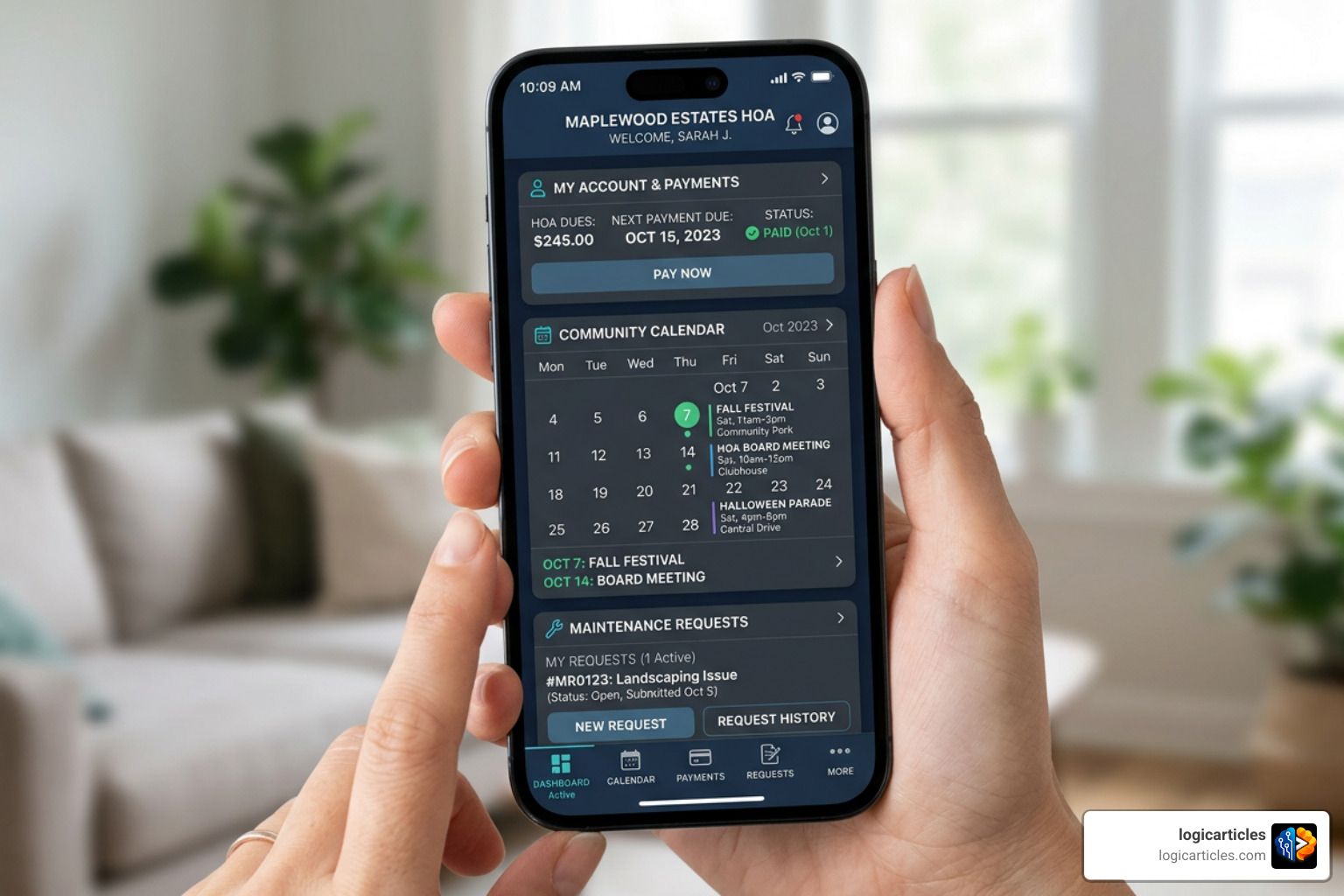
Another massive advantage is the boost in resident engagement. Modern homeowners expect the same digital convenience from their HOA that they get from their utilities or bank. Research shows that 79% of residents prefer to tour properties, renew leases, and submit maintenance requests through self-service digital tools. When you provide a central online portal, residents can pay their assessments, check the community calendar, and view governing documents on their own schedule, dramatically reducing the volume of routine phone calls and emails landing in board members’ inboxes.
Furthermore, centralized workflow automation ensures that tasks do not slip through the cracks. Whether it is a work order for a broken pool gate or an architectural request for a new fence, the software tracks the request from submission to board approval and vendor assignment. For larger operations looking at overall portfolio health, integrating these tools is a natural stepping stone toward broader systems like the Best Real Estate Portfolio Management Software In 2026 to keep all assets organized.
How HOA Management Software Differs from Property Management Tools
It is common to mistake general property management software for HOA-specific tools. However, they are built for entirely different business models.
Property management software is designed for landlords and rental operators. Its primary workflows revolve around tenant acquisition, lease agreements, rent collection, and unit turnover. The main goal is maximizing rental yield and managing landlord-tenant relationships. You can read more about these rental-centric workflows in our guide to the Best Rental Property Software.
In contrast, hoa management software is built around community governance, member management, and collective financial health. Instead of leases, it manages deed restrictions and covenant enforcement. Instead of rent, it manages recurring dues, special assessments, and reserve funds.
| Feature | HOA Management Software | Rental Property Management Software |
|---|---|---|
| Primary User | HOA Board Members, CAMs, Homeowners | Landlords, Property Managers, Tenants |
| Financial Focus | Member dues, reserve funds, annual budgets, collections | Rent collection, security deposits, owner disbursements |
| Core Workflows | Covenant enforcement (CC&Rs), architectural reviews (ARC) | Lease renewals, tenant screening, move-in/move-out lists |
| Decision Making | Democratic board voting, committee reviews, annual meetings | Unilateral landlord decisions, individual lease terms |
| Key Documents | Bylaws, CC&Rs, meeting minutes, subdivision plats | Lease agreements, rental applications, credit checks |
Key Features to Look For in HOA Management Software
Choosing the right platform requires looking past flashy marketing and focusing on core functionality. A complete platform should act as a single source of truth for the entire community.
First and foremost is specialized association accounting. Unlike standard business accounting, HOA accounting must support fund accounting (separating operating funds from reserve funds) and handle both cash and accrual reporting. It should also feature automated invoicing that writes directly to the general ledger when a payment is processed.
Second is covenant and violation tracking. Board members or managers need to be able to log violations on the go—ideally via a mobile app while walking the neighborhood—attach photos, and automatically generate warning letters with specific reference to the community’s bylaws.
Third is architectural request management (ARC/ACC). Homeowners wanting to paint their house or add a deck should be able to submit their plans online, track the approval status, and receive official board decisions without waiting for the next monthly meeting. To see how these features integrate into specialized association workflows, platforms like Software for HOAs | HOA Management Software | Condo Manager offer comprehensive tools designed to automate these exact processes.
Essential Tools for Professionally-Managed Portfolios
For professional community association management (CAM) companies, the software must be built for scale. Managing dozens or hundreds of associations requires enterprise-grade features that keep administrative costs low while maintaining high service standards.
Key features for professional portfolios include:
- Multi-Association Dashboards: The ability to switch between different communities instantly without logging out and back in.
- Advanced AI and Automation Workflows: Using AI agents to process invoices, flags, and draft communications automatically.
- Robust Banking Integrations: Direct lockbox integrations with HOA-specialist banks to clear thousands of payments seamlessly.
Leading enterprise platforms like Vantaca serve over 550 management companies and 6.5 million homes, helping firms double their portfolios without adding administrative staff. Similarly, Community Association Management Software – CINC Systems serves over 51,000 homeowners associations and 6 million doors, processing more than $11 billion in payments annually. These platforms are built specifically to handle complex financial operations and regulatory compliance at scale. If you are managing high-density residential properties, you might also want to explore our review of the Best Condo Management Software for specialized high-rise features.
Choosing the Right HOA Management Software for Self-Managed Communities
If your community is run entirely by volunteer board members, your software needs are very different from those of a professional management company. You do not need deep corporate banking integrations; you need a system that is incredibly easy to use, quick to set up, and won’t require a finance degree to operate.
For these communities, platforms like HOA Hub — HOA Management Software for Self-Managed Communities are ideal because they are designed for the everyday volunteer. They focus on removing friction and getting the board “out of the administrative weeds” so they can enjoy their weekends.
When evaluating software for a self-managed HOA, prioritize these features:
- Simple Onboarding: Look for platforms that offer dedicated setup assistance and simple CSV data imports so you can migrate your resident list in minutes.
- Intuitive Resident Portals: If the portal is too complicated, residents will ignore it and go back to texting you. Choose a clean, modern interface.
- Unified Messaging: The ability to send an announcement via email, text message, and physical mail simultaneously from a single dashboard.
- Transparent Pricing: Flat-rate or predictable per-unit pricing with no hidden setup fees or multi-year contract traps.
Evaluating Pricing Models and Cost vs. Value
When shopping for hoa management software, understanding the total cost of ownership is crucial. Software pricing generally falls into three main categories:
- Flat Monthly Fees: Best for small to mid-sized communities. For example, platforms like HOA Hub start at $59 per month for up to 50 properties, with all features included.
- Per-Unit, Per-Month (PUPM) Pricing: Common for larger communities and professional portfolios. Prices can range from $1.00 to $5.00 per unit per month, often with a minimum monthly spend (such as $100 to $150). For instance, HOA-I | AI-Powered HOA, Condo & Rental Property Management offers highly flexible pricing starting as low as $1.10 per home.
- Enterprise Custom Pricing: Designed for large management companies with custom integration, training, and support needs.
Beyond the base subscription, always ask about auxiliary costs. Are there setup or data migration fees? Does the platform charge extra for customer support or training? What are the payment processing fees for homeowners paying via credit card or ACH?
To determine the true ROI, weigh these costs against the hours saved. For example, Vantaca customers report saving over 750 hours monthly and over $10,000 in labor savings per department. Meanwhile, self-managed communities using tools like HOA Software | HOA Management Software | HOA Accounting – PayHOA —which is trusted by over 5,000 communities and boasts a 4.7/5 rating on Capterra—frequently report saving thousands of dollars per year by avoiding the high cost of hiring an outside management company.
Implementation and Adoption Best Practices
Transitioning to a new software platform can feel daunting, but a structured approach ensures a smooth rollout.
First, clean up your data before migrating. Do not import outdated spreadsheets with misspelled names or old balances. Dedicate a board meeting to auditing your resident list and financial ledger so you start with a clean slate.
Second, run a targeted resident onboarding campaign. Send physical letters, emails, and post signs at community entrances explaining why you are switching and how it benefits them (e.g., “Pay your dues in 30 seconds online!”).
Third, establish clear processes for your board. Assign specific roles within the platform—such as assigning the Treasurer to manage the bank sync and the Secretary to upload meeting minutes. If you want to keep your internal board tasks organized during the transition, check out our guide on the Best Task Management Software In 2026 Tested.
[Step 1: Clean Data] ──> [Step 2: Board Training] ──> [Step 3: Resident Launch] ──> [Step 4: Go Live]
To successfully adopt your new platform, follow these steps:
- Form an Implementation Committee: Assign one or two tech-savvy board members to lead the setup.
- Leverage Onboarding Support: Choose a provider that offers guided onboarding to help migrate your data and connect your bank accounts.
- Run a Pilot Program: Have board members and a few friendly neighbors test the resident portal first to catch any user-experience roadblocks.
- Enforce a Hard Cutoff Date: Give residents a clear deadline for when old payment methods (like mailing paper checks to the treasurer’s home) will no longer be accepted.
Frequently Asked Questions about HOA Software
What is the typical cost of software for a small HOA?
For smaller, self-managed HOAs (under 100 homes), software typically costs between $50 and $150 per month. Many platforms offer flat-rate pricing for small communities or highly affordable per-unit rates with a low monthly minimum. This small investment easily pays for itself by reducing paper, postage, and manual administrative work.
Can residents use the platform to submit architectural requests?
Yes, this is one of the most valuable features of modern HOA platforms. Residents can log into their secure portal, upload site plans, paint swatches, or contractor quotes, and submit their architectural review requests directly. The board or ARC committee can then review, discuss, and approve or deny the request directly within the system, maintaining a permanent digital record of the decision.
How does AI improve community association management?
Artificial intelligence is transforming how communities operate by automating repetitive administrative tasks. Modern platforms use AI for document intelligence—allowing residents to ask questions like “What are the rules for parking an RV?” and receive instant answers extracted directly from long PDF bylaws. AI also automates violation notice drafting, processes invoices, and provides predictive financial forecasting. To see these advanced features in action, check out HOA Alchemy — Modern Community Association Management Platform , which utilizes cutting-edge automated tools to streamline community workflows.
Conclusion
Embracing modern hoa management software is no longer just an administrative luxury; it is a vital step toward protecting property values and preventing volunteer burnout. By automating tedious financial tasks, streamlining maintenance workflows, and offering self-service portals, these platforms allow boards to focus on what truly matters: building a welcoming, thriving neighborhood.
Whether you are a self-managed board of volunteers or a professional management company looking to scale your business, there is a tailored software solution ready to simplify your operations.
Ready to discover more tools to optimize your real estate and management workflows? Explore more software guides on logicarticles.com to find the perfect technology stack for your needs.