Why Choosing the Right Accounting Software Can Make or Break Your Business

Knowing how to choose the right accounting software for your business is one of the most important financial decisions you’ll make. The wrong choice can leave your team drowning in manual workarounds, slow your month-end close, and create compliance headaches at the worst possible time.
Here’s a quick answer to help you decide:
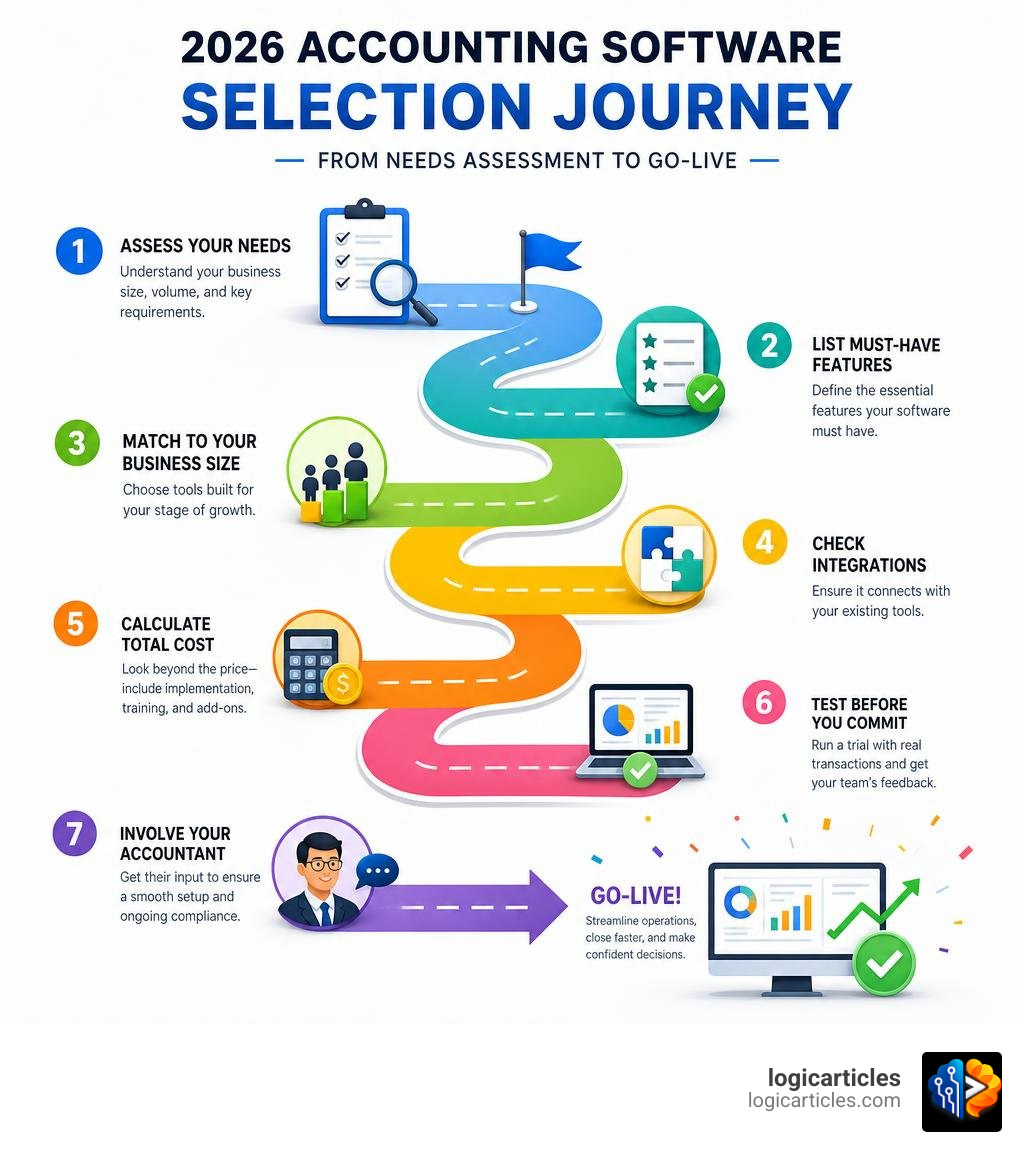
- Assess your needs — transaction volume, team size, invoicing frequency, payroll requirements
- List non-negotiable features — bank reconciliation, reporting, multi-currency, integrations
- Match software to your business size — freelancer tools vs. SMB platforms vs. mid-market ERPs
- Check integrations — confirm it connects with your CRM, payroll, and e-commerce tools
- Calculate total cost — include implementation, training, add-ons, and accountant time
- Test before you commit — run a 30-day trial with real transactions
- Involve your accountant — their preferred platform can save you money on fees
Get it right, and your books close faster, your reports are trustworthy, and your team has time for strategic work. Get it wrong, and you inherit a fragile setup that breaks under pressure.
Around 62% of small businesses adopt accounting software specifically to reduce manual processing time. Yet 54% of finance professionals still struggle to produce trustworthy reports for stakeholders. That gap exists largely because businesses pick software for the wrong reasons — lowest price, brand recognition, or a polished demo.
This guide cuts through the noise with a practical, step-by-step framework to find the software that actually fits your business.
Bookkeeping Software vs. Advanced Financial Management ERPs
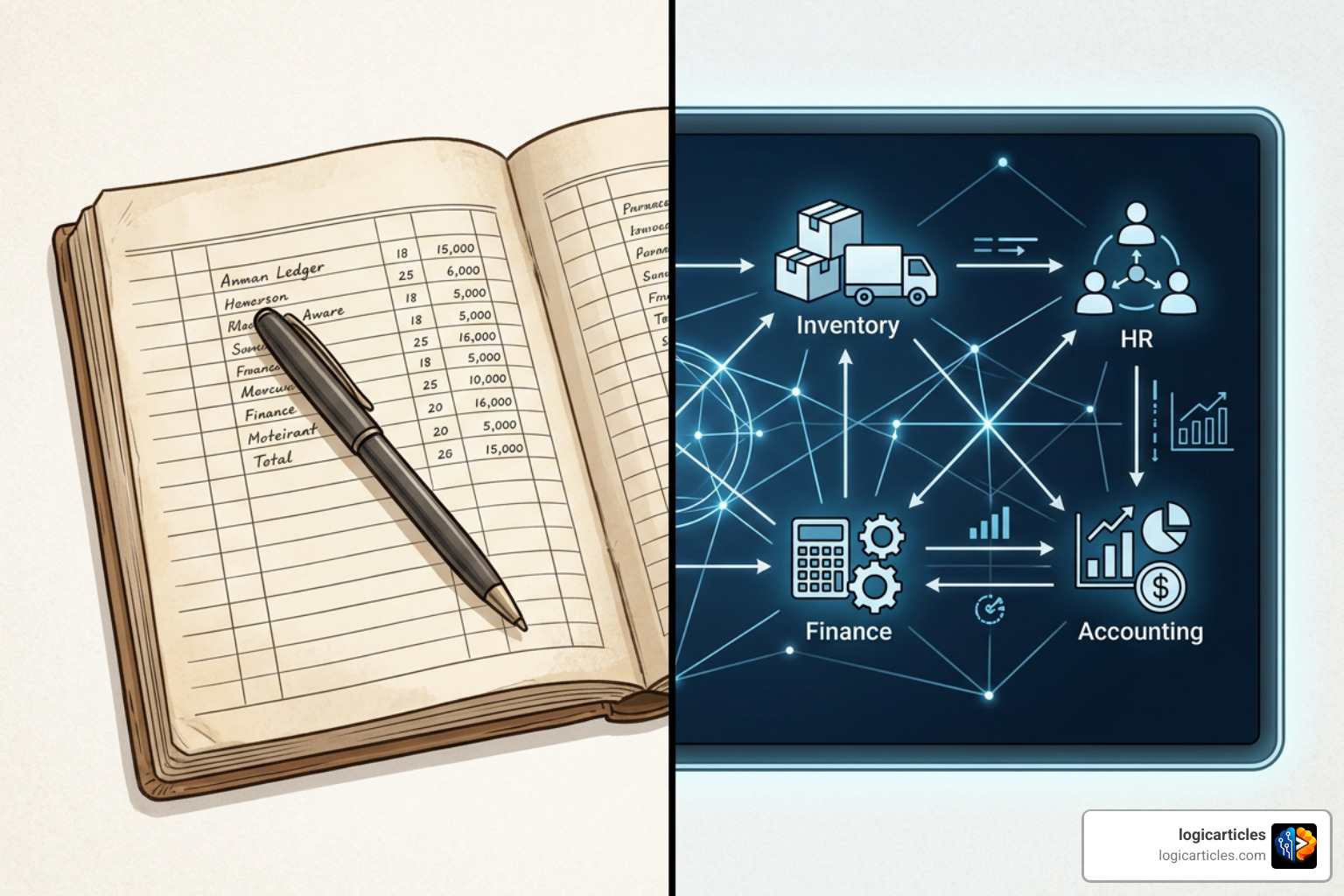
Understanding the distinction between entry-level bookkeeping tools and advanced financial management systems (or Enterprise Resource Planning – ERP platforms) is the first step toward making a smart investment.
At its core, basic bookkeeping software is designed to record transactions. It handles the fundamentals: tracking income and expenses, sending simple invoices, and connecting to bank feeds. This is often the perfect starting point for freelancers, solo founders, and early-stage startups.
However, as an organization expands, its financial needs shift from simple record-keeping to complex financial management. An ERP or advanced financial management platform wraps core accounting into a broader operational ecosystem. It integrates inventory control, procurement, human resources, and customer relationship management (CRM) into a single, unified database.
According to APQC benchmarking, the median month-end close takes 6.4 calendar days, while bottom-quartile organizations (often relying on disjointed bookkeeping software and manual spreadsheets) need 10 or more days to close the books. If your team is spending days rekeying data across different systems, basic bookkeeping software is no longer enough.
To help visualize this transition, we’ve broken down the key differences:
| Feature/Capability | Basic Bookkeeping Software | Advanced Financial Management / ERP |
|---|---|---|
| Primary Focus | Recording past transactions, simple invoicing | Real-time financial planning, operations, forecasting |
| Data Consolidation | Manual exports, heavy spreadsheet dependency | Automated multi-entity consolidation, single source of truth |
| User Roles & Controls | Basic access, limited segregation of duties | Advanced audit trails, customizable role-based permissions |
| Integrations | Simple app-store connections, batch syncing | Real-time API sync across all business departments |
| Best For | Freelancers, single-entity SMBs | Mid-market businesses, multi-entity enterprises |
If your business is still small but you want to ensure your leadership team has the right analytical tools from day one, you can explore the Best CFO Software Tools for Small Business to bridge the gap between simple ledger tracking and high-level strategic planning.
When to Upgrade Your Current Accounting System
Knowing when to migrate to a more robust platform is critical. If you wait too long, your growth will be choked by administrative bottlenecks. We recommend upgrading when you experience one or more of the following triggers:
- The Spreadsheet Trap: Spreadsheets are still used by 30% of finance and accounting professionals as their primary performance modeling tool. If your team spends more time formatting Excel exports than analyzing financial data, it’s time to upgrade.
- Delayed Closings: If your month-end close regularly takes longer than three to five days due to manual reconciliations, your current system is failing you.
- Multi-Entity Expansion: The moment you open a second legal entity, establish an international subsidiary, or need to manage intercompany transactions, basic platforms will break. Manual consolidation is a recipe for compliance errors.
- Audit and Compliance Fears: If you are preparing for external audits, venture capital funding, or must comply with strict revenue recognition standards, you need a system with locked audit trails and robust internal controls.
To see how modern platforms are adapting to these needs in the current year, check out our review of Busy Accounting Software 2026 for insights into mid-market accounting capabilities.
A Step-by-Step Framework on How to Choose the Right Accounting Software for Your Business
Selecting software shouldn’t feel like a guessing game. To make a decision you won’t regret in 12 months, we recommend following a structured, objective evaluation framework.

- Step 1: Document Your Current Workflows and Pain Points. Interview your daily users—your bookkeeper, accountant, and operations lead. Where are the bottlenecks? Are invoices being coded incorrectly? Is payroll data delayed?
- Step 2: Create a Weighted Scorecard. Write down your must-have, nice-to-have, and unnecessary features. Weight your must-haves doubly to ensure you don’t get distracted by flashy, non-essential features during vendor demonstrations.
- Step 3: Evaluate 2 to 3 Options Side-by-Side. Never look at just one platform. Compare options based on ease of use, native integration, compliance, and total cost of ownership. You can find excellent guidance on structuring this search in the How to Choose Accounting Software (2026 Guide).
- Step 4: Run a Trial with Real Transactions. Don’t just click through a sandbox with pre-loaded sample data. Upload twenty of your actual vendor invoices, run a mock payroll cycle, and generate a profit and loss statement to see how the system handles your daily workflows.
Aligning Your Industry and Billing Model: How to Choose the Right Accounting Software for Your Business
A common mistake is choosing a platform based purely on brand popularity without considering industry fit. A retail business with complex physical inventory needs entirely different software than a professional services firm billing by project milestones.
For instance, e-commerce and retail businesses require real-time inventory syncing, multi-location tracking, and automated cost-of-goods-sold (COGS) calculations. Service-based businesses, on the other hand, prioritize time-tracking, project profitability metrics, and flexible retainer billing.
If you operate in highly specialized sectors, generic software will require expensive, custom workarounds. For example, construction businesses must look for specialized progress billing and job costing features, which you can explore in our guide on the Best Construction Financial Management Software. Similarly, real estate syndicators and developers should read about Real Estate Investment Accounting Software to manage property-specific ledgers and investor distributions.
To dive deeper into matching your platform to your industry, consult the Accounting Software Evaluation Framework: How to Pick the Right Platform for Your Industry – Square Accounting.
Scalability and Multi-Entity Capabilities for Growing Enterprises
If you plan to grow your business over the next 24 months, scalability must be a hard filter. Cloud-based accounting solutions now represent roughly 59-67% of deployments across SMBs, with AI features driving over 60% of new adoption decisions. This shift is driven by the need for real-time collaboration and flexible scaling.
For businesses expanding through multiple divisions, subsidiaries, or geographical locations, multi-entity capabilities are non-negotiable. Look for software that offers:
- Automated Consolidations: The ability to aggregate financial data across all entities with a single click, eliminating manual spreadsheet roll-ups.
- Intercompany Transactions: Automated balancing of accounts when entities buy, sell, or transfer assets between one another.
- Multi-Currency Support: Live exchange rate integration and automated calculation of realized and unrealized foreign exchange gains or losses.
This level of scalability is particularly critical for complex investment structures. If you are managing a family office or a diverse portfolio, refer to our analysis of the Insurance Investment Accounting Software market to see how multi-entity tracking scales under institutional demands.
Integrating Your Tech Stack for Maximum Efficiency
Your accounting software should not live on an isolated digital island. It sits at the center of your operational tech stack. When evaluating platforms, verify native, two-way integrations with your existing tools:
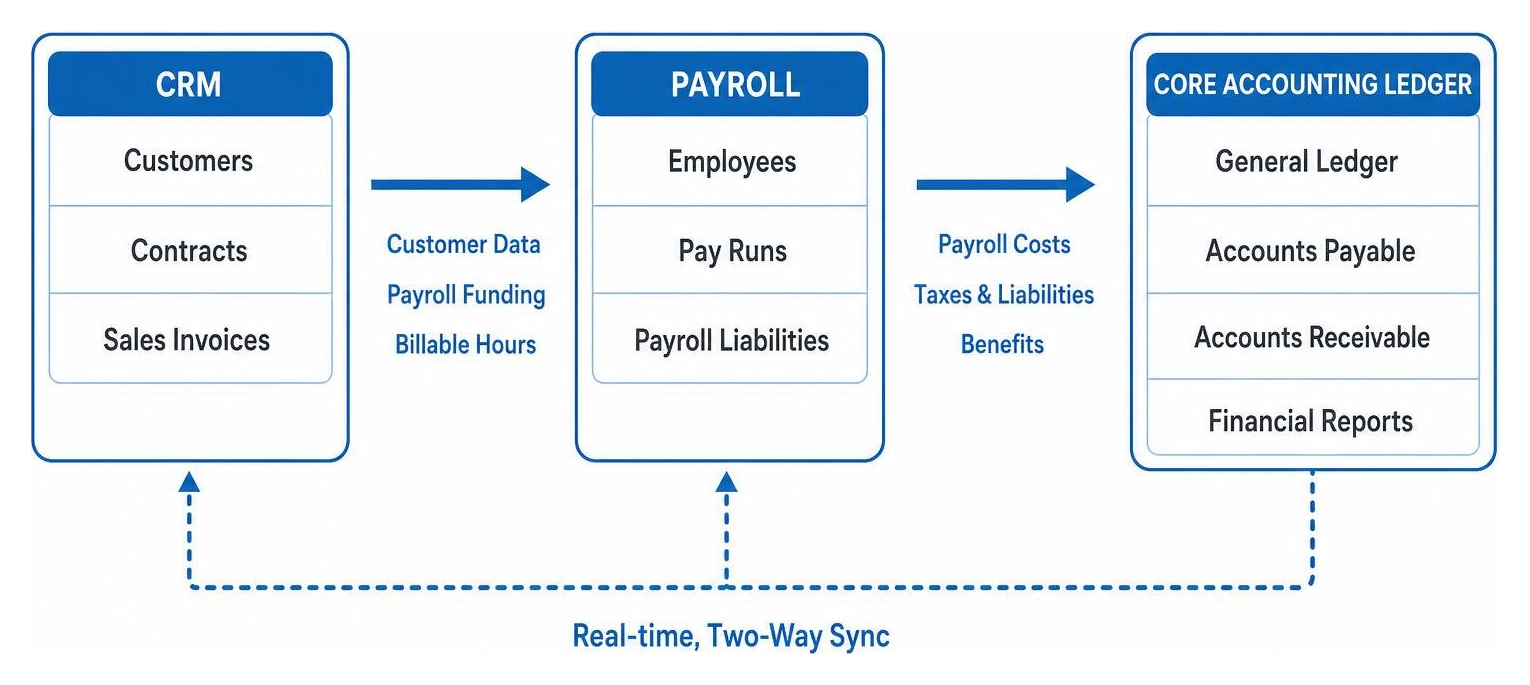
A real-time sync prevents manual data rekeying, which dramatically reduces human error. When integrations fail or rely on manual CSV uploads, your close process slows down, and data trust evaporates. Be sure to ask vendors: Does this integration sync in real-time, or does it batch-process overnight? What is the recovery process when an integration breaks?
For a deeper dive into structuring your selection process around these operational integrations, review How Small Businesses Choose the Right Accounting Software (Step-by-Step Guide) – The Accounting Playbook.
Security, Compliance, and Financial Controls
With financial fraud and cyber threats on the rise, security is a foundational requirement, not an afterthought. A clean user interface means nothing if the system’s underlying compliance reporting and data security are weak.
When vetting accounting software, ensure the vendor meets these strict security and internal control standards:
- SOC 1 & SOC 2 Compliance: Independent third-party audits verifying that the software provider maintains rigorous controls over data security and financial reporting.
- Data Encryption: Bank-grade AES 256-bit encryption for data both in transit and at rest.
- Role-Based Access Controls (RBAC): The ability to restrict user permissions. Your sales team shouldn’t see your balance sheet, and your accounts payable staff shouldn’t have the power to approve their own payments.
- Automated Audit Trails: A permanent, unalterable log of every transaction—showing exactly who created, edited, or deleted an entry and when.
Compliance also extends to complex accounting standards. If your business manages significant commercial leases, you must ensure your platform can handle compliance with lease standards like ASC 842. You can learn more about specialized tools for this in our review of the Best ASC 842 Lease Accounting Software Solutions.
Calculating the True Cost of Ownership vs. Cost of Inaction
Many business owners make the mistake of comparing software options based solely on the advertised monthly subscription price. The true Total Cost of Ownership (TCO) is much broader.
To calculate TCO accurately over a three-year period, you must factor in:
- Implementation Fees: The cost of data migration, system configuration, and setting up your chart of accounts.
- Training and Onboarding: Squeezing your training budget is a primary driver of poor software adoption. Plan to allocate 15% to 20% of your total project budget to training your team.
- Add-on Modules: Features like payroll processing, advanced inventory, multi-currency, and additional user licenses that are rarely included in the base price tier.
- Accountant Premium Fees: If you choose an obscure platform that your CPA doesn’t support, they will charge you hourly premiums to manually convert and format your financial files at year-end.
Conversely, you must weigh this against the Cost of Inaction (COI). What is it costing your business to keep your current, broken system?
Calculate the hours your team wastes on manual data entry, the cost of delayed strategic decisions due to out-of-date reports, and the financial risk of compliance penalties. Often, the cost of staying on a legacy system or manual spreadsheets is far higher than the investment in modern, automated software.
For organizations managing complex assets or investment funds, calculating these costs is even more critical. You can read our guide on Investment Accounting Software to understand how specialized systems reduce administrative overhead and improve reporting accuracy.
To structure this financial evaluation, we highly recommend reading A step-by-step guide to choosing the right accounting system for your organization – Abdo, which outlines how to secure leadership buy-in and run a detailed cost-benefit analysis.
Common Pitfalls and Red Flags in Software Selection
Choosing accounting software can feel overwhelming, and it’s easy to fall into traps set by clever marketing and polished sales demos.
The most common decision mistake is overcomplicating your needs. It is easy to buy a massive, enterprise-level ERP because you plan to grow, only to find that your team is completely baffled by the complex interface. Squeezing your implementation timeline is another major pitfall; a rushed deployment is the number-one cause of system failure and buyer’s regret.
Red Flags to Avoid When Learning How to Choose the Right Accounting Software for Your Business
As you research and speak with software vendors, keep an eye out for these critical red flags:
- Rigid Workflows and Lack of Customization: If a vendor tells you that you must completely change your fundamental business model to fit their software’s rigid database structure, walk away.
- Heavy Reliance on Manual CSV Uploads: If a platform claims to “integrate” with your tools but actually requires you to manually export and import CSV files every week, that is not a true integration.
- Limited or Outdated Reporting: 54% of finance professionals state they lack high-quality cost and profitability reporting. If a platform’s report templates look like they were designed in 2009 and cannot be customized, it will limit your strategic growth.
- Unclear Support Commitments: If a vendor’s customer support response times are measured in business days rather than hours, your finance team will be left stranded when a critical payment fails on a Friday afternoon.
For a comprehensive strategic look at avoiding these long-term software regrets, read the guide How to Choose Accounting Software You Won’t Regret in 12 Months | AccountsIQ.
Frequently Asked Questions about Accounting Software
What is the difference between accounting software and an ERP?
Accounting software focuses primarily on core financial ledger entries, invoicing, bank reconciliation, and basic tax reporting. An ERP (Enterprise Resource Planning) system integrates these accounting functions with operational modules like inventory management, supply chain, HR, and CRM into a single, shared database. To understand if your business is ready for this transition, read How to Choose an ERP System: A Step-by-Step Selection Framework | DualEntry.
How long does it take to implement new accounting software?
Implementation timelines depend heavily on the complexity of your business. A simple, cloud-based setup for a small business can be operational in a day or two. Historical data migrations involving 12+ months of transactions typically take one to three weeks. Mid-market ERP deployments are much more intensive, often taking three to six months to configure, test, and launch successfully.
Does my accountant need to use the same software platform?
While it is not strictly mandatory, it is highly recommended. Most CPAs and bookkeepers specialize in specific platforms. If you use a system they are familiar with, they can log in directly to perform year-end adjustments, reconcile complex accounts, and pull tax reports, saving you thousands of dollars in manual communication and hourly administrative fees.
Conclusion
At logicarticles, we believe that choosing your financial platform is not just an administrative chore—it is a strategic growth decision. The right software acts as the financial engine of your business, turning raw transaction data into real-time, actionable insights that drive financial accuracy and operational efficiency.
By taking the time to map your current workflows, involve your accountant, calculate the true total cost of ownership, and rigorously test platforms with real transactions, you can avoid costly migration mistakes and set your business up for long-term success.
Ready to explore your options and find the perfect tools for your business? Explore the Best Software Categories to compare top-tier solutions across every industry and business size.