Why Businesses With Multiple Locations Need Smarter Employee Scheduling

Employee scheduling software for multiple locations is the fastest way to stop managing shifts through spreadsheets, group texts, and phone calls across sites.
Modern scheduling platforms offer a variety of features tailored to different business needs. When evaluating your options, you will want to consider how different platform types handle key operational challenges:
| Platform Type | Best For | Key Benefit |
|---|---|---|
| All-in-One Platforms | Comprehensive workforce management | Centralized tracking and payroll integration |
| Mobile-First Apps | Frontline and remote teams | High adoption rates and instant communication |
| Industry-Specific Tools | Restaurants and retail | Specialized compliance and sales forecasting |
Running two locations is twice the work. Running ten shouldn’t be ten times the work — but without the right tools, it often is.
Managers end up driving between sites, chasing down attendance records, and piecing together schedules from disconnected systems. Some locations are understaffed and customer service suffers. Others are overstaffed and you don’t find out until the wage bill arrives.
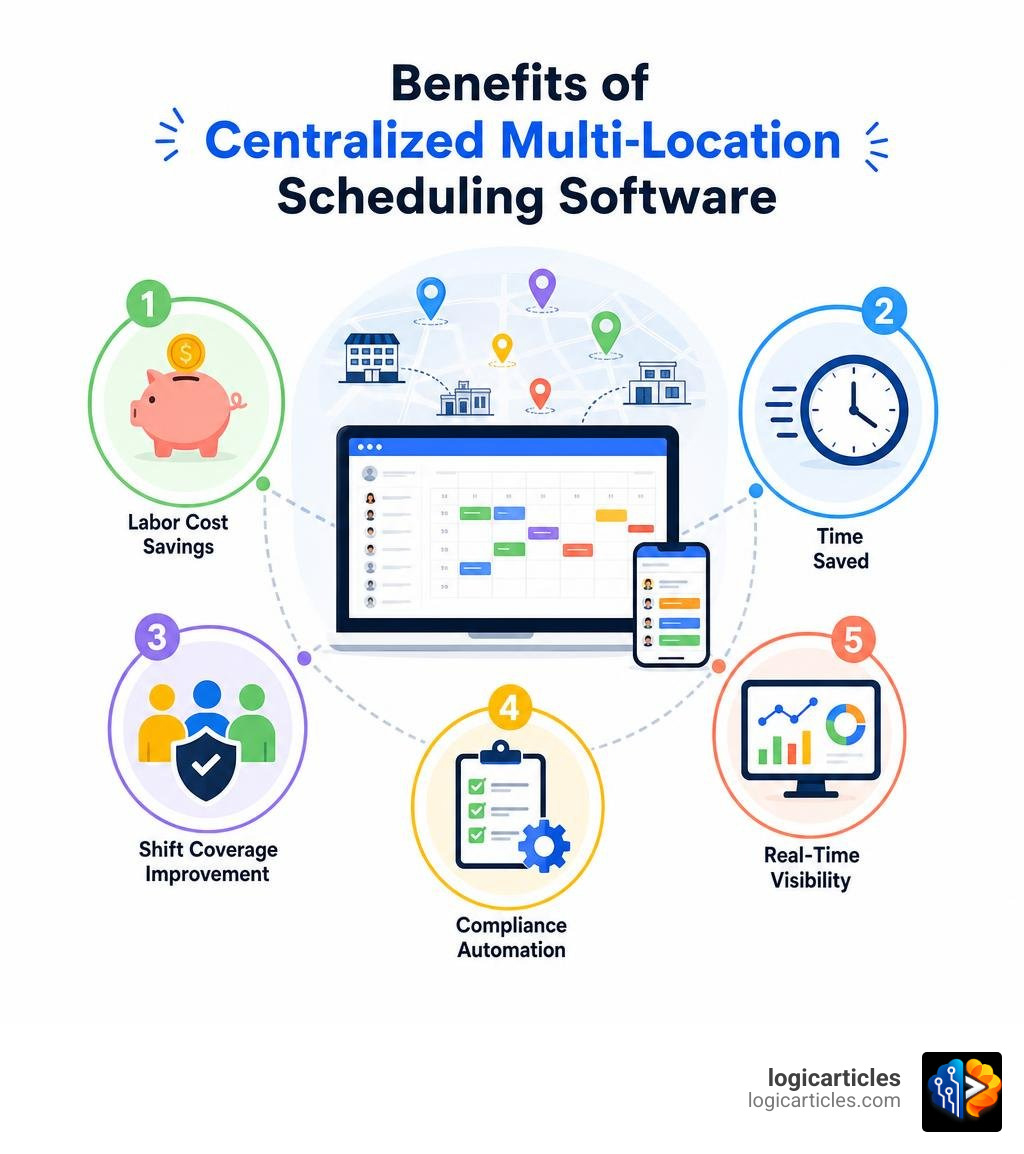
The numbers tell the story clearly. Businesses using multi-location scheduling software report up to a 30% reduction in labor costs through better visibility and overtime control. Teams save an average of 14 hours per week on schedule creation alone. And companies see a 25% improvement in shift coverage and fewer no-shows.
This guide breaks down the features that matter most, and helps you choose the right solution for your business size and industry.
The Challenges of Managing Schedules Across Multiple Sites
When we manage a single storefront, warehouse, or clinic, scheduling is relatively straightforward. We know who is on the floor, who is running late, and when we are over-budget. But the moment we open a second, third, or tenth location, those simple workflows break down.
The most common hurdle is the severe communication gap that develops between sites. Without a unified system, general managers end up operating in regional silos. One store manager might be desperately short-staffed on a Saturday afternoon, completely unaware that a sister location just three miles away has two qualified employees sitting at home hoping for extra hours.
Labor forecasting also becomes an uphill battle. If we cannot view real-time sales and foot traffic data alongside our scheduled hours across every site, we cannot make proactive adjustments. This leads to costly shift coverage gaps, burned-out staff, and inconsistent customer service. Fortunately, using modern multi-location management solutions allows us to view all of our branches from a single dashboard, replacing general manager phone trees with automated, real-time data.

Overtime Accumulation and Labor Cost Control
One of the quickest ways to drain our bottom-line profitability is unapproved, accidental overtime. When employees work across multiple locations, tracking their cumulative hours is incredibly difficult using paper or localized spreadsheets.
For example, if an employee works a six-hour shift at Location A on Monday and another six-hour shift at Location B on Tuesday, different managers might schedule them without realizing they are rapidly approaching the 40-hour weekly threshold.
Modern platforms solve this by offering centralized overtime alerts. If a manager attempts to schedule an employee for a shift that will push them into overtime – regardless of which location they are working at – the system flags the conflict instantly. Integrating this scheduling logic with dedicated Time Attendance Software ensures that every worked hour is automatically tracked and cross-referenced against our central labor budget before the weekly payroll is run.
Compliance and Regional Labor Laws
As our business expands across city, county, or state lines, we suddenly have to navigate a complex web of varying labor regulations. What is perfectly legal in one city might result in heavy compliance fines just a short drive away.
Predictive scheduling laws, such as Fair Workweek regulations, require us to give employees their schedules up to 14 days in advance, with penalty pay required for last-minute changes. Other regions enforce strict mandatory rest breaks or “clopen” restrictions, which prevent us from scheduling an employee to close a store late at night and open it early the next morning. For a baseline understanding of federal wage and hour requirements in the United States, the U.S. Department of Labor provides an overview of the Fair Labor Standards Act.
Manually tracking these rules across fifty different employees is a recipe for disaster. Using robust enterprise workforce management systems allows us to configure location-specific compliance profiles. The platform automatically flags rest-break violations, predictive scheduling issues, and regional overtime rates based on where the shift is physically located.
Key Features of Employee Scheduling Software for Multiple Locations
To successfully coordinate a distributed team, we need more than a basic calendar app. We need a system built specifically to handle geographic separation. The ideal platform provides a centralized dashboard that gives headquarters complete visibility, while still offering local managers the flexibility they need to run their daily operations.
Role-based permissions are crucial here. They ensure that store-level managers can edit their own local rosters, while district managers can view regional labor data, and executives can monitor company-wide financial metrics.

By deploying multi-location management software, we can standardize our operational workflows company-wide, ensuring that every branch follows the same scheduling templates, communication protocols, and labor budgets.
Core Capabilities of Employee Scheduling Software for Multiple Locations
When reviewing employee scheduling software for multiple locations, several non-negotiable features must be on our checklist:
- Geofencing & GPS Clock-Ins: This feature prevents “buddy punching” (where one employee clocks in for another) by creating a virtual boundary around each physical location. Employees can only clock in via their mobile app if they are physically within the designated geofenced radius.
- Location-Based Rules: The ability to assign distinct pay rates, shift templates, and operational hours to different sites.
- Cross-Site Scheduling: A feature that allows qualified employees to view and claim open shifts at any location they are certified to work at, automatically preventing double-booking.
For businesses in the hospitality space, combining these core capabilities with specialized Restaurant Scheduling Software makes it easy to manage front-of-house and back-of-house roles across multiple venues without losing track of daily labor-to-sales ratios.
Automation and AI-Powered Forecasting
Why spend hours dragging and dropping shifts when artificial intelligence can do it in seconds? Modern scheduling platforms use historical data to automate the entire planning process.
AI-powered demand forecasting integrates directly with our Point of Sale (POS) systems and weather feeds to predict how busy each location will be on any given day. The auto-scheduling tool then automatically builds the optimal schedule, matching open shifts with employees based on their availability, preferred hours, certifications, and labor cost rules.
This level of automation ensures we are never over-staffed during a quiet afternoon or under-staffed during a holiday rush. If you want to see how these automated workflows fit into your broader business operations, check out our guide on the Best Task Management Software In 2026 Tested.
How Multi-Site Scheduling Software Controls Labor Costs and Compliance
At its core, investing in a multi-site scheduling platform is about protecting our margins. Labor is typically the highest operating expense a business faces. By optimizing our shift coverage and eliminating human error from the scheduling equation, we can immediately reduce unnecessary overhead.
Self-service shift swaps are a perfect example of this efficiency. Instead of a manager spending hours on the phone trying to fill a sudden vacancy, an employee can post their shift to an digital marketplace. Qualified team members from any location can bid to cover it, and the system automatically approves the swap—provided it doesn’t trigger overtime or violate rest laws.
To see how these cost-control measures scale across different environments, you can read more about workforce management for multi-location businesses. If you operate in a high-volume service setting, you might also find our analysis of the Best Workforce Management Software For Call Centers incredibly helpful for managing complex shift patterns.
Standardizing Operations Across Franchises
For franchise owners, maintaining consistency across multiple locations is the ultimate goal. If customer service or operational quality drops at one location, it reflects poorly on the entire brand.
Multi-location scheduling software helps us standardize our operational checklists across every franchise location. Managers can build digital checklists that require opening and closing staff to complete specific tasks—such as uploading photos of food displays or recording refrigerator temperatures—directly inside the scheduling app.
Using multi-location restaurant management tools ensures that whether a customer walks into our franchise in New York or our franchise in Los Angeles, they receive the exact same high-quality experience.
Integrating with Payroll and POS Systems
A scheduling tool that doesn’t talk to your other systems is only half a solution. To unlock true efficiency, we must integrate our scheduling platform with our Point of Sale (POS) and HR systems.
When we sync our POS data, the scheduling software can pull real-time sales numbers directly into our manager dashboard. This allows us to track our labor cost percentage in real time, making immediate adjustments if sales are lower than projected.
Furthermore, integrating scheduling with our payroll provider (like Gusto, QuickBooks, or ADP) means timesheets are automatically verified, rounded according to our company policies, and sent off for processing with a single click. To find the best core systems to link with your scheduling tools, take a look at our review of the Best Hr Software For Small Businesses.
Evaluating and Choosing the Best Platform for Your Business
With so many excellent options on the market in 2026, choosing the right platform requires a clear understanding of our specific business needs. A twenty-location restaurant group requires vastly different features than a construction company with crews moving between dynamic job sites daily.
We must evaluate how easily the software scales as we add new locations, how intuitive the mobile app is for frontline employees, and how quickly our team can adopt the new system without experiencing operational downtime.
To help you make the right choice, let’s compare the operational pros and cons of using a pre-built SaaS scheduling platform versus investing in a custom-built, enterprise-grade multi-location solution:
| Feature | Off-the-Shelf SaaS Platforms | Custom-Built Multi-Location Systems |
|---|---|---|
| Upfront Cost | Low monthly subscription fee | High initial development investment |
| Setup Time | Days to weeks | Months of custom development |
| Customizability | Limited to built-in settings and toggles | 100% tailored to your specific workflows |
| Scalability Fees | Increases per user or per location | Zero per-user or per-location fees |
| Integrations | Pre-built APIs for popular systems | Custom-coded integrations for any legacy software |
How to Evaluate Employee Scheduling Software for Multiple Locations
When we begin our software evaluation process, we should always take advantage of free trial periods and custom demos. We recommend testing the platform with a small pilot group—such as two of our most active locations—before rolling it out company-wide.
During the trial, pay close attention to the mobile app’s user experience. If our frontline employees find the app confusing or difficult to navigate, adoption rates will plummet, and our scheduling issues will persist.
To explore how growing teams successfully navigate this transition, check out the resources available on multi-location scheduling for growing teams.
Frequently Asked Questions about Multi-Site Scheduling
Can employees work across different locations without scheduling conflicts?
Yes! High-quality multi-location scheduling platforms use a single, centralized database. This means that if an employee is scheduled for a shift at Location A, the system will automatically block them out as unavailable for any overlapping shifts at Location B, completely eliminating double-booking errors.
How does geofencing work for multi-location clock-ins?
Geofencing uses the GPS chip inside your employees’ smartphones. When we set up our locations in the software, we define a virtual radius (for example, 100 meters) around the site’s physical address. When an employee opens their app to clock in, the software verifies their GPS coordinates. If they are outside the geofence, the app will prevent them from clocking in and prompt them to try again once they arrive on-site.
Can we set different compliance rules for different locations?
Absolutely. This is one of the primary benefits of using dedicated multi-site scheduling software. We can configure specific compliance rules (such as overtime thresholds, mandatory rest break durations, and predictive scheduling penalties) on a location-by-location basis, ensuring we always remain fully compliant with local, state, and federal labor laws.
Conclusion
Managing schedules across multiple locations doesn’t have to be a logistical nightmare. By moving away from manual spreadsheets and adopting modern, automated scheduling tools, we can regain complete visibility over our entire workforce, slash our administrative overhead, and keep our labor costs strictly under control.
Whether you run a handful of local boutiques or a national franchise network, the right scheduling platform will scale alongside your business, giving your managers the tools they need to succeed and your employees the flexibility they deserve.
Are you ready to streamline your operations and unlock new levels of organizational efficiency? Explore our latest strategies to Boost Your Team’s Productivity and take your business to the next level today!