Why Time and Attendance Software Is Essential for Modern Businesses

Time and attendance software is a digital system that automatically tracks when employees start and stop work, manages leave requests, and feeds that data directly into payroll — eliminating the need for manual timesheets.
Quick answer:
| What it does | Why it matters |
|---|---|
| Records clock-ins and clock-outs digitally | Eliminates manual timesheet errors |
| Tracks overtime, breaks, and PTO | Keeps you compliant with labor laws |
| Integrates with payroll systems | Reduces payroll processing time by up to 50% |
| Supports mobile, biometric, and GPS tracking | Works for remote, field, and office teams |
| Generates attendance and labor cost reports | Gives managers real-time workforce visibility |
If you manage hourly employees, hybrid teams, or multiple locations, manual tracking simply doesn’t cut it anymore.
The numbers tell a clear story. Businesses using automated time tracking can reduce payroll errors by up to 80% and save an average of 5-10 hours per week on admin tasks. Over 70% of HR professionals report better labor law compliance after switching to a dedicated system.
Yet many businesses are still relying on spreadsheets, paper timesheets, or punch cards — leaving them exposed to costly errors, time theft, and compliance risks.
This guide covers everything you need to know: how these systems work, which features matter most, what they cost, and how to pick the right one for your team.
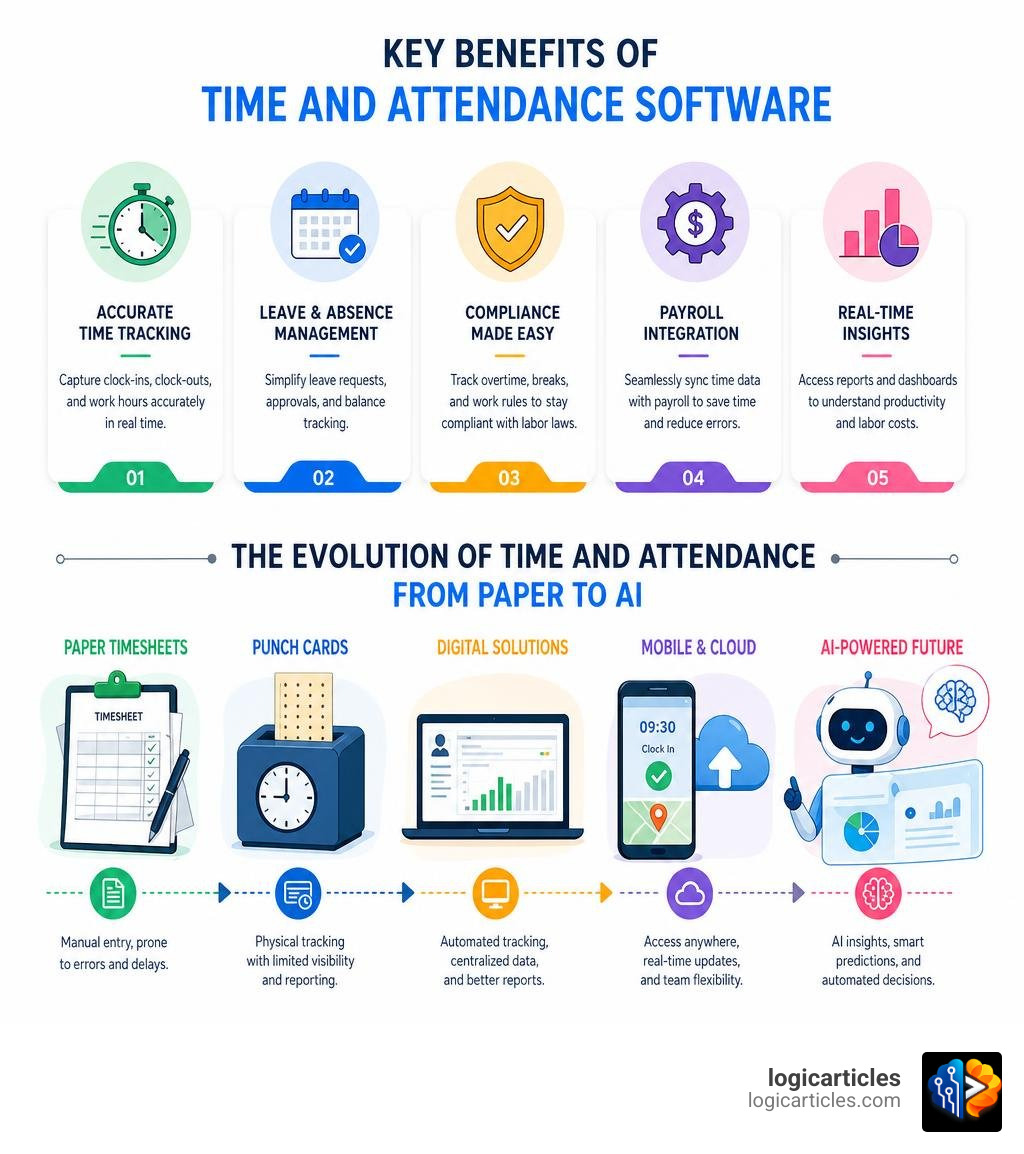
What is Time and Attendance Software and How Does It Work?
At its core, time and attendance software replaces physical sign-in sheets, magnetic punch cards, and easily lost paper timesheets with secure, cloud-based digital records. Instead of compiling paper cards at the end of the week, managers can monitor working hours in real time from a centralized dashboard.
The system works by capturing employee clock-in and clock-out events through various digital endpoints. These events are immediately recorded on digital timesheets hosted in the cloud. The software then applies pre-configured company rules—such as overtime thresholds, break policies, and holiday pay—to calculate the exact billable and payable hours.
Because modern systems utilize secure employee portals, workers can log in to view their schedules, check their accrued time-off balances, submit leave requests, and add shift notes without needing to email HR. For managers, this means an end to the endless cycle of manual data entry, back-and-forth scheduling emails, and the inevitable disputes over misplaced hours.
Core Mechanics of Digital Time Tracking
The magic of modern timekeeping lies in its flexibility. Different business environments require different ways of capturing time. A software developer working from home needs a different setup than a construction worker on a busy job site or a cashier at a retail counter.
To accommodate these diverse workforces, modern systems offer several clock-in methods:
- Web Punches: Perfect for remote or desk-bound office workers. Employees simply log into their employee portal via a web browser and click a button to start their day.
- Mobile Apps: Crucial for field service workers, delivery drivers, and sales representatives. Mobile applications allow employees to clock in from their smartphones, often capturing location data to verify they are where they need to be.
- Shared Kiosks: Ideal for warehouses, restaurants, and retail stores. A single tablet (like an iPad) can be mounted on a wall, allowing employees to log in quickly using a unique PIN, barcode, or QR code.
- Biometric Verification: High-security environments use fingerprint scanners, facial recognition, or iris readers to confirm the employee’s physical presence.
By utilizing versatile tools like Gusto Employee Time Tracking Tools, small businesses can turn any tablet into a digital kiosk while simultaneously allowing remote contractors to log hours from their web browsers. This flexibility ensures that no matter where your team operates, their hours are recorded accurately and transparently.
Preventing Time Theft and Buddy Punching
One of the most significant financial drains on businesses using manual systems is time theft. This can take many forms, from employees taking unauthorized extended lunches to “buddy punching”—the practice of one employee clocking in on behalf of a coworker who is running late or absent.
Organizations that implement automated time and attendance systems see a notable 20-30% reduction in time theft and buddy punching incidents. Modern software combats these issues through several smart verification methods:
- Geofencing and Geotagging: By using GPS technology, the software can restrict clock-ins to a specific geographical boundary (e.g., within 100 meters of a job site). If an employee tries to clock in while sitting on their couch at home, the system will block the attempt or flag it for managerial review.
- Photo Verification: Kiosk apps can utilize the tablet’s front-facing camera to capture a photo of the employee as they punch in. This photo is attached to the timesheet, making buddy punching virtually impossible to hide.
- Unique PINs and RFID Badges: Assigning unique, secure credentials ensures that only the authorized employee can access their specific timesheet profile.
Using comprehensive platforms like Eddy’s Time and Attendance Management Software allows administrators to set up unique PINs for shared tablet kiosks and review geotagged map locations for mobile punches, keeping timesheets honest and protecting your bottom line.
Key Features and Benefits of Modern Systems
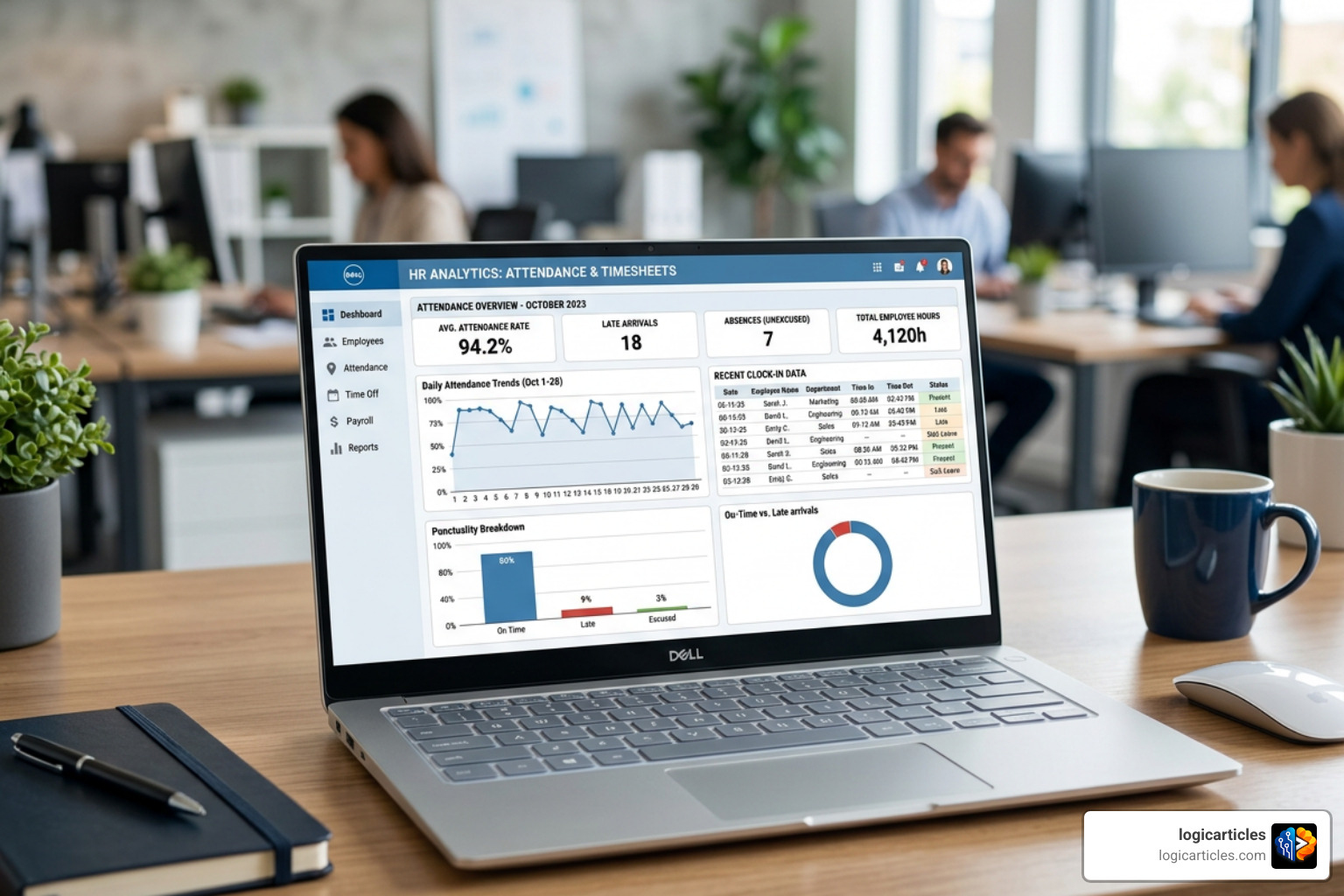
Implementing a robust tracking system does more than just replace paper; it transforms how you manage your entire workforce. Let’s look at the primary features and benefits that modern platforms bring to your daily operations:
- Visual Scheduling: Easily build, edit, and distribute shift schedules. Many systems prevent overscheduling, track employee availability, and allow team members to swap shifts with manager approval.
- Leave and PTO Management: Employees can request time off directly through the platform. The system automatically calculates accruals, checks policies, and updates team calendars once a manager approves the request.
- Real-Time Dashboard Analytics: Managers get an instant, birds-eye view of who is currently clocked in, who is late, who is approaching overtime, and how labor costs are tracking against project budgets.
- Comprehensive Reporting: Instantly generate detailed reports on attendance trends, absenteeism patterns, and labor cost distribution for strategic decision-making.
For teams looking to balance their daily operational schedules with broader project deliverables, integrating these features with the Best Task Management Software In 2026 Tested creates a seamless bridge between time spent on-site and actual project progress.
Integrating Time and Attendance Software with Payroll and HR
The true power of modern workforce management is realized when your timekeeping system, HR database, and payroll engine talk to each other. Historically, running payroll meant manually copying hours from spreadsheets into payroll software—a repetitive, tedious process prone to human error.
With integrated systems, this friction disappears. Approved hours, overtime calculations, holiday rates, and PTO deductions flow directly into your payroll engine with a single click.
Using an integrated platform like Paychex Online Time and Attendance Software ensures that your timecards, tax calculations, and employee records exist in a single, unified ecosystem. This eliminates duplicate data entry, dramatically reduces administrative overhead, and ensures your staff is paid accurately and on time, every time. If you are exploring options to centralize your administrative workflows, reviewing the Best Hr Software For Small Businesses can help you find a system that combines personnel records with automated timekeeping.
Compliance and Reducing Payroll Errors
Labor compliance is a minefield for modern businesses. Between federal Fair Labor Standards Act (FLSA) guidelines, state-specific overtime laws (such as California’s complex daily overtime and meal break penalties), and local predictive scheduling ordinances, staying compliant manually is nearly impossible.
Automated systems act as your digital compliance guardrails. They can be configured to automatically enforce:
- State-Specific Overtime Rules: Automatically calculating daily vs. weekly overtime, double-time, and consecutive-day premiums.
- Meal and Rest Break Rules: Prompting employees to take their required breaks and flagging compliance exceptions for managers.
- Detailed Audit Trails: Maintaining a permanent, unalterable record of all clock-ins, clock-outs, timesheet edits, and approvals—which is essential in the event of a labor audit or employee dispute.
By deploying Paycor Employee Time and Attendance Software, organizations gain access to automated compliance dashboards and real-time alerts that warn managers before an employee enters costly overtime, protecting the business from expensive wage-and-hour lawsuits.
Pricing Models and Selection Criteria
When shopping for time and attendance software, understanding the total cost of ownership is key. Providers utilize a few different pricing structures depending on the complexity of their features and the size of the target business.
| Pricing Model | Average Cost Range | Best For | Key Advantage |
|---|---|---|---|
| Per-User Monthly | $2.00 – $10.00 / user / month | Growing teams, remote workforces | Predictable scaling; only pay for what you use |
| Base Fee + Per-User | $20 – $80 base + $4 – $8 / user / month | Small to mid-sized brick-and-mortar businesses | Access to advanced scheduling and kiosk features |
| Modular / Add-On | $5.00 – $15.00 / module / month | Businesses wanting to customize their HR suite | Build-your-own system; high flexibility |
| Flat Rate / Location | $20.00 – $50.00 / location / month | Retail and restaurants with high turnover | No penalty for adding seasonal or part-time staff |
Evaluating the Cost of Time and Attendance Software
Beyond the baseline subscription fees, businesses should evaluate how a software provider structures its billing. For instance, some vendors charge a flat rate for every employee in your directory, while others utilize a pay-per-active-user model, meaning you are only billed for employees who actively log hours or use a timecard during that specific billing cycle.
Additionally, modular software suites allow you to start small and add functionality as your business requirements evolve. For example, you might start with simple attendance tracking and add performance management or onboarding modules later.
A great example of this flexible, scalable philosophy is PurelyHR Modular HR Software. Their build-your-own model allows businesses to select and pay for only the specific modules they need—such as PTO tracking, time-clocking, or staff directories—without paying for bloated, unused features.
How to Choose the Best System for Your Workforce
Selecting the right platform requires a clear understanding of your day-to-day operations. A professional services firm with remote consultants needs robust project-based tracking, while a healthcare facility or a call center requires advanced shift-swapping and strict compliance monitoring.
When evaluating your options, consider these key criteria:
- Workforce Type: Do your employees work at desks, in the field, or on a factory floor? Choose verification methods that match their physical work environment.
- User Interface (UI): If the software is confusing or difficult to use, your employees will struggle to log their hours accurately, and your managers will spend too much time troubleshooting.
- Integration Ecosystem: Ensure the platform connects natively with your existing payroll system, accounting software, and HRIS tools to avoid manual data transfers.
- Customer Support: Look for vendors that offer responsive support, onboarding assistance, and comprehensive training resources to ensure a smooth transition.
For businesses operating highly structured environments like customer support hubs, aligning your choice with specialized tools—such as those highlighted in our guide to the Best Workforce Management Software For Call Centers—ensures that coverage requirements and service-level agreements are met effortlessly.
Current Trends in Workforce Management for 2026
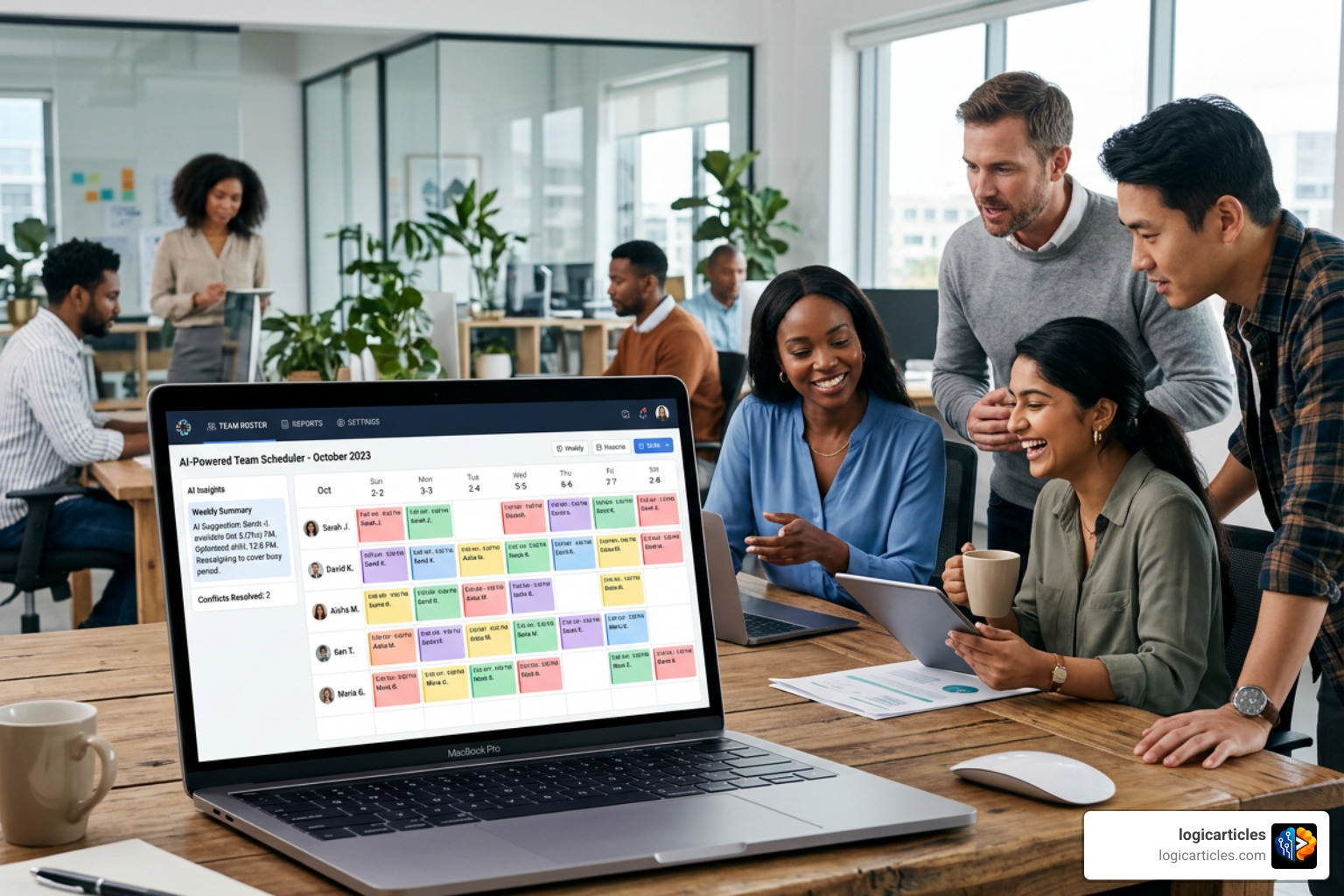
The landscape of workforce management is evolving rapidly. As we navigate 2026, several key technological shifts are redefining how businesses monitor, schedule, and optimize their human capital.
The most significant driver of this shift is the integration of Artificial Intelligence (AI) and machine learning into everyday HR tools. Rather than simply acting as passive record-keepers, modern platforms are becoming proactive partners in labor optimization.
For large and growing organizations, adopting an enterprise-grade, intelligent platform like ZellisONE AI-enabled HR and Payroll software represents the cutting edge of this evolution. By combining payroll, benefits, and workforce management into a single AI-enabled engine, businesses can automate complex compliance workflows and unify the employee experience at scale.
AI-Driven Scheduling and Predictive Analytics
AI is completely changing how managers build shift schedules. Instead of relying on guesswork or last year’s spreadsheets, machine learning algorithms can analyze historical sales data, local weather forecasts, seasonal trends, and upcoming events to predict workload demand in precise 15-minute intervals.
This predictive power allows businesses to:
- Prevent Understaffing: Automatically flag potential coverage gaps before they impact customer service.
- Avoid Costly Overstaffing: Keep labor budgets in check by aligning staff levels directly with predicted customer traffic.
- Enable Smart Shift Swapping: AI assistants can review employee skills, availability, and overtime status to automatically suggest the best candidates to cover an open shift, allowing team members to swap schedules autonomously.
Mobile-First Tracking and Geofencing
With hybrid work schedules and mobile field teams remaining the standard in 2026, mobile-first design is no longer an optional feature—it is a baseline requirement. Modern mobile timekeeping apps offer advanced geovalidation and geofencing capabilities that ensure location accuracy without compromising employee privacy.
Furthermore, top-tier mobile apps now feature robust offline modes. If a field technician is working in a remote area with no cellular service, they can still clock in and out. The app securely stores the time and GPS coordinates locally on the device and automatically syncs the data with the cloud once a connection is re-established.
To explore how these mobile features are reshaping modern field service and remote team management, check out our in-depth analysis of Mobile Workforce Management Software Features Benefits Ai 2026.
Frequently Asked Questions about Time Tracking
What is the difference between time tracking and attendance tracking?
While these terms are often used interchangeably, they serve different operational purposes:
- Attendance Tracking: Focuses on presence. It answers the fundamental questions: Is the employee at work today? What time did they arrive? Are they taking their scheduled breaks? This data is primarily used for compliance, basic payroll, and monitoring absenteeism.
- Time Tracking: Focuses on activity. It tracks how long an employee spends on specific tasks, projects, or client accounts. This data is critical for professional services, agencies, and construction firms that need to calculate project profitability, track job costing, and bill clients accurately.
The best modern systems combine both functions into a single, seamless workflow.
Are biometric attendance systems legal?
Yes, biometric attendance systems are legal in most jurisdictions, but they are subject to strict data privacy regulations. In the United States, laws like the Illinois Biometric Information Privacy Act (BIPA) and the California Consumer Privacy Act (CCPA) require employers to obtain explicit, written consent from employees before collecting biometric data.
In Europe, the General Data Protection Regulation (GDPR) classifies biometric data as “special category data,” requiring a strong legal basis, clear employee consent, and strict data-minimization practices. If you implement biometric clocks, ensure your software vendor encrypts the data (ideally storing mathematical representations of the data rather than actual images of fingerprints or faces) and provides built-in consent workflows.
Can employees use their mobile phones for time tracking?
Absolutely. Most modern platforms offer dedicated mobile apps for iOS and Android. To prevent abuse, these apps typically incorporate GPS tracking, geofencing (restricting punches to authorized coordinates), or geotagging (recording the location at the exact moment of the punch). This makes mobile tracking incredibly secure and highly convenient for remote, hybrid, and traveling workforces.
Conclusion
Transitioning from manual spreadsheets and paper timesheets to modern time and attendance software is one of the easiest ways to boost your business’s administrative efficiency. By automating the tracking process, you can eliminate up to 80% of payroll errors, protect your business from costly compliance violations, and give your managers hours of valuable time back every week.
Whether you manage a small local retail shop, a growing field service team, or a large enterprise with thousands of employees, there is a scalable solution tailored to your operational needs.
Ready to optimize your team’s workflows and drive digital transformation across your organization? Explore more productivity tools to streamline your business operations and set your workforce up for long-term success.