Why Manufacturing ERP Software Is the Backbone of Modern Production
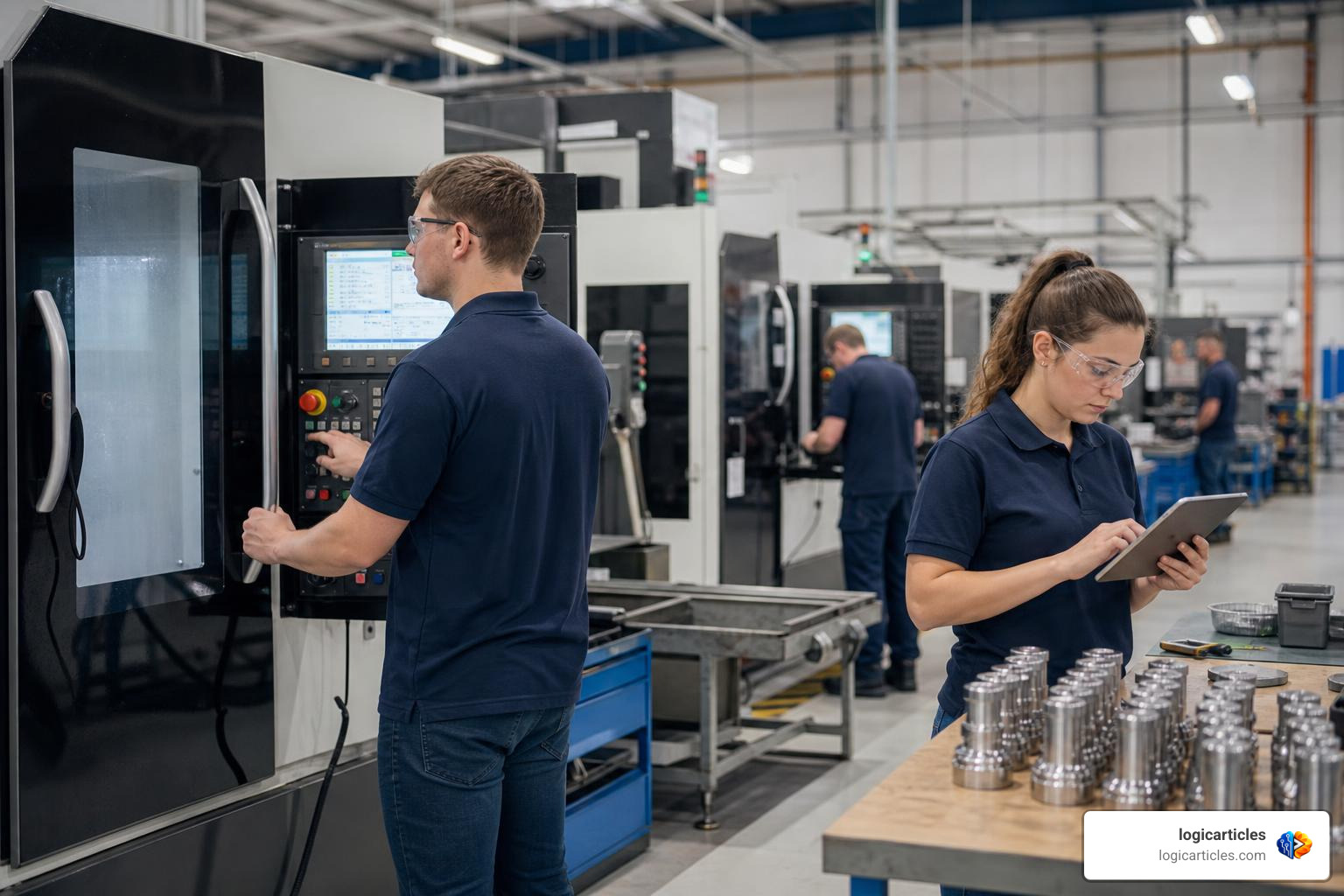
Manufacturing ERP software is an all-in-one business platform that connects every part of a manufacturing operation — from the shop floor to the back office — into a single, unified system.
Quick answer: What is manufacturing ERP software?
- What it does: Manages production planning, inventory, quality control, shop floor operations, financials, and supply chain in one platform
- Who it’s for: Job shops, discrete manufacturers, batch producers, and multi-plant operations
- Why it matters: Replaces disconnected spreadsheets and legacy tools that slow growth and cause costly errors
- Key benefit: Manufacturers report up to 270% ROI, with payback periods as short as 6–20 months
- Top options in 2026: Epicor Kinetic, NetSuite, SAP S/4HANA, Acumatica, Microsoft Dynamics 365, and more
Running a manufacturing business without the right software is like navigating a complex factory floor in the dark. Orders get missed. Inventory goes wrong. Production slows down.
The pressure is real. Global supply chains are more complex than ever. Customer expectations keep rising. And manual processes — spreadsheets, paper work orders, disconnected tools — simply can’t keep up.
That’s exactly why more manufacturers are turning to ERP systems. When implemented well, these platforms don’t just organize data. They transform how a business operates — cutting lead times, reducing waste, and giving decision-makers the real-time visibility they need.
This guide covers everything you need to know: what manufacturing ERP is, how it differs from older MRP systems, which features matter most, what it costs, and how to choose the right solution for your operation in 2026.
What is Manufacturing ERP Software and How Does It Differ from MRP?
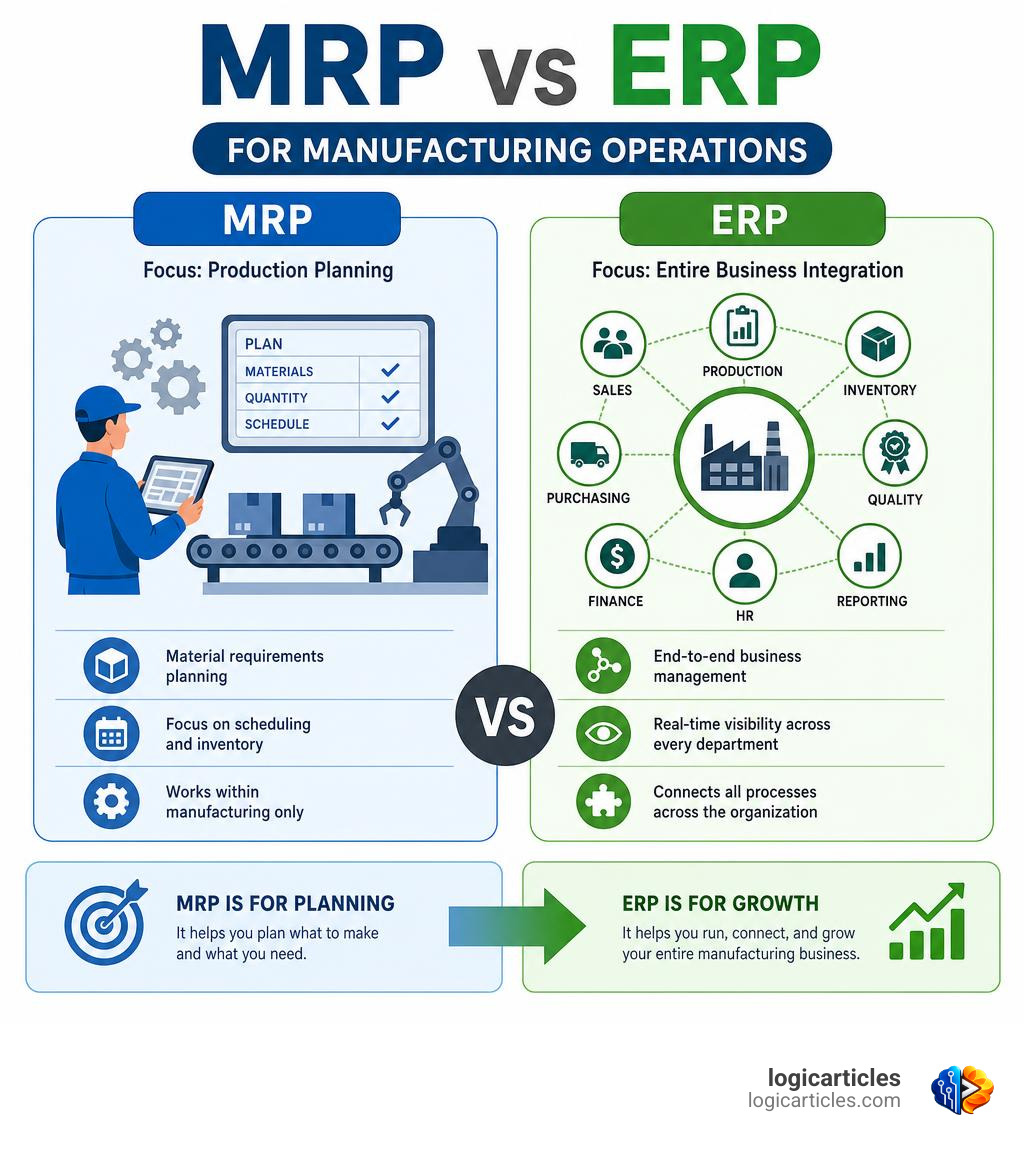
To understand modern manufacturing software, we first have to clear up some alphabet soup. Many people use the terms MRP and ERP interchangeably, but they serve very different purposes.
MRP vs. ERP: What’s the Difference?
Historically, Material Requirements Planning (MRP) was the starting point. Developed in the mid-20th century, MRP systems focus almost exclusively on the physical elements of production:
- Calculating raw material requirements
- Managing inventory levels of components
- Determining basic production schedules based on lead times
An ERP system, on the other hand, is an Enterprise Resource Planning platform. It includes all the material planning power of an MRP engine but extends it across the entire organization. A manufacturing erp software system doesn’t just know how much steel you need to order; it connects that order to your financial ledger, calculates the labor costs, tracks customer communications via CRM, manages employee payroll, and generates real-time business intelligence reports.
Discrete vs. Process Manufacturing
When evaluating ERP systems, we must also consider how your factory actually builds products:
- Discrete Manufacturing: This involves building distinct, itemized products that can be touched and dismantled (e.g., aerospace parts, medical devices, electronics). These operations rely heavily on structured Bills of Materials (BOMs) and detailed routing paths.
- Process Manufacturing: This is formula- or recipe-based production (e.g., food and beverage, chemicals, pharmaceuticals). Instead of a blueprint, process manufacturers use recipes and require specialized features like batch scaling, catch weight management, and strict regulatory tracking.
The Power of Data Centralization
The magic of a modern ERP system lies in its ability to break down data silos. In a traditional setup, the sales team takes an order, the warehouse checks stock manually, the production manager schedules the build on a whiteboard, and accounting waits for paper invoices.
With a centralized ERP, a single database links every department. The moment a purchase order is received, the system automatically updates inventory figures, schedules machine capacity, calculates the Work in Progress (WIP) value, and prepares shipping documentation. You can explore how these workflows connect seamlessly by reading about Manufacturing | Epicor.
Core Modules and Advanced Features of Modern ERP Systems
Modern ERP systems are modular. This means you don’t have to implement every single feature on day one. Instead, you can start with the core modules and scale up as your business grows.
Essential Modules for Every Manufacturing ERP Software
To keep your factory floor running smoothly, any ERP system you select must include these foundational modules:
- Bill of Materials (BOM) Management: Your BOM is your product’s DNA. The ERP should support multi-level BOMs with strict version control, cost roll-ups, where-used analysis, and engineering change orders (ECO).
- Inventory Control: This module tracks raw materials, WIP, and finished goods. It helps optimize stock levels, minimize carrying costs, and prevent costly stockouts or overstock situations.
- Shop Floor Management & Routing: This module maps out the exact steps a product takes through your facility. It assigns tasks to specific work centers, tracks labor hours, and monitors machine efficiency.
For businesses that rely on external support or specialized technicians, integrating contractor tracking is also essential. You can learn more about managing external workers in our guide on the Best Contractor Management Software.
Advanced Capabilities: CAD/CAM, Quality Management, and AI
As we move through 2026, the line between software and physical machinery is completely blurring. Advanced ERP platforms now integrate specialized tools directly into core workflows:
- CAD/CAM Integration: Instead of manually entering part specifications from engineering designs, advanced ERPs link directly with CAD/CAM software. Features like automated parametric modeling allow design adjustments to instantly update the BOM and production routings.
- Quality Management: Quality shouldn’t be an afterthought. Top-tier systems include automated inspection plans, non-conformance reporting (NCR), Corrective and Preventive Action (CAPA) workflows, and complete lot and serial traceability.
- AI-Driven Analytics: Artificial intelligence is no longer a buzzword. Modern ERP systems use built-in AI agents to perform predictive maintenance on shop machinery, automate RFQ processes, and generate highly accurate demand forecasts.
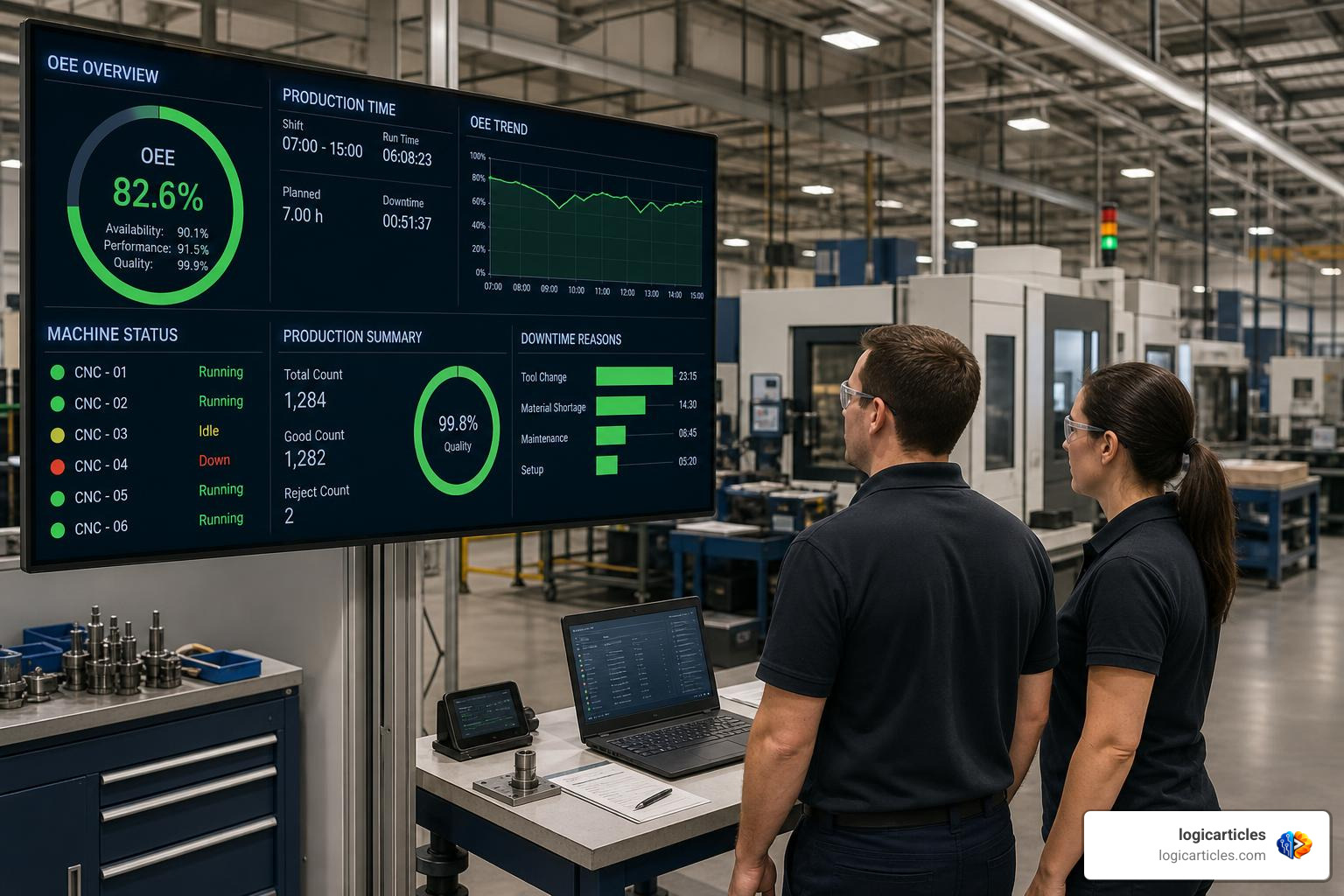
To see how modern platforms combine these advanced workflows with open-source flexibility, take a look at Manufacturing ERP Software | Next-Gen ERP.
Deployment Models, Costs, and Implementation Timelines
Choosing how to deploy your ERP is just as important as choosing the software itself. Let’s break down the three primary deployment models.
Comparing Deployment Models
| Feature | Cloud-Based ERP | On-Premises ERP | Hybrid ERP |
|---|---|---|---|
| Hosting | Hosted by the vendor on secure cloud servers | Hosted locally on the manufacturer’s own hardware | Critical data stored locally; non-critical apps in the cloud |
| Upfront Cost | Low (subscription-based) | High (hardware purchase & licensing) | Moderate |
| Maintenance | Handled automatically by the vendor | Handled by internal IT staff or third parties | Shared responsibility |
| Customization | Configurable, but limited direct code access | Highly customizable to unique legacy processes | Flexible balance |
| Security | Managed by dedicated cloud security teams | Dependent on internal IT security measures | Tailored to strict compliance needs |
Financial Management and Cost Considerations
The Total Cost of Ownership (TCO) of a manufacturing erp software system extends far beyond the initial software license. When budgeting, we must consider:
- Subscription/Licensing Fees: Typically calculated per user, per month. For example, entry-level systems like Cetec ERP start around $40 per user/month, while enterprise solutions like Oracle NetSuite start around $999/month plus $99 per user.
- Implementation and Customization: This is often the largest upfront cost. For small to mid-sized businesses, implementation can range from $25,000 to $150,000+.
- Data Migration and Training: Cleaning up legacy data and teaching your team how to use the new system is critical to preventing post-launch disruptions.
Managing these massive operational investments requires robust financial oversight. To learn more about the tools that can help your finance team track these budgets, check out our review of the Best Cfo Software Tools For Small Business.
Implementation Timeline and Best Practices
A typical manufacturing ERP implementation takes anywhere from 12 to 16 weeks, though complex multi-plant deployments can take longer.
[Weeks 1-4: Process Mapping] ➔ [Weeks 5-8: Configuration & Migration] ➔ [Weeks 9-12: Testing & Training] ➔ [Weeks 13-16: Go-Live]
To ensure success, we recommend following these four core phases:
- Process Mapping: Document your current workflows and identify inefficiencies before configuring the software.
- Data Migration: Clean up old customer lists, outdated BOMs, and inventory discrepancies before importing them.
- System Testing: Run comprehensive pilot tests on the shop floor to ensure machine integrations and routings work in the real world.
- User Training: Don’t rush this step. An ERP is only as good as the data entered by your team. Ensure shop floor operators and office staff are fully comfortable before going live.
Key Benefits, ROI, and Selection Criteria for 2026
Implementing a manufacturing ERP is a major undertaking, but the measurable returns are hard to ignore.
The Real-World ROI of Manufacturing ERP
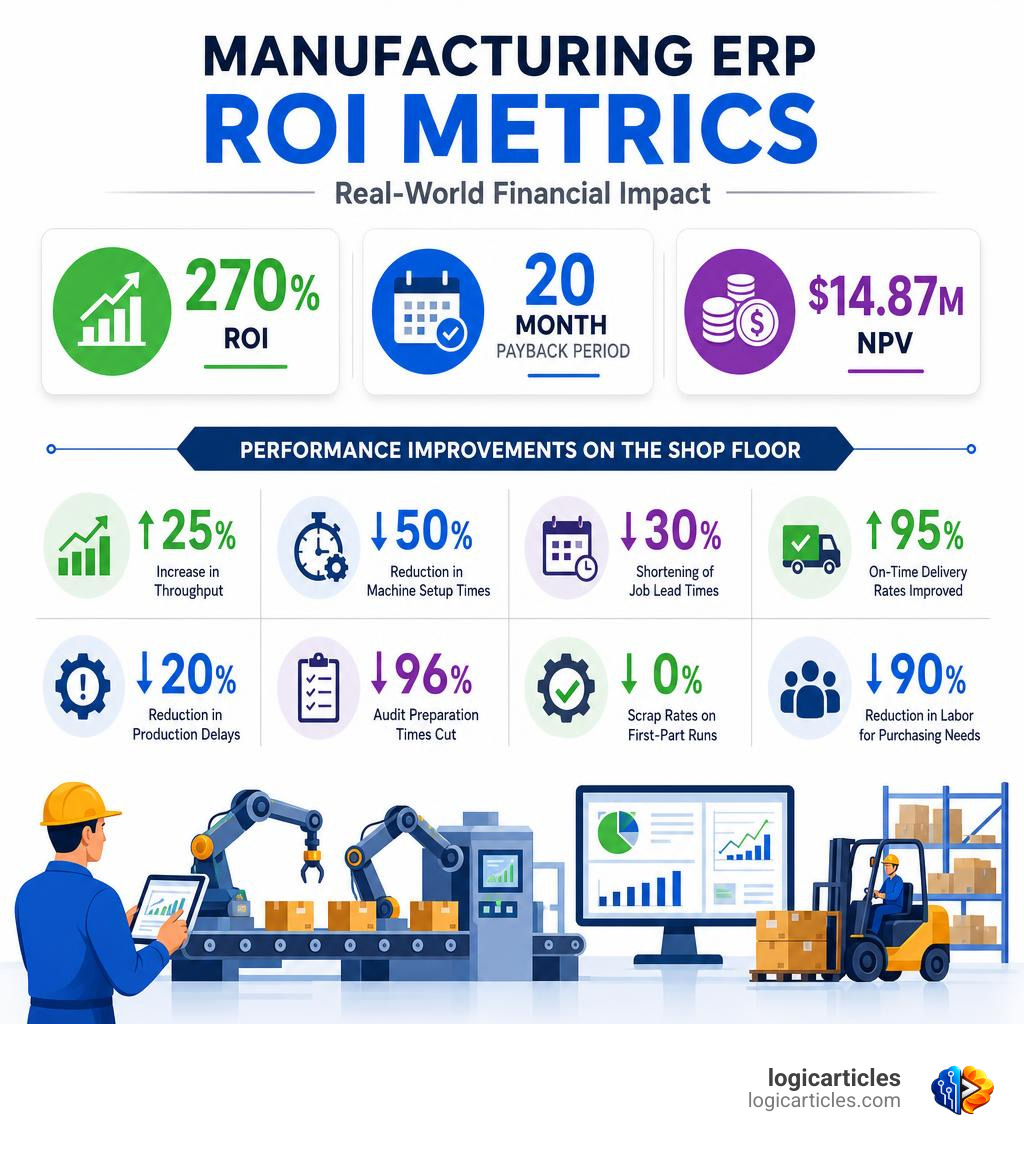
According to a commissioned Forrester Total Economic Impact study, manufacturers using modern cloud ERP platforms achieved an average of 270% ROI with a 20-month payback period and a net present value (NPV) of $14.87 million.
On the shop floor, the operational gains are even more immediate. Specialized shop-floor ERPs report:
- An average 25% increase in throughput
- A 50% reduction in machine setup times
- A 30% shortening of job lead times
- On-time delivery rates improved up to 95%
- A 20% reduction in production delays
- Audit preparation times cut by 96%
- Scrap rates reduced to 0% on first-part runs
- A 90% reduction in labor required for purchasing needs
Evaluating Your Readiness for a Manufacturing ERP Software System
How do you know if your business is actually ready for an ERP? Look for these warning signs:
- Siloed Information: Your sales, production, and finance teams are constantly arguing over mismatched numbers.
- Inventory Chaos: You suffer from frequent stockouts of critical parts, yet your warehouse is overflowing with dead stock.
- Manual Bottlenecks: Your staff spends hours manually re-entering data from paper sheets into spreadsheets.
- Compliance Stress: Preparing for quality audits or regulatory reviews takes days of stressful manual paper-chasing.
If these challenges sound familiar, your business has likely outgrown its basic accounting software. To explore how a highly flexible, rapidly deployable system can ease this transition, take a look at Flexible ERP For Manufacturing | 1C:ERP Application Software.
Selection Criteria and Top Solutions for 2026
When evaluating vendors, keep these three criteria in mind:
- Your Manufacturing Mode: Ensure the software natively supports your specific production style (discrete, process, or mixed-mode).
- Business Size & IT Resources: Small businesses with minimal IT staff should prioritize highly intuitive, cloud-hosted platforms. Large enterprises will need highly scalable solutions capable of handling multi-currency and multi-site operations.
- Integration Ecosystem: The ERP must easily connect with your existing CAD/CAM software, shipping platforms, and payment gateways.
For a deeper dive into the top-performing platforms of the year, read our comprehensive guide on the 6 Best Manufacturing ERP Software Systems in 2026 (Guide).
Frequently Asked Questions about Manufacturing ERP
What is the typical ROI of a manufacturing ERP?
While individual results vary, independent studies show an average return on investment of 270%, with most businesses recovering their initial software and implementation costs within 20 months. Many specialized machine shop platforms even report a full return on investment in as little as 6 months due to immediate throughput and scrap-reduction gains.
How long does it take to implement a manufacturing ERP?
For small to mid-sized manufacturers, a standard implementation takes between 12 and 16 weeks. Highly customized enterprise deployments or complex multi-site operations can take 6 months to a year.
What is the difference between MRP and ERP?
MRP (Material Requirements Planning) is a specialized tool focused entirely on inventory, raw materials, and production scheduling. ERP (Enterprise Resource Planning) is an all-encompassing business management platform that includes MRP capabilities but also integrates accounting, HR, customer relationship management, and sales.
Conclusion
In 2026, manufacturing erp software is no longer a luxury reserved for massive global conglomerates. For job shops, discrete manufacturers, and process producers alike, a unified ERP is the single most powerful tool available to combat supply chain disruption, control rising operational costs, and boost shop floor throughput.
By centralizing your data, automating tedious manual tasks, and leveraging modern AI-driven insights, you can transform your factory from a series of disconnected departments into a highly efficient, synchronized operation.
We at logicarticles are dedicated to helping businesses find the right tools to grow and succeed. To continue optimizing your business operations, check out our other detailed software guides by visiting our hub to Explore more business software guides.