Why Structural Engineering Software Programs Matter in 2026

Structural engineering software programs are specialized tools that help engineers model, analyze, design, and document structures — from simple residential beams to complex high-rise buildings and bridges.
Here are the most widely used categories at a glance:
| Category | What It Does | Common Examples |
|---|---|---|
| Structural Analysis | Models loads and forces using FEM/FEA | STAAD.Pro, SAP2000, GSA, ADINA |
| BIM Software | Creates coordinated 3D building models | Revit, Tekla Structures, ArchiCAD |
| Design Software | Sizes and checks structural members per code | RAM Structural System, ETABS, Consteel |
| Calculation Tools | Runs fast, code-aligned member checks | ClearCalcs, SkyCiv, Enercalc |
The structural engineering field has changed dramatically. Not long ago, most engineers relied on spreadsheets to run calculations and track project data. That approach has real costs. Engineers can spend up to 30% of their time managing data manually, and research shows that roughly 1% of all spreadsheet formula cells contain errors — a sobering figure when those numbers feed into structural decisions.
Modern software tools address these problems directly. They automate repetitive calculations, flag code compliance issues, and make it easier for teams to collaborate — whether they’re in the same office or across different countries.
The result? Engineering teams that have switched to purpose-built platforms consistently report major gains. Some have cut workloads by as much as 75%. Others have boosted overall team productivity by 30% or more.
But with dozens of tools on the market — ranging from cloud-based calculation platforms to advanced finite element solvers — choosing the right one isn’t straightforward. The best fit depends on your project types, your team’s skill level, your regional code requirements, and your budget.
This guide breaks it all down.
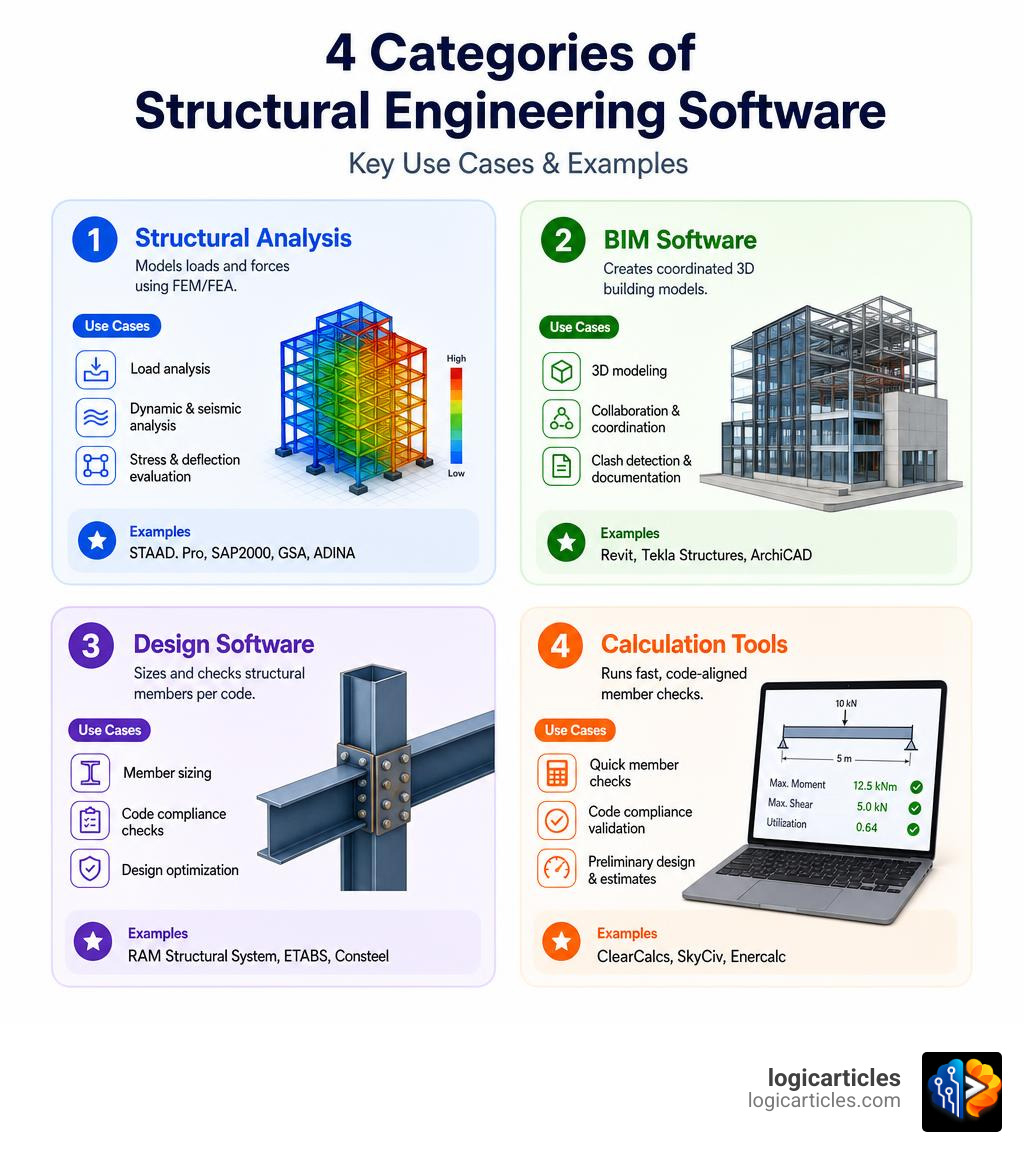
Core Categories of Structural Engineering Software Programs
To choose the right tool, you first need to understand the structural software ecosystem. While many modern platforms offer overlapping features, most fall into one of four core categories.
Understanding these differences prevents firms from overbuying complex software when simple calculation tools would suffice, or vice versa.
| Feature / Capability | Structural Analysis | Structural Design | Building Information Modeling (BIM) | Calculation Tools |
|---|---|---|---|---|
| Primary Method | Finite Element Analysis (FEA / FEM) | Code-based member sizing & optimization | Coordinated 3D spatial modeling | Fast, isolated member checks |
| Key Output | Stress, deflection, and force diagrams | Verified member shapes, connections | 3D models, schedules, construction drawings | Transparent, printable calculation sheets |
| Typical Use Case | Complex lateral wind/seismic load paths | Multi-story steel/concrete frame design | Multi-disciplinary coordination, detailing | Daily beam, column, and footing checks |
| Learning Curve | High (Several months to master) | Moderate to High | Moderate (Requires CAD/BIM training) | Low (Days to weeks) |
Structural Analysis Software (FEM/FEA)
These programs focus on how forces flow through a structure. By dividing a complex physical structure into a mesh of smaller, simpler elements (the Finite Element Method, or FEM), these tools calculate internal stresses, deflections, moments, and support reactions under a variety of load cases. They are essential for non-linear behavior, seismic design, dynamic analysis, and highly customized structural geometries.
Structural Design Software
While analysis tells you what the forces are, design software tells you what size the beam needs to be. These tools compare the calculated stresses against regional codes (such as AISC, Eurocodes, or AS/NZS) to verify that concrete, steel, timber, or masonry elements are safe and optimized.
Building Information Modeling (BIM)
BIM tools focus on spatial coordination, 3D modeling, and documentation. They act as the central “source of truth” for a project, ensuring that structural frames align perfectly with architectural layouts and mechanical, electrical, and plumbing (MEP) systems.
Just as structural teams require highly coordinated models, construction businesses must align their finances; using the Best Construction Financial Management Software alongside BIM tools ensures that structural changes are immediately reflected in the project budget.
Calculation Tools
Sometimes, setting up a full 3D model is overkill. If you just need to design a single lintel for a residential renovation, calculation tools are your best friend. They offer interactive, pre-formatted templates that run code-compliant checks in seconds, outputting transparent formulas that are easy to audit and submit to local building authorities.
Top Structural Engineering Software Programs in 2026
The software landscape in 2026 is defined by deep interoperability, cloud accessibility, and multi-material versatility. Below are six of the most powerful and widely adopted structural engineering programs today.
Tekla Structures for Constructible BIM
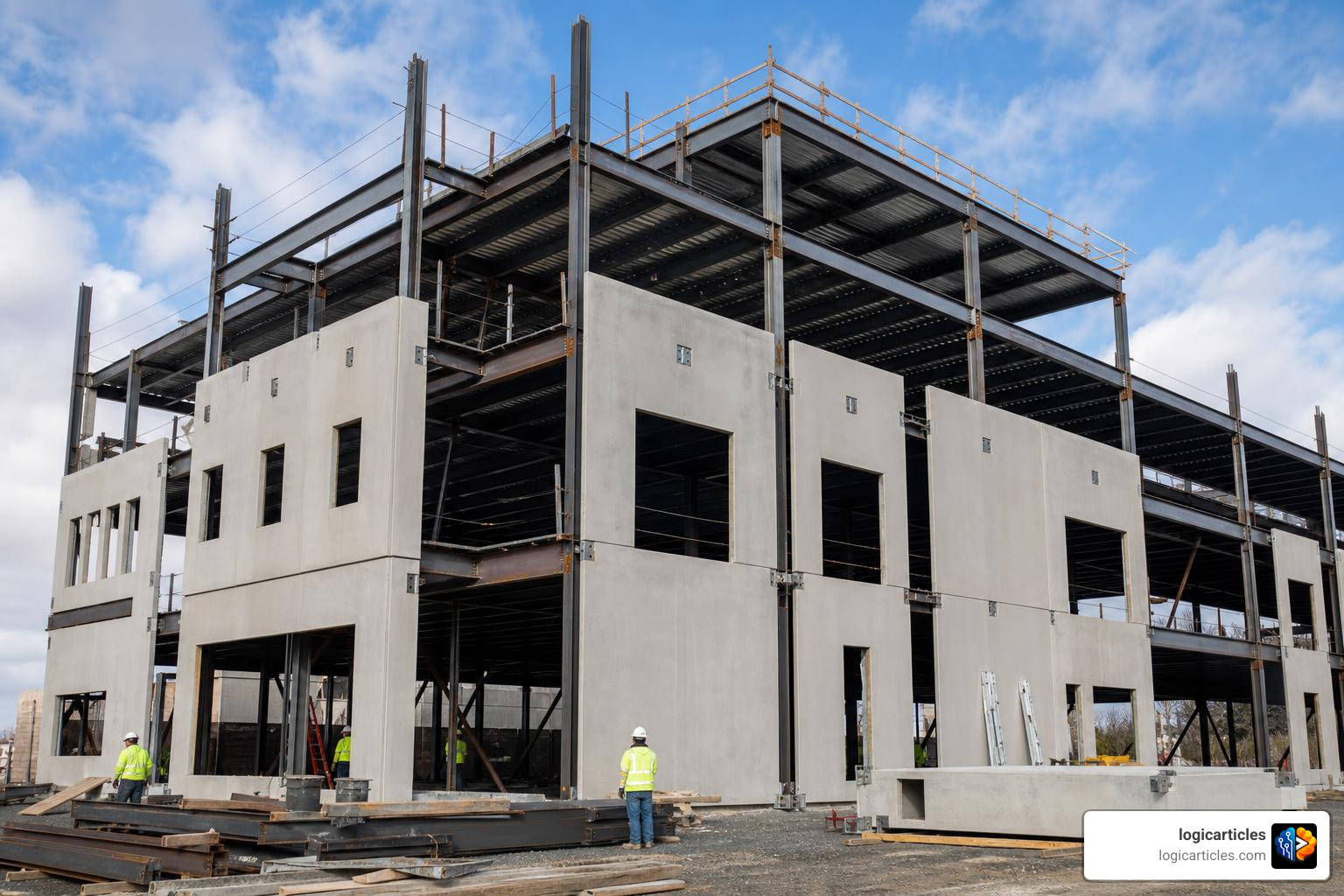
For heavy-duty structural modeling and detailing, Tekla Structures remains the industry benchmark. It is built around the concept of “constructibility,” meaning the 3D models contain an incredibly high Level of Detail (LOD).
Key Strengths & Use Cases:
- Unrivaled Detailing: Tekla excels at generating fabrication-ready drawings for both structural steel and precast concrete. In massive logistics center projects, teams have successfully coordinated and installed over 16,000 precast elements with zero on-site alignment errors.
- OpenBIM Interoperability: It integrates smoothly with architectural and MEP software via Industry Foundation Classes (IFC) and proprietary links.
- Collaboration: Using built-in platforms like Trimble Connect, distributed teams can edit and view models in real-time, significantly cutting down on coordination delays.
FEM-Design for Advanced 3D Finite Element Modeling
FEM-Design is an advanced finite element program optimized for load-bearing concrete, steel, timber, and foundation structures.
Key Strengths & Use Cases:
- Eurocode Dominance: It is highly favored across Europe for its comprehensive support of Eurocodes and their specific National Annexes.
- Cross-Laminated Timber (CLT): Using advanced Laminated Shell Theory, it provides highly detailed point- and shell-based stress results for timber structures, making it a go-to for modern hybrid-timber high-rises.
- Geotechnical & 3D Soil Modeling: Rather than using simplified spring supports, it features a non-linear 3D soil module based on Mohr-Coulomb plasticity to analyze complex soil-structure interaction.
- Automation: It includes a robust API working on XML, allowing engineers to build custom parametric workflows through Grasshopper and Dynamo.
GSA for Comprehensive Structural Analysis and Design
Developed by Oasys, GSA (General Structural Analysis) is a highly versatile solver trusted for some of the world’s most complex engineering feats, including the structural verification of the record-breaking 1915 Çanakkale Bridge and the sustainable structural frame of the Paris 2024 Olympic Aquatics Centre.
Key Strengths & Use Cases:
- Two-Layer Modeling: GSA allows engineers to seamlessly switch between a physical design layer (representing actual structural members) and an analytical finite element mesh layer, ensuring total transparency during verification.
- Footfall Vibration Analysis: GSA is an industry leader in analyzing footfall-induced vibrations on slender floors, pedestrian bridges, and high-precision laboratory environments.
- Parametric Workflows: With bidirectional Grasshopper and Revit integrations, design changes flow automatically between parametric models and the structural solver.
ADINA for Complex Nonlinear and Multiphysics FEA
When structural problems cross over into advanced physics, ADINA is the premier finite element program of choice. Now part of the Bentley Systems portfolio, ADINA is built to solve highly non-linear structural, material, and loading scenarios.
Key Strengths & Use Cases:
- Multiphysics Simulations: ADINA handles complex Fluid-Structure Interaction (FSI), electromagnetics, and thermo-mechanical coupling.
- Material Versatility: It offers advanced material models covering everything from standard concrete and steel to plastics, rubber, fabrics, soils, and rocks.
- Deformation and Contact: It is uniquely suited for analyzing large deformations, buckling, and complex contact conditions where structural elements slide, impact, or compress against one another.
Consteel for Advanced Steel Stability Analysis
Consteel has carved out a unique space in structural steel design by focusing heavily on global stability and advanced structural behavior.
Key Strengths & Use Cases:
- The Seventh Degree of Freedom (7DOF): Traditional structural analysis tools use 6 degrees of freedom. Consteel adds a 7th degree of freedom to account for member warping, which is crucial for checking the torsional buckling of thin-walled, open-section steel members.
- Imperfection Analysis: Instead of relying on conservative, code-based reduction factors, Consteel allows engineers to apply real buckling shapes as geometric imperfections directly into the non-linear analysis, unlocking highly optimized and realistic material utilization ratios.
- Parametric Steel Design: Using its Pangolin plug-in for Grasshopper, engineers can easily design complex steel geometries, such as industrial halls, space trusses, and custom transmission towers.
SCIA Ultimate for Multi-Material Structural Engineering Software Programs
SCIA Ultimate is an all-in-one, multi-material structural analysis and design platform. It is engineered to eliminate the fragmentation of using different programs for different materials.
Key Strengths & Use Cases:
- Unified Modeling Environment: Engineers can model, analyze, and design concrete, steel, timber, masonry, and composite structures within a single CAD-like interface.
- Adaptive Meshing: The software automatically refines its finite element mesh in areas of high stress concentrations, reducing manual modeling time while ensuring high accuracy.
- OpenBIM and SAF Support: SCIA is built around open collaboration standards, utilizing the Structural Analysis Format (SAF) to exchange structural models directly with BIM platforms like Allplan, Revit, and Tekla.
Key Factors to Consider When Choosing Structural Software
Selecting the right software suite for your engineering firm is a major financial and operational decision. It is easy to get caught up in flashy 3D rendering capabilities, but practical daily usability should dictate your choice.
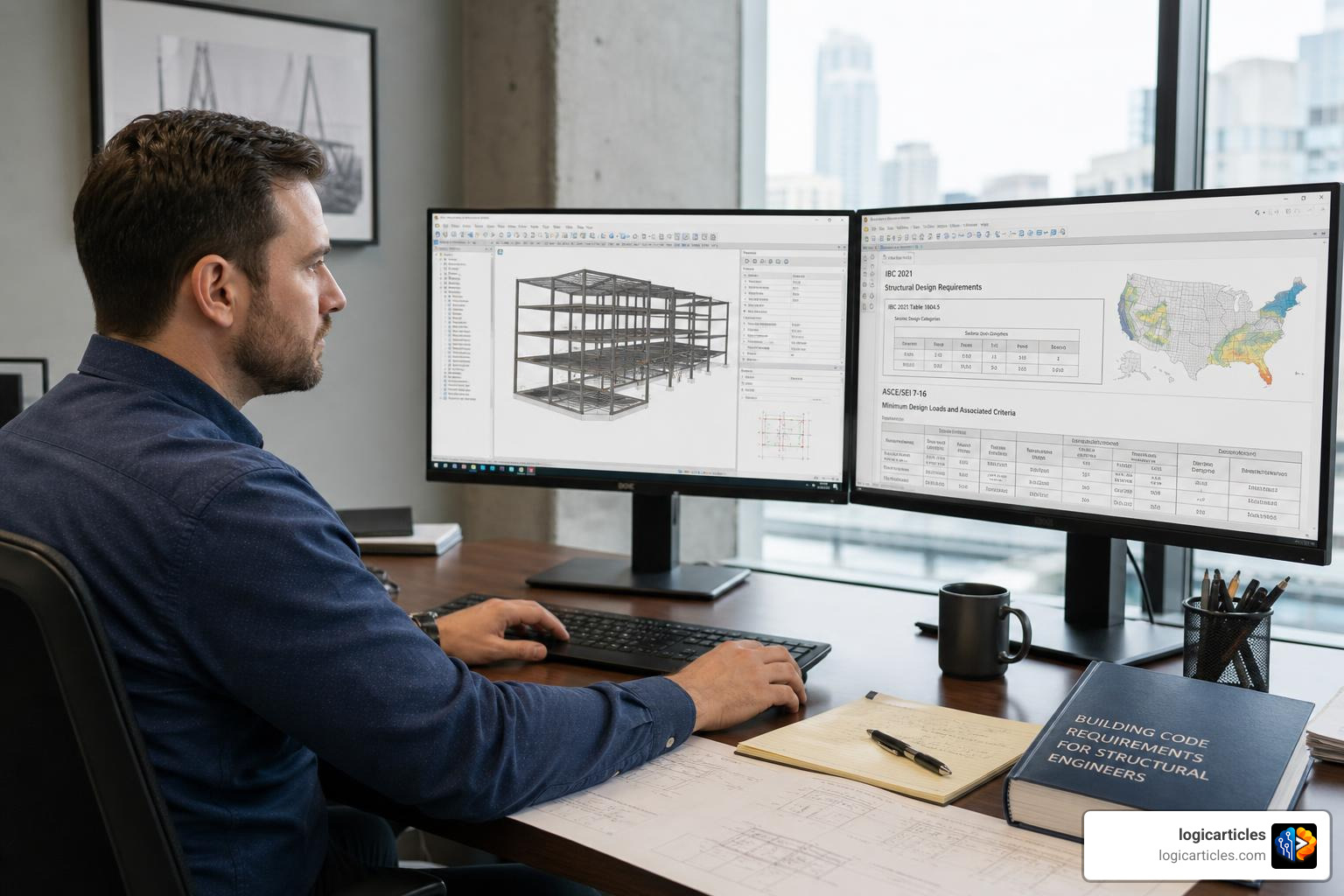
When evaluating structural engineering software programs, consider the following factors:
- Regional Code Support: A beautifully designed piece of software is useless if it doesn’t support the specific design codes of your target market (e.g., AISC for the US, Eurocodes for Europe, AS/NZS for Australia). Look for software that automatically updates when local standards change.
- Learning Curve and Adoption Rate: Complex FEA packages can take up to four months of training before an engineer is fully productive. Conversely, modern intuitive tools can be mastered in less than two weeks. Balance the power of the tool against the time your team must spend learning it.
- Interoperability: Can the software import and export files without losing critical data? Look for tools that support open standards like IFC and SAF, or feature direct plug-ins for Revit, Tekla, and CAD systems.
- Calculation Transparency: Avoid “black box” software that outputs a simple “Pass/Fail” without showing the underlying equations. Transparent, step-by-step calculations make it much easier to verify results, troubleshoot design issues, and satisfy municipal plan checkers.
- Licensing Models: Software vendors offer various pricing structures, from traditional perpetual licenses with annual maintenance fees to flexible monthly cloud subscriptions. Choose a model that aligns with your firm’s cash flow and project pipeline.
How to Evaluate Structural Engineering Software Programs for Your Team
To narrow down your options, follow this systematic evaluation process:
- Audit Your Project History: What materials do you design with most often? If 90% of your work is low-rise timber and steel framing, prioritizing a fast calculation tool will yield a much higher ROI than investing in a complex, multi-physics FEA solver.
- Review Team Skills: Do you have dedicated BIM modelers, or do your design engineers handle their own drafting? Ensure the software fits the technical comfort level of your staff.
- Check Support and Responsiveness: When a deadline is looming and a software bug stalls your work, vendor support is critical. Look for providers with active user communities, extensive documentation, and responsive engineering-backed helpdesks.
- Test with Real Projects: Take advantage of free trials (many top-tier programs offer 14-day or 30-day trials) to run a completed project through the new software. Compare the speed, ease of modeling, and final outputs against your existing workflow.
Just as structural tools require careful evaluation to manage project execution, managing external resources and specialized subcontractors requires dedicated tools. Integrating the Best Contractor Management Software into your broader operations helps ensure that structural designs are executed on-site by qualified, compliant teams.
Overcoming Challenges in Adopting Modern Structural Software
Transitioning to new structural software is rarely seamless. Resistance to change, data migration hurdles, and temporary dips in productivity are common pain points for engineering firms.
To mitigate these challenges, consider these best practices:
- Phase the Rollout: Do not force your entire team to switch tools overnight. Start by training a small group of “super-users” on a pilot project. Once they master the workflow, they can act as internal mentors to help transition the rest of the office.
- Address Data Migration Early: Moving legacy project files into a new software environment can result in lost geometry, broken load paths, and missing material properties. Establish clear guidelines on what legacy data needs to be migrated and what can remain in older formats.
- Leverage Cloud Collaboration: Traditional desktop-bound software often leads to version control issues, where engineers unknowingly work on outdated files. Cloud-based structural platforms solve this by saving models in real-time, allowing remote engineers, drafters, and clients to collaborate on a single model simultaneously.
- Update Your Workflows: Don’t simply replicate your old spreadsheet processes in the new software. Take the time to rebuild your standard operating procedures around the automation, parametric design, and optimization features of your new tools.
Managing these transitions smoothly requires strong organizational oversight. Utilizing modern Mobile Workforce Management Software Features Benefits Ai 2026 can help engineering managers track training milestones, schedule software onboarding sessions, and monitor team productivity during the transition phase.
Frequently Asked Questions about Structural Software
What is the difference between structural analysis and structural design software?
Structural analysis software uses mathematical models (like finite element analysis) to calculate how a building responds to external forces (such as gravity, wind, and earthquakes). Its primary outputs are internal forces, deflections, and stress distributions.
Structural design software takes those analytical forces and applies material-specific design codes (like AISC or Eurocodes) to determine the actual size, shape, and reinforcement requirements of structural members (like beams, columns, and foundations) to ensure they can safely resist those forces.
Why are engineers replacing spreadsheets with specialized structural software?
While spreadsheets are highly flexible, they are prone to manual data entry errors, lack robust version tracking, and do not scale well for complex, multi-dimensional structures.
Specialized structural software automates the application of local building codes, updates automatically when those codes change, integrates directly with 3D drafting tools, and provides highly transparent, auditable calculation sheets that significantly reduce the risk of catastrophic design errors.
How does BIM integration improve structural engineering workflows?
BIM integration creates a bidirectional link between the structural analysis model and the architectural/coordination model. When an architect moves a wall or a mechanical engineer routes a large duct, the structural engineer can instantly visualize the change, run a clash detection check, and update the structural frame accordingly. This eliminates manual redrafting, reduces coordination errors, and ensures that the final construction drawings match the structural design perfectly.
Conclusion
The digital transformation of structural engineering is accelerating. As we navigate 2026, relying on outdated spreadsheets and fragmented drafting tools is no longer a viable strategy for competitive firms. Implementing modern structural engineering software programs is essential to boosting design accuracy, ensuring code compliance, and keeping up with compressed project timelines.
By matching the right software tools—whether advanced finite element analysis suites, constructible BIM modelers, or rapid cloud-based calculation tools—to your specific project workloads, your engineering team can deliver safer, more efficient designs while significantly reducing manual effort.
Ready to optimize your firm’s digital toolkit? Explore our curated guides on productivity software solutions to find the latest tools designed to streamline your engineering workflows and elevate your project delivery.